
Changes are not showing on the site
You saved a setting and the front end looks the same. The usual causes, in the order worth checking them.
You changed a colour, a layout or a font, saved it, and the front end has not moved. Nearly always this is caching or a more specific setting winning, not a lost setting.
Work down this list in order.
1. Check it actually saved
In the Customizer, changes are not live until you select Publish. If you navigated away or the tab was open a long time, the change may still be sitting unpublished.
Reopen the setting and confirm the value is what you expect.
2. Clear the caches, all of them
The most common cause, and the order matters because they stack.
- Page cache plugin, for example WP Rocket, W3 Total Cache, LiteSpeed. Purge all.
- Host-level cache. Many managed hosts run their own cache above your plugin. Purge it from the host’s dashboard.
- CDN. Cloudflare and similar cache CSS. Purge everything.
- Browser. Hard reload, or open the site in a private window.
Test in a private window after each step. A logged-in view often bypasses caches that a visitor still gets, so a change can look fine to you and stale to everyone else, or the reverse.
3. Check a more specific setting is not overriding it
Reign’s colour system has layers, and a narrower setting beats a broader one.
If you set a palette but one element keeps its old colour, something more specific is set for that element, most likely in the individual colour controls or in a legacy colour section. Clear that override rather than fighting it from the palette.
The same applies to dark mode. Dark mode has its own colour set, so if the site looks right in light mode and wrong in dark, look in the dark colours, not the palette.
See the colour system.
4. Check custom CSS is not winning
Customize > General > Custom Code and Customize > Additional CSS both
inject CSS after the theme’s own. Anything there, especially a rule with
!important, overrides what you set in the Customizer.
Search both for the property you are trying to change.
5. Check the setting applies to that screen
Content Layouts settings are per content type. Changing Blog: Single does nothing to an archive, and changing Page: Single does nothing to a custom post type, which has its own pair of sections.
Confirm you are editing the section for the screen you are actually looking at.
6. Rule out a plugin
Some plugins output their own CSS after the theme’s. If a change works with plugins off and not with them on, deactivate plugins one at a time until the culprit shows up. Do this on staging rather than a live site.
Still stuck
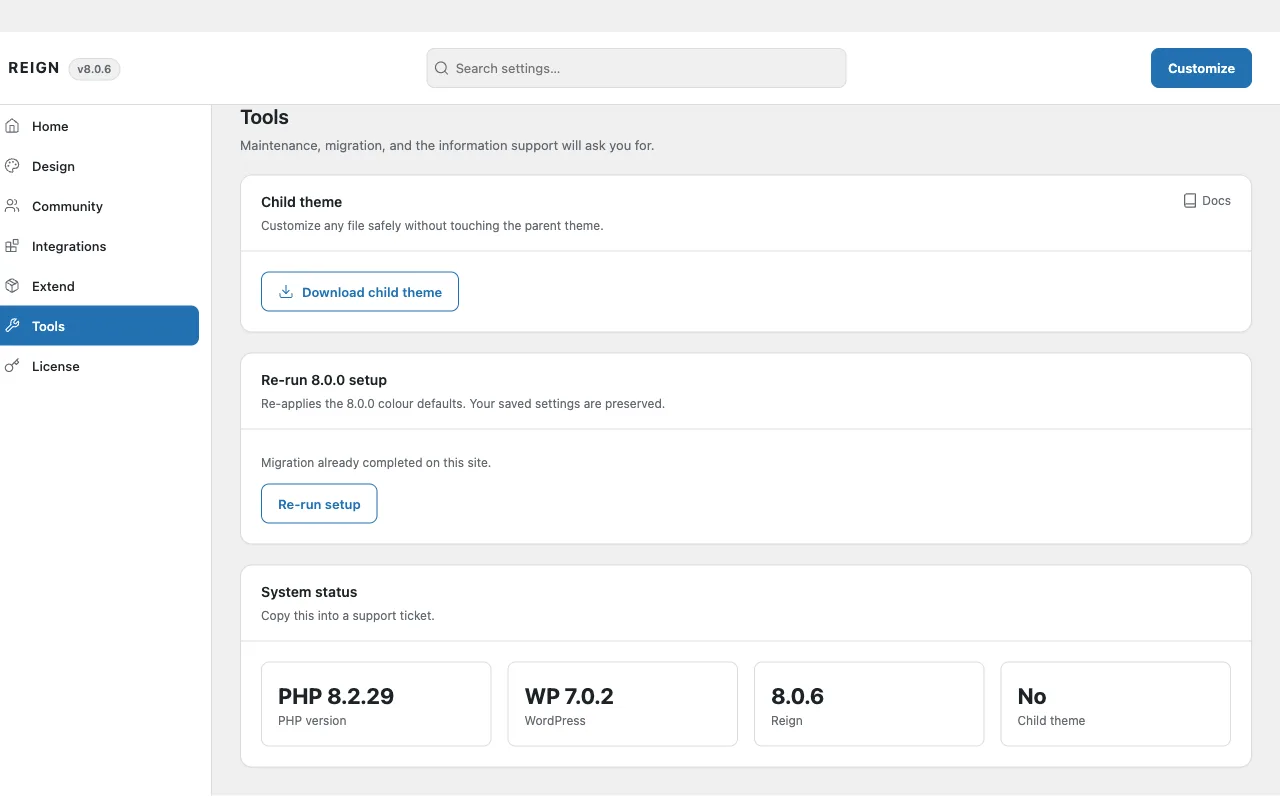
Copy System status from Reign Settings > Tools, note the exact setting you changed and the URL where it should appear, and open a ticket.