
WooCommerce and Easy Digital Downloads
What Reign styles for WooCommerce and Easy Digital Downloads, and where the WooCommerce controls live in the Customizer.
Reign ships styling for both major WordPress selling plugins. Install either one and the matching layer turns on, with nothing extra to install for the styling itself.
WooCommerce
Reign carries its own templates for the pages shoppers use most: the shop
archive, the cart, checkout and My Account. These live in the theme’s
woocommerce/ directory and override WooCommerce’s defaults for:
- My Account - the account dashboard and its navigation menu
- Checkout - the checkout form
- Cart - the cart table
- Product loops - the quantity stepper and the grid’s opening markup
Because WooCommerce adds its own WooCommerce panel to the Customizer once it’s active, Reign hangs four sections off that panel rather than building a separate one:
| Section | Controls |
|---|---|
| Shop Page | Grid view buttons and related layout for the product archive |
| Single Product Page | Layout and options for an individual product |
| Cart Page | Layout for the cart page |
| My Account Page | Layout for the customer account page |
Open it at Appearance > Customize > WooCommerce, or from Reign Settings > Design > Layout.
Shop filter button and its text
In WooCommerce > Shop Page, Display Filter Button (off by default) adds a Filter button to the shop page. It opens a filter panel that slides in from the side. Add your filter widgets under Appearance > Widgets > Off Canvas Sidebar.
Once the button is on, Filter Text appears just below it. It is the heading shown on the filter button and at the top of the panel. The default is “Filter”. Change it to something like “Refine” or “Narrow results”. If you clear the field, Reign shows “Filter” again. The field stays hidden while Display Filter Button is off.
Beyond templates and Customizer controls, Reign wires the header cart icon for you: a cart icon with a live item count appears in the header, and its mini-cart dropdown refreshes automatically after an AJAX add-to-cart, no page reload needed. If a site’s cart page has been deleted or never set, Reign hides the icon rather than link it to the homepage.
The header search can also switch to searching products instead of the whole site, from Reign Settings > Design > Header.
Easy Digital Downloads
EDD gets a lighter touch, because it is a checkout flow rather than a full storefront with archives and account dashboards. Reign gives it a header cart icon that shows the current item count and links straight to checkout. If the site runs EDD’s Cart Preview feature, clicking the icon opens the slide-out cart panel instead of navigating away.
EDD does not get its own Customizer panel. Reign’s compatibility layer for it sits under Reign Settings > Design, alongside the general layout controls, rather than as EDD-specific settings.
Checking what is active
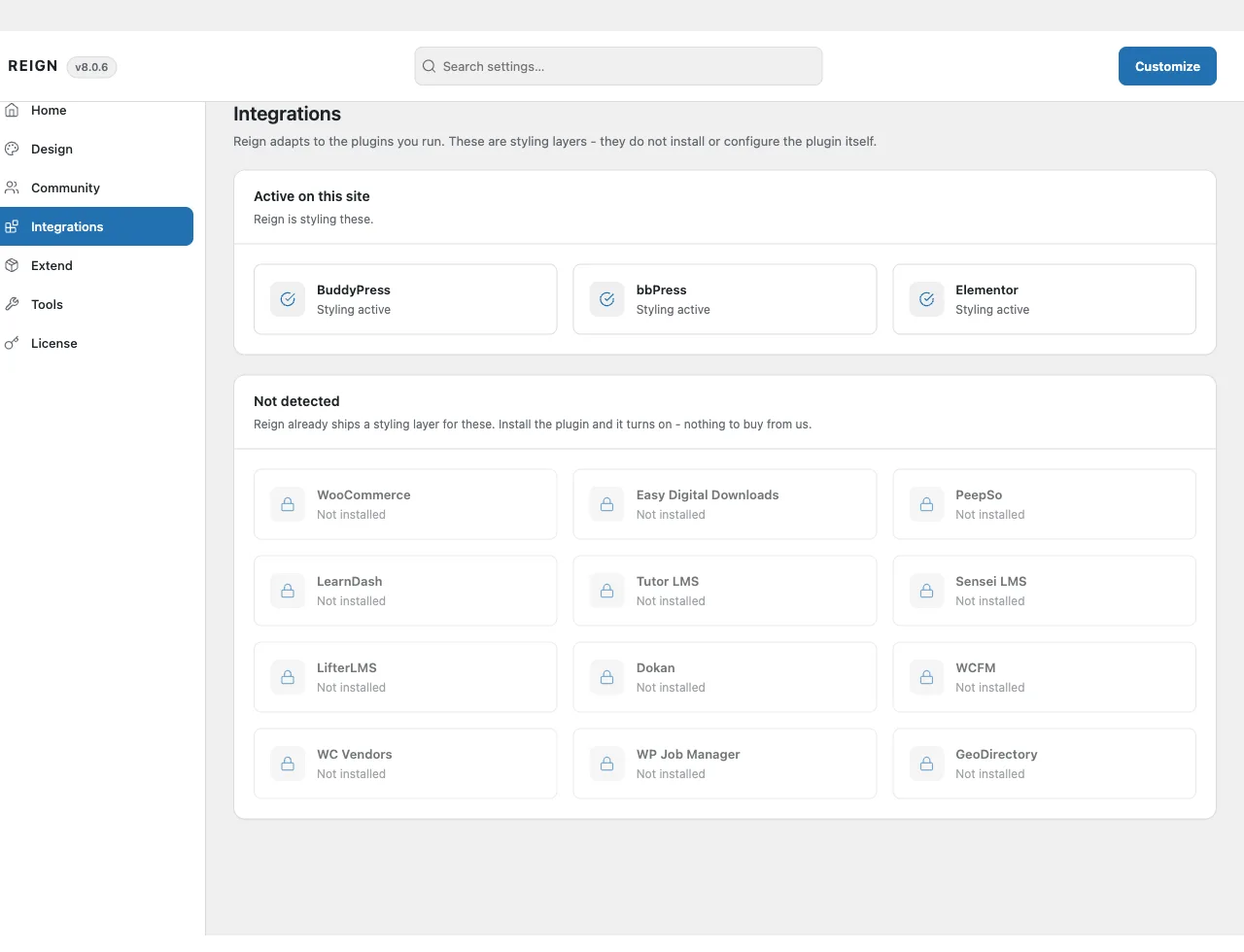
Reign Settings > Integrations always shows the current state: which of these Reign has detected running on your site, and which it is ready for the moment you install it. Use it before assuming a styling gap is a bug - it may just mean the plugin isn’t active yet.
If you have a Reign add-on installed
Older sites may still run a Reign add-on from before version 8. See Reign add-ons for what changed and whether you need to do anything.