
Reign WP Job Manager Addon
Adds job and resume layouts, a Google Maps header, custom taxonomies, search shortcodes and BuddyPress-aware assets on top of WP Job Manager, and needs that plugin installed to do anything.
Version 3.1.0. Requires PHP 8.0, WordPress 6.5 or later, and the Reign theme itself - the plugin checks for it on activation and deactivates with a notice otherwise.
What it needs
WP Job Manager, active. The addon checks for it on admin_init and
deactivates itself with a notice if it’s missing.
Two official WP Job Manager extensions unlock extra depth if you run them:
- WP Job Manager Resumes. Fully supported, gated behind a
class_exists( 'WP_Resume_Manager' )check. Worth noting because the theme itself already ships a smallwp-job-manager-resumes/override (content-resume.php,content-single-resume.php) as its baseline styling. The add-on’s own resume support goes well past that: grid and card layouts, seven resume taxonomies, a full single-resume template with social links, and its own settings tab. - WP Job Manager Applications. Also fully supported, through a dedicated compatibility class covering form fields, email notifications, dashboard columns and application statuses.
If BuddyPress is active, the addon detects when it’s rendering inside a BuddyPress profile’s Jobs or Resumes tab and adjusts layout classes and asset loading there - it does not create those BuddyPress tabs itself.
If you don’t already run WP Job Manager, Reign’s in-house WP Career Board covers the same ground without a third-party dependency - a stack choice, not a reason to skip this add-on if you already run WP Job Manager.
What it adds
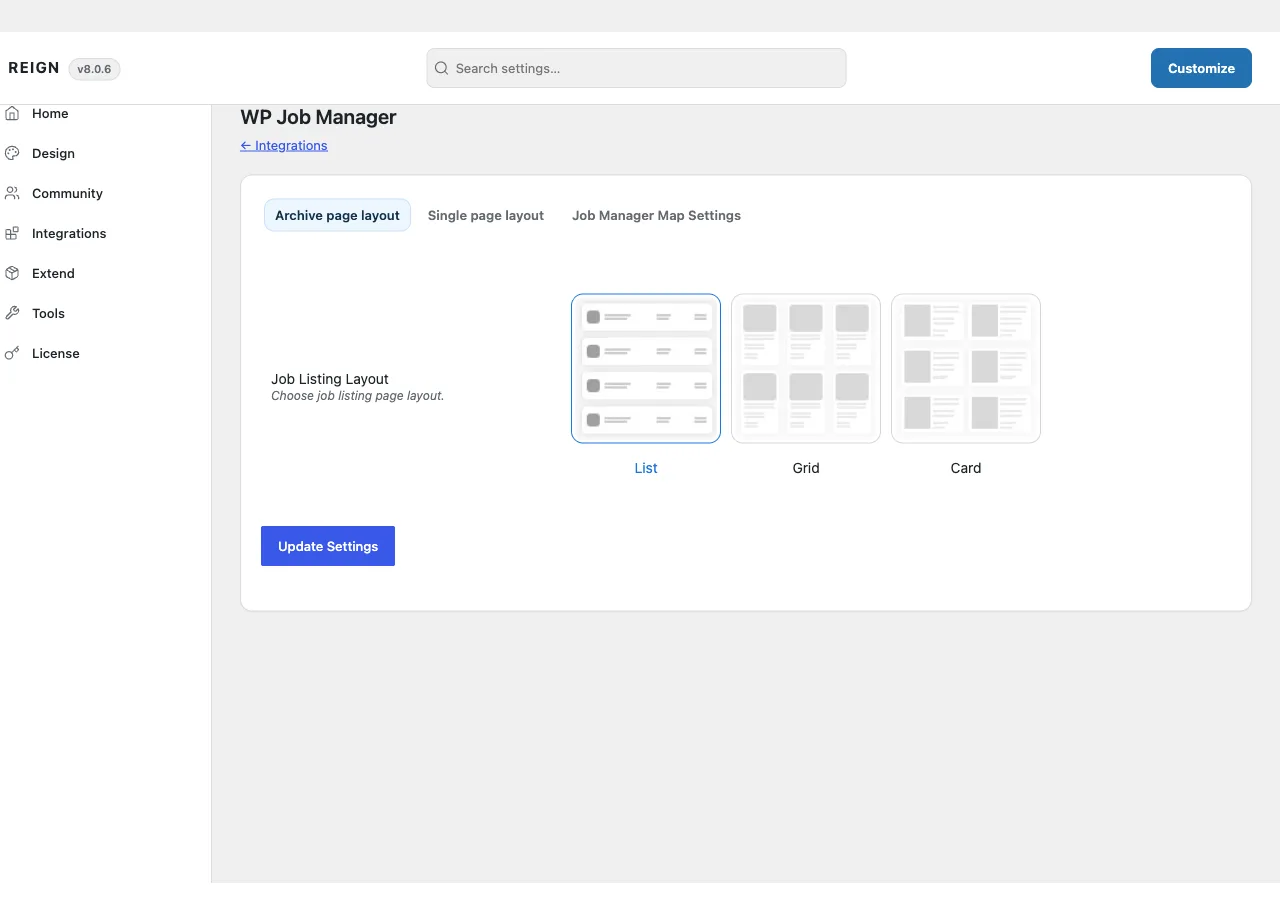
Layouts. List, grid and card views for both the job and resume archives, each with a grid-layout variant (three styles) and a column count (two, three or four). Single job and single resume pages each get three layout choices.
A Google Maps header. An optional map above the job or resume archive, built from each listing’s geolocation, with configurable zoom, map type, height, language and marker clustering. The marker set is capped (500 by default, filterable) and cached for an hour to stay fast on a large archive.
Custom taxonomies. Six for jobs - salary, career level, experience, gender, industry, qualification - as term-select fields on the submission form, each toggled from WP Job Manager’s own settings screen. Seven more for resumes: experience, age, current salary, expected salary, gender, education level, language.
Three shortcodes: jobmate_job_search_filter (a keyword/location/category
search form), jobmate_job_listing, and jobmate_resume_listing - the latter
two take layout, per-row and slider attributes so you can drop a styled job or
resume grid anywhere.
22 template overrides: 13 for job listings (archive, single, company block, related jobs, location map, job-type filter and every list/grid variant) and 9 for resumes (archive, single, overview, grid and card variants). Plus two dedicated widget areas: Job Archive Sidebar and Resume Archive Sidebar.
Dashboard and email extras: a Views column and an Applications column on
the job dashboard, an applied-post class on jobs a candidate already applied
to, extra searchable meta including geolocation, and reign_wpjm_* filters
over structured data, salary, currency and email content.
Where its options live
Reign Settings > WP Job Manager, a tab the addon adds to Reign’s own
settings page, with three sub-tabs: Archive page layout (list/grid/card
choices and columns), Single page layout (job and resume layout choice),
and Job Manager Map Settings (map toggle, zoom, type, height, language,
clustering). These live in the shared reign_options option under the
reign_job_mate key, the same option the theme and every other add-on use.
The taxonomy toggles (salary, career level, experience, gender, industry, qualification for jobs; the seven resume fields) live on WP Job Manager’s and WP Job Manager Resumes’ own native settings screens, not on Reign’s tab.
License activation is on its own panel inside Reign Settings, separate from the theme’s licence.
How to install
- Confirm WP Job Manager is active. Add WP Job Manager Resumes and WP Job Manager Applications first if you want that deeper support.
- Install and activate Reign WP Job Manager Addon from your account download.
- Activate its licence on its own settings screen.
- Set your layouts under Reign Settings > WP Job Manager.
If something looks wrong
Update the theme and this add-on together - see Reign add-ons for the general update guidance. If a job or resume page renders oddly after an update, deactivate the add-on to confirm the source; see white screen after activating.