
How the color system works
Why Reign has four color-related sections, how they override each other, and why a palette change sometimes seems to skip one element.
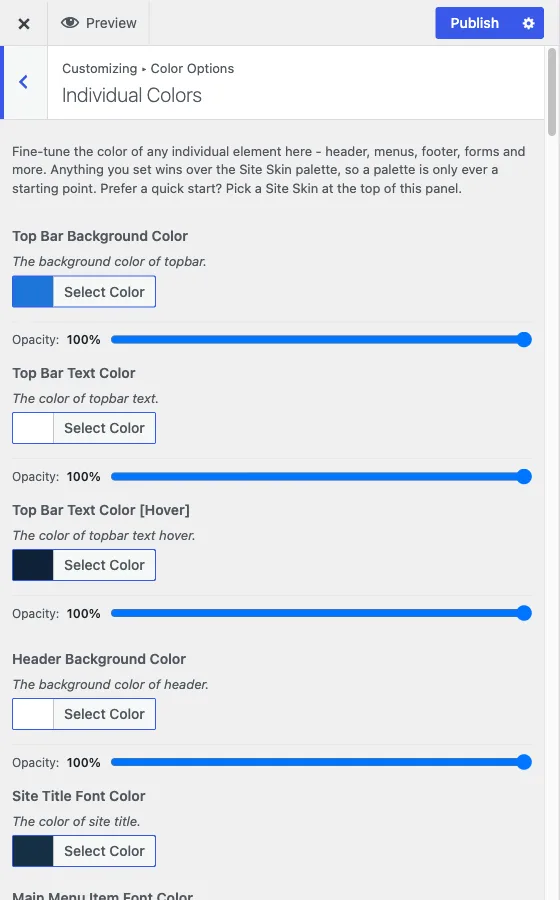
Reign’s colors live in four places under Customize > Color Options. They are not four separate systems: they are four layers, and each narrower layer wins over the broader one it sits on top of.
The four sections, in the order they act
1. Color Palette. One radio picker. Pick a palette and it sets color across your entire site in a single move - header, menus, content, footer, forms, and the dark-mode version of all of it. For almost every site this is the only colour decision worth making. See Color Palette.
2. Individual Colors. Hundreds of controls, but you only ever see the block for your currently active palette - Reign stores each palette’s colors separately so switching palettes never loses your work on another one. Change any field here and it beats the palette’s own value for that one element, in light mode.
3. Dark Mode Colors. The exact same set of elements as Individual Colors, but it only applies when a visitor’s site is in dark mode. Overriding a color here has no effect on the light version, and overriding the light version has no effect here. They start from the same palette but move independently once you touch them.
4. Light & Dark Mode. No colors at all. This section only controls the switch: whether visitors get a light/dark toggle, which mode they see first, where the switch sits, and an optional dark-mode logo. See Light and dark mode.
Why a palette change seems to skip one element
This is almost always one of two things, and both are working as designed:
- You (or whoever set up the site) already customized that element under this same palette. Reign remembers per-element overrides separately for each palette, so a color you hand-picked while “Emerald” was active will still be there the next time you’re on “Emerald” - even if you tried three other palettes in between. The fix is to open Individual Colors (or Dark Mode Colors, if it’s only wrong in dark mode) and change that one field, or click the small reset arrow on the color picker to return it to the palette’s own value.
- The element is only wrong in one mode. Light and dark colors are separate sections. If a colour looks right with the site in light mode and wrong in dark mode, the fix is in Dark Mode Colors, not in the palette or in Individual Colors.
The legacy picker inside Individual Colors
The first control inside Individual Colors is “Classic Color Scheme.” It is the same underlying setting as Color Palette - Reign shows it there too so the section knows which palette’s fields to display - and it also offers three older palettes (Classic, Sunrise, Coffee) that predate the Color Palette section and never made it into that picker. They exist for sites that already use them. On a new site, choose your palette from Color Palette and leave Classic Color Scheme alone.
In short
Palette sets the baseline for everything, in both light and dark. Individual Colors and Dark Mode Colors each let you pin one element more specifically, and a pin always beats the palette at that one spot. If something isn’t changing, a narrower setting is holding it in place - go find and clear that setting rather than fighting it from the palette.