
Swift and expert coding!
Swift and expert coding by Kerit to apply a personalised display adjustment on the Reign Theme for a media plugin that was not fully supported at the moment.
Membership site
Build what members get first: a BuddyNext community, Learnomy courses and Jetonomy Q&A, all free to install. Then add billing. Learnomy free sells memberships with monthly or yearly billing, and BuddyNext Pro adds paid plans and gated spaces. If you already run MemberPress or Paid Memberships Pro, keep it.
The Reign theme is the only thing you have to buy. See every plugin that installs free, or have us install the whole stack.
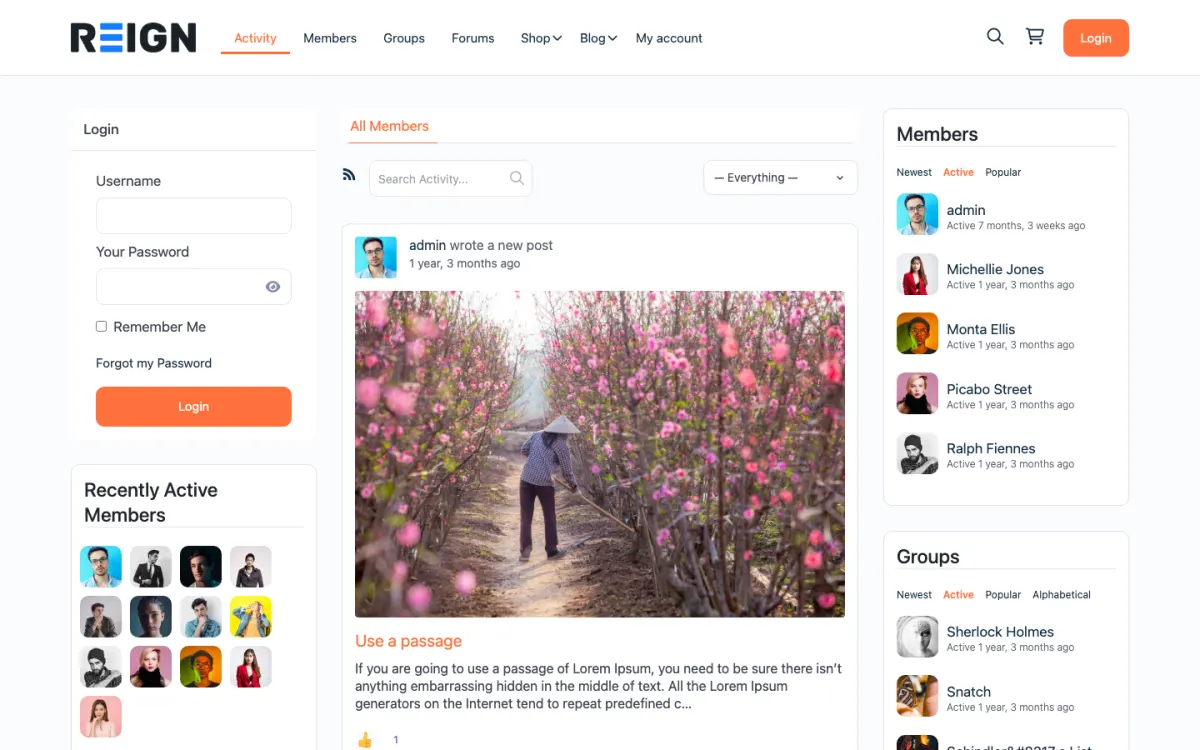
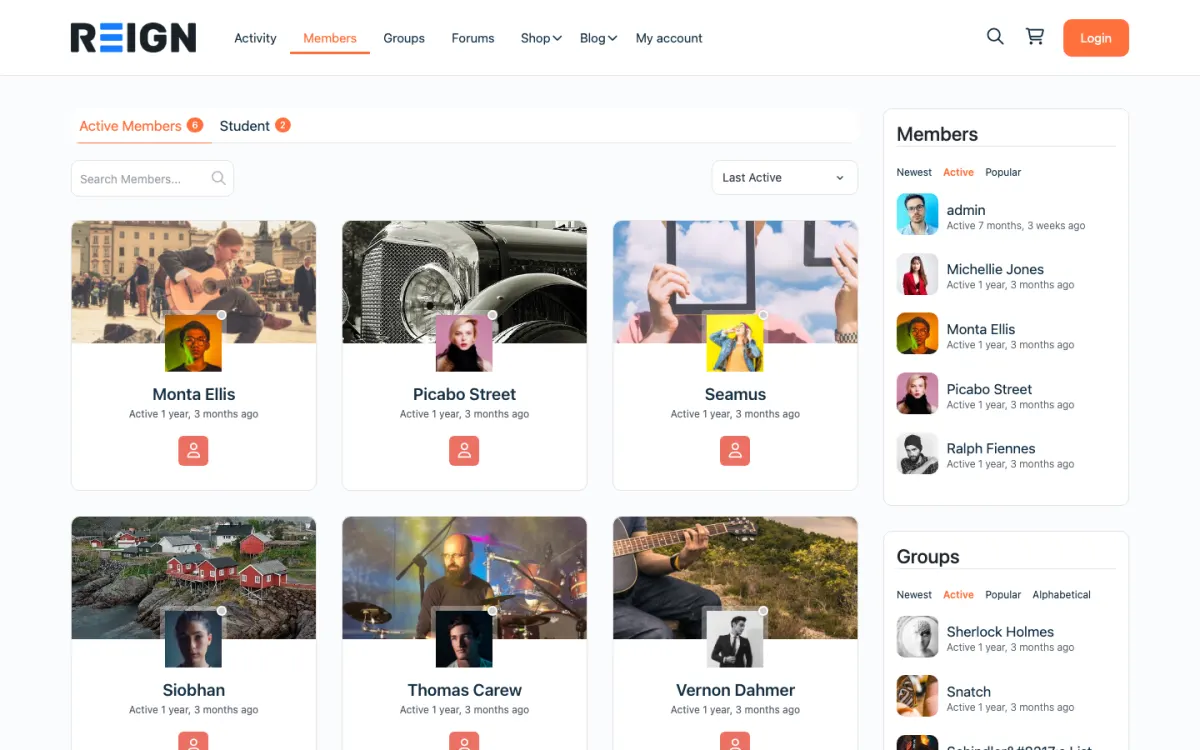
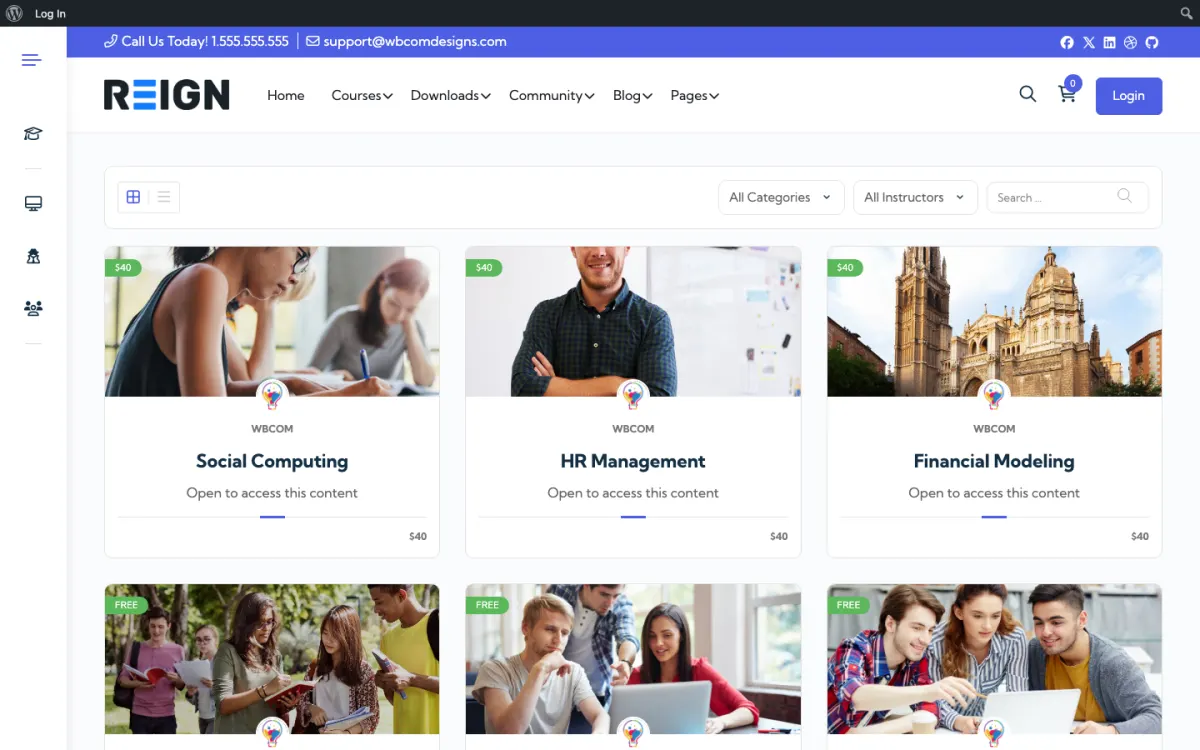
Screens from the live demos, with sample content. Open any of them and click around.
Stack recipe
Buy the theme. Install our plugins free. The third-party engine and its Reign add-on are here for people already running that stack, not a second bill everyone pays.
Theme
Free plugin · ours
Free plugin · ours
Free plugin · ours
Pro pack
Third-party
Build it in 6 steps
Activate Reign and open the free Reign Demo Installer. The Reign BuddyPress demo on the demos page is the closest social layout, and the learning demos suit course-led memberships. Import one and rebuild the home page around a clear promise of what members get.
Install BuddyNext. Plan public spaces that show what the community is like and spaces reserved for paying members. Gated spaces and paid plans are BuddyNext Pro features, so decide early whether you will use them or a separate membership plugin.
Install Learnomy for courses and Jetonomy for Q&A, and fill them with real content. A membership with nothing behind it loses members quickly. Publish enough that a visitor can see what they would be paying for.
Learnomy free has membership plans with monthly or yearly billing, trials and coupons, paid through Stripe or PayPal. BuddyNext Pro adds paid plans and gated spaces. If you already run Paid Memberships Pro or MemberPress, use that for billing and access control instead. Pick one and do not run two.
Start with a free level and one paid level. Add a third only when members ask for something the first two cannot give them. More tiers mean more questions and rarely more revenue.
Decide what each level can open: which spaces, courses and posts. Then write a welcome email, a check-in after the first week and a message for members who cancel. Test each level with a test account.
A visitor sees a public front door: what the membership is, a few free posts or spaces, and a clear way to join. After they join, they get a profile, access to the paid spaces, courses and Q&A that their level opens, and notifications when someone replies.
The community is what keeps people paying. A course on its own is a purchase; a course with a community around it is a membership. A member who has friends in the feed and a question answered last week has a reason to renew.
Behind the scenes, you control what each level can open. Learnomy free handles membership plans and courses. BuddyNext Pro handles gated spaces and paid plans for the community. A separate membership plugin handles access if you prefer one.
Create a test account on each level and go through the join, the first week and the cancellation. Confirm each level sees only what you intend. Run a payment in the provider's test mode and check the confirmation email and the access change.
Look at the public pages as a stranger. The promise should be clear in a few seconds. Then look at everything at phone width.
If you are on Paid Memberships Pro, check the levels page; Reign has a dedicated template for it that shows levels as a pricing table. If you are on MemberPress, remember Reign has no dedicated MemberPress stylesheet, so check its pages carefully against the theme and fix any differences with your own CSS.
Memberships grow by adding value. Eventonomy adds member events with RSVPs and recurring sessions. MediaVerse adds photos, video and messages. WB Gamification adds points, badges and leaderboards from real activity, free of charge, which many memberships use to reward participation.
Paid upgrades follow need. Learnomy Pro adds drip content, assignments, grading, cohorts and subscription management. BuddyNext Pro adds broadcast email, push and analytics. Jetonomy Pro adds polls and email digests.
See the plugins page for what each does and what is free.
This build suits creators, trainers, associations and publishers who sell access to a community and content together. It is a good fit when people pay for the people as much as the material.
If members are invited and not selling anything, the private community build is simpler. If courses are the whole product, the Learnomy build is more direct. If you coach cohorts, see the coaching platform build. If you run BuddyPress or BuddyBoss, Reign styles them, and the BuddyPress Community Bundle holds our Pro plugins for that stack.
Watch the first week of each new member closely. Members who post or ask something in the first week tend to stay, so welcome them by name and point them at one thing to do.
Watch cancellations. Read the reasons if you collect them, and send a short message to members who leave. It is the cheapest way to find out what is missing.
Reign is a flat theme licence with no per-member fee and no share of your sales, so growth does not raise the theme cost. See the pricing page for the plugin plans, and the guide to building an online community for launch habits.
The first is charging before there is anything to buy. A visitor who joins and finds a quiet feed and one lesson cancels quickly. Build enough behind the door that a new member can fill their first month. Start with the free level, learn what people use and put the most valued things behind the paid level.
The second is taking things away. Members accept a paid level when it adds something. They resent one that removes what they had for free. If you are adding a paywall to an existing community, announce it early, keep what people already use open, and make the paid level clearly better.
The third is two sources of truth for access. If Learnomy controls course access, BuddyNext Pro controls spaces and a separate membership plugin controls pages, a member's access can differ from one place to the next. Decide which tool is in charge, document it, and test each level after every change. Finally, plan for cancellation. Make it easy, ask why, and keep the door open. Members who leave on good terms often return.
Add these free
Same team builds the theme and the plugins, so these inherit the Reign design instead of needing custom CSS. The ones marked free install at no cost, and upgrades are sold per plugin, so nothing here needs a bundle.
Our own community engine: profiles, activity, spaces, messages (with WPMediaVerse), notifications.
One-click import of 30+ demo sites. Free with Reign theme.
Free utility plugin bundling small enhancements for BP + Reign.
Daily check-ins build streaks + accountability.
Follow members + see their activity in a custom feed.
GIF integration in posts + comments.
Members rate + review groups. Helps surface active spaces.
Events, calendars, and RSVPs for community sites.
See every plugin and what its free version does. Third-party tools such as LearnDash, Dokan, and MemberPress still fit where you already run them, and Reign styles those too.
FAQ
Install Reign, add BuddyNext for the community, Learnomy for courses and Jetonomy for Q&A, then choose how to bill: Learnomy memberships, BuddyNext Pro paid plans, or a membership plugin you already use.
The Reign theme, a flat licence with no per-member fee and no share of your sales. BuddyNext, Learnomy and Jetonomy install free. A separate membership plugin is optional.
If you already run one, keep it. Reign has a dedicated stylesheet and a levels-page template for Paid Memberships Pro. For MemberPress it provides general theme styling only, with no dedicated integration.
Yes. Learnomy free has membership plans with monthly or yearly billing, trials and coupons, and BuddyNext Pro adds paid plans and gated spaces.
Either works. Running free first proves engagement, and adding a paid level later works when it adds something real. Announce it early.
Only if you stay on BuddyPress or BuddyBoss and want our Pro community plugins in one licence. On BuddyNext, upgrade the single plugin you need.
Ship it
BuddyNext and the rest of our plugins install free, and the theme styles them out of the box. Building on BuddyPress or BuddyBoss instead? The BuddyPress Community Bundle kit ships the theme with the matching Reign add-on.
One theme, the whole site
Reign is the WordPress theme for building a complete community site: social network, courses, member directory, marketplace and job board on one install. Start with one, add the others when you need them, and keep one login for every member. Open a live demo, or launch a sandbox and get a fresh WordPress site to click through in about a minute.
Profiles, activity feed, spaces, messages and moderation on your own domain. Powered by BuddyNext.
Lessons, quizzes, certificates and memberships, on the same login as the community. Powered by Learnomy.
Listings, search, maps and reviews that members can add themselves. Powered by Listora.
Sell services or products from many sellers, with orders, reviews and commissions. Powered by WP Sell Services.
Employers post jobs, members apply, and you run the board from one dashboard. Powered by WP Career Board.
Reign with BuddyPress, ready in one click, or browse every demo by site type.
Add more when you need it
Tell us what you want members to do on your site. We will tell you which Reign setup, plugins and kit fit, before you buy anything.
Swift and expert coding by Kerit to apply a personalised display adjustment on the Reign Theme for a media plugin that was not fully supported at the moment.
I purchased Reign theme from Wbcom Designs, the support team was very helpful and I got the perfect website what I was looking for. Good work Wbcom Designs
WBComDesigns is amazing. The WP plugins and themes are of top notch quality with lots of features and updated very frequently. Supports are very responsive and helpful. I use Reign with TutorLMS, and the experience is surprisingly smooth. The recently launched BuddyNext Pro and MediaShield Pro are…
Love this company. Loved the REIGN product. They were there the entire time helping me set things up; and when things went wrong? They were quick to take action and help find a solution.
I am using the REIGN theme and several plugins from Wbcom Designs on my website. The theme is beautifully designed, and the plugins are user-friendly. Everything works smoothly, and the features are perfect for building professional websites and communities. What impressed me most is their…
I only have positive experience with wbcom. My journey started a lot of years back with the free buddyx theme. during my learning of wordpress and futher websites ideas I found a match with their Reign job mate theme. Always there to help, always open to explore ideas, always kind replyes even if I…
Very impressed with the customer service and technical team. There were some misalignments after the theme update. The team responded promptly and provided fast technical assistance. Thank you again for your fast actions.
Varun is always generous with his knowledge and time. Thank you for all you are doing for weDIDit.Health!
A team member responded quickly and answered my question. Great customer service!
I worked with Varus and he was very friendly and cordial. He is an honest person and does what you ask of him. I recommend you 100%. I currently use the plugins that your company has used and so far they are working very well for me.