
Perfect themes
I purchased Reign theme from Wbcom Designs, the support team was very helpful and I got the perfect website what I was looking for. Good work Wbcom Designs
Business directory · Listora
Install Reign, activate Listora for listings, categories, search, maps, reviews and claims, add BuddyNext so every listing belongs to a member, and import a layout with the free Reign Demo Installer. GeoDirectory is the deeper mapping alternative if you already run it, and Reign styles that too.
The Reign theme is the only thing you have to buy. See every plugin that installs free, or have us install the whole stack.
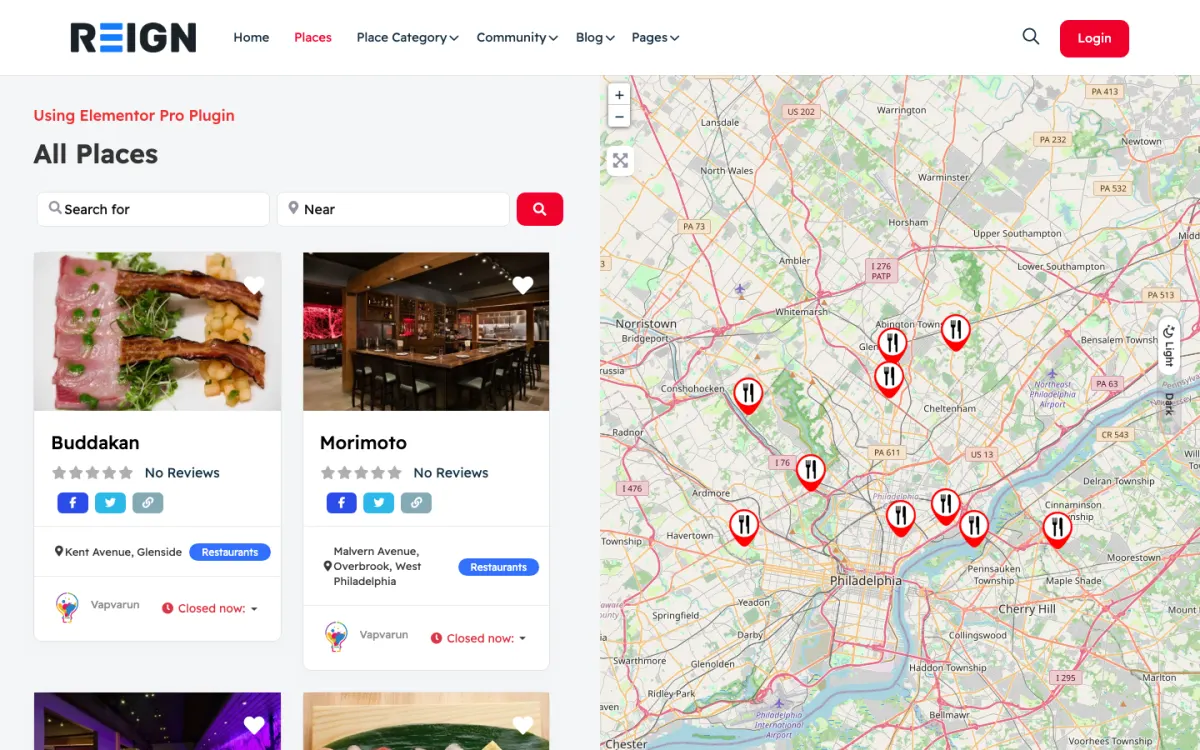
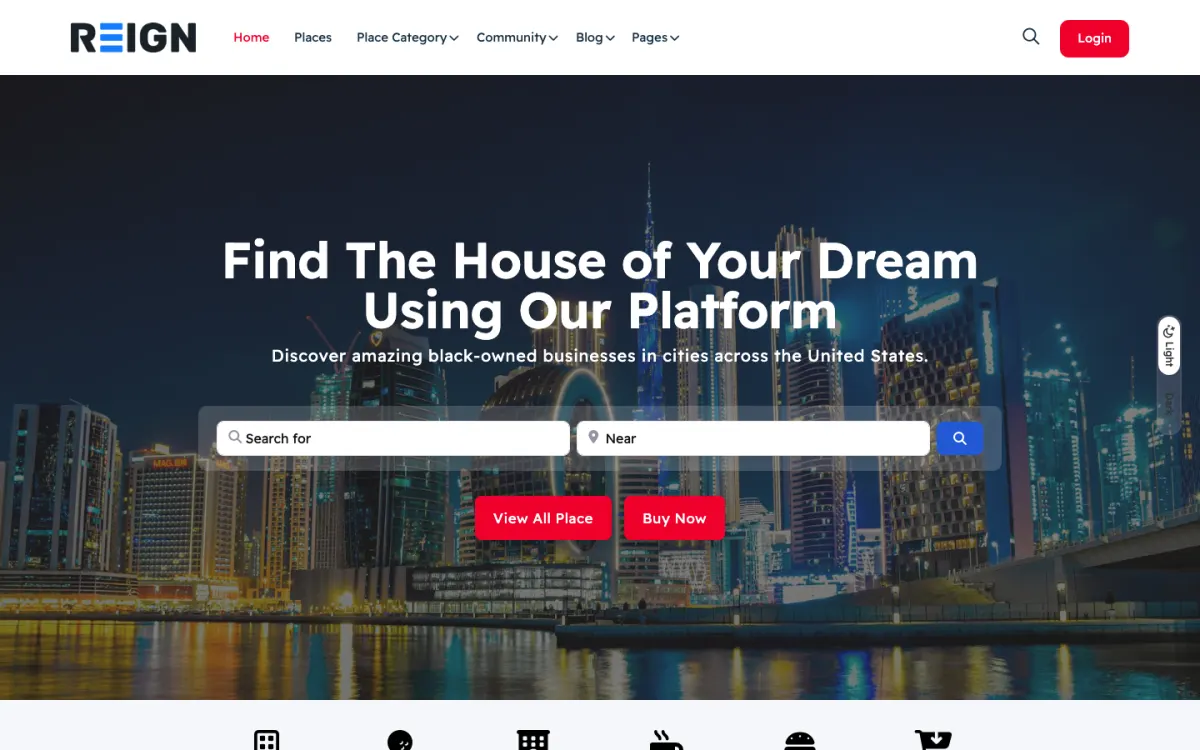
Screens from the live demos, with sample content. Open any of them and click around.
Stack recipe
Buy the theme. Install our plugins free. The third-party engine and its Reign add-on are here for people already running that stack, not a second bill everyone pays.
Build it in 6 steps
Activate Reign and run the free Reign Demo Installer. The Reign GeoDirectory demo on the demos page is the closest directory layout. Import it for the home page, menus and archive structure, then replace its sample listings and categories with yours.
Install BuddyNext. A listing owner then has a profile and a feed rather than a bare account, and a visitor can follow or message them (messages need WPMediaVerse). Add profile fields that suit owners, such as the business name and the area served.
Install Listora and write down your category tree on paper first. Renaming categories after hundreds of listings means rewriting hundreds of URLs. Then create the categories, switch on member submissions and decide whether new listings need your approval.
Nobody submits to an empty directory. Add a first batch yourself from sources you have the right to use, such as business registers or your own customer list with permission. Check each listing page, the map and the contact form on a phone.
As an owner, claim a listing and ask for approval. As the admin, approve the claim and confirm ownership moves to the owner account. Then send a message through a listing contact form and check it arrives in the owner dashboard as a lead.
Open submissions once the directory looks alive. Add a Jetonomy space so locals can discuss the places rather than only reading about them. Both give people reasons to come back that a plain listing does not.
A visitor searches by category or name, filters the results and opens a listing. Listora free shows the place on a Leaflet map, shows reviews with replies from the owner, and offers a contact form. If they want to say something to the owner, the message is saved as a lead in the owner's dashboard. A visitor who joins can also follow the owner and ask questions in the feed.
A listing owner submits a business as a member, or claims one you have already added. Claims need admin approval, which keeps the wrong person from taking over a listing. Once approved, the owner manages their listing from their account, answers reviews and reads the leads that arrive.
BuddyNext makes this a place and not just a list. Owners have profiles and a feed, and neighbours can talk. Jetonomy adds a Q&A space where a question about a neighbourhood or a trade gets answered once and stays findable.
Submit a listing as an owner and read every field from their point of view. Is it clear what is required? Does the form say what happens after submitting? Then review it as the admin and publish it. Check that the listing page looks right, that the map pin is where it should be and that the contact form works.
Search the directory the way a visitor would. Try a category, a partial name and a term that should return nothing. Make sure the empty state tells people what to try. Look at the archive and a single listing at phone width, since most directory searches happen on a phone.
Write a short listing policy before launch: what you will remove, what you require for a claim and who to contact. Link it from the submission form.
Monetisation comes first for most directories. Listora Pro adds paid listing plans, credits and coupons, Google Maps, verification badges, multi-criteria and photo reviews and lead counts in analytics. Switch it on once the directory has traffic worth paying for.
On the community side, Eventonomy lets you list local events with RSVPs, which gives visitors another reason to return. MediaVerse lets owners and visitors share photos and video, and also switches on direct messages. WB Gamification can recognise your most helpful reviewers with points and badges. See the plugins page for the full set.
Each of these uses the same WordPress accounts, so nobody registers twice and no data moves.
This build suits a local directory, an industry directory, a members directory with business profiles or a niche guide where members add the entries. It is a good first test of whether a directory has an audience, because the free plugin has maps, reviews and claims.
If your directory is map-first, or already runs on GeoDirectory, follow the GeoDirectory build guide and restyle what you have. If what you list are job openings, the job board build is the closer match. If what you list are services people can order, see the services marketplace build.
Approve new listings and claims, and read the new reviews. A short reply to an unhappy reviewer, written by the owner, does more for the directory's reputation than the review itself. Remind owners to answer.
Check the leads. If owners are not receiving messages, or are not replying to them, the directory is not doing its job for them, and they will stop updating their listings. A short email to owners who have unread leads is a useful weekly habit.
Reign is a flat theme licence with no per-member fee and no share of your sales, so listing volume does not change the theme cost. See the pricing page for plugin plans.
The first is a category tree that grows without a plan. Visitors want to find things in two clicks. Keep top-level categories few and clearly named, and move detail into search and filters. Review the tree after the first batch of listings, while changes are cheap.
The second is accepting every submission. A directory is only as useful as its weakest listing. Decide what qualifies, check new submissions before they appear and remove duplicates. Visitors judge the whole directory by the listings they open first.
The third is treating owners as customers only. Owners who have a profile, can answer reviews and read leads in their dashboard have reasons to keep their listing fresh. Show them those tools in a short welcome message. Finally, do not wait for a perfect map or a full catalog. Open with the area or the niche you can cover well, and widen once that part is genuinely useful.
Add these free
Same team builds the theme and the plugins, so these inherit the Reign design instead of needing custom CSS. The ones marked free install at no cost, and upgrades are sold per plugin, so nothing here needs a bundle.
Our own community engine: profiles, activity, spaces, messages (with WPMediaVerse), notifications.
One-click import of 30+ demo sites. Free with Reign theme.
Free utility plugin bundling small enhancements for BP + Reign.
In-house directory plugin. Faceted search past 100k listings.
Ad management + classifieds marketplace in one plugin.
Daily check-ins build streaks + accountability.
Follow members + see their activity in a custom feed.
GIF integration in posts + comments.
See every plugin and what its free version does. Third-party tools such as LearnDash, Dokan, and MemberPress still fit where you already run them, and Reign styles those too.
FAQ
Listings, categories, search, Leaflet maps, member submissions, reviews with owner replies, business claims with admin approval, and a contact form on every listing that saves messages as leads. Pro adds paid listing plans, credits and coupons, Google Maps, verification badges and multi-criteria and photo reviews.
Listora free already has Leaflet maps. Many directories are searched by category and name before anyone opens the map, so do not let map choices delay your launch.
Listora is ours and installs free, with Reign styling it directly. GeoDirectory is an established mapping directory, and Reign styles it with a matching add-on. Start with Listora unless you already run GeoDirectory.
The owner requests the listing from its page. You approve the claim in the admin, and ownership moves to their member account. Verification badges are a Pro feature.
Listora Pro adds paid listing plans, credits and coupons. Charge only when the directory has traffic that owners can see. The pricing page has the current plans.
Reign is a flat theme licence with no per-member fee and no share of your sales. Listora and BuddyNext install free. Hosting is the cost that grows with traffic.
Ship it
Listora and the rest of our plugins install free, and the theme styles them out of the box. Building on GeoDirectory instead? The Reign GeoDirectory kit ships the theme with the matching Reign add-on.
One theme, the whole site
Reign is the WordPress theme for building a complete community site: social network, courses, member directory, marketplace and job board on one install. Start with one, add the others when you need them, and keep one login for every member. Open a live demo, or launch a sandbox and get a fresh WordPress site to click through in about a minute.
Listings, search, maps and reviews that members can add themselves. Powered by Listora.
Profiles, activity feed, spaces, messages and moderation on your own domain. Powered by BuddyNext.
Lessons, quizzes, certificates and memberships, on the same login as the community. Powered by Learnomy.
Sell services or products from many sellers, with orders, reviews and commissions. Powered by WP Sell Services.
Employers post jobs, members apply, and you run the board from one dashboard. Powered by WP Career Board.
Reign with BuddyPress, ready in one click, or browse every demo by site type.
Add more when you need it
Tell us what you want members to do on your site. We will tell you which Reign setup, plugins and kit fit, before you buy anything.
I purchased Reign theme from Wbcom Designs, the support team was very helpful and I got the perfect website what I was looking for. Good work Wbcom Designs
WBComDesigns is amazing. The WP plugins and themes are of top notch quality with lots of features and updated very frequently. Supports are very responsive and helpful. I use Reign with TutorLMS, and the experience is surprisingly smooth. The recently launched BuddyNext Pro and MediaShield Pro are…
Love this company. Loved the REIGN product. They were there the entire time helping me set things up; and when things went wrong? They were quick to take action and help find a solution.
I am using the REIGN theme and several plugins from Wbcom Designs on my website. The theme is beautifully designed, and the plugins are user-friendly. Everything works smoothly, and the features are perfect for building professional websites and communities. What impressed me most is their…
I only have positive experience with wbcom. My journey started a lot of years back with the free buddyx theme. during my learning of wordpress and futher websites ideas I found a match with their Reign job mate theme. Always there to help, always open to explore ideas, always kind replyes even if I…
Swift and expert coding by Kerit to apply a personalised display adjustment on the Reign Theme for a media plugin that was not fully supported at the moment.
I worked with Varus and he was very friendly and cordial. He is an honest person and does what you ask of him. I recommend you 100%. I currently use the plugins that your company has used and so far they are working very well for me.
Camila Scot of Wbcom was helpful. I got a super prompt help with my BuddyX Theme. Although I am a free version user, I got irst attention. I am satisfied. I will eventually buy the lifetime version once we fully deploy it and we are sure it meets our need.
I've used several of their plugins. Occasionally support was needed but they were quite prompt in their support and solved the issue.
A plugin made a conflict and they fixed it immediately, great plugins anf great support.