REIGN
Get Reign

Course community · Learnomy

Build a free WordPress LMS community with Learnomy

Install Reign, add Learnomy for the courses, BuddyNext for the member feed and Jetonomy for Q&A, and import a demo layout with the free Reign Demo Installer. All three plugins install free and Reign styles them with no add-on in between. LearnDash is the paid alternative if you already run it, and Reign styles that too.

The Reign theme is the only thing you have to buy. See every plugin that installs free, or have us install the whole stack.

Key takeaways

  • Learnomy free covers courses, lessons, quizzes, certificates, Stripe and PayPal checkout, memberships and coupons, so you can sell a course without WooCommerce.
  • BuddyNext adds profiles, a feed and spaces. Jetonomy adds Q&A where the accepted answer stays findable.
  • Reign is the one purchase, a flat theme licence with no per-member fee and no share of your sales.
  • Already on LearnDash? Keep it. The Reign LearnDash Addon styles it, and the LearnDash build guide covers that road.

What it looks like on Reign

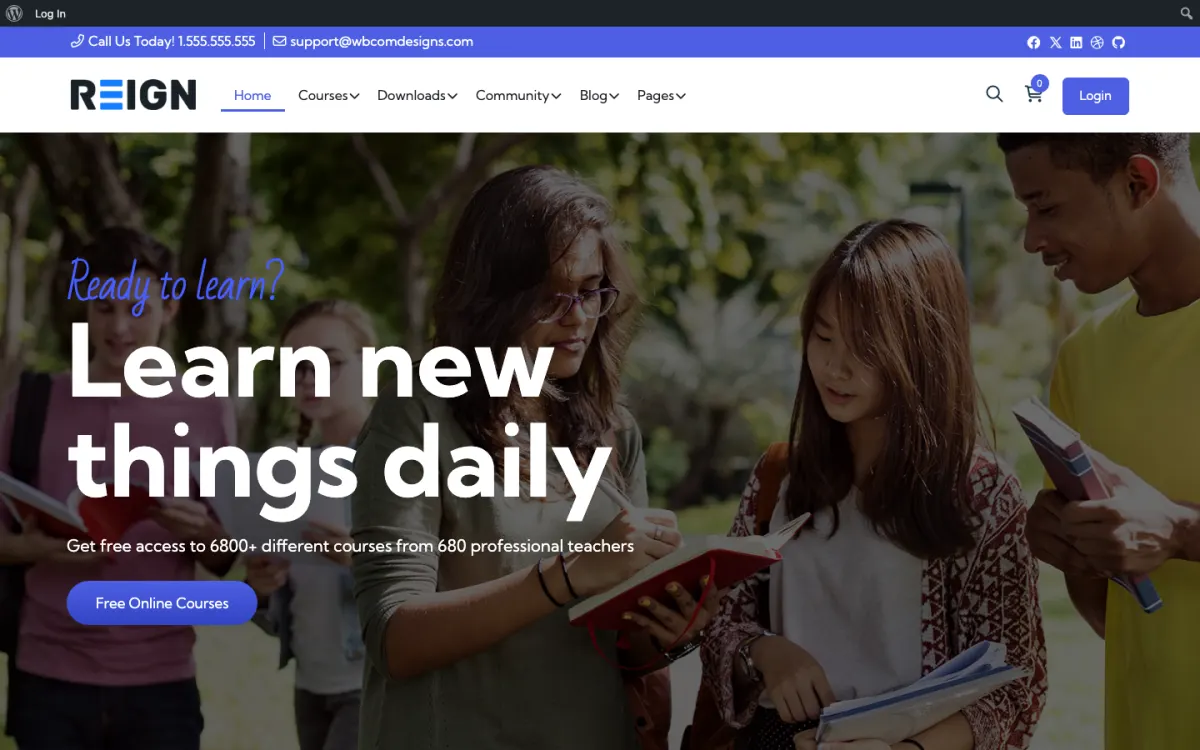
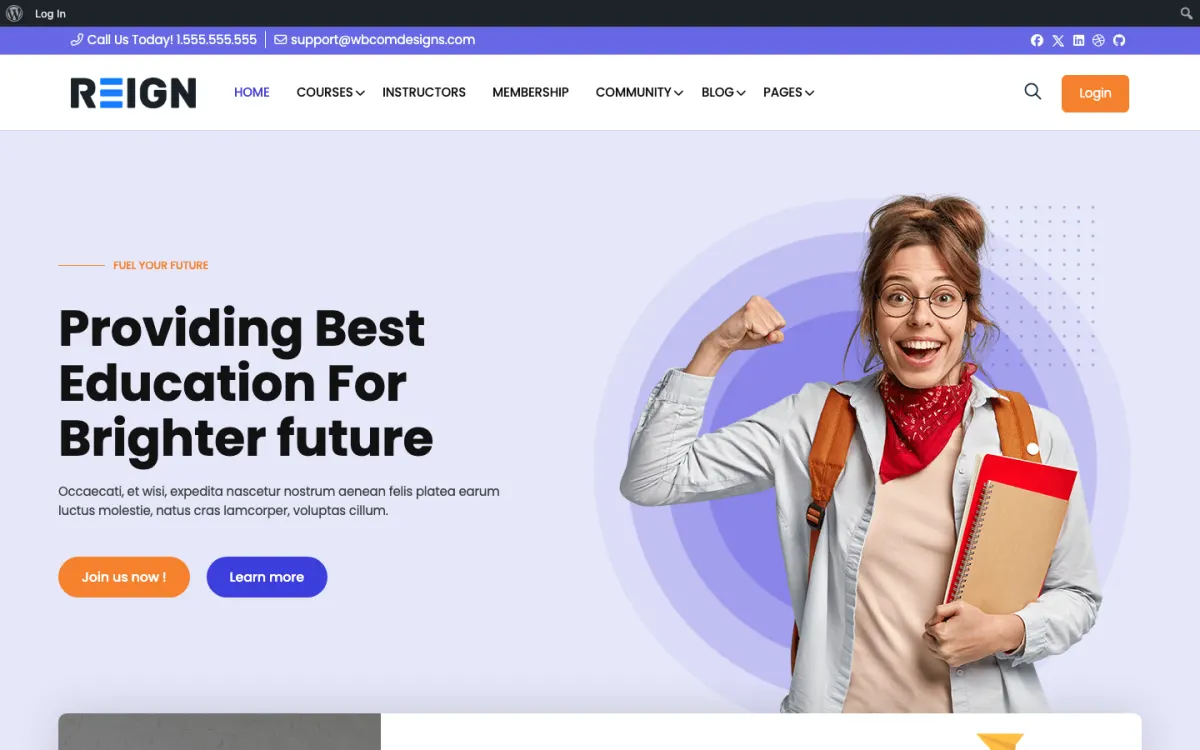
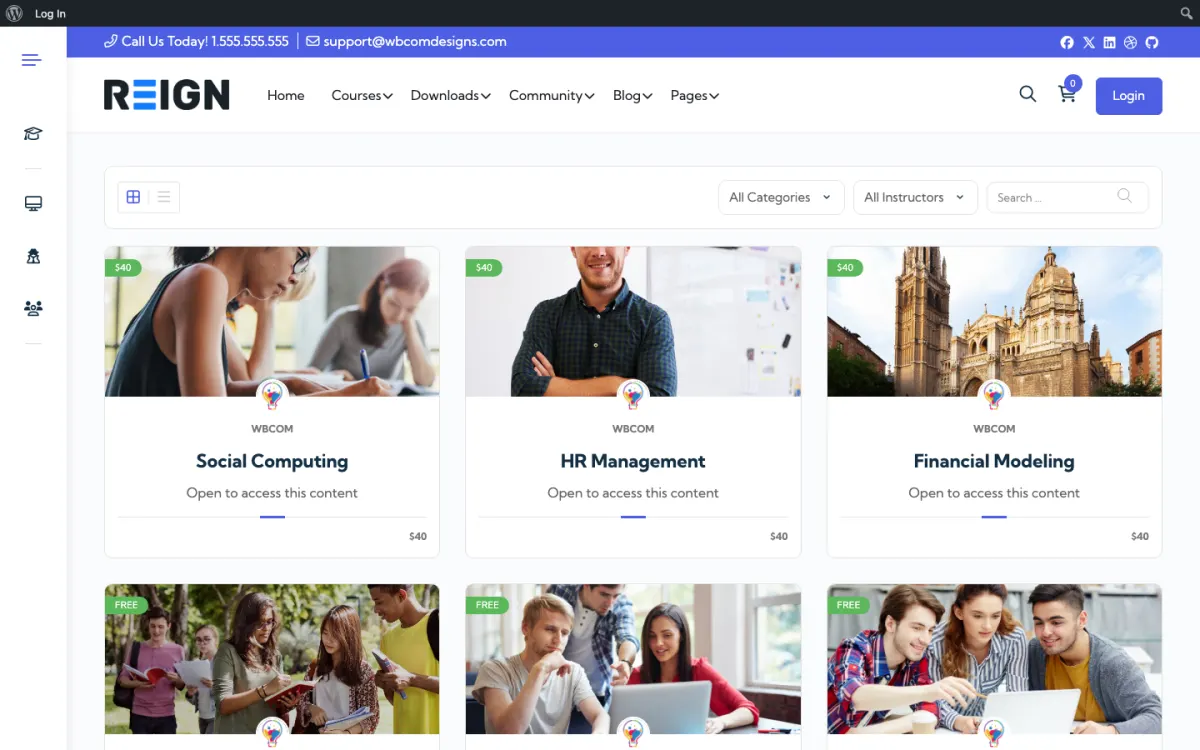
Screens from the live demos, with sample content. Open any of them and click around.

Stack recipe

What you need to assemble.

Buy the theme. Install our plugins free. The third-party engine and its Reign add-on are here for people already running that stack, not a second bill everyone pays.

Build it in 6 steps

From zero to live community.

01

Install Reign and import a starting layout

Upload and activate Reign, then run the free Reign Demo Installer. Pick the demo closest to a school or academy on the demos page, import it, and treat it as your menu and page structure. The demos are built around the engine named in their title, so replace the sample content with your own.

Reign Demo Installer

02

Activate BuddyNext for profiles, feed and spaces

Install BuddyNext from Plugins, Add New and activate it. Set your profile fields before anyone joins, because changing them later leaves early members with half-filled profiles. Create one space per course or per cohort so students land in a room that matches what they are studying.

BuddyNext with Reign

03

Build one real course in Learnomy

Install Learnomy, create a course, add lessons and a quiz, and switch on the certificate. Connect Stripe or PayPal in the Learnomy checkout settings if the course is paid. Publish a single complete course first and enrol a test student before you build a second.

Learnomy with Reign

04

Add a Q&A space with Jetonomy

Install Jetonomy and create a space named after the course. Students post a question, the instructor marks the best reply as the accepted answer, and the answer stays near the top for the next student. Keep it to a few spaces so none of them looks empty.

Jetonomy with Reign

05

Test the whole student path

Register a fresh account, buy or enrol, finish a lesson, ask a question and view the site on a phone. Check the checkout in the payment provider test mode before you take real money. Fix what feels clumsy now, while only you are watching.

06

Open enrolment and invite your first students

Send the course link to people you already know. Ask them to post in their cohort space in the first week so the feed has real conversation before strangers arrive. Read the pricing model on the pricing page so there is no surprise at renewal.

Reign pricing

What the finished site does for students

A student lands on your course catalog, picks a course and enrols. Inside the course they move through lessons, take quizzes and earn a certificate when they finish. That whole path is Learnomy free, and so is the checkout: Stripe and PayPal are built in, along with membership plans and coupons, so you do not need WooCommerce to sell a course.

Around the course sits the community. BuddyNext gives every student a profile, an activity feed, spaces to join and notifications when someone replies. Direct messages work once WPMediaVerse is active alongside it. A student who finishes a lesson on Tuesday can post what they learned, see what another student posted, and message the instructor, all under one login.

Jetonomy handles the questions that do not belong in a fast-moving feed. A student stuck on a lesson asks in the Q&A space, the instructor or a peer answers, and the best reply is marked as accepted. Voting and reputation come with the free plugin. The next student with the same problem finds the answer by searching instead of asking again.

One honest note on profiles. The Learning, Certifications and Teaching panels on a member profile come from the Learnomy bridge in BuddyNext Pro. With free BuddyNext, students still have a normal profile and still see your courses; they just do not get those three panels.

What to check before you open enrolment

Go to Settings, Permalinks in WordPress and save once, so course and space URLs resolve cleanly. Then walk through the site as three people: a visitor who is not logged in, a new student and you as the instructor. The visitor should see a catalog and a clear way to join. The student should reach their first lesson in a few clicks. You should see where questions and reports arrive.

Check the money path with care. Run a test purchase in your payment provider's test mode, confirm the student gains access to the course, and confirm a coupon behaves the way you expect. Then look at the site at phone width. Most students will open a lesson on a phone, so read a full lesson there yourself.

Last, write a short welcome post and pin it in the main space. Say what the community is for, where to ask questions and what the first week looks like. It takes ten minutes and it saves you answering the same message from every new student.

Adding the next piece later, on the same login

The stack is built to grow without a migration. Every plugin installs from Plugins, Add New, uses the same WordPress accounts, and Reign already styles it. Nothing about your students or their progress has to move.

If your course has live sessions, add Eventonomy for event pages with RSVPs and recurring dates. If students want to share work, add MediaVerse for photo and video uploads with albums; it also switches on direct messages. If you want to reward effort, WB Gamification gives you points, badges, levels and leaderboards earned from real activity, and every part of it is free. The full list is on the plugins page.

Paid upgrades come in when a specific limit hurts, not before. Learnomy Pro adds drip content, assignments, grading, cohorts, subscription management and instructor payouts. Jetonomy Pro adds private messaging, polls, email digests, auto-moderation and analytics. You buy the one that solves today's problem and leave the rest.

Who this build suits, and who should pick another

This build suits a trainer, a creator or a small academy that has no learning platform yet and wants students to talk to each other as well as watch lessons. It also suits a business adding a paid course to an existing audience, because checkout is part of the free plugin and the community comes with the same install.

If you already run LearnDash, do not rebuild. Follow the LearnDash build guide and add the Reign LearnDash Addon. The same goes for LifterLMS and Tutor LMS. If what you sell is mostly live sessions and one-to-one time rather than self-paced lessons, the coaching platform build is a closer fit. If access to everything sits behind a subscription, start from the membership site build.

Running it day to day

Your week has three small jobs. Answer or reassign the open questions in the Q&A space. Clear the report queue in BuddyNext and the moderation queue in Jetonomy, both of which are free. Post one thing in the main space that gives students a reason to come back, such as a prompt tied to this week's lesson.

Read the questions as feedback. The lesson that draws the most questions is the one to rewrite or split. A quiz that nobody passes is usually a lesson problem, not a student problem. Because the questions are searchable, you can also turn the best accepted answers into a short FAQ at the top of the course.

Cost stays flat as you grow. Reign is a flat theme licence with no per-member fee and no share of your sales, so the bill does not move when enrolment does. Hosting is the cost that scales; the hosting guide and the scale page cover how large communities are run on this stack.

Mistakes to avoid with a first course

The most common one is building the whole curriculum before anyone has taken a lesson. Publish one short course, enrol a few people you know and watch where they stall. The first version of a course is a draft, and students tell you quickly which parts are unclear.

The second is switching on every plugin at once. Learnomy, BuddyNext and Jetonomy each add screens, emails and settings. If you launch with all three half-configured, students meet three rough edges instead of one polished path. Finish the course and the feed first, add Q&A when the first question arrives.

The third is silence after enrolment. A student who buys and hears nothing is a refund waiting to happen. Post a welcome in the course space, reply to the first few introductions yourself, and check in with students who have not opened a lesson. Small, human follow-up does more for completion than another feature.

FAQ

Common questions.

Can I build a course community on WordPress without paying for an LMS?

Yes. Learnomy free covers courses, lessons, quizzes, certificates, Stripe and PayPal checkout, memberships and coupons, so a complete paid course runs without an LMS licence. Reign is the one purchase, as a flat theme licence.

What is actually in the free version of Learnomy?

Courses, lessons, quizzes, certificates, Stripe and PayPal checkout, membership plans and coupons. Drip content, assignments, grading, cohorts, subscription management and instructor payouts are Pro.

Should I use LearnDash instead?

Use it if you already run it. LearnDash is an established LMS with a long track record, and Reign styles it with a matching add-on. If you have no courses yet, Learnomy lets you start without a separate LMS licence. The LearnDash build guide covers the other road.

Do I have to use BuddyNext for the community?

No. Reign has styled BuddyPress and BuddyBoss for years and still does. BuddyNext is the free way in for a new site, not a migration anyone has to make. If you stay on BuddyPress or BuddyBoss, the BuddyPress Community Bundle holds our Pro community plugins for that stack.

Do students need a separate account for the forum and the courses?

No. Learnomy, BuddyNext and Jetonomy all run on normal WordPress accounts, so one login covers the course, the feed and the Q&A space.

How much does this stack cost?

The software cost is the Reign theme licence, which is flat with no per-member fee and no share of your sales. Learnomy, BuddyNext and Jetonomy install free, and each sells its own Pro plan. See the pricing page for current figures.

Ship it

Reign is the only thing you have to buy.

Learnomy and the rest of our plugins install free, and the theme styles them out of the box. Building on LearnDash instead? The LearnMate LearnDash kit ships the theme with the matching Reign add-on.

One theme, the whole site

See what you can build with Reign, then try it.

Reign is the WordPress theme for building a complete community site: social network, courses, member directory, marketplace and job board on one install. Start with one, add the others when you need them, and keep one login for every member. Open a live demo, or launch a sandbox and get a fresh WordPress site to click through in about a minute.

Add more when you need it

Not sure which setup fits your site?

Tell us what you want members to do on your site. We will tell you which Reign setup, plugins and kit fit, before you buy anything.

What customers say on Trustpilot

I only have positive experience!

I only have positive experience with wbcom. My journey started a lot of years back with the free buddyx theme. during my learning of wordpress and futher websites ideas I found a match with their Reign job mate theme. Always there to help, always open to explore ideas, always kind replyes even if I…

Oskar HanborgSE