The best WordPress theme for a course site that also has a community and member profiles is Reign with Learnomy: lessons, quizzes and certificates run on the same login as profiles, groups and the activity feed, and Learnomy installs free. Below, 6 setups compared for a course community. Reign with Learnomy, our own LMS that installs free, against Reign with a third-party LMS add-on, eLumine, BuddyBoss, Astra and BuddyX. Which one fits what you are building.
What it looks like on Reign
Screens from the live demos, with sample content. Open any of them and click around.
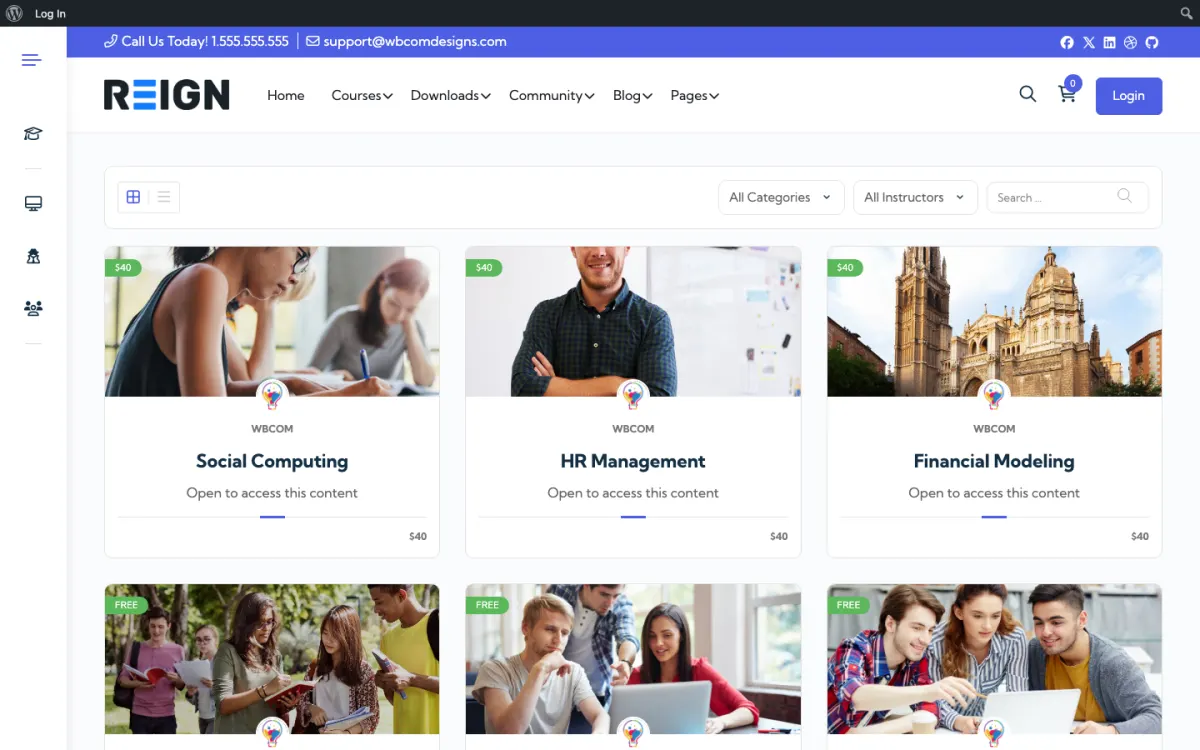
The course catalog, filtered by category and instructor. Open the demo
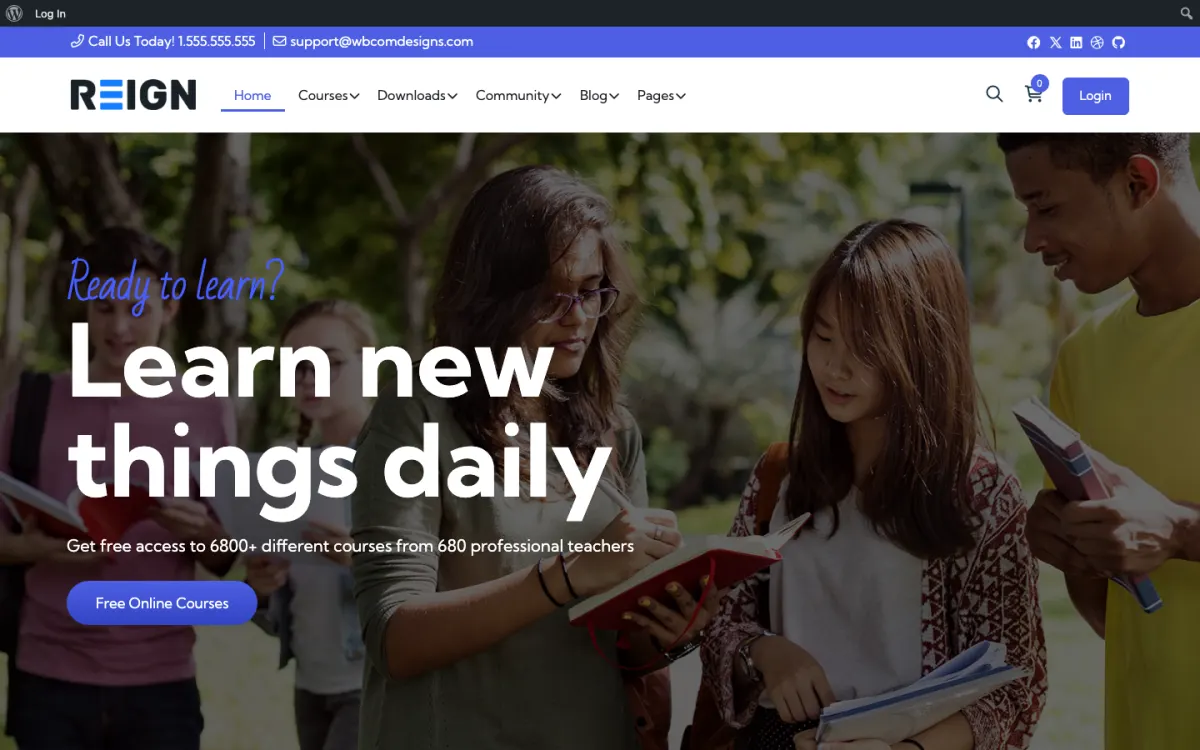
A course site home page, styled by Reign. Open the demo
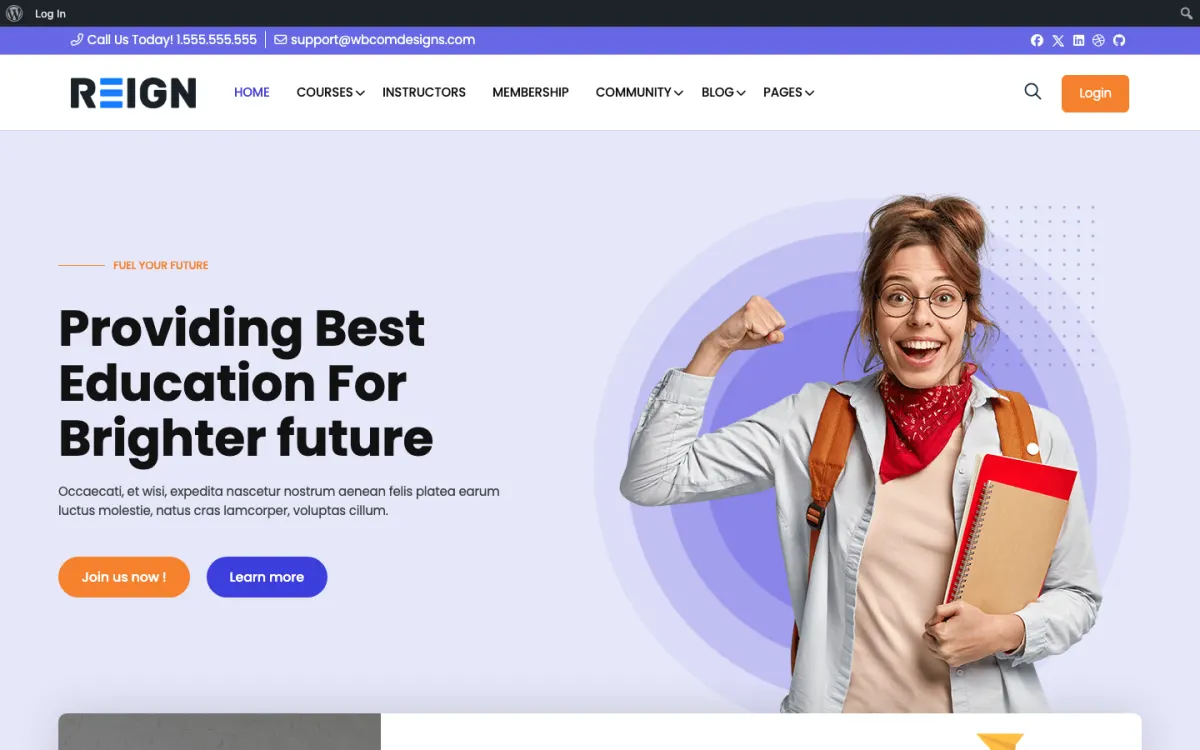
The same layout on LifterLMS, if that is your course engine. Open the demo
Comparison
6 setups side by side.
The pricing model covers the theme or subscription. Every row except the first also needs a third-party LMS licence on top: LearnDash is a paid yearly licence, and LifterLMS, Tutor LMS and Sensei each have a free core with a paid tier for the features a production course site usually needs. Learnomy is the only LMS in this list built by the team behind Reign.
Theme
Pricing model
LMS supported
Reign + Learnomy LMS installs free
Theme licence; Learnomy installs free, optional Pro
Learnomy
Reign + third-party LMS add-on
Theme licence, a Reign add-on per LMS, plus the LMS licence
LearnDash · LifterLMS · Tutor LMS · Sensei
eLumine (LearnDash-only)
Yearly licence plus a LearnDash licence
LearnDash
BuddyBoss + LearnDash
Yearly subscription plus a LearnDash licence
LearnDash
Astra + LearnDash
Free theme plus a LearnDash licence
LearnDash
BuddyX + LearnDash
Free theme with optional Pro, plus the LMS licence
LearnDash · LifterLMS · Tutor LMS
Per-theme
Verdicts.
Reign + Learnomy
Theme licence; Learnomy installs free, optional Pro
Strengths. Learnomy is Wbcom's own LMS and it installs free: courses, lessons, quizzes, certificates, Stripe and PayPal checkout, memberships and coupons. The same team builds the theme and the plugin, so the course pages inherit the Reign design with no bridge plugin and no second design language. Pro adds drip content, assignments, grading, cohorts, subscription management and instructor payouts when you need them.
Verdict. Best starting point for a course community. The LMS installs free, so the theme licence is the whole bill until your courses need a Pro feature.
Reign + third-party LMS add-on
Theme licence, a Reign add-on per LMS, plus the LMS licence
Strengths. All four third-party LMS plugins are styled natively through separate Reign add-ons, with a BuddyNext or BuddyPress community on the same install.
Verdict. Best if you already run LearnDash, LifterLMS, Tutor LMS or Sensei and want it to look native without moving your course data.
eLumine (LearnDash-only)
Yearly licence plus a LearnDash licence
Strengths. A design made for LearnDash course pages.
Verdict. Best for a LearnDash site that does not need a community.
BuddyBoss + LearnDash
Yearly subscription plus a LearnDash licence
Strengths. LearnDash with a BuddyBoss Platform community and a polished interface.
Verdict. Best for a LearnDash course community that needs a native mobile app.
Astra + LearnDash
Free theme plus a LearnDash licence
Strengths. A lightweight general-purpose theme with a free version.
Verdict. Best for a LearnDash site where speed matters and no community is needed.
BuddyX + LearnDash
Free theme with optional Pro, plus the LMS licence
Strengths. Free on WordPress.org from the same team as Reign, and works with three of the four main third-party LMS plugins.
Verdict. Best for a simple course community on BuddyPress that wants to start with a free theme.
What a course site with a community needs from its theme
A course site and a community site ask different things of a theme. The course side needs clean lesson pages, a catalogue people can filter, a quiz screen that works on a phone, and a student dashboard that shows where someone left off. The community side needs profiles, a feed, spaces for each course or cohort, and notifications that bring people back. Most themes are built for one of the two and treat the other as an extra.
Reign treats them as one site. A student signs in once, moves from a lesson to the discussion space for that course, and back again, and every screen looks like the same product. That matters more than it sounds: when the course and the conversation feel like two different websites, students stop crossing between them, and the community goes quiet.
How to choose between Learnomy and a third-party LMS
Start with what you already have. If your courses already live in LearnDash, LifterLMS, Tutor LMS or Sensei, keep them. Moving a live course catalogue costs time and puts student records at risk, and the students gain nothing from it. Add Reign with the matching add-on, and the course pages take on the theme without any change to your course data.
If you are starting fresh, try Learnomy first. It installs free and covers what a course business needs on day one: courses, lessons, quizzes, certificates, checkout through Stripe and PayPal, memberships and coupons. There is no second licence to buy before you have a single student, and no styling add-on, because the theme and the LMS come from the same team.
The honest reason to pick a third-party LMS on a new site is a specific add-on or integration that only exists for it. Check the list of what your course depends on before you choose, and if one item on it is only available for one LMS, that answers the question.
What students do on a Reign course community
A student joins, lands on their profile and sees their courses next to the spaces they belong to. After a lesson they post a question in the course space, and an instructor or another student answers in public, so the next person with the same question finds it. Questions that deserve a permanent answer go into Jetonomy, where the best reply can be marked as accepted and stays at the top of the thread.
Points, badges and leaderboards from WB Gamification, which is free with no Pro plan, reward finishing lessons and helping others. Events from Eventonomy cover live sessions and office hours. When a course ends, the space stays open as an alumni space, which keeps graduates around for the next course you launch.
How to try each setup before you buy
Open the course demos on the demos page and click through them as a student would: the catalogue, a lesson, a quiz and the community around it. Then read the course community build guide for the engine you are leaning towards. It lists each step from install to launch and links to the add-on or kit you need. If you are still unsure, send us what you teach and how you charge, and we will tell you which setup fits before you spend anything.
These kits are the shortcut for the third-party path: the theme, the matching styling add-on and the community bundle in one purchase. Starting fresh instead? Install Learnomy free and skip the assembly entirely.
What's the best WordPress theme for a course site that also has a community and member profiles?
Reign with Learnomy. Reign styles the courses and the community as one site, Learnomy adds lessons, quizzes and certificates, and BuddyNext or BuddyPress adds profiles, spaces and the feed, all on one member login. Learnomy installs free, so the theme licence is the one purchase. If you already run LearnDash, LifterLMS or Tutor LMS, Reign has an add-on that styles those too.
Which LMS should I pick?
Start with Learnomy. It is Wbcom's own LMS, it installs free, and it covers courses, lessons, quizzes, certificates, checkout, memberships and coupons, with drip content, assignments, grading and instructor payouts in its optional Pro plan. If you already use LearnDash, LifterLMS, Tutor LMS or Sensei, keep it: Reign styles all of them through its add-ons.
Learnomy or LearnDash on Reign?
Learnomy if you are starting now: nothing extra to buy, and the LMS shares users, permissions and design with the rest of the Reign stack. LearnDash if you already run it or depend on an integration built only for it. LearnDash is a paid licence on top of the theme and uses the Reign LearnDash add-on for native styling; Learnomy needs neither.
Why does Reign need a separate add-on per third-party LMS?
Each third-party LMS has its own page structure, so the Reign LearnDash, LifterLMS, Tutor LMS and Sensei add-ons each style their own screens. You install only the one for the LMS you use. Learnomy needs no add-on because it is built on the same design system as the theme.
Reign vs eLumine?
eLumine is built for LearnDash course pages and assumes you run LearnDash. Reign adds the community layer on the same install and pairs with Learnomy, so you do not need a separate LMS licence. Pick eLumine for a LearnDash site with no community. Pick Reign for a course community.
BuddyBoss + LearnDash vs Reign + Learnomy?
BuddyBoss is a yearly subscription with a LearnDash licence on top. Reign is one theme licence and Learnomy installs free, so there is no second licence until you choose Learnomy Pro. BuddyBoss is the better fit if a native mobile app is a must.
Can I build a course community, a marketplace and a job board on one site?
Yes. Reign styles all three, and each has a free Wbcom plugin behind it: Learnomy for courses, WP Sell Services for a services marketplace and WP Career Board for jobs. If you would rather run Dokan, WCFM or WP Job Manager, the matching Reign add-ons style those instead.
Is there a free WordPress LMS theme?
Free themes such as Astra or BuddyX work with an LMS, though you still need the LMS itself, and LearnDash is a paid licence. Reign is a paid theme, but Learnomy, the LMS on top of it, installs free, which is the shorter way to a finished course community.
Can I move from eLumine to Reign?
Yes. LearnDash keeps its data in the database, so switching theme keeps all course content. Custom CSS written for eLumine needs adjusting. Try the switch on a staging copy first.
Do students need a separate account for the community and the courses?
No. On Reign the courses, the community, the forum and any events all run on one WordPress account, so a student signs in once and moves between lessons and discussions freely.
Course community
Buy the theme. Install the LMS free.
One theme licence. Learnomy, the LMS, installs free, and its Pro plan is there when your courses need it.
Reign is the WordPress theme for building a complete community site: social network, courses, member directory,
marketplace and job board on one install. Start with one, add the others when you need them, and keep one login
for every member. Open a live demo, or launch a sandbox and get a fresh WordPress site to click through in about a minute.
Community and social network
Profiles, activity feed, spaces, messages and moderation on your own domain. Powered by BuddyNext.
WBComDesigns is amazing. The WP plugins and themes are of top notch quality with lots of features and updated very frequently. Supports are very responsive and helpful. I use Reign with TutorLMS, and the experience is surprisingly smooth. The recently launched BuddyNext Pro and MediaShield Pro are…
Hoang Phan · VN ·
Love this company
Love this company. Loved the REIGN product. They were there the entire time helping me set things up; and when things went wrong? They were quick to take action and help find a solution.
Fable Fortitude · CA ·
Excellent Theme, Powerful Plugins and Outstanding Support
I am using the REIGN theme and several plugins from Wbcom Designs on my website. The theme is beautifully designed, and the plugins are user-friendly. Everything works smoothly, and the features are perfect for building professional websites and communities. What impressed me most is their…
S W Malcolm · US ·
I only have positive experience!
I only have positive experience with wbcom. My journey started a lot of years back with the free buddyx theme. during my learning of wordpress and futher websites ideas I found a match with their Reign job mate theme. Always there to help, always open to explore ideas, always kind replyes even if I…
Oskar Hanborg · SE ·
Swift and expert coding!
Swift and expert coding by Kerit to apply a personalised display adjustment on the Reign Theme for a media plugin that was not fully supported at the moment.
Russell · GB ·
Perfect themes
I purchased Reign theme from Wbcom Designs, the support team was very helpful and I got the perfect website what I was looking for. Good work Wbcom Designs
Monika Singh · IN ·
Excellent template and first-class support
The template from Wbcom Designs is truly great – modern, flexible, and easy to use. The support is very helpful and friendly. For questions or problems you receive fast, competent assistance and feel well taken care of. Highly recommended!
Barry Böhme · DE ·
I am very pleased with our collaboration!
I am very pleased with our collaboration! The team always responds quickly to requests and is ready to help. Excellent service, reliable support, and high-quality tools. I recommend them to anyone who wants to improve their web project!
Diego · US ·
Outstanding WordPress experts with amazing support
I’ve had an excellent experience with Wbcom Designs. Their BuddyPress and WordPress plugins are reliable, well-coded, and really add value to my site. What impressed me most was the support team