REIGN
Get Reign

Private community

Build a Private Members-Only Community on WordPress

Install Reign, activate BuddyNext for profiles, a feed and spaces, turn off open registration, and invite members by email. Import a layout with the free Reign Demo Installer. BuddyNext runs the community free and Reign styles it. Who joins matters more than how many.

The Reign theme is the only thing you have to buy. See every plugin that installs free, or have us install the whole stack.

Key takeaways

  • BuddyNext free covers profiles, a feed, spaces, notifications and a moderation queue. Messages work with WPMediaVerse.
  • Jetonomy free supports private spaces as a visibility option, so some discussions can be limited to invited members.
  • Turn off open registration in WordPress and invite members by email so you control who joins.
  • BuddyNext Pro adds gated spaces and paid plans if the community later charges for access.

What it looks like on Reign

Screens from the live demos, with sample content. Open any of them and click around.

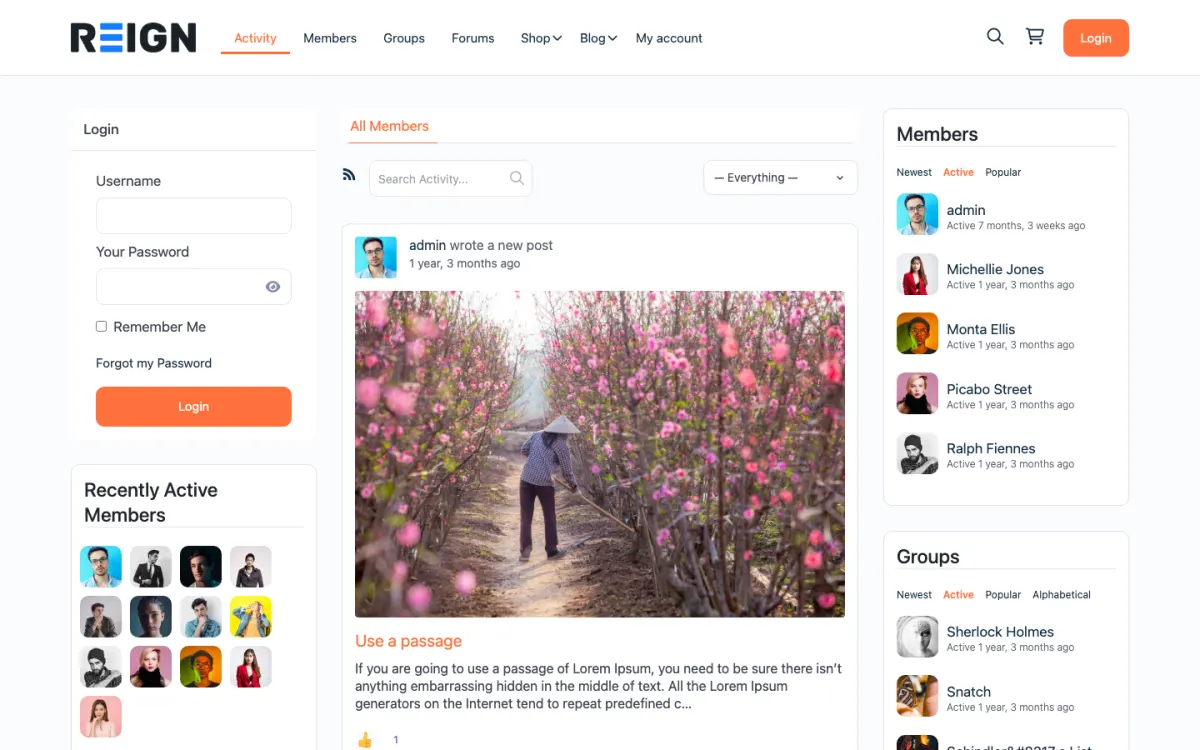
  • Reign BuddyPress demo home with login, activity feed, members and groups
    The home screen: sign-in, the activity feed and who is active, on one page. Open the demo
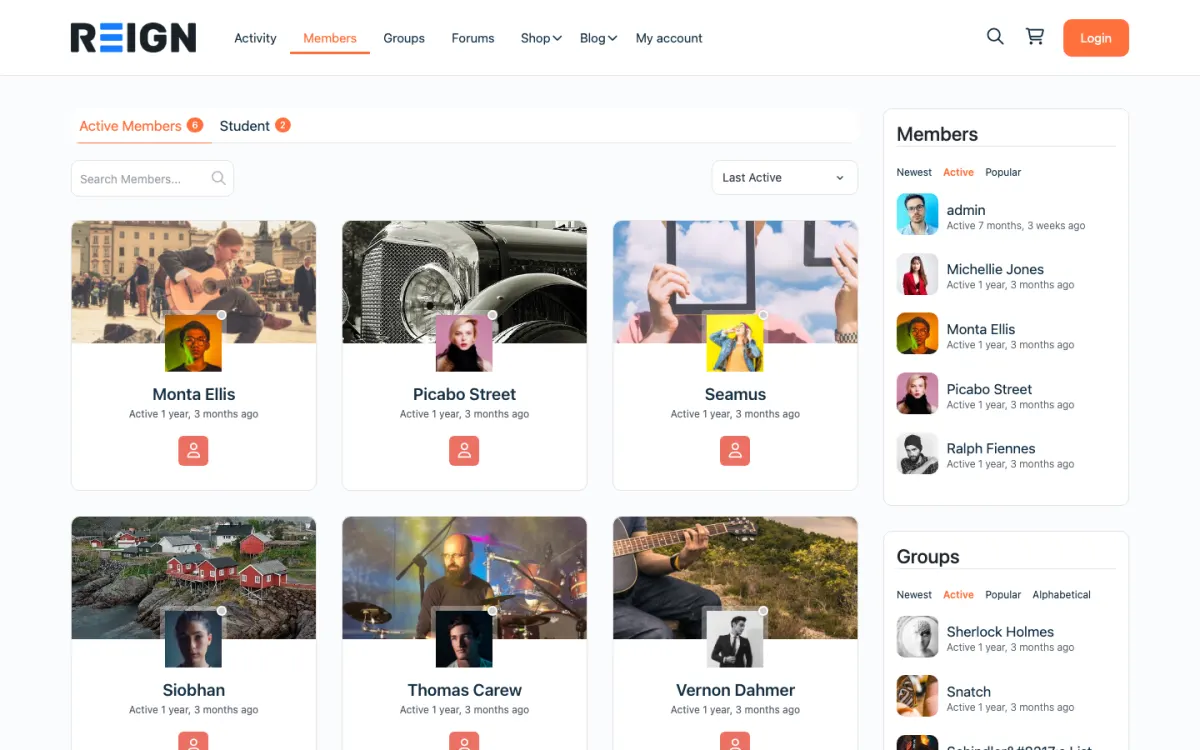
  • Reign members directory with member cards, search and sort
    The member directory: search, sort by activity, and a card for every member. Open the demo
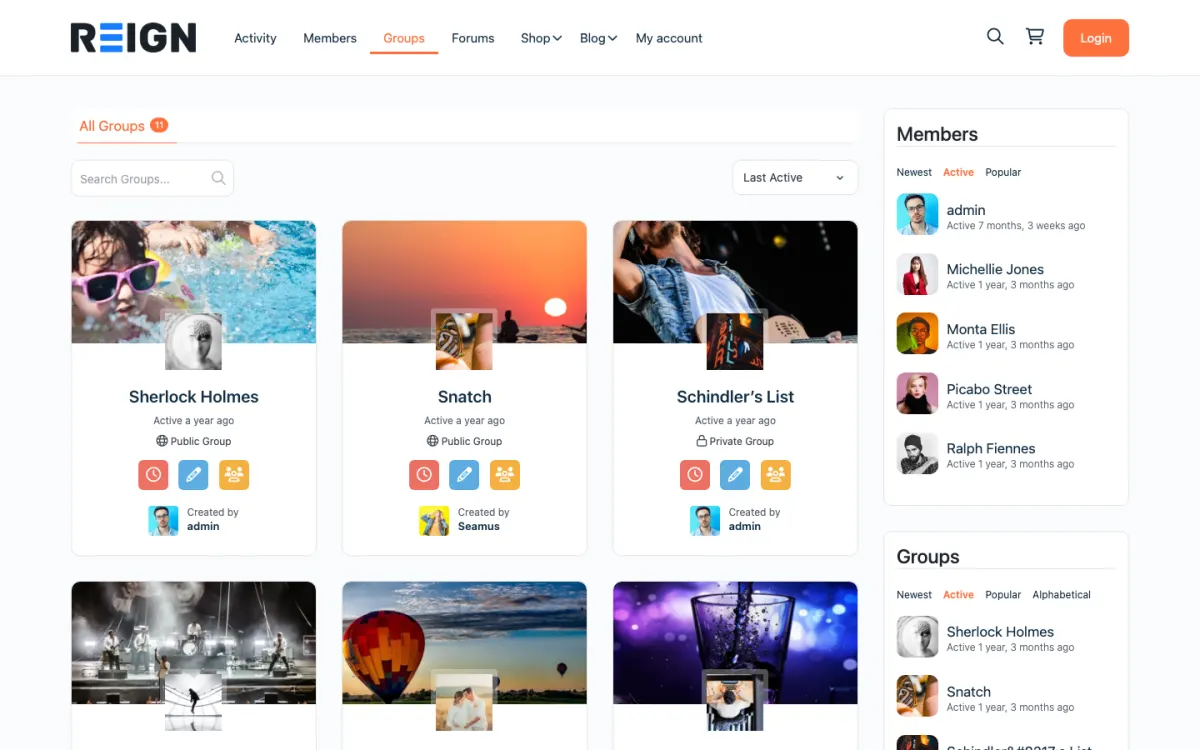
  • Reign groups directory with public and private groups
    Groups: public and private spaces members can join or create. Open the demo

Stack recipe

What you need to assemble.

Buy the theme. Install our plugins free. The third-party engine and its Reign add-on are here for people already running that stack, not a second bill everyone pays.

Build it in 6 steps

From zero to live community.

01

Install Reign and import the community layout

Activate Reign and open the free Reign Demo Installer. The Reign BuddyPress demo on the demos page is the closest layout for a social community. Import it, keep the home page and menus, and replace the sample content with a welcome page that explains who the community is for.

Reign Demo Installer

02

Activate BuddyNext and plan your spaces

Install BuddyNext. Plan a small set of spaces: a welcome space, an introductions space and one for each real topic. Decide which should be visible to all members and which should be limited to a smaller group.

BuddyNext with Reign

03

Close registration and invite by email

In WordPress go to Settings, General and untick the option that lets anyone register. Then create members yourself from Users, Add New, or send invitations through the tool you already use for email. Check a logged-out visit to confirm what a stranger sees.

04

Decide what logged-out visitors can see

A private community can still have a public front door: a landing page that says what it is and how to ask for an invitation. Everything else stays behind the login. If you want the whole site hidden, a private-mode or membership plugin can redirect logged-out visitors.

05

Add Jetonomy for threaded discussion

Install Jetonomy if a feed is too quick for the topics you expect. Private spaces are a free visibility option, so you can run a members-only discussion area next to a wider one.

Jetonomy with Reign

06

Write the rules and choose one weekly ritual

Publish a short code of conduct and say who members contact when something goes wrong. Pick one recurring moment, such as a weekly thread, and run it every week. A ritual is what makes a private community feel alive.

What members get from a private community

A member receives an invitation, signs in and arrives in a space where everyone is someone you chose. They fill in a profile, read the feed and post. They can join smaller spaces and get notifications when someone replies. If MediaVerse is active they can share photos and video and message each other privately.

The feel of a private community comes from the people in it. Nobody is selling, nobody is lurking from a search result, and members tend to share more because they know who can read it. That is why who joins matters more than how many.

Moderation is in the free stack. Members report a post, and you review it from one queue in BuddyNext. Jetonomy has its own moderation queue for forum posts. Auto and bulk moderation are BuddyNext Pro features and are usually only worth having once a community is busy.

What to check before you send invitations

Open the site in a private window with no login. Confirm that profiles, spaces and posts are not visible, and that the sign-in page is clear. Then sign in as a test member and check that the member can reach only what you intend.

Send yourself an invitation and go through it as a new member. The welcome message, the first page and the first prompt matter more than any feature. Make sure a new member knows in a few seconds what to do first.

Check the site on a phone, and write the code of conduct and a welcome post. Pin the welcome post in the main space.

Adding the next piece later, on the same login

If you later want to charge, BuddyNext Pro adds paid plans, gated spaces and Stripe checkout. If the access is the main product, see the membership site build. Learnomy suits a members-only course, and Eventonomy suits private meetups with RSVPs.

MediaVerse adds photo and video with privacy levels, and switches on messages. WB Gamification adds points, badges and leaderboards from real activity if you want recognition, and it is free.

The plugins page lists each plugin and what is free. All use the same member accounts.

Who this build suits, and who should pick another

This build suits a mastermind, an alumni group, a clients-only circle, a professional peer group or a team of volunteers: anywhere membership is by invitation and the conversation should stay inside.

If you want strangers to find and join, the open community build fits better. If staff are the members and sign-in should use work accounts, the enterprise intranet build is closer. If you charge for access, start from the membership site build. If you run BuddyPress or BuddyBoss already, Reign styles them and the BuddyPress Community Bundle holds our Pro plugins for that stack.

Running it day to day

Welcome each new member by name. Reply to introductions yourself in the first weeks. Clear the report queue. A small group runs on attention, and members notice whether the person running it is present.

Run the weekly ritual without fail. When a thread dies, post something yourself. After a month or two, ask two or three active members to host a thread each; communities grow around the people who are needed.

Cost stays flat: Reign is a licence with no per-member fee and no share of your sales. The pricing page shows the plugin plans if you later need Pro. The guide to building an online community goes further into launch habits.

Mistakes to avoid in a members-only community

The first is treating privacy as a switch. A private community is private because of several small decisions: closed registration, a logged-out view that shows nothing, spaces with the right visibility and members who understand the rules. Check each one with a test account instead of trusting a single setting.

The second is inviting too many people too soon. A private community depends on its first conversations. If you invite a large group at once and nobody posts, the quiet will put people off. Invite a small founding group, give some of them a job, and widen the circle when the feed has its own life. Members who join later should find people already talking.

The third is hiding the reason to join. A closed door needs a clear sign on it. Your public landing page should say who the community is for, what members do there and how to ask for an invitation, in a few short lines. Finally, remember that private does not mean unmoderated. Members share more when they trust the room, and that trust depends on you acting when something goes wrong.

FAQ

Common questions.

How do I make a WordPress community private?

Turn off open registration in Settings, General, invite members by email, and keep content behind the login. A private-mode or membership plugin can redirect logged-out visitors to a sign-in page or a landing page.

What do I actually have to buy?

The Reign theme, a flat licence with no per-member fee and no share of your sales. BuddyNext and Jetonomy install free. A membership plugin only becomes necessary if you charge, and BuddyNext Pro also offers paid plans and gated spaces.

Should a private community be free or paid?

Either works. A paid community needs a clear reason, such as a course, live access or a private space. Many founders run free first to prove engagement. The membership site build covers charging.

How do I moderate a private community?

BuddyNext free has a report-and-review queue and Jetonomy free has a moderation queue. BuddyNext Pro adds auto and bulk moderation. Write the rules before the first conflict.

How big should a private community be?

There is no right number. Smaller groups feel personal; larger ones need more spaces and more hosts. Grow at the pace you can welcome people by name.

Ship it

Reign is the only thing you have to buy.

BuddyNext and the rest of our plugins install free, and the theme styles them out of the box. Building on BuddyPress or BuddyBoss instead? The BuddyPress Community Bundle kit ships the theme with the matching Reign add-on.

One theme, the whole site

See what you can build with Reign, then try it.

Reign is the WordPress theme for building a complete community site: social network, courses, member directory, marketplace and job board on one install. Start with one, add the others when you need them, and keep one login for every member. Open a live demo, or launch a sandbox and get a fresh WordPress site to click through in about a minute.

Add more when you need it

Not sure which setup fits your site?

Tell us what you want members to do on your site. We will tell you which Reign setup, plugins and kit fit, before you buy anything.

What customers say on Trustpilot

I only have positive experience!

I only have positive experience with wbcom. My journey started a lot of years back with the free buddyx theme. during my learning of wordpress and futher websites ideas I found a match with their Reign job mate theme. Always there to help, always open to explore ideas, always kind replyes even if I…

Oskar HanborgSE