REIGN
Get Reign

Creator monetization

Reign vs Patreon.

Patreon is fast to launch + has discovery. On Reign you pay card processing only and the email list is yours.

Key takeaways

  • Patreon brings discovery and one-tap pledging from fans who already have accounts.
  • On Reign you keep every patron email and pay your payment processor plus a flat licence, with no platform percentage.
  • Tiers can open a real community, a course library and a media archive, not just a feed.
  • Running both for a while lets you move patrons at their own pace.

What it looks like on Reign

Screens from the live demos, with sample content. Open any of them and click around.

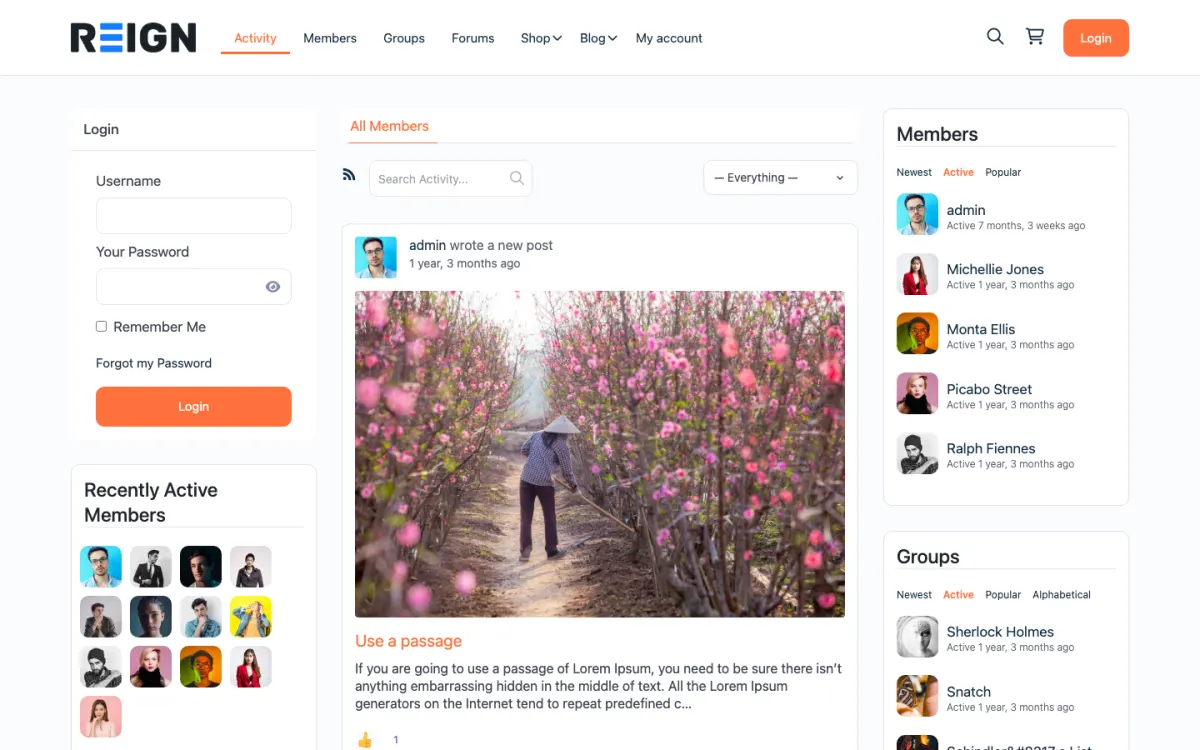
  • Reign BuddyPress demo home with login, activity feed, members and groups
    The home screen: sign-in, the activity feed and who is active, on one page. Open the demo
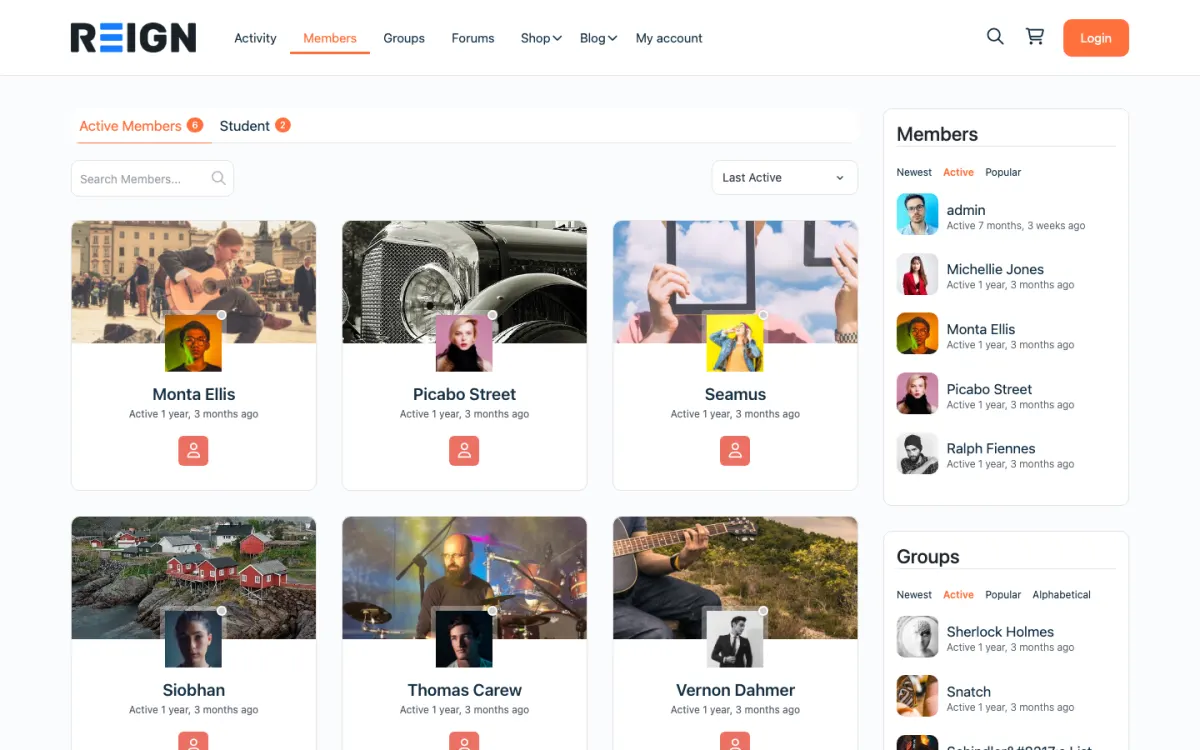
  • Reign members directory with member cards, search and sort
    The member directory: search, sort by activity, and a card for every member. Open the demo
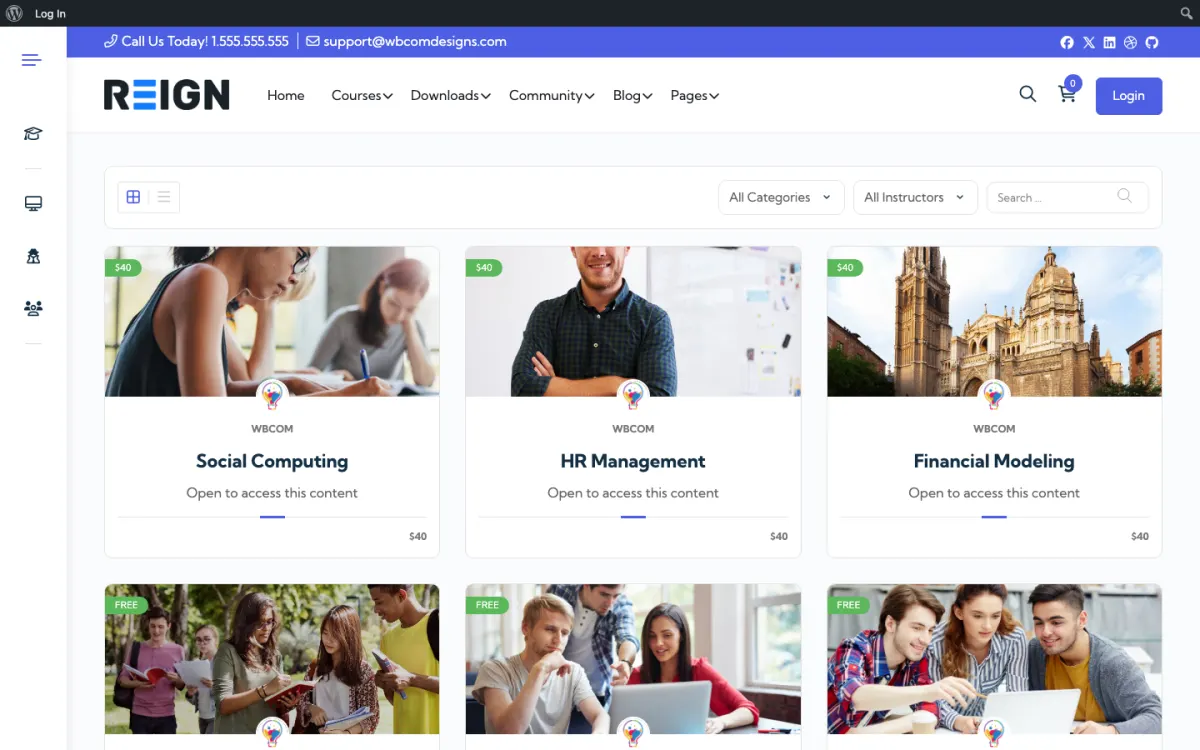
  • Reign LearnDash demo course catalog with category and instructor filters
    The course catalog, filtered by category and instructor. Open the demo

Honest take.

R

Reign wins

Your payment processor's fee and a flat licence, instead of a platform percentage taken from every pledge. The patron email list is yours, so the relationship survives any platform. Tiers can open a real community, a course library and a media archive rather than a feed, and the whole thing lives on your domain where your other work already is.

P

Patreon wins

Discovery that genuinely works for some creators, putting your page in front of people already browsing and paying. Fans have accounts and cards on file, so pledging is one tap. The mobile app is included, the patron benefits framework is well understood, and launching takes an afternoon rather than a project plan.

What your members will notice.

Patrons notice being asked for card details again, and that is the entire obstacle. Nothing else about the move is difficult for them. What makes it work is having something on the other side that did not exist before: a community rather than a comment thread, a course, an archive. Patrons who follow you rather than the platform will move if you give them a reason. Ones who found you through Patreon browsing largely will not, and that is the number to check first.

7 comparisons.

Feature Reign Patreon
Transaction fee Stripe only (~2.9%) Stripe + 8-12% Patreon cut
Cost as you grow Card processing only Processing plus a platform percentage
Email list ownership Full (FluentCRM/Mailchimp) Patreon hides patron emails
Community BuddyNext, installs free Discord/community add-on
URL yourbrand.com patreon.com/yourbrand
Source code Yours, on your server Closed
Courses Learnomy, installs free Not offered

3 of our own plugins, and every one installs free.

Patreon gives paying members a feed. These give them a community, a course library and a media gallery, and no one takes a cut of the subscription.

  • BuddyNext

    Community engine

    Member profiles, activity feed, spaces, messages (with WPMediaVerse), notifications, and a moderation queue.

    Free to install, optional Pro plan

  • Learnomy

    Courses

    Courses, lessons, quizzes, certificates, Stripe and PayPal checkout, memberships, and coupons.

    Free to install, optional Pro plan

  • MediaVerse

    Media

    Member photo and video uploads with albums, privacy levels, reporting, and AI moderation.

    Free to install, optional Pro plan

You buy the Reign theme once. These are ours and they install free, so the theme stays the only purchase until one part of your community earns enough to need its Pro plan.

What you are actually choosing.

Patreon is a payment and membership layer with a feed attached, and its real product is discovery plus the fact that fans already have accounts. The choice is about what the percentage buys. Patreon takes a percentage of every pledge on top of payment processing, and it keeps the relationship: you cannot email your patrons directly because you do not hold their addresses. Running it yourself means your payment processor's fee and a flat licence, your own list, and BuddyNext, Learnomy and MediaVerse free to build something more than a feed.

How you pay for it.

Patreon takes a percentage of every pledge on top of payment processing, so its cut grows with your income. Running it yourself, you pay your payment processor, a flat yearly theme licence with no per-member fee and no share of your sales, and the community plugins install free. You add a membership setup and a little time. The more you earn, the more a percentage costs you compared with a flat licence.

See current Reign pricing

What moving actually involves.

Patreon does not let you move active subscriptions, and this is the hard truth of it: card details stay with them, so every patron has to re-subscribe on your site by hand. That is a real cost and it is where most people stop. The workable approach is to run both, launch the new home with something only available there, and migrate tiers over several months. Export your patron list first, because it is the one thing you can take.

When to stay on Patreon.

Stay on Patreon if discovery is doing real work for you. If a meaningful share of patrons arrive through Patreon's own browsing rather than from your channels, that is a customer-acquisition engine you would be switching off, and the percentage is effectively commission on sales you would not otherwise have made. Check where your last fifty patrons came from before deciding. If they all came from your newsletter, the percentage is buying you nothing.

How the pieces fit together.

Everything runs on one WordPress install, which is the part that changes how the site feels to use. One login, one member table, one set of roles. A member who joins the community is already the same person when they enrol on a course, RSVP to an event or post in the forum, because there is no integration between products, only plugins reading the same database. Against Patreon the change is who holds the relationship. A membership plugin handles tiers and Stripe payments, and because the subscriber is a WordPress user, BuddyNext can give them a real community rather than a comment thread, Learnomy can deliver a course as a member benefit, and MediaVerse can hold the media library. The email address sits in your database, which is the difference between an audience you own and one you rent.

The first week.

Install the theme and a membership plugin, and get one paid tier working end to end with a real card before anything else, because payments are the part that must be correct. Add BuddyNext so the tier leads somewhere worth being, and put a single piece of content behind it that is genuinely only available there. Export your patron list in week one, whatever else happens, because it is the one asset you can take.

Questions people ask before moving.

Which WordPress theme should I use to run a paid fan community instead of Patreon?
Reign. It turns WordPress into a paid fan community on your own domain: BuddyNext gives fans profiles, a feed and spaces, messages run on MediaVerse, paid tiers run on BuddyNext Pro or a membership plugin with Stripe, and Learnomy adds courses as a member perk. You pay a flat theme licence, the community plugins install free, and there is no platform cut.
Are there Patreon alternatives where I own my member list and pay no platform cut?
Yes. A self-hosted WordPress site on Reign keeps every member as a user in your own database, with their email address, and payments go through your own Stripe account, so you pay card processing only. Hosted alternatives such as Ghost, Circle or Skool still charge a plan fee, and some take a percentage of sales.
Can I move my patrons automatically?
No, and this is the real obstacle. Payment credentials stay with Patreon, so active subscriptions cannot transfer and every patron re-subscribes manually on your site. Plan a migration over months rather than a cutover, and expect to lose some of the least engaged.
What does it cost to run this myself?
Your payment processor's fee, a flat Reign theme licence, hosting, and a membership setup to handle tiers and gating. The community, course and media plugins install free. Against a percentage of everything you earn, the flat cost wins sooner the more you earn.
Do I get my patrons' email addresses?
On your own site, yes, and that is the strategic point. Patreon does not give you direct access to patron emails, so the relationship is mediated by them. When people subscribe on your site they are in your database and your mailing list, and that list is the asset that survives any platform.
What about Patreon's discovery?
You lose it, and you should be honest with yourself about how much it was worth. For some creators it is a genuine acquisition channel; for most it is a rounding error next to their own newsletter and social following. Look at where your last fifty patrons actually came from.
Can I run both for a while?
Yes, and it is the sensible way to do it. Keep Patreon running while the new site fills up, give people a reason to move rather than an instruction, and let tiers migrate over several months. Closing Patreon on a date you picked, before the new home is ready, is how creators lose income.
Which membership plugin should I use?
Any of the established WordPress membership plugins handles tiers, Stripe and content gating. The community, course and media plugins are ours and install free; the membership layer is the piece you choose and pay for. Pick one with good Stripe support and documentation.
What do I give patrons to make them move?
Something that only exists on the new site. A course, an archive, a members-only space, an event. Asking people to re-enter card details to get exactly what they already have is asking them to do work for nothing, and most will not.
How long should I run both?
Months rather than weeks, and let the numbers decide the end date rather than a calendar. When new patrons are arriving on your own site and the Patreon tier has stopped growing, close it. Shutting it early is how creators lose income they cannot get back.
What does hosting actually cost?
Hosting is the running cost people forget to budget. A small community runs comfortably on shared or entry-level managed WordPress hosting on an entry-level plan. Past a few thousand active members you want managed hosting with object caching. The bill follows your traffic, not your member count, and unlike a subscription it buys you infrastructure you control rather than access you rent.
What if I only have a few patrons?
Then the percentage is small in absolute terms and the move may not be urgent. Run the arithmetic on your actual monthly total rather than on principle. The threshold where self-hosting clearly wins arrives faster than most creators expect, but below it the convenience of Patreon is worth something real and there is no prize for switching early.

Start free, then pay for what you outgrow.

One theme, the whole site

See what you can build with Reign, then try it.

Reign is the WordPress theme for building a complete community site: social network, courses, member directory, marketplace and job board on one install. Start with one, add the others when you need them, and keep one login for every member. Open a live demo, or launch a sandbox and get a fresh WordPress site to click through in about a minute.

Add more when you need it

Not sure which setup fits your site?

Tell us what you want members to do on your site. We will tell you which Reign setup, plugins and kit fit, before you buy anything.

What customers say on Trustpilot

Excellent Theme, Powerful Plugins and Outstanding Support

I am using the REIGN theme and several plugins from Wbcom Designs on my website. The theme is beautifully designed, and the plugins are user-friendly. Everything works smoothly, and the features are perfect for building professional websites and communities. What impressed me most is their…

S W MalcolmUS