
Reign WC Vendors Addon
Adds a four-layout store header, vendor widgets, favorite products, and BuddyPress or PeepSo profile tabs and activity on top of WC Vendors.
This page covers Reign WC Vendors Addon version 2.7.0.
What it needs
The add-on checks for two things and deactivates itself with an admin notice if either is missing:
- Reign theme
- WC Vendors (the Marketplace plugin)
The add-on does not check for WooCommerce directly, but WC Vendors itself requires WooCommerce to run, so WooCommerce is required in practice.
BuddyPress (including BuddyBoss) and PeepSo are both optional. Whichever community plugin is active, the matching profile tabs and activity features switch on; if neither is active, those features simply do not appear.
What it adds
On the storefront:
- A store header with four layout choices, shown on the vendor’s own public store page: banner, store icon or avatar, verified and trusted badges, rating, contact details, address, social icons, and total sales. It reads the profile fields a vendor already fills in on their WC Vendors dashboard rather than adding new ones.
- The same store header can optionally also appear on a vendor’s single product pages - this is off by default and is a separate Customizer switch from the store-page header, which is always on.
- A favorite-product heart icon added to the price display, toggled by AJAX and saved per logged-in user.
- A vendor products helper that feeds Reign’s own vendor-list-loop template, so a vendor’s product grid renders with the theme’s markup using data this add-on supplies.
- A sidebar shown on vendor pages, alongside three widgets (see below).
Widgets:
- “Vendor Profile” - icon, rating, sales, and opening hours for one vendor.
- “Vendor List” - a list of vendors.
- “Shop Owner Profile” - a profile card for the shop owner.
This add-on does not register any shortcodes.
BuddyPress or PeepSo integration:
- A “Store” tab and a “Favorite” tab on the member profile.
- A “Visit Store” link added to the WooCommerce shop loop on the Store tab.
- Activity-stream entries for new products, product reviews, and completed orders, each behind its own on/off setting.
Where its options live
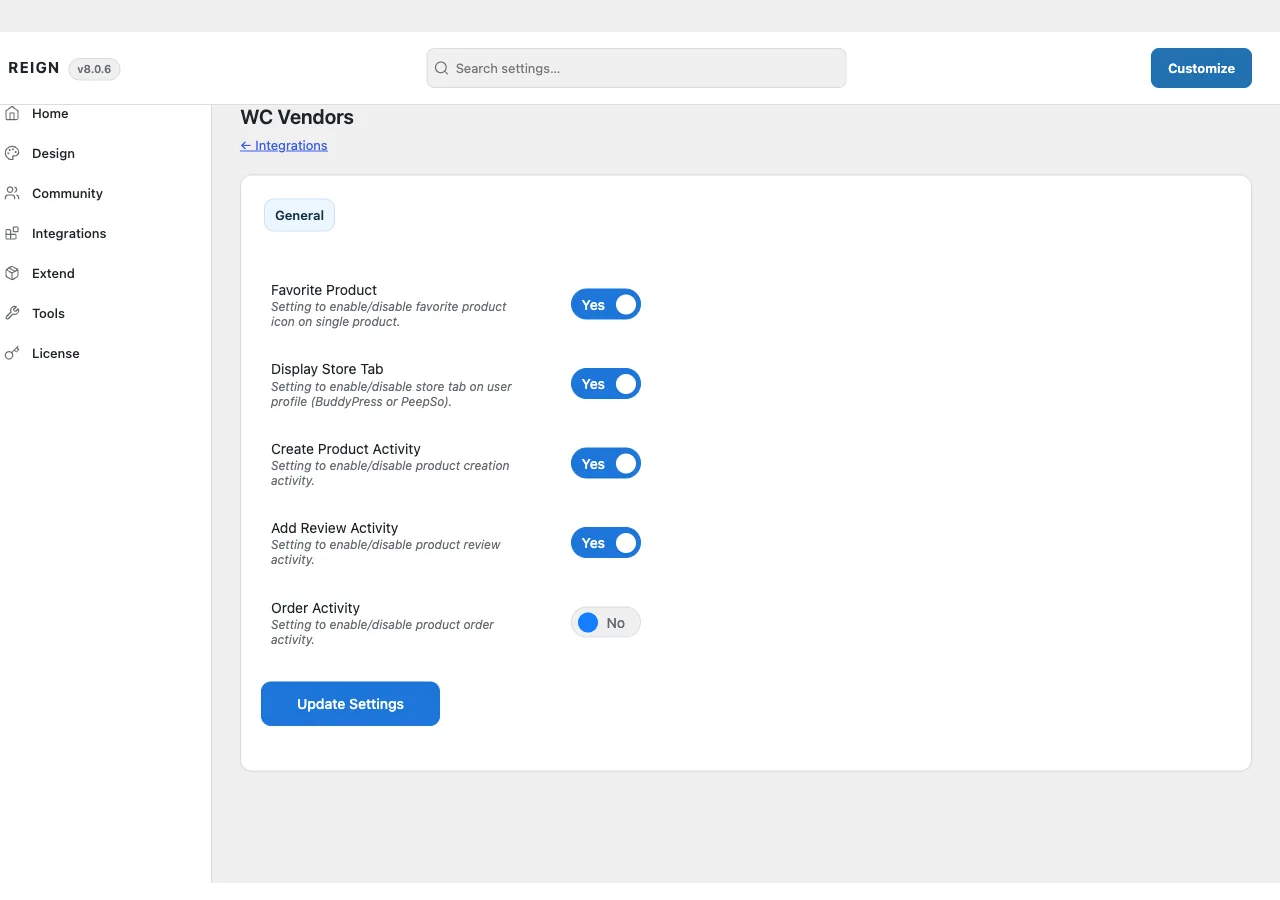
There is no dedicated admin page. Settings sit on a WC Vendors tab inside Reign Settings:
- Enable Favorite Product
- Display Store Tab
- Create Product Activity
- Add Review Activity
- Order Activity
Layout and display choices live in the Customizer, under a Reign WC Vendors panel with three sections:
- Vendor List - toggles for showing vendor rating, contact, address, and product count in the vendor list.
- Single Store - Store Layout (four options) plus toggles for rating, contact, address, social icons, and sales on the vendor’s own store page.
- Single Product - the switch for showing the store header on single product pages, off by default.
The add-on’s license key is activated from its own panel inside Reign’s license manager, separate from the theme license.
How to install
- Install and activate WC Vendors (and WooCommerce, which it requires) first. The add-on has nothing to attach to without them.
- Install Reign WC Vendors Addon from your account download, same as any other plugin.
- Activate its license on the panel Reign Settings adds for it.
- Set your options on the WC Vendors tab in Reign Settings, then check the Customizer for the Reign WC Vendors panel.