
Install Reign
What your server needs, how to upload and activate the theme, and where Reign's settings live once it is running.
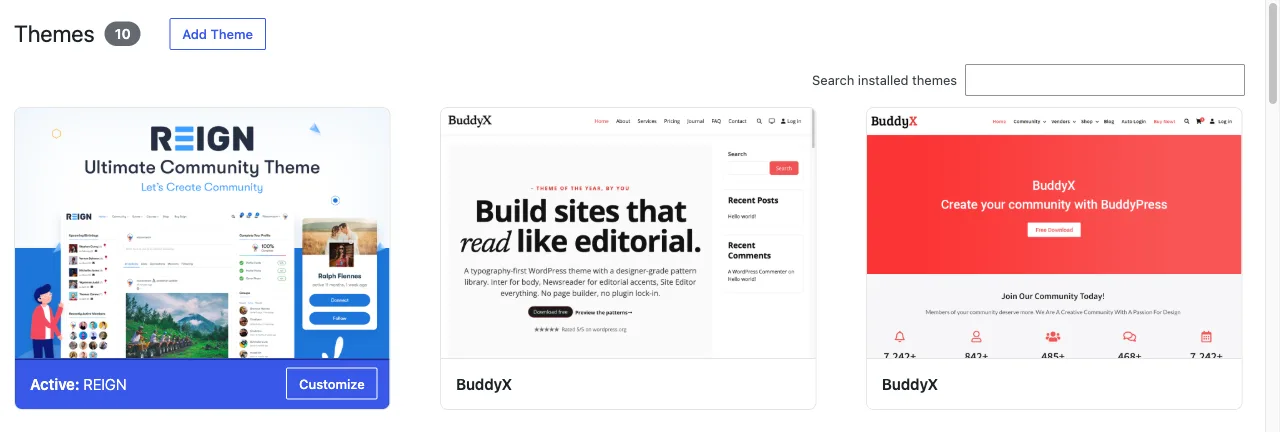
Reign is a standard WordPress theme. You upload it, activate it, and configure it from two places: the Reign Settings screen and the Customizer.
Before you start
| Requirement | Minimum |
|---|---|
| WordPress | 6.5 |
| PHP | 8.0 |
| Tested up to | WordPress 7.0 |
If your host runs PHP 7.x, upgrade before installing. Reign 8 uses PHP 8 syntax and will not run on older versions.
You do not need a community plugin to install Reign. The theme works on an ordinary WordPress site, and you can add a community plugin later: BuddyNext (recommended for new sites), BuddyPress, BuddyBoss Platform or PeepSo. See choose your plugins.
Install the theme
- Download
reign-theme.zipfrom your account at wbcomdesigns.com. Download the theme file itself, not the full purchase bundle, which may contain add-ons as separate zips. - In WordPress, go to Appearance > Themes > Add New > Upload Theme.
- Choose
reign-theme.zipand select Install Now. - Select Activate.
If the upload fails with a file-size error, your host limits upload size. Either
raise upload_max_filesize and post_max_size, or upload the unzipped
reign-theme folder to wp-content/themes/ over SFTP and activate it from
Appearance > Themes.
Where the settings are
Reign splits its settings across two screens, and it helps to know which does what before you start changing things.
Reign Settings is the top-level menu in the admin sidebar, below Appearance. It is the dashboard: licence, one-click plugin installs, integrations and tools. It opens on a Home screen with a “Brand your site” checklist covering logo, site icon, colours, typography, navigation menu, light and dark toggle, licence and child theme, so you can see how much of the initial setup is done.
Its sections are Home, Design, Community, Integrations, Extend, Tools and License.
The Customizer is where the visual settings live, at Appearance > Customize, or through the Customize button in the top right of Reign Settings. Reign adds eight panels there:
| Panel | What it controls |
|---|---|
| General | Global layout, sign-in popup, page mapping, custom code, smart performance |
| Header | Layout, left panel, sticky menu, topbar, mobile menu |
| Typography | Font presets and individual fonts |
| Color Options | Colour palette, light and dark mode, individual colours |
| Forms | Field colours and focus-state colours |
| Content Layouts | How posts, pages, search and custom post types are laid out |
| Branded Login & Register | The WordPress login and register screens |
| Footer | Footer area and copyright |
Site Identity, Sub Header and Additional CSS sit at the top level of the Customizer rather than inside a Reign panel.
Install the free plugins
Reign ships with a plugin installer so you do not have to hunt down each download. Go to Reign Settings > Extend and select Install free on any of these. You do not need an active licence for this; you need an administrator account that can install plugins.
- Wbcom Essential: part of Reign. Blocks and Elementor widgets for building your pages. Install this one on every Reign site. See Wbcom Essential.
- BuddyNext
- Jetonomy
- Learnomy
- Eventonomy
- MediaVerse
- WP Sell Services
- WP Career Board
- WB Gamification
- Listora
Each is a free plugin. Install only the ones your site needs, and ignore the rest. Choose your plugins matches them to the kind of site you are building, and Wbcom plugins says what Reign does for each.
Next
- Read what Reign does for your site for what you can now switch on.
- Follow your site setup checklist from here to launch. It links every step below.
- Activate your licence, which turns on theme updates.
- First configuration for the initial pass through the settings that change how your site looks.