
Reign LearnDash Addon
Adds a modern course and group catalog, reviews, related courses, and a BuddyPress bridge on top of LearnDash, and requires LearnDash to be active.
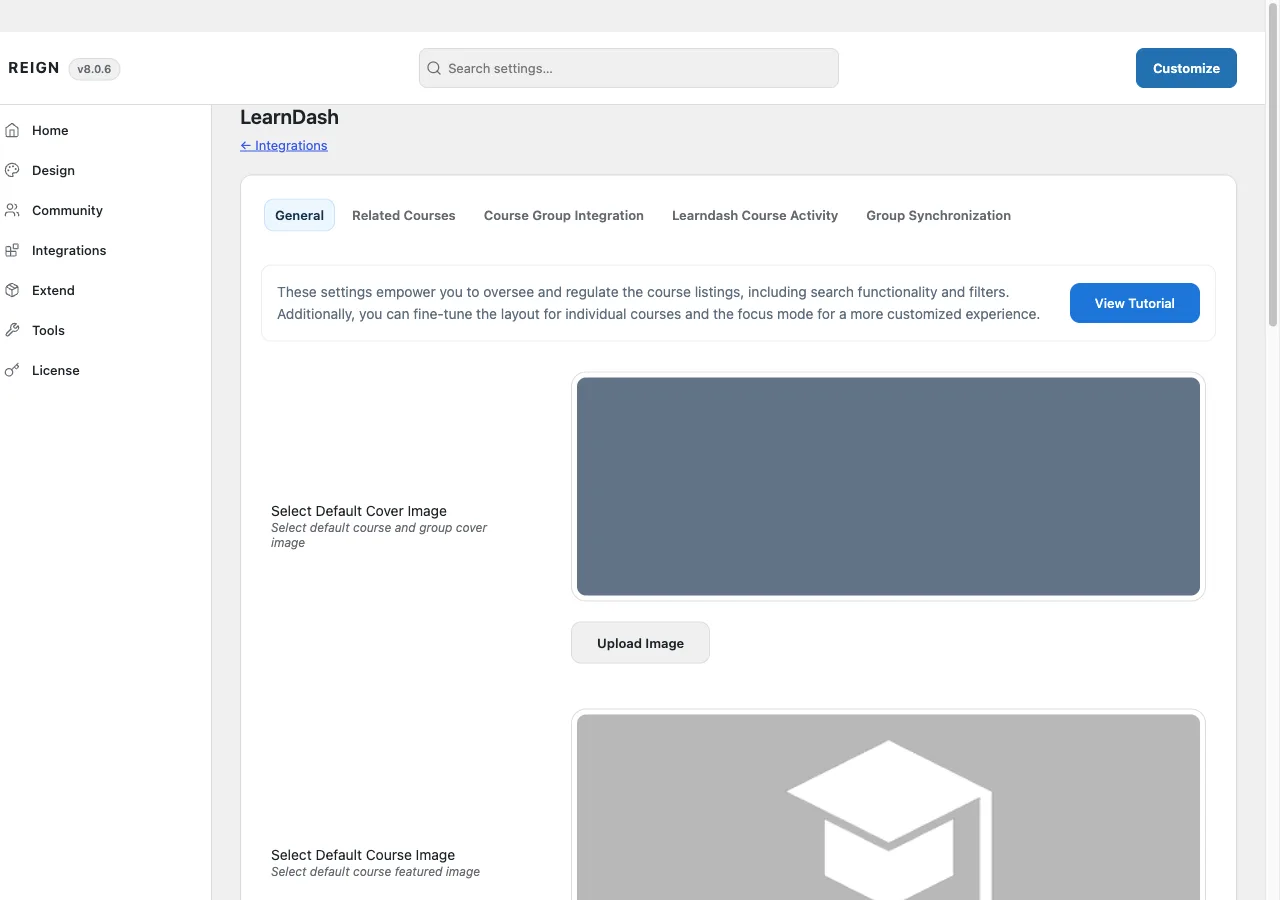
This page covers Reign LearnDash Addon version 5.1.0.
What it needs
The add-on checks two things in code before it will run:
- Reign theme (or a Reign child theme)
- LearnDash, active
If either is missing, the add-on deactivates itself and shows an admin notice. This is a hard requirement, not a soft warning: the add-on refuses to run without both. It declares WordPress 6.5 and PHP 8.0 as its floor. There is no minimum LearnDash version pinned, only that LearnDash is active.
If BuddyPress is active, the add-on’s community bridge switches on as well (see below).
What it adds
Course and group catalog:
[modern_courses](also usable as[reign_courses]) and[modern_groups]shortcodes render a filterable, AJAX-paginated grid, styled by Reign rather than LearnDash’s own list markup. The same output is also available as a “Modern Courses” Gutenberg block, so you can drop a course grid into any page without touching a shortcode.- A dedicated groups archive template replaces LearnDash’s default groups archive.
- 17 template overrides in total, covering the single course and single group templates, the course archive, the category taxonomy page, the course curriculum and topbar parts, and a focus-mode sidebar for LearnDash’s Presenter Mode.
Reviews:
- A full review and star-rating system for courses and groups, separate from LearnDash’s own built-in reviews (the add-on turns those off so the two do not run side by side).
- A migration tool moves reviews already collected under LearnDash’s system across to this one, run from its own admin screen or from WP-CLI.
Commerce:
- If a course is linked to a WooCommerce or Easy Digital Downloads product, an add-to-cart action lets a visitor buy it without leaving the course page.
BuddyPress integration, when BuddyPress is active:
- Course tabs added to the member profile.
- LearnDash activity (enrollment, completion, lesson and quiz progress) posted to the BuddyPress activity stream.
- Group synchronization: link a LearnDash group to a BuddyPress group so membership in one keeps the other in sync.
Other features:
- A Coming Soon state for courses.
- A related-courses section, with its own on/off toggle.
- Custom course content tabs.
- Three widgets: course search, course categories, and course listing.
- Distraction-Free Mode integration, tying into LearnDash’s own Presenter Mode.
Where its options live
There is no dedicated admin page for the settings above. They sit on a LearnDash tab inside Reign Settings, with sub-tabs for General and Related Courses, and, when BuddyPress and its Groups component are active, Course Group Integration, Course Activity, and Group Synchronization. A separate Modern Courses Setup tab in the same screen configures the catalog shortcode and block defaults.
Review migration has its own screen, filed as a submenu under LearnDash’s own “LearnDash LMS” admin menu, not under Reign Settings.
The add-on’s own license key is activated from its panel inside Reign’s license manager, separate from the theme license.
How to install
- Install and activate LearnDash first. The add-on has nothing to attach to without it.
- Install Reign LearnDash Addon from your account download, same as any other plugin.
- Activate its license on the panel Reign Settings adds for it.
- Set your options on the LearnDash tab in Reign Settings, and check Modern Courses Setup if you plan to use the catalog shortcode or block.
If you have not committed to an LMS yet, Wbcom’s in-house Learnomy plugin covers the same ground natively, without a third-party tool or this add-on. That is a stack choice for a fresh site, not a reason to avoid this add-on if you already run LearnDash.