
Activate your licence
Where the licence key goes, what activating unlocks, and what to check when a key is refused.
Reign runs without a licence key. Activating one turns on theme updates from the WordPress Updates screen. Until you activate, you update the theme by uploading a new zip by hand.
The one-click plugin installs on Reign Settings > Extend do not need a licence. They work for any administrator who can install plugins.
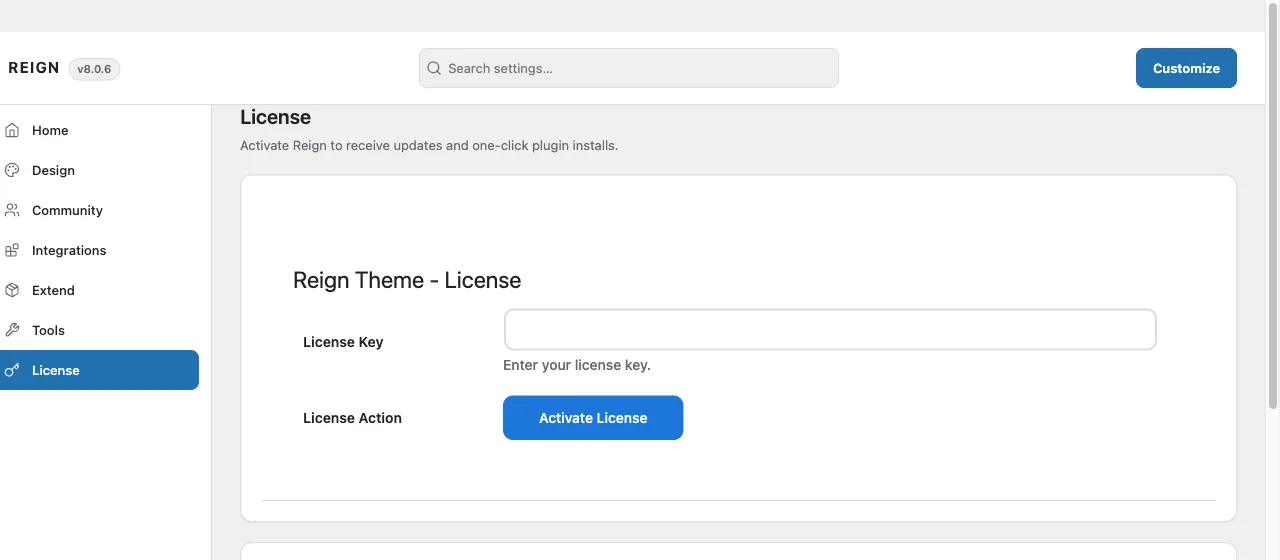
Activate
- Find your key in your account at wbcomdesigns.com, under your purchase. It is a long string of letters and numbers, not your order number.
- In WordPress, go to Reign Settings > License.
- Paste the key into License Key.
- Select Activate License.
The screen confirms the activation and the licence status changes. From then on, theme updates appear on the WordPress Updates screen like any other theme.
What one licence covers
A licence covers a set number of production sites, and the count is per site rather than per install of the theme file. Staging and local development copies do not count against it. A subdomain counts as a separate site when it runs its own WordPress install.
Check the tier you bought if you are not sure how many sites yours allows.
When a key is refused
Work through these in order. Most refusals are one of the first two.
The key is for a different product. Reign add-ons have their own keys, and they are not interchangeable with the theme key. Confirm you copied the key from the Reign theme purchase and not from an add-on.
Whitespace came along with the key. Copying from an email often picks up a leading or trailing space. Delete the field contents, retype or paste carefully, and try again.
You have used every seat. If the licence is already active on its maximum number of sites, deactivate it on a site you no longer use, then activate here. You can see and manage active sites from your account.
The site cannot reach the licence server. Activation is an outbound HTTPS request to wbcomdesigns.com. If your host blocks outbound requests, or a security plugin or firewall is filtering them, activation fails even with a correct key. Ask your host to allow outbound HTTPS to wbcomdesigns.com and retry.
Your subscription has lapsed. An expired licence stops validating. Renew from your account, then activate again.
If none of these apply, open a support ticket with the site URL and the exact message shown on the License screen.
Next
- Choose your plugins for the site you are building.
- First configuration.