REIGN
Get Reign

How long it takes: Short, because the data stays; most of the time goes on styling checks

Migrate from BuddyBoss to Reign.

Moving from BuddyBoss to Reign keeps your members, groups, activity and courses, because both run on WordPress and the data stays in your database. You switch the theme on a staging copy, check every page, then switch on the live site. You can keep BuddyBoss Platform and change only the theme, or move to BuddyNext later and upgrade plugins one at a time.

Leaving BuddyBoss does not mean settling for less. Reign is one theme for the whole site: a community, courses, a member directory, a marketplace or a job board, alone or together, on one login. It is a flat theme licence with no per-member fee and no share of your sales (see pricing), and it is the only thing you have to buy. BuddyNext runs members and spaces, Learnomy the courses, Jetonomy the forums and Q&A, MediaVerse the member media. 11 of our plugins install free, each with a Pro plan for when one part starts earning. No monthly platform fee replaces the one you are leaving.

See ready-made kits or what people build with Reign.

Key takeaways

  • Both sides are WordPress, so members, groups, activity and courses stay in your database. Only the theme changes.
  • Reign ships a dedicated BuddyBoss Platform stylesheet, so you can keep the platform and change the design.
  • Do it on staging. Custom CSS and profile fields are where problems appear.
  • The BuddyBoss App is built for the BuddyBoss stack and does not come with you to Reign. Plan for that before you switch.

What it looks like on Reign

Screens from the live demos, with sample content. Open any of them and click around.

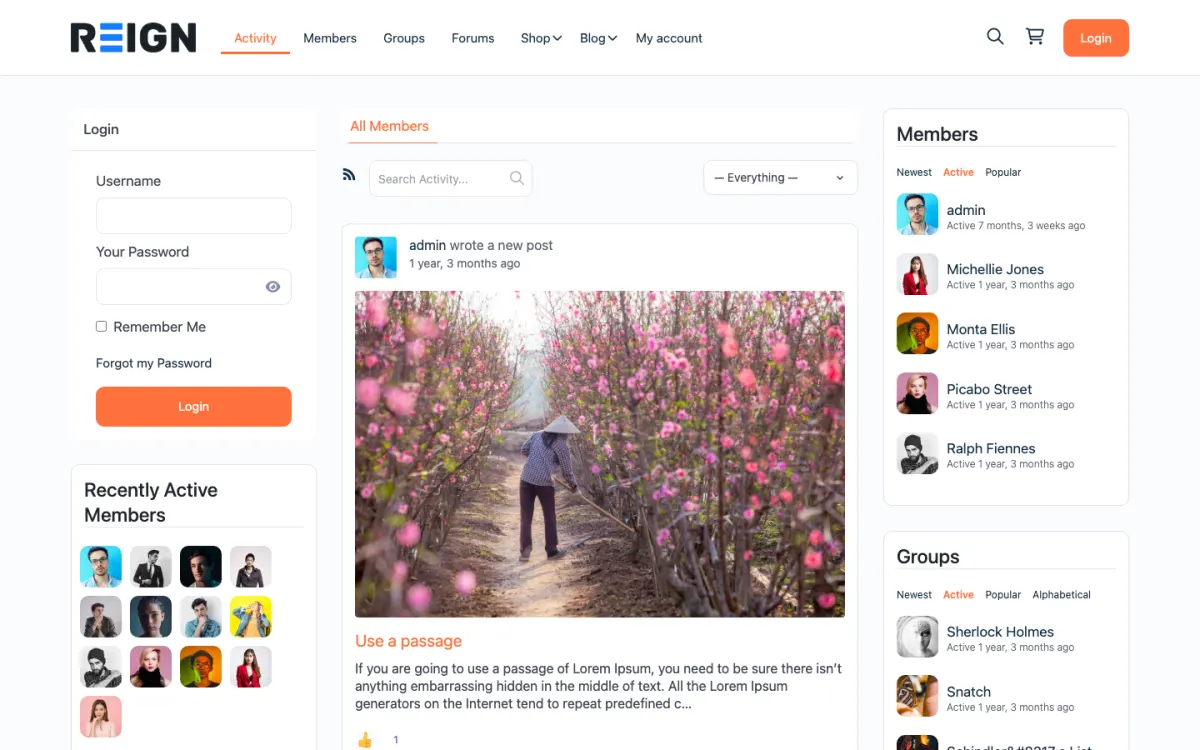
  • Reign BuddyPress demo home with login, activity feed, members and groups
    The home screen: sign-in, the activity feed and who is active, on one page. Open the demo
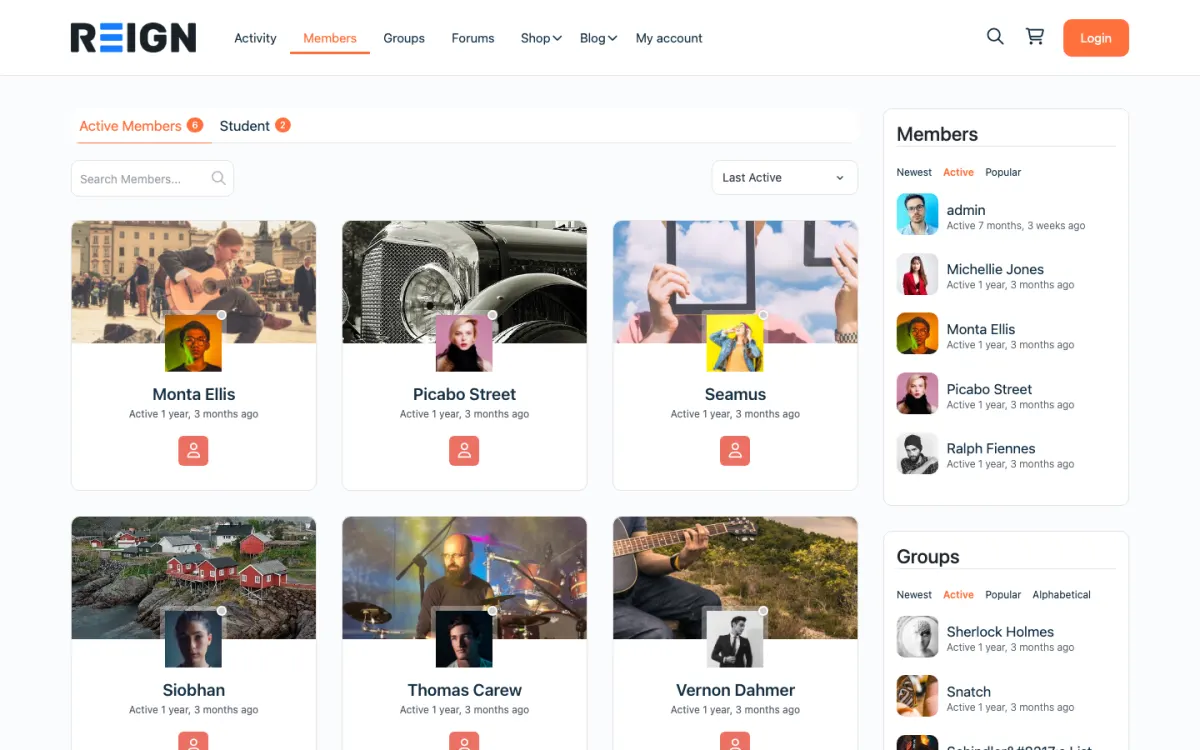
  • Reign members directory with member cards, search and sort
    The member directory: search, sort by activity, and a card for every member. Open the demo
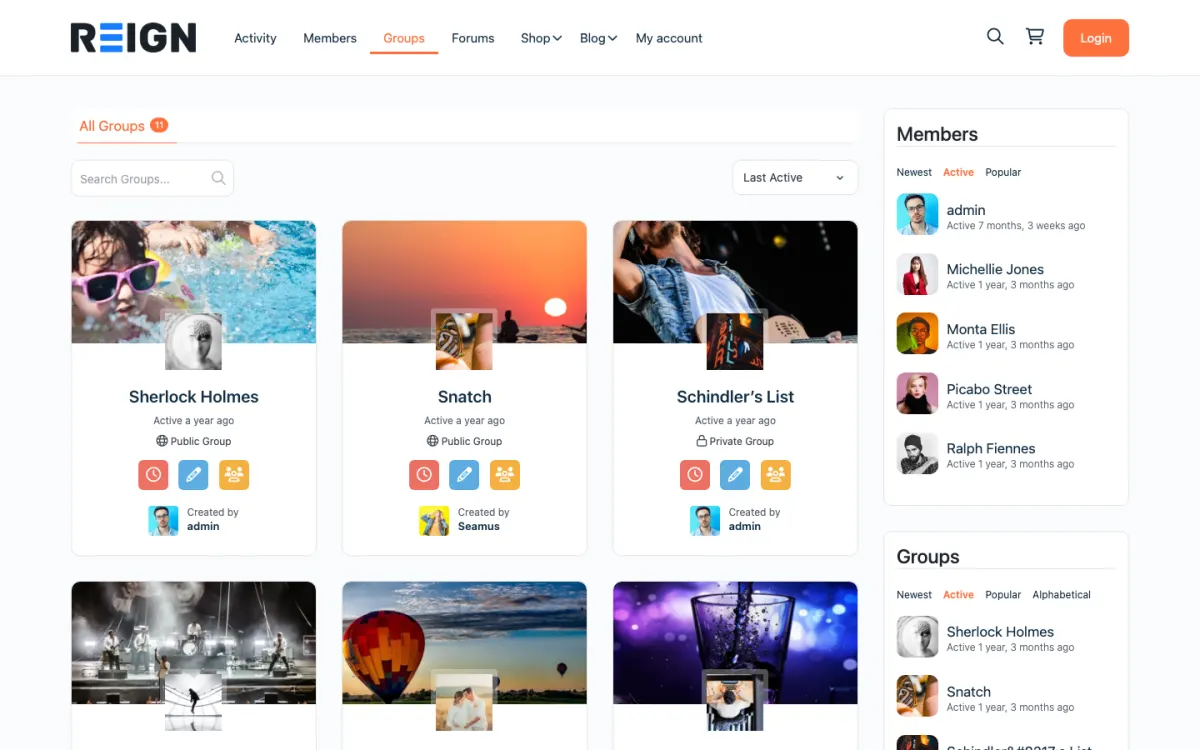
  • Reign groups directory with public and private groups
    Groups: public and private spaces members can join or create. Open the demo

Set expectations before you start.

  • All member, group and activity data (it never leaves your database).
  • Member profiles and profile fields.
  • Groups, activity, messages and forums.
  • LearnDash and LifterLMS courses.
  • Theme styling (Reign looks different from the BuddyBoss Theme).
  • Custom CSS written for BuddyBoss classes.
  • The BuddyBoss App, which is built for the BuddyBoss stack rather than Reign.

The migration walkthrough.

1

Back up the site

Take a full backup with your host or a backup plugin before any theme switch.

2

Test on staging

Clone to staging, activate Reign, and walk every community and course page. The free Reign Demo Installer gives you a reference layout to compare against.

3

Audit custom CSS

Rewrite any custom CSS that targets BuddyBoss-specific classes. Browser DevTools shows which rules no longer match.

4

Decide on BuddyBoss Platform

Reign supports BuddyBoss Platform, so you can keep it and switch only the theme. If you later want off BuddyBoss licensing entirely, BuddyNext is our own engine and installs free.

5

Switch on production

When staging looks right, activate Reign on the live site and clear the cache.

6

Watch the first days

Members will notice the new design. Pin a short post explaining what changed and where things are.

What members notice on day one, and how to brief them

Members see a new design and nothing else. Their profiles, groups, messages and posts are where they were, because the data never moved. The things they will notice are the navigation, the spacing and the colours, so a short pinned post explaining what changed and where things are is usually enough.

If you use the BuddyBoss App, members who rely on it will notice more. The app needs the BuddyBoss Theme, so it does not come with you. If the app is how many of your members arrive, decide what replaces it before you switch, and tell them early.

Invite feedback. Ask members to report anything that looks wrong in a pinned thread for the first week. They will catch things on phones and in rarely used screens that you will not.

How to run both versions side by side and pick the cut-over

For this move, side by side means a staging copy. Clone the live site, activate Reign on the copy and walk every community and course page. Compare it with the live site and fix the differences. Nothing changes for members until you switch the live theme.

Use the staging period to rewrite custom CSS that targets BuddyBoss classes. Browser developer tools show which rules no longer match. Test as a member, a moderator and an admin, and test on a phone.

Choose the cut-over at a quiet moment, not during a launch or an event. Take a full backup, activate Reign on the live site, clear the cache, and watch the first couple of days closely.

What you gain on your own stack

You stay on WordPress, and you gain a theme built to carry a whole community site: a social network, courses, a member directory, a marketplace and a job board on one install. Reign styles BuddyBoss Platform, BuddyPress and BuddyNext, so the engine is a choice you can make later.

You can also change how you pay for plugins. Our plugins install free and each has its own Pro plan, so you upgrade the one that solves a problem instead of buying a platform in one piece. BuddyNext is our own community engine if you later want to leave BuddyBoss licensing entirely. See the pricing page for how it is structured.

Because everything shares WordPress accounts, adding courses, forums or media later does not mean asking members to register again.

Moderation and roles after the switch

Your members, roles and moderation settings live in the database, so they carry over. Check each role as a test user after the switch: can moderators still moderate, can group admins still manage their groups, can members still edit their profiles.

If you move to BuddyNext later, moderation is in the free plugin as a report-and-review queue, and auto and bulk moderation are Pro. Jetonomy has its own moderation queue for forums.

When staying on the BuddyBoss Theme is the right call

If your members depend on the BuddyBoss App and you have no replacement, the theme switch can cost you more than it gives. The app needs the BuddyBoss Theme, so staying keeps it working. Talk to us before you switch if the app is central to your community.

If your site is stable and members are happy, there is also no reason to change for its own sake. A theme change makes sense when you want a different design, more flexibility across features, or a different way of paying for plugins. The comparison pages set out how the options differ.

Before you start.

This one is different from the rest of the list because you are already on WordPress, so nothing leaves the database. Clone the live site to staging and do the whole thing there. Audit what BuddyBoss-specific features you actually use, particularly custom profile fields and any platform-only components, because those are what need decisions rather than the posts and members.

What to check once it is live.

Check member profiles, groups and the activity stream as a normal member and confirm nothing lost its custom fields. Verify any BuddyBoss app integration you were relying on, since that is the part that does not come with you. Then check the site on a phone, because the theme change is what members will notice first and mobile is where many of them are.

Where this one usually goes wrong.

Treating it as a theme switch and doing it on production. Both sides are WordPress, which makes this feel low risk, and that is exactly why people skip staging. Custom profile fields and component settings are where the damage happens, and discovering it on a live community with members watching is an avoidable and very public problem.

Migration questions.

Can I try Reign on my BuddyBoss site without going live?

Yes. Copy the site to a staging environment, activate Reign there and click through your groups, profiles and courses as a member would. Nothing changes on the live site until you switch the theme there too, and switching back is one click if something needs more work.

Will my BuddyBoss groups, activity and messages still be there on Reign?

Yes. Reign styles BuddyBoss Platform directly, so switching the theme keeps your groups, activity, profiles and messages in the database exactly where they are. What changes is the design. Check custom CSS and any page built with the BuddyBoss Theme's own layout options, since those need rebuilding with Reign's settings.

Will I lose data moving from BuddyBoss to Reign?

No. Members, groups, activity and courses stay in your WordPress database. Only the theme changes.

Can I keep BuddyBoss Platform and just change the theme?

Yes, and many people do exactly that. Reign ships a dedicated BuddyBoss Platform stylesheet, so you keep the platform and change the design.

Can I export my members from BuddyBoss?

You do not need to. They are WordPress users in your own database, so they stay where they are when you change the theme.

What about the BuddyBoss App?

The BuddyBoss App needs the BuddyBoss Theme, so it does not come with you. If the app is how your members arrive, talk to us before you switch.

Will my members have to make a new account?

No. Their accounts, passwords and profiles stay as they are, because the data stays in your database.

Is Reign cheaper than BuddyBoss?

That depends on what you use. Reign is a flat theme licence with no per-member fee and no share of your sales, and our community, forum and course plugins install free, with a Pro plan only for the part that needs it. See the pricing page.

One theme, the whole site

Rebuild what you had on BuddyBoss, then go further.

Reign is the WordPress theme for building a complete community site: social network, courses, member directory, marketplace and job board on one install. Start with one, add the others when you need them, and keep one login for every member. Open a live demo, or launch a sandbox and get a fresh WordPress site to click through in about a minute.

Add more when you need it

Not sure what moves from BuddyBoss? Ask us.

Tell us how big your community is and what you run on BuddyBoss today. The team that builds Reign replies with what moves, what to rebuild and how long it takes, before you buy anything.

Have us migrate you from BuddyBoss.

Our team can take the steps on this page off your hands: members brought across, billing set up on Stripe and welcome emails ready to send.

What customers say on Trustpilot

I only have positive experience!

I only have positive experience with wbcom. My journey started a lot of years back with the free buddyx theme. during my learning of wordpress and futher websites ideas I found a match with their Reign job mate theme. Always there to help, always open to explore ideas, always kind replyes even if I…

Oskar HanborgSE