REIGN
Get Reign

For non-profits

Reign for non-profits. Non-profit supporter and volunteer community.

Give supporters somewhere to be instead of only receiving newsletters: BuddyNext for supporter and volunteer profiles and a community feed, Eventonomy for volunteer shifts with RSVPs and capacity limits, and a separate donation plugin for recurring gifts. Lead with monthly giving. Reign gives the organisation one calm, trustworthy site.

Non-profits use a mailing tool, a basic website, a chat workspace for volunteers and a separate donation tool, so there is no single identity and donor and volunteer engagement is scattered.

Reign + BuddyNext + Eventonomy for a non-profit community: supporter profiles, volunteer shift sign-ups and impact stories. Both install free; donations run through a separate donation plugin.

Donor and volunteer profiles plus event signups, free to install. Donations still come from a donation plugin. You buy the Reign theme; BuddyNext and Eventonomy are ours and install free.

  • BuddyNext community engine
  • Eventonomy events

Key takeaways for non-profits

  • A monthly donor is worth several one-time gifts and makes planning possible. Default to recurring on the donation form.
  • Event RSVPs with capacity limits cover most volunteer shift coordination without a spreadsheet.
  • Donations come from a separate donation plugin. Test its forms inside Reign before launch.
  • BuddyNext and Eventonomy install free. See pricing for the flat theme licence.

What it looks like on Reign

Screens from the live demos, with sample content. Open any of them and click around.

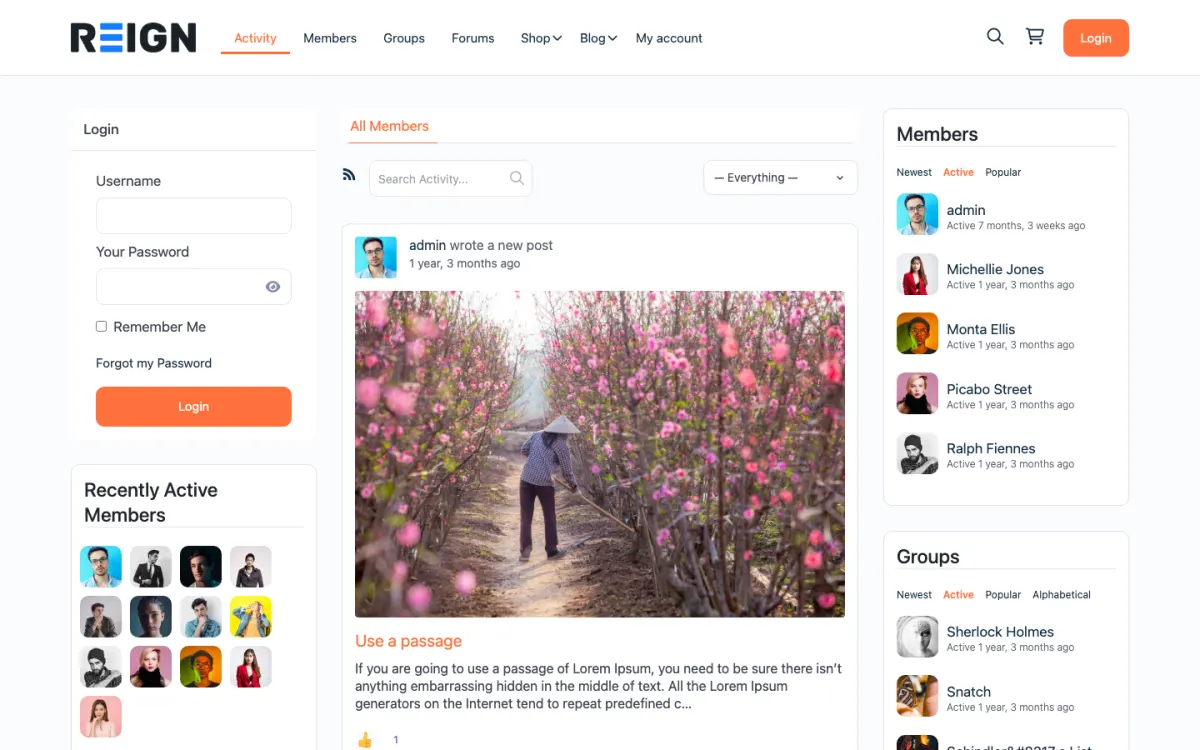
  • Reign BuddyPress demo home with login, activity feed, members and groups
    The home screen: sign-in, the activity feed and who is active, on one page. Open the demo
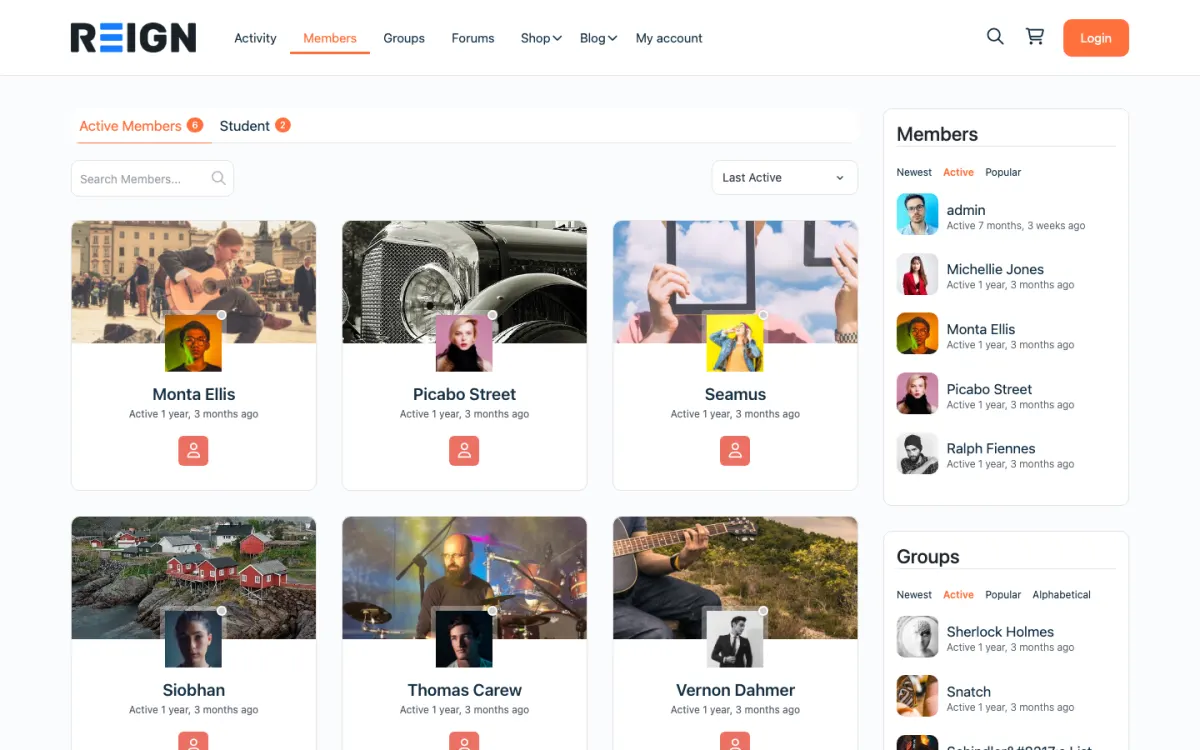
  • Reign members directory with member cards, search and sort
    The member directory: search, sort by activity, and a card for every member. Open the demo
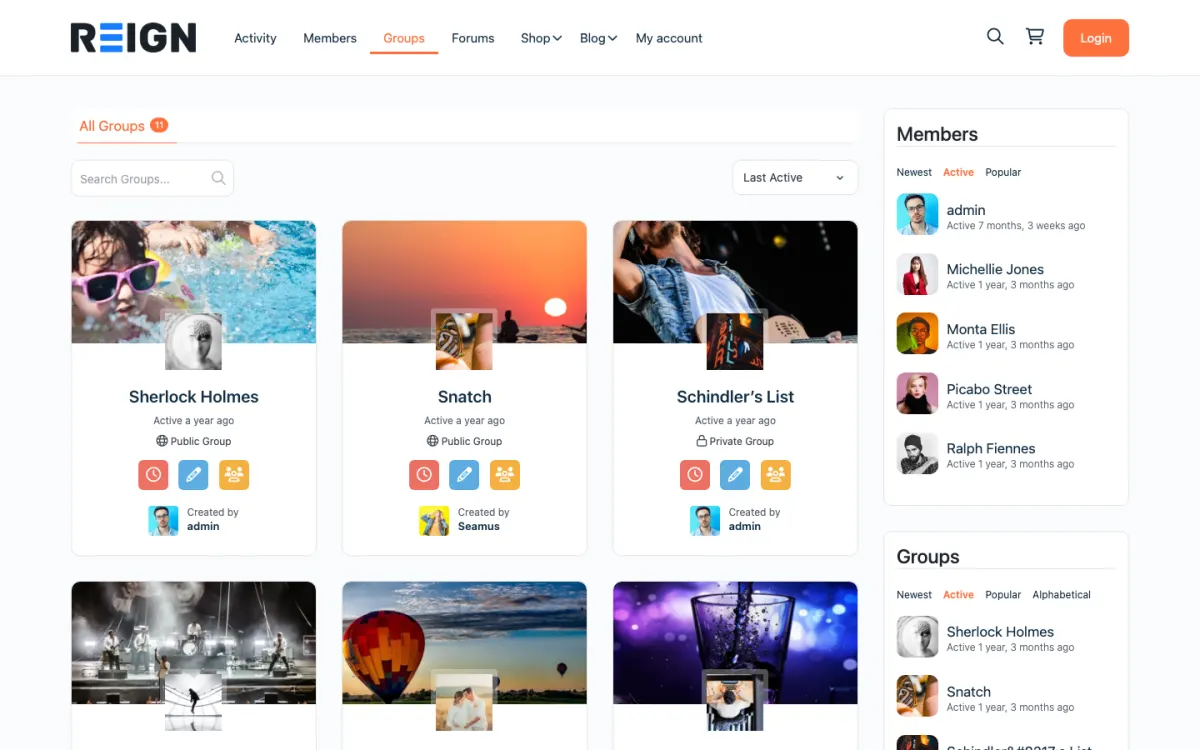
  • Reign groups directory with public and private groups
    Groups: public and private spaces members can join or create. Open the demo

Three highlights for non-profits.

  • 01

    Supporter profiles and a community feed where impact updates are shared.

  • 02

    Volunteer shifts as events with RSVPs, capacity limits and attendee lists.

  • 03

    Impact stories posted with the consent of the people featured.

What the site looks like on day one.

You launch with a supporter community, donation handling, volunteer coordination and an events calendar. Donors have accounts, volunteers sign up for shifts through events, and the community is where supporters talk to each other rather than only receiving newsletters. For a nonprofit the shift is from broadcasting to supporters to giving them somewhere to be.

What a member actually does.

A supporter donates, receives a receipt, and joins the community if there is a reason to. Volunteers engage most, because shift sign-ups and coordination give them a practical reason to log in weekly. Over a year the community becomes where the committed supporters live, and they are the ones who give again and bring others.

How this usually makes money.

Donations are the revenue, handled by a donation plugin with recurring giving, which matters far more than one-off gifts for planning. Membership tiers suit organisations with paying members. Events and fundraisers sell tickets through a commerce plugin. Reducing platform fees on donations is often the clearest financial argument for self-hosting.

The mistake to avoid.

Chasing one-off campaigns instead of recurring giving. A monthly donor is worth several times a one-time gift and makes planning possible. Set recurring as the default option on the donation form and lead with it rather than treating it as an afterthought.

Which Reign setup fits a non-profit

Reign is the WordPress theme for building a complete community site: social network, courses, member directory, marketplace and job board on one install. A non-profit uses the social network and the events.

BuddyNext provides supporter and volunteer profiles, a feed and spaces, and its Pro plan adds paid plans and gated spaces, broadcast email and push, which suit a members tier and supporter updates. Eventonomy, free, handles volunteer shifts as events with RSVPs, capacity limits and attendee management. Donations run through a separate donation plugin, because neither BuddyNext nor Eventonomy takes gifts on its own.

The BuddyPress Community Bundle kit is the packaged route and the membership site build guide covers members tiers. The plugins page shows the split, and Reign is a flat theme licence, which is useful when budgets are tight.

Launch steps for a non-profit site

Start with the people who already give time. They are your strongest early users.

  1. 01

    Install WordPress with Reign, BuddyNext and Eventonomy. The start page lists the order.

  2. 02

    Choose a donation plugin and test a recurring gift end to end, including receipts and the donor's ability to manage their own gift.

  3. 03

    List volunteer shifts as events with capacity limits and write clear instructions on each.

  4. 04

    Create spaces for volunteers, supporters and, if relevant, members, and set who can see what.

  5. 05

    Publish an impact page with real stories and consent from anyone featured.

  6. 06

    Move your existing newsletter list across and invite volunteers first to try the shift sign-up.

What supporters and volunteers do week to week

Volunteers engage most. They open the site to see which shifts need cover, sign up, receive a reminder and post a short update after the event. They also swap shifts without a coordinator running a spreadsheet.

Supporters donate once or monthly, receive a receipt and read impact updates. Those who join the community comment on stories, share events with friends and sometimes volunteer for the first time.

Staff use the week to post updates, thank donors and watch for volunteers who have gone quiet. A donor who hears nothing between appeals is a donor who lapses.

How a non-profit community grows

Growth comes from the engaged core. Volunteers who feel part of something bring friends, and donors who see their impact give again. A community gives them a place for both.

Recurring giving changes what an organisation can plan. Make the monthly option the default, explain what a monthly gift achieves and thank donors regularly in a way that reflects their history.

Events and fundraisers can sell tickets through a commerce plugin, and Eventonomy Pro adds paid tickets and door check-in if you run larger events. Reducing platform fees on donations is often the clearest financial argument for self-hosting.

Your first month after launch as a non-profit

The first month decides whether staff and volunteers see the site as help or as one more job. Spend the first week watching what people actually do. Which volunteers signed up for a shift without asking anyone? Which ones phoned the office instead? Every phone call is a note about something the site did not make clear, and fixing those notes early is worth more than any new feature.

In week two, send a short, personal message to every volunteer who has not logged in. Do not frame it as a campaign. Say what the site now does for them, such as showing open shifts and letting them swap a slot, and ask what would make it easier. A handful of replies will show you the one change that matters most.

In week three, look at the donation flow as a donor would. Make a small test gift, check the receipt wording, check what the donor sees afterwards and check whether managing a monthly gift is obvious. A donor who cannot find how to change a gift will cancel it, and the cancellation costs more than the fix.

By the end of the month, write a one-page summary for your trustees or board. Say how many shifts were filled through the site, what supporters asked for, what you changed and what you will do next. Keep it plain and honest. A board that sees steady, modest progress keeps supporting the project, and a board that hears only promises stops listening.

Also use this month to decide who owns the site after you. Name a second person who can post updates, approve volunteers and answer a supporter. A site that depends on one volunteer disappears the day that volunteer moves away.

How to thank and report back to supporters

Supporters stay when they feel seen. A receipt is a legal document, not a thank-you, and the gap between the two is where most lapsed donors are lost. Plan a small, steady rhythm of gratitude and news that costs little and means a lot.

Send a personal thank-you within a few days of a first gift, signed by a real person and mentioning what the gift will do. For monthly donors, send a short update each quarter with one story and one number you can stand behind. Use only figures from your own records.

Keep a members-only impact space in the community. Post photographs from events, short notes from volunteers and a plain account of how a campaign went, including what did not work. Honest reporting builds more trust than polished success stories.

Invite supporters to take the next step. A donor might attend an open day, a volunteer might lead a shift, and either might bring a friend. Each step is easy to offer through an Eventonomy event, and each deepens the relationship.

Finally, ask supporters what they want to hear. A short survey once a year and a reply to every answer will tell you more about how to keep them than any guess.

Mistakes specific to non-profit sites

Chasing one-off campaigns instead of recurring giving is the main one. Predictable income changes what you can plan.

Showing beneficiaries without consent is the second. Get explicit permission and protect anyone vulnerable.

Third, do not make the site the only channel. Keep printed and phone options for people who need them.

When a different setup fits better

If your community is a congregation, see the religious communities page. If you are a residents' group, the neighbourhood groups page is closer.

If all you need is a donation page and a mailing list, a simple site with a donation plugin will do.

Non-profit-specific questions.

Which plugin takes the donations?

A separate donation plugin handles the gifts and receipts, and BuddyNext and Eventonomy handle the community and the volunteer shifts. Test the donation form inside Reign on staging before launch.

Can we take recurring donations?

Yes, through a donation plugin with Stripe, including monthly giving and donor accounts so supporters manage their own. Recurring giving is worth prioritising over one-off campaigns, because predictable income changes what an organisation can plan.

How do volunteers sign up for shifts?

Through event listings with RSVPs and capacity limits, which covers most volunteer coordination without a specialist tool. Volunteers see what is needed, sign up, and get reminders, and coordinators stop running it from a spreadsheet.

Is this cheaper than a donation platform?

Usually, because platform fees on every donation add up quickly, and here you pay Stripe's fee plus hosting. The trade is that you run the site. For an organisation with any technical capacity the saving is normally significant and recurring.

Can volunteers manage their own shifts?

Yes, through event RSVPs with capacity limits, so they sign up and swap without a coordinator running a spreadsheet. It is usually the first thing volunteers notice and appreciate.

How do we show donors their impact?

Members-only updates and reports, which is a large part of why recurring donors keep giving. A donor who hears nothing between appeals is a donor who lapses.

Buy the theme. Add the plugins free.

BuddyNext and Eventonomy cost nothing to install, and each has its own Pro plan for later. Running the third-party stack instead? The BuddyPress Community Bundle kit is the packaged route. Or have the Wbcom team set either one up for you.

One theme, the whole site

See what you can build with Reign, then try it.

Reign is the WordPress theme for building a complete community site: social network, courses, member directory, marketplace and job board on one install. Start with one, add the others when you need them, and keep one login for every member. Open a live demo, or launch a sandbox and get a fresh WordPress site to click through in about a minute.

Add more when you need it

Not sure which setup fits your site?

Tell us what you want members to do on your site. We will tell you which Reign setup, plugins and kit fit, before you buy anything.

What customers say on Trustpilot

I only have positive experience!

I only have positive experience with wbcom. My journey started a lot of years back with the free buddyx theme. during my learning of wordpress and futher websites ideas I found a match with their Reign job mate theme. Always there to help, always open to explore ideas, always kind replyes even if I…

Oskar HanborgSE