
Swift and expert coding!
Swift and expert coding by Kerit to apply a personalised display adjustment on the Reign Theme for a media plugin that was not fully supported at the moment.
For churches / faith communities
Build around the archive and the small groups: teachings with audio or video embeds and notes, BuddyNext private spaces for each small group, Eventonomy for services and gatherings and Learnomy for study courses. Make joining a group the obvious next step after signing up. Reign gives the site a welcoming look that works for all ages.
Churches use scheduling software, a WordPress site, a Facebook group and a member database, so there is no unified login.
Reign + BuddyNext + Learnomy for a unified church community: sermon archive, small group directory, Bible study courses and member care. Both plugins install free.
Small groups, study courses and service calendars, free to install. You buy the Reign theme; BuddyNext, Learnomy and Eventonomy are ours and install free.
Screens from the live demos, with sample content. Open any of them and click around.
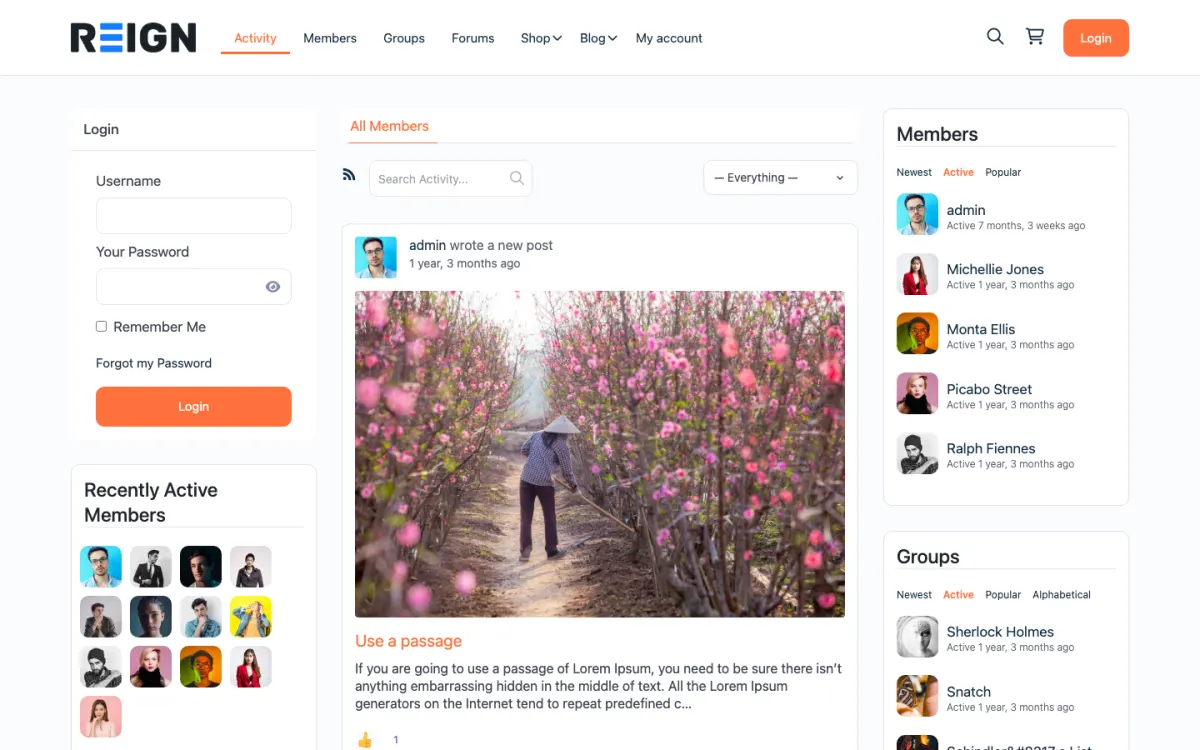
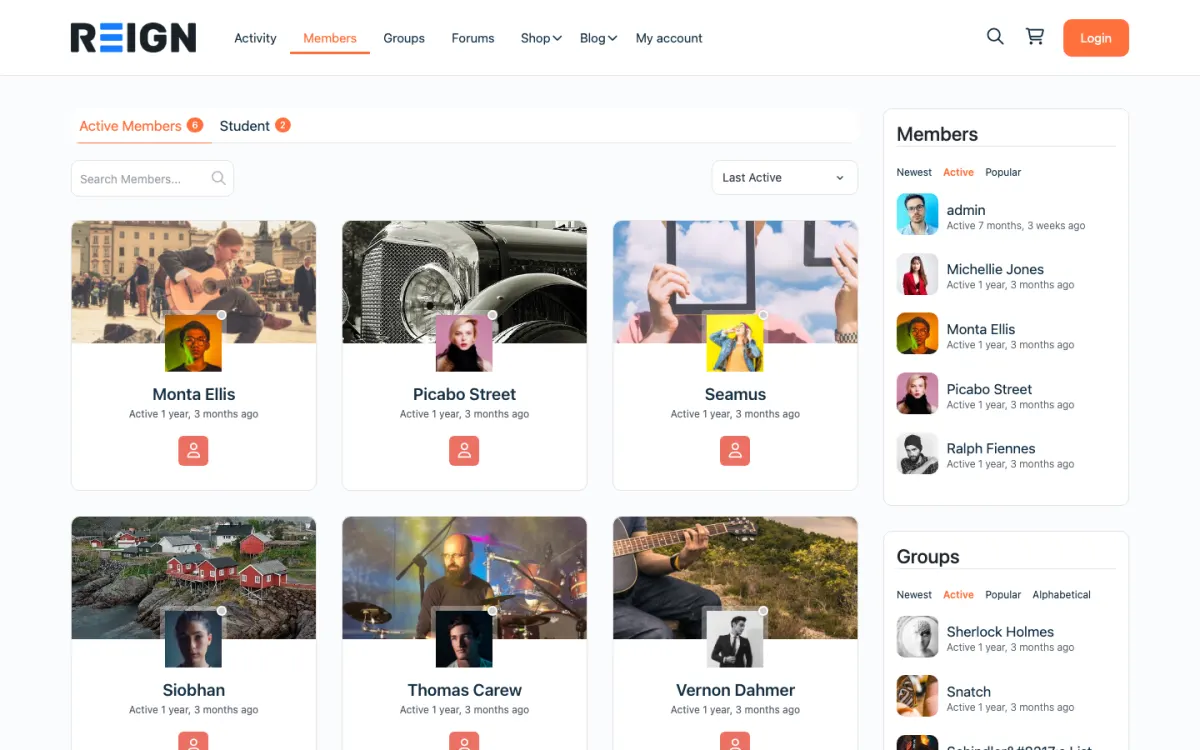
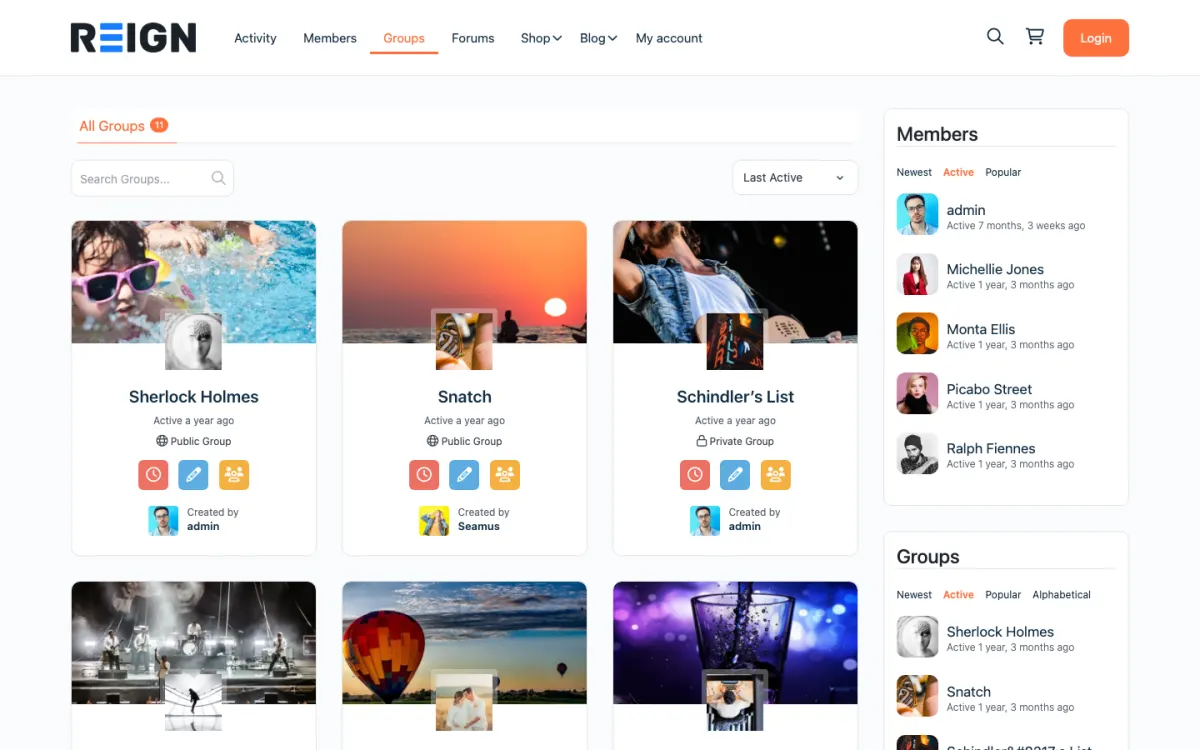
A sermon archive with notes and transcripts that site search can find.
Small groups that members can find by topic and meeting day.
Bible study courses in Learnomy, free to install.
You launch with a sermon or teaching archive, an events calendar, small group spaces and a member directory. Teaching is archived with audio or video and notes, groups have their own private spaces, and events carry services and gatherings. The archive is what serves people who cannot attend, which is a large part of most congregations.
A member finds a past teaching, joins a small group, and starts using the calendar. Small groups are where engagement actually lives; the main community space tends to be quieter, which is normal rather than a failure. Over time the archive serves people who moved away or cannot attend in person, and that reach is often unexpected.
Giving is the main flow, handled by a donation plugin with recurring options, and it is usually the clearest reason to control your own platform. Events and courses may carry fees. Most congregations are not trying to generate revenue from the site; they are trying to reduce the cost and fragmentation of the tools they already pay for.
Building the main community space and neglecting small groups. Congregational-scale discussion is usually quiet, which is normal, while small groups are where people actually connect. Make joining a group the obvious next step after signing up.
Reign is the WordPress theme for building a complete community site: social network, courses, member directory, marketplace and job board on one install. A congregation uses the social network, the events and the courses.
BuddyNext provides member profiles, a feed and private spaces for small groups. Eventonomy, free, lists services, classes and gatherings with recurring dates and RSVPs. Learnomy hosts study courses with quizzes and certificates, and sells access if you charge. The teaching archive can be posts with embedded audio or video from a host.
The BuddyPress Community Bundle kit is the packaged route and the private community build guide covers private groups. Giving runs through a separate donation plugin. The plugins page shows the split, and Reign is a flat theme licence.
Start with the archive and the calendar. Add groups once people are using the site.
Install WordPress with Reign, BuddyNext and Eventonomy. The start page lists the order.
Publish the teaching archive first, with notes and a transcript where you can. Host the audio or video with a media host and embed it.
Set up the calendar for services and regular gatherings as recurring events.
Create small group spaces led by volunteers, private by default, with a one-paragraph description of each group's time and focus.
Choose a donation plugin and test recurring giving if you offer it online. Make it a convenience for members, not a requirement.
Keep notices on paper and by phone as well, and tell members that the site adds to those channels.
A member finds last Sunday's teaching on Monday, reads the notes and shares a link with a friend. Midweek they check the calendar for a small group, post a prayer or discussion request in their group space and respond to others.
On the weekend they look at the service times, RSVP to an event and perhaps register for a study course. People who moved away or cannot attend in person use the archive to stay connected, and that reach is often unexpected.
Leaders use the site to post notices, prepare group discussions and welcome newcomers. Small group leaders moderate their own spaces and follow up quietly with anyone who has stopped taking part.
Growth comes from the people who are already involved. Small groups that meet regularly and use the site bring in friends and family, and the archive brings in those searching for a topic.
The best next step after a first visit is a group. Make joining one the first thing a new member sees, and have a leader respond within a day. A group that is visible and warm converts visitors into participants.
Giving is the main flow of money and works best with recurring options. Events and courses may carry fees. Most congregations aim to reduce the cost and fragmentation of the tools they already use.
A congregation site is a pastoral tool as much as a technical one. People share prayer requests, health news and family worries, and they trust that the space is looked after. Decide early who looks after it and how, because goodwill alone will not carry a busy season.
Name an owner and a deputy. The owner is usually a staff member or a trusted volunteer who understands the community, and the deputy covers holidays and illness. Write down what each is responsible for: posting notices, approving new members, watching the groups and handling a concern. A short written list prevents confusion.
Give small group leaders a clear role. They moderate their own space, welcome newcomers and tell the owner when something needs attention. A short guide for leaders, with what to do if a member is upset, if a post is unkind or if someone shares something that should not be public, makes them more confident.
Decide what is shared where. Prayer requests and pastoral matters belong in private groups, with leaders and members agreed on confidentiality. Teachings and public events belong on public pages. Review the settings every few months, because people change roles and spaces drift.
Be gentle with the less technical. Offer a short walkthrough after a service, print a one-page guide and keep a phone number for questions. A member who feels helped will use the site, and a member who feels lost will not.
Building the main community space and neglecting small groups is the main one. Congregational-scale discussion is usually quiet.
Making everything public or everything private is the second. Most congregations end up with a public archive and a private members area, which is a sensible split.
Third, do not make the site the only channel. A site that becomes the only way to hear notices excludes exactly the people most likely to need the community.
If you are a charity with volunteers and donors, see the nonprofits page. If you are a school community, the school teachers page shows the role-based setup.
If you only need service times and a contact page, a simple site is enough.
There is no built-in sync. Many churches keep Planning Center for check-in and records and use the Reign site for the archive, groups and calendar. Link between the two rather than duplicating data.
Yes, through a donation plugin with recurring giving and member accounts. Recurring is worth emphasising because it makes budgeting possible in a way that collection-plate income does not, and members generally prefer setting it once.
A private group each, with leaders moderating and members joining by request or invitation. This is where most real community happens, so make joining a group the obvious next step after someone signs up rather than something they have to go looking for.
Generally yes. The archive reaches people who cannot attend, those who moved away, and anyone searching for the topic. Keep pastoral or member-only material private, but a public teaching archive is usually the most valuable page set a congregation has.
Yes, with gated pages and private groups for pastoral material, while the teaching archive stays public. Most congregations end up with a public archive and a private members area, which is a sensible split.
The site supplements rather than replaces what you already do. Keep printed notices and phone trees for those who need them; a site that becomes the only channel excludes exactly the people most likely to need the community.
BuddyNext, Learnomy and Eventonomy cost nothing to install, and each has its own Pro plan for later. Running the third-party stack instead? The BuddyPress Community Bundle kit is the packaged route. Or have the Wbcom team set either one up for you.
One theme, the whole site
Reign is the WordPress theme for building a complete community site: social network, courses, member directory, marketplace and job board on one install. Start with one, add the others when you need them, and keep one login for every member. Open a live demo, or launch a sandbox and get a fresh WordPress site to click through in about a minute.
Profiles, activity feed, spaces, messages and moderation on your own domain. Powered by BuddyNext.
Lessons, quizzes, certificates and memberships, on the same login as the community. Powered by Learnomy.
Listings, search, maps and reviews that members can add themselves. Powered by Listora.
Sell services or products from many sellers, with orders, reviews and commissions. Powered by WP Sell Services.
Employers post jobs, members apply, and you run the board from one dashboard. Powered by WP Career Board.
Reign with BuddyPress, ready in one click, or browse every demo by site type.
Add more when you need it
Tell us what you want members to do on your site. We will tell you which Reign setup, plugins and kit fit, before you buy anything.
Swift and expert coding by Kerit to apply a personalised display adjustment on the Reign Theme for a media plugin that was not fully supported at the moment.
I purchased Reign theme from Wbcom Designs, the support team was very helpful and I got the perfect website what I was looking for. Good work Wbcom Designs
WBComDesigns is amazing. The WP plugins and themes are of top notch quality with lots of features and updated very frequently. Supports are very responsive and helpful. I use Reign with TutorLMS, and the experience is surprisingly smooth. The recently launched BuddyNext Pro and MediaShield Pro are…
Love this company. Loved the REIGN product. They were there the entire time helping me set things up; and when things went wrong? They were quick to take action and help find a solution.
I am using the REIGN theme and several plugins from Wbcom Designs on my website. The theme is beautifully designed, and the plugins are user-friendly. Everything works smoothly, and the features are perfect for building professional websites and communities. What impressed me most is their…
I only have positive experience with wbcom. My journey started a lot of years back with the free buddyx theme. during my learning of wordpress and futher websites ideas I found a match with their Reign job mate theme. Always there to help, always open to explore ideas, always kind replyes even if I…
i wanted to build a community website and these guys created the perfect plugins for me. to be honest, i want to buy every single one of their plugins. if i had more money i would.
This company have been great and very supportive.I highly recommend them
The template from Wbcom Designs is truly great – modern, flexible, and easy to use. The support is very helpful and friendly. For questions or problems you receive fast, competent assistance and feel well taken care of. Highly recommended!
I am very pleased with our collaboration! The team always responds quickly to requests and is ready to help. Excellent service, reliable support, and high-quality tools. I recommend them to anyone who wants to improve their web project!