Reign for fitness coaches. Fitness coaching community.
Build a fitness coaching site around one membership: each programme block is a Learnomy course, check-ins are posts in a BuddyNext feed, and clients log in once to see this week's training and the people doing it with them. Start with one small cohort and one block. Reign is the theme that makes all of it look like your brand instead of three tools.
Fitness coaches juggle messaging groups, a workout app and email for nutrition plans, so clients have no single login and lose track of what to do next.
Reign + Learnomy + BuddyNext puts workouts, nutrition plans, member check-ins, and a coach-led community on one membership site. Both plugins install free. Members log in once. Already committed to LearnDash and BuddyPress? Reign styles that stack too.
Courses, quizzes, progress tracking and the coach-led feed, free to install. In year one you pay for the theme and nothing else. You buy the Reign theme; Learnomy and BuddyNext are ours and install free.
Workouts become lessons, nutrition plans become downloads and check-ins become posts, all behind one login.
Learnomy and BuddyNext install free, so the theme is the only purchase you need on day one. Pricing explains the model.
Open with a small cohort and a single training block. A busy feed keeps clients paying longer than a big library does.
Embed workout video from a video host and let WordPress handle access, tiers and the group.
What it looks like on Reign
Screens from the live demos, with sample content. Open any of them and click around.
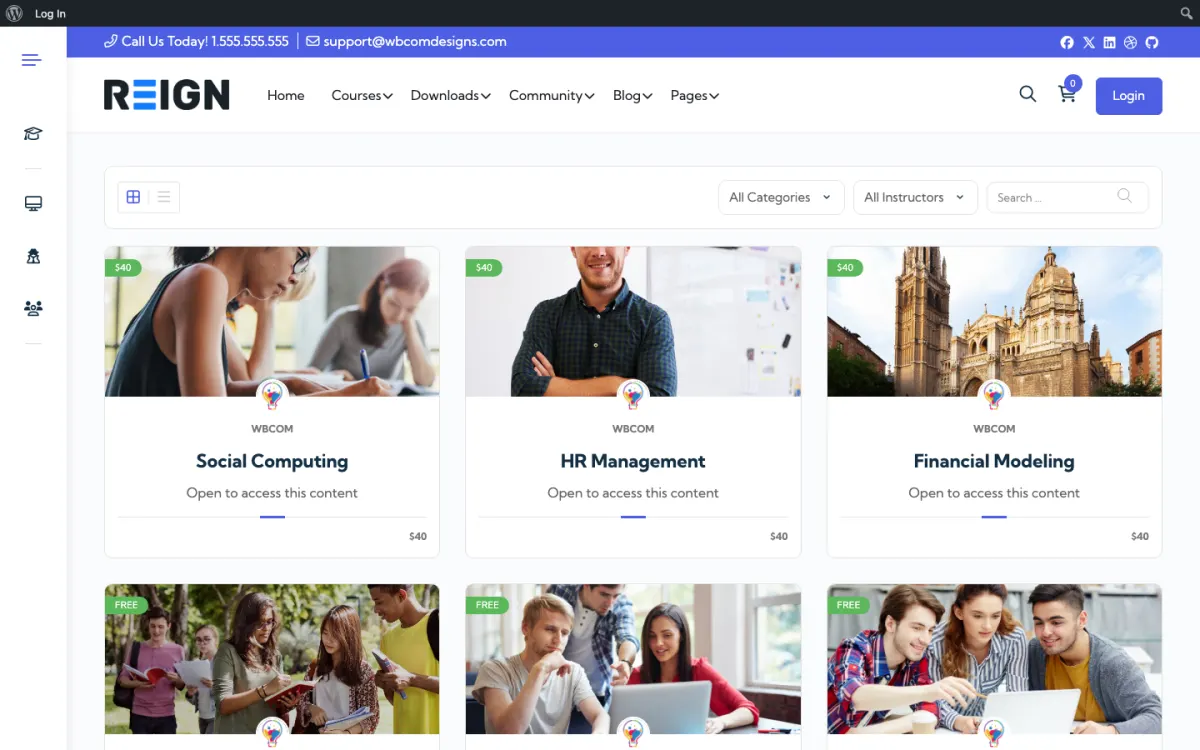
The course catalog, filtered by category and instructor. Open the demo
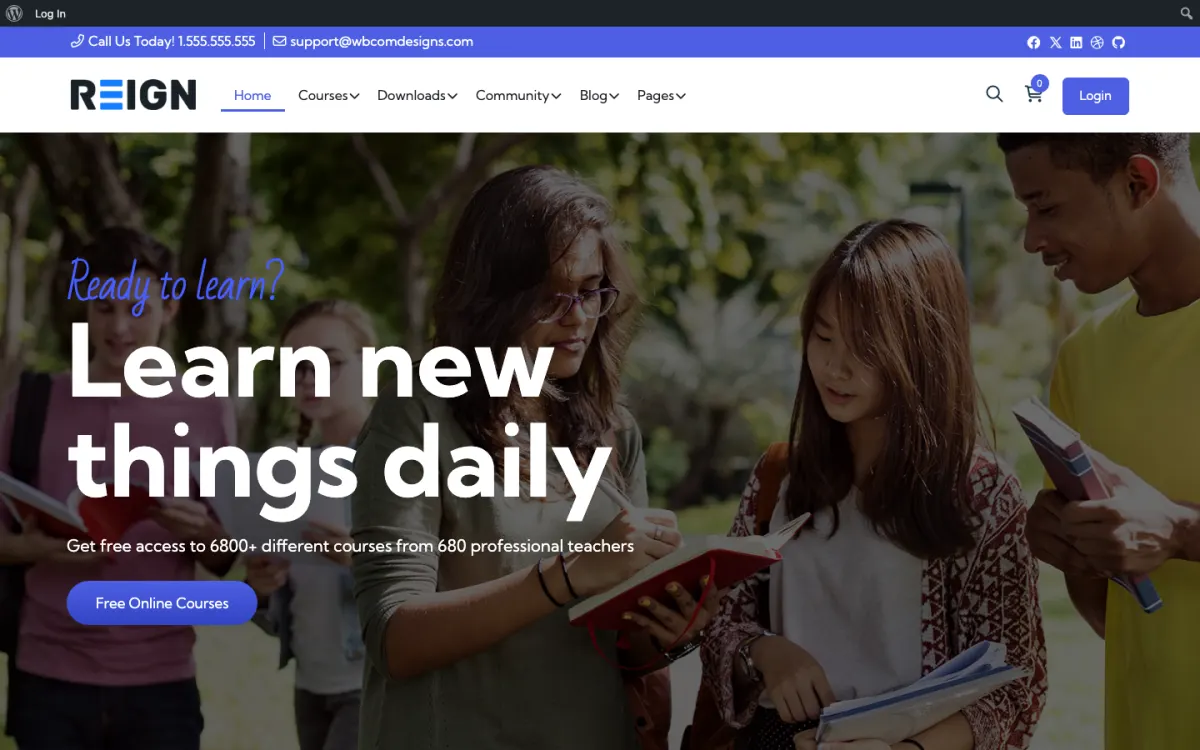
A course site home page, styled by Reign. Open the demo
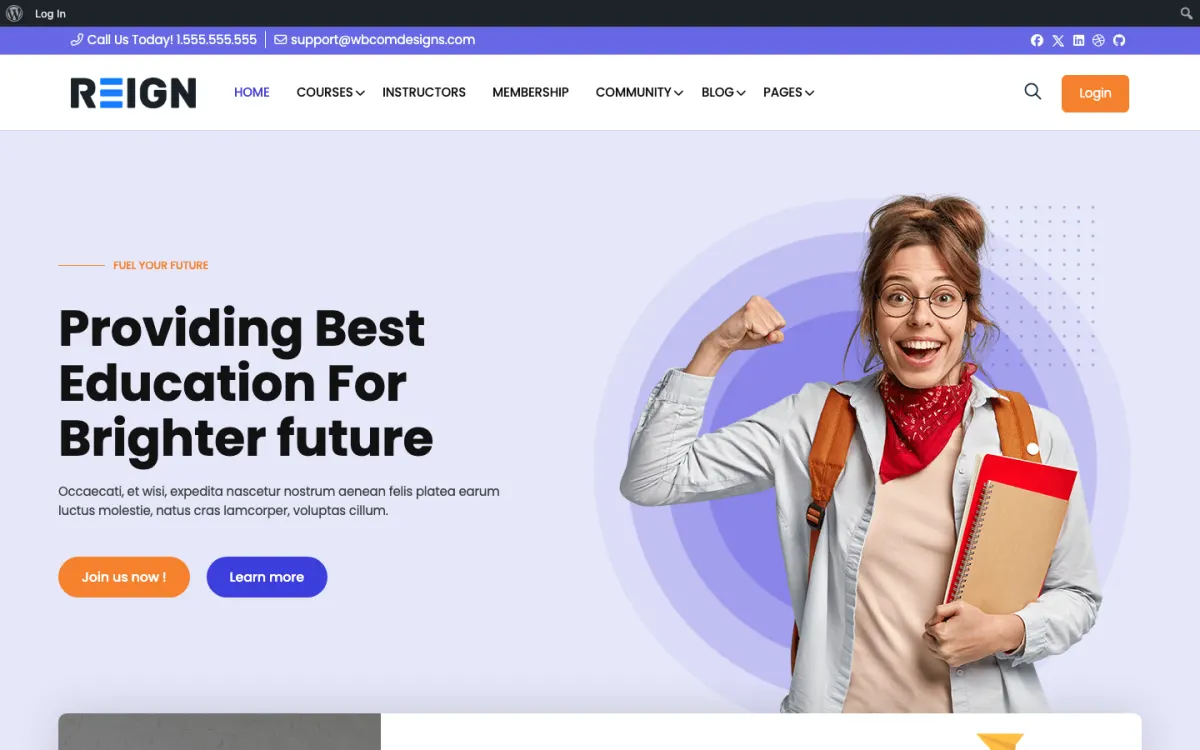
The same layout on LifterLMS, if that is your course engine. Open the demo
Three highlights for fitness coaches.
01
Clients follow programmes, quizzes and progress in Learnomy, so there is no switching between apps.
02
Workout programmes released on a schedule with Learnomy Pro drip content, or with LearnDash if you already own it.
03
A private community feed for accountability and peer support.
What the site looks like on day one.
On launch day you have a members area where clients log in, a course holding your programmes, and a feed where the group talks. Workouts are lessons with video, nutrition plans are downloads, and check-ins are posts. The part coaches underestimate is that everything is in one place: no Telegram group, no separate spreadsheet, no PDF emailed at midnight. A client opens one site and sees this week's block, what they owe, and the people doing it with them.
What a member actually does.
Week one a client signs up, lands on their programme and posts an introduction. The group replies, which is the moment retention is decided. Weeks two to six they work through the blocks, post check-ins with photos, and ask questions where other clients can see the answers, so you stop repeating yourself. By month three the useful pattern has emerged: the clients who post are the ones who renew, and the feed is what they are actually paying for as much as the programming.
How this usually makes money.
Most coaches charge a monthly membership for programming plus community, with a higher tier for one-to-one check-ins. Some sell blocks as one-off courses and keep the community free to create the upsell. The mechanics are a membership plugin taking Stripe payments, with tiers gating the programme and the group. Because the fee is flat per site rather than per member, a cohort that doubles in size does not change your costs.
The mistake to avoid.
Launching with twelve weeks of programming written and nobody to run it with. The community is what makes clients stay, so open with a small cohort and one block rather than a full library and an empty feed. A silent members area tells a paying client they bought a folder of PDFs.
Which Reign setup fits a fitness coaching site
Reign is the WordPress theme for building a complete community site: social network, courses, member directory, marketplace and job board on one install. A coach uses two of those pieces. The course side holds your programmes and the social side holds the group your clients train with.
The free route is Learnomy for programmes, quizzes and Stripe or PayPal checkout, plus BuddyNext for profiles, the activity feed and spaces. If you want a gamified streak, WB Gamification adds points and badges earned from real activity, and it has no paid tier. If you already sell on LearnDash, the LearnMate LearnDash kit is the packaged route and the course community build guide walks through it.
Coaches who want a private one-to-one plan per client can add BuddyNext Pro for paid plans and gated spaces, and Learnomy Pro for drip content that releases a block week by week. You do not need either to open your doors. The plugins page shows which features are free and which are Pro, and Reign itself is a flat theme licence with no per-member fee.
Launch steps for a fitness coaching site
Resist the urge to build the whole library first. A coaching site is ready when one cohort can sign up, see their first week and post in the group.
01
Pick hosting that suits a members site and install WordPress with Reign. The start page and the hosting guide cover the basics.
02
Install Learnomy and build one course for your first training block. Make each workout a lesson with an embedded video and a short written cue sheet.
03
Install BuddyNext and create a space for your first cohort. Pin a welcome post that tells clients when to check in and what to post.
04
Set up your membership plans and checkout with Stripe or PayPal in Learnomy. Keep to one plan for the first cohort so the sign-up page is simple.
05
Add your nutrition guide as a downloadable lesson and write the three or four questions you answer most often as pinned posts in the group.
06
Invite a handful of existing clients before you advertise. Their first week of check-ins is your real test, so fix whatever confuses them before anyone new arrives.
What clients do on a coaching site week to week
On Monday a client opens the site, finds this week's session list and watches the demo of the movement they struggled with last time. Midweek they post a short check-in: a photo of a meal prep, a note that squats felt heavy, a question about swapping an exercise because of a sore knee.
Other clients answer before you do, and that is the habit you are building. The questions you used to answer by message now sit in the feed where the next client can find them. On the weekend there is usually a group check-in or a small challenge, which is when the quieter clients show up and post for the first time.
For you, the week is about moderating the feed, responding to the check-ins that need a coach rather than a peer, and recording next week's videos. Because progress and posts live in one place, you can see who has gone quiet. Message them early, since a client who stops posting usually stops renewing soon after.
How a fitness coaching site grows
Growth for a coach comes from the people already inside. A client who posts a progress photo and gets thirty replies from the group is your best advertisement, and you can ask permission to share it. Referrals tend to arrive in clusters after a good cohort ends, so plan the next intake before the current one finishes.
Once a cohort runs well, add a second tier. Common shapes are a standard membership with the programme and group, and a higher tier with direct check-ins from you. With BuddyNext Pro you can gate a space for the higher tier, and with Learnomy memberships you can gate the programme content. Add the extra tier only when you can serve it without losing evenings.
A free taster is the other lever. A short starter course or an open space with a week of workouts gives a prospect a reason to give you their email. Keep video off your own server and the programme pages stay light, which matters because most clients open the site on a phone between sets.
Mistakes fitness coaches make with a membership site
The first is hosting video on the same server as the site. A library of workout clips will slow every page and push up your hosting bill. Use a video service, embed it, and keep WordPress for what it does well: deciding who gets in and hosting the group.
The second is trying to rebuild a training app. Set-by-set logging with automatic progression is a specialist product, and clients already have apps they like for it. Let the site be the place for the programme, the plan and the people, and link out when a dedicated tracker is the better tool.
The third is turning off the feed because it feels quiet. A quiet feed in week one is normal. Seed it with a daily prompt, answer every post for the first month, and invite your most active early clients to start threads. If the group is empty, clients decide they bought a folder of PDFs.
When a different setup fits better
If you coach a handful of people one to one and have no plans for a group, a community is the wrong first build. A booking calendar and a simple client area will serve you better, and you can add the group once enough clients want to train together. The online tutors page covers a similar one-to-one-first path.
If your clients live inside an app for logging every set, keep that app and use the site for the content and community around it. And if your real business is a long cohort-based programme rather than ongoing training, the life coaches page is closer to what you need.
Fitness coach-specific questions.
Can clients track personal-record progress?
Yes. Learnomy stores quiz scores and lesson progress in its free version, and with BuddyNext Pro the member profile shows Learning and Certifications panels. On LearnDash instead? The Reign LearnDash Addon does the same job.
How does this compare to Trainerize?
Trainerize wins on mobile app polish and its built-in exercise library. Reign wins on community and on owning the URL, and the cost model is a flat theme licence with the course and community plugins free to install. The pricing page has the current figures.
Can I sell one-to-one coaching slots?
Yes. WP Sell Services installs free and handles the listing, the order and the payout. Add a booking plugin such as Amelia when you need calendar availability rules. Learnomy still delivers the program.
Can clients log workouts on the site?
They can post check-ins, photos and notes into the feed or a group, which is how most coaching communities actually work. For structured set-and-rep logging you would add a dedicated plugin or keep that in whatever app your clients already use. Do not rebuild a training app; the value here is the programme and the people.
How do I keep programmes private per client?
Membership tiers gate content, so a client sees the programme their level includes and nothing else. For genuinely one-to-one plans, a private group per client or a personal page works and is simpler than it sounds. Decide the tier structure before you build, because reshaping it later means re-gating everything.
Do I need video hosting for workouts?
Use a proper video host and embed the player; WordPress handles the gating, the programme structure and the community around it. Uploading long workout videos straight into your media library will hurt your hosting bill and your load times before it hurts anything else.
How many clients before this pays for itself?
Fewer than most coaches expect. The theme is a flat licence, the community, course and gamification plugins install free, and there is no per-member fee, so the recurring cost is essentially hosting. Each new client adds revenue without adding a platform bill.
Buy the theme. Add the plugins free.
Learnomy and BuddyNext cost nothing to install, and each has its own Pro plan for later. Running the third-party stack instead? The LearnMate LearnDash kit is the packaged route. Or have the Wbcom team set either one up for you.
Reign is the WordPress theme for building a complete community site: social network, courses, member directory,
marketplace and job board on one install. Start with one, add the others when you need them, and keep one login
for every member. Open a live demo, or launch a sandbox and get a fresh WordPress site to click through in about a minute.
Courses with a community
Lessons, quizzes, certificates and memberships, on the same login as the community. Powered by Learnomy.
WBComDesigns is amazing. The WP plugins and themes are of top notch quality with lots of features and updated very frequently. Supports are very responsive and helpful. I use Reign with TutorLMS, and the experience is surprisingly smooth. The recently launched BuddyNext Pro and MediaShield Pro are…
Hoang Phan · VN ·
Love this company
Love this company. Loved the REIGN product. They were there the entire time helping me set things up; and when things went wrong? They were quick to take action and help find a solution.
Fable Fortitude · CA ·
Excellent Theme, Powerful Plugins and Outstanding Support
I am using the REIGN theme and several plugins from Wbcom Designs on my website. The theme is beautifully designed, and the plugins are user-friendly. Everything works smoothly, and the features are perfect for building professional websites and communities. What impressed me most is their…
S W Malcolm · US ·
I only have positive experience!
I only have positive experience with wbcom. My journey started a lot of years back with the free buddyx theme. during my learning of wordpress and futher websites ideas I found a match with their Reign job mate theme. Always there to help, always open to explore ideas, always kind replyes even if I…
Oskar Hanborg · SE ·
Swift and expert coding!
Swift and expert coding by Kerit to apply a personalised display adjustment on the Reign Theme for a media plugin that was not fully supported at the moment.
Russell · GB ·
Perfect themes
I purchased Reign theme from Wbcom Designs, the support team was very helpful and I got the perfect website what I was looking for. Good work Wbcom Designs
Monika Singh · IN ·
A plugin made a conflict and they fixed…
A plugin made a conflict and they fixed it immediately, great plugins anf great support.
Eric Hinz · DE ·
Great Blog Page
They provided me great advice on how to achieve the best display and function for my blog.
Christopher Stolle · US ·
Unparalleled Service and Expertise - Wbcom Designs Goes Above and Beyond
From the moment we partnered with Wbcom Designs in 2016, they have been nothing short of phenomenal, becoming not just our go-to website developers but also treasured friends. Their team, led by the incredibly kind and competent Varun, has saved our operations on more occasions than we can count,…
Tresne Middleton · AU ·
The team at WBcom has been…
The team at WBcom has been extraordinarily helpful in taking care of the technical aspects of my website They respond quickly and address all my issues in a highly professional manner. In addition to being super attentive to the requirements of my site, they have been very patient in explaining…