REIGN
Get Reign

How long it takes: Usually a hybrid; plan a long overlap and let chat stay where it is

Migrate from Discord to Reign.

Most communities do not leave Discord completely: they keep chat there and move the content that should last to a website. Set up Reign with BuddyNext for members and Jetonomy for searchable forums and Q&A, copy the threads people keep asking about, and add paid plans if you charge. Your answers become searchable on Google and your member list is yours.

Leaving Discord does not mean settling for less. Reign is one theme for the whole site: a community, courses, a member directory, a marketplace or a job board, alone or together, on one login. It is a flat theme licence with no per-member fee and no share of your sales (see pricing), and it is the only thing you have to buy. BuddyNext runs members and spaces, Learnomy the courses, Jetonomy the forums and Q&A, MediaVerse the member media. 11 of our plugins install free, each with a Pro plan for when one part starts earning. No monthly platform fee replaces the one you are leaving.

See ready-made kits or what people build with Reign.

Key takeaways

  • Most communities keep Discord for live chat and voice, and move lasting content to the site.
  • Jetonomy gives you spaces, threaded discussion and Q&A with accepted answers that search engines can index.
  • There is no export that maps onto a forum. Pick the threads people keep asking about and move them by hand.
  • Do not close the server on a schedule. Let it go quiet on its own.

What it looks like on Reign

Screens from the live demos, with sample content. Open any of them and click around.

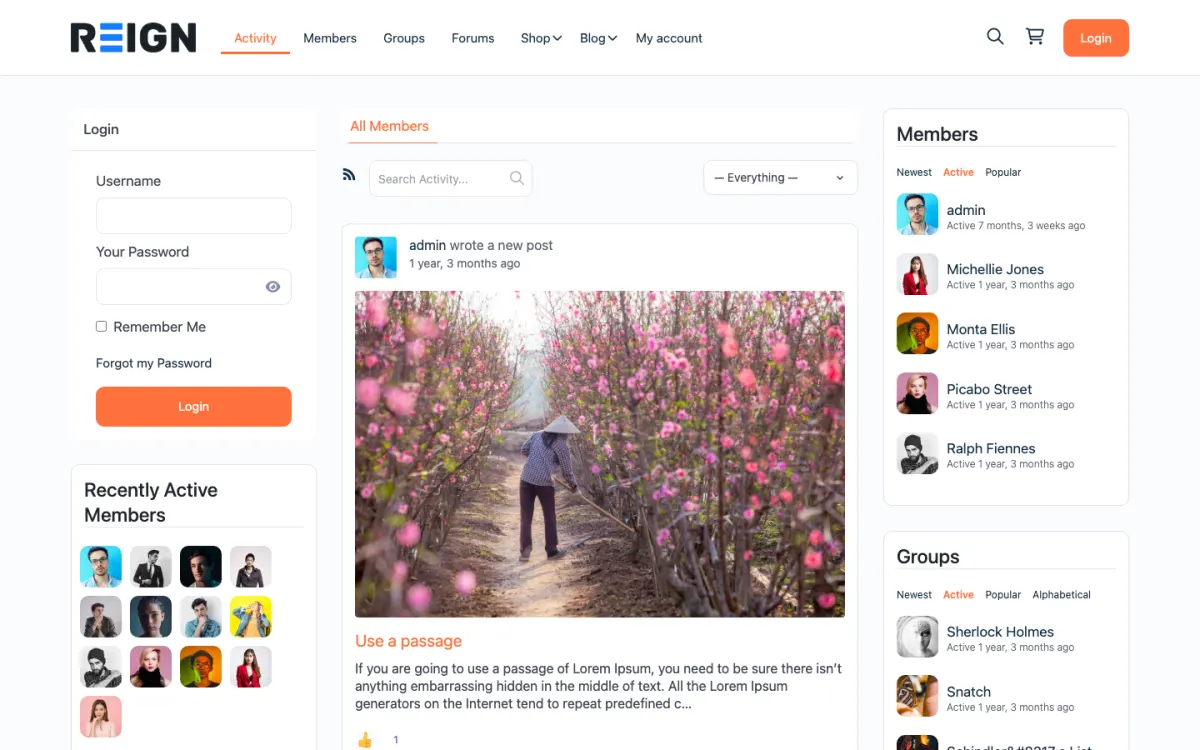
  • Reign BuddyPress demo home with login, activity feed, members and groups
    The home screen: sign-in, the activity feed and who is active, on one page. Open the demo
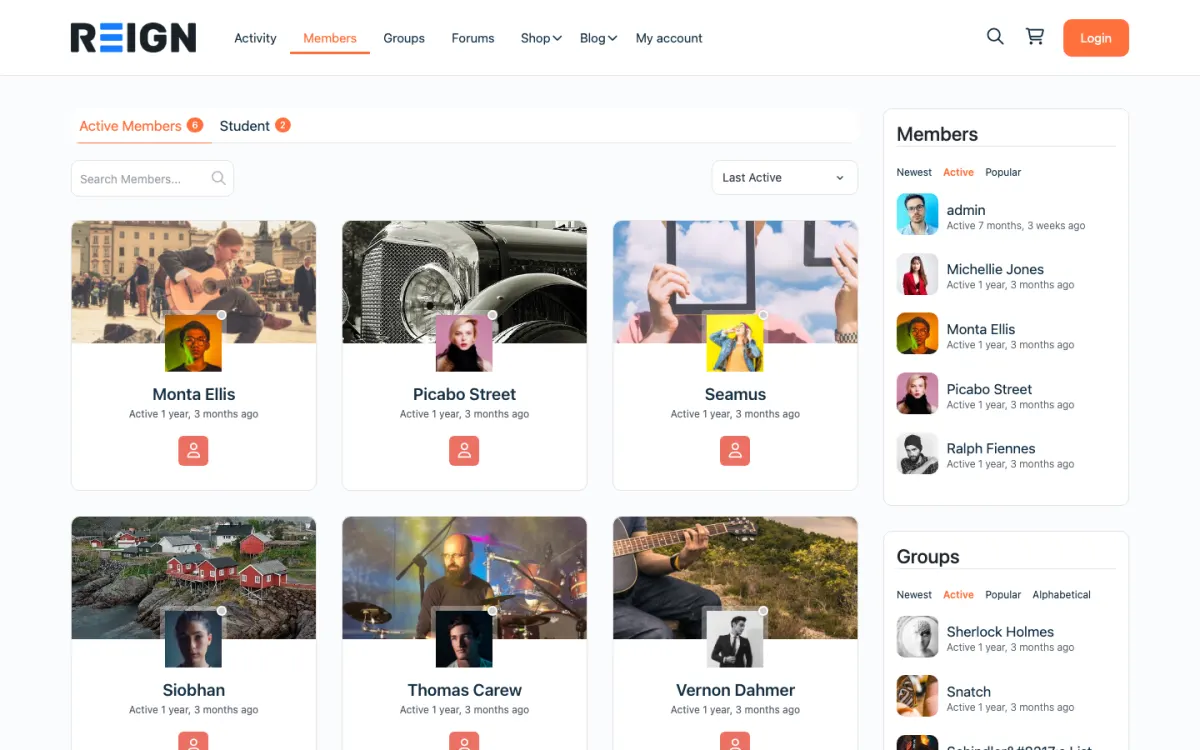
  • Reign members directory with member cards, search and sort
    The member directory: search, sort by activity, and a card for every member. Open the demo
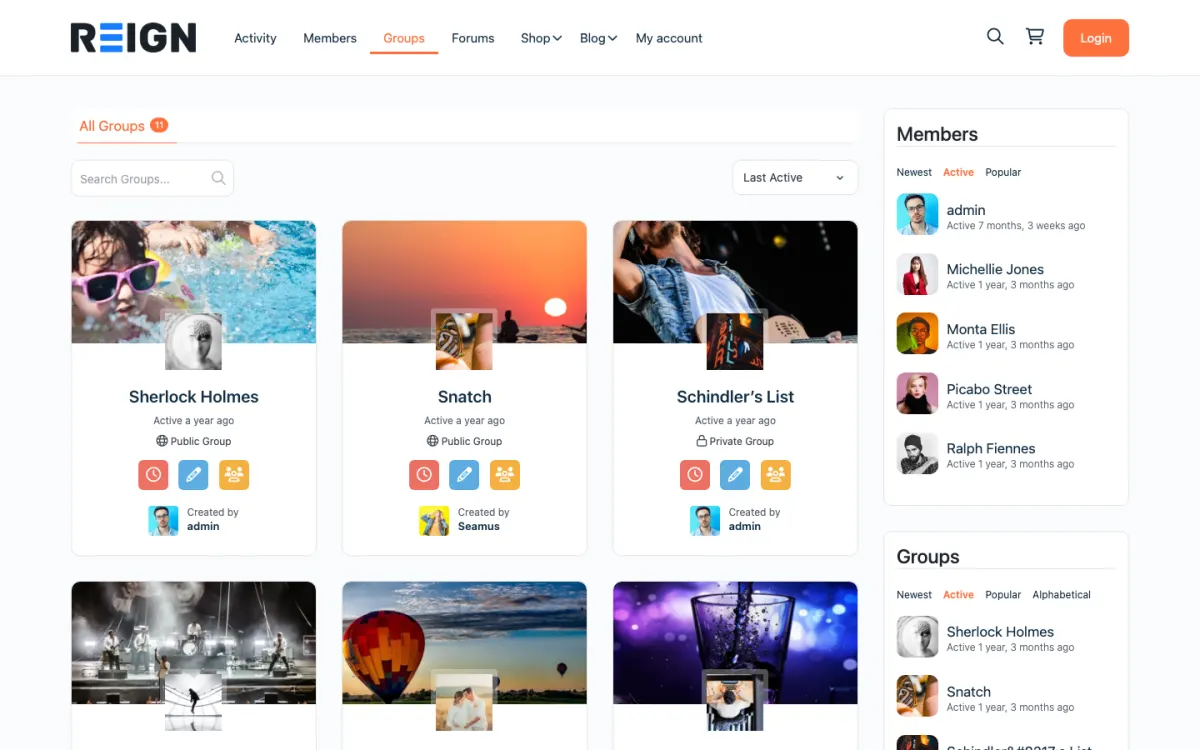
  • Reign groups directory with public and private groups
    Groups: public and private spaces members can join or create. Open the demo

Set expectations before you start.

  • The threads worth keeping: FAQs, guides and decisions (copied by hand).
  • Your channel structure, mapped to forum spaces.
  • Real-time chat and voice (most communities keep Discord for these).
  • Bots (most have no WordPress equivalent).
  • Paid tiers, rebuilt with BuddyNext Pro membership plans.

The migration walkthrough.

1

Choose hybrid or full move

Most communities keep Discord for chat and use the website for content, courses, the member directory and payments.

2

Set up Reign for content

BuddyNext for profiles and feeds plus Jetonomy for threaded discussion and Q&A with accepted answers, both free to install. Import a starting layout with the free Reign Demo Installer.

3

Move the lasting content

Turn your most-asked questions and guides into forum topics so they are searchable.

4

Move paid tiers

Rebuild paid roles as BuddyNext Pro membership plans with gated spaces and Stripe checkout.

5

Announce the split

Discord for daily chat, the website for content, courses and payments. Link between them often.

What members notice on day one, and how to brief them

A Discord member is used to live conversation. On a site, the pace is slower and the posts are longer, and that is the point. Brief them with one sentence that sets expectations: the server is still the place for quick chat, and the site is where answers, guides and member profiles live.

They will need a new account. Keep registration short, and have a handful of useful topics ready so the first visit shows something worth the step. A welcome topic that links to the best guides works better than an empty forum.

Tell them what changes for their own contributions. A helpful answer in Discord scrolls away within a day. The same answer in a Jetonomy space is marked as the accepted answer and stays near the top, with voting and reputation to recognise the person who wrote it.

How to run both and pick the cut-over

Treat the move as a split, not a switch. Announce in the server what lives where: Discord for daily chat, the site for content, courses and payments. Link between them often. When someone asks a question in chat that has been answered before, answer with a link to the topic on the site.

Build the forum around the threads people keep asking about. Turn the most-asked questions and guides into topics, and map your channel groups to Jetonomy spaces. A small, well-organised forum beats a large empty one.

There is not really a cut-over day. Watch which channels stay busy on Discord, because those genuinely belong there. Move paid roles to BuddyNext Pro membership plans when the site is ready, then retire the roles on Discord that the site now handles.

What you gain on your own site

Searchability is the headline gain. Forum topics and Q&A answers are public pages on your own domain, so someone with the question you answered last year can find it from a search engine. In Discord, the same answer is buried in a channel.

You also gain ownership and structure. The member list is yours, each member has a profile, and the same login can carry courses in Learnomy, events in Eventonomy and media in MediaVerse, with messages through WPMediaVerse. Payments run through your own Stripe account.

Reign is a flat theme licence with no per-member fee and no share of your sales. The plugins install free and sell Pro plans separately. See the pricing page.

Moderation and roles on the new site

Discord moderators map naturally to site moderators. Jetonomy has a moderation queue in the free plugin, and BuddyNext has a report-and-review queue. Reputation in Jetonomy gives long-standing helpers a visible standing, which replaces some of what roles do in Discord.

Bots do not move across. If you rely on bots for welcome messages or auto-roles, decide what replaces them. A pinned welcome topic covers the first, and membership plans cover the second. Write the rules into a short code of conduct and pin it where new members arrive.

When staying on Discord is the right call

If your community is mostly live voice and quick chat, and nobody asks the same question twice, Discord is doing its job. A site adds work that you only get back if your community has knowledge worth keeping.

A site makes sense when you answer the same questions repeatedly, want to be found through search, want to charge for access or courses, or want a member list you own. If those apply, start with a hybrid and see how it feels. The BuddyNext community build guide shows the setup.

Before you start.

Work out what is actually worth taking, because a Discord server is mostly conversation and very little of it is worth carrying. Scroll back through your busiest channels and list the threads people keep linking to: the FAQ answers, the setup guides, the decisions. That list is your migration. Announce the plan in the server before you build anything, so the move is something the community watched happen rather than something sprung on them.

What to check once it is live.

Check that a member who is not you can register, post and reply without hitting a permission wall, using a second account rather than trusting the settings screen. Confirm the pages you moved are indexable and appearing in your sitemap, since search visibility is the main reason to do this at all. Then watch which channels stay busy on Discord: those are the ones that genuinely belong there.

Where this one usually goes wrong.

Closing the Discord too early. The site will be quiet for the first month because communities take time to move, and a founder who shuts the server early to force the issue usually ends up with neither. Run both for a season, put the durable material on the site, and let the Discord go quiet on its own rather than killing it on a schedule.

Migration questions.

How do I get Discord members to sign up on the new site?

Give them a reason that Discord cannot offer: a profile that stays, a searchable answer library, events with RSVPs or a members-only space. Post the link in your announcements channel, pin it, and repeat it when you share something that lives only on the site.

Can I keep my Discord server running after I move to Reign?

Yes, and many communities do. Keep Discord for live chat and voice, and move the parts that should last onto your own site: profiles, threaded discussions in Jetonomy, events in Eventonomy and the member list you own. Link the two from each side so members know which place is for what.

What is a Discord alternative with searchable content?

A WordPress site with Reign, BuddyNext and Jetonomy. Forum topics and Q&A answers are public pages Google can index, on your own domain, and you can keep Discord for chat.

Should I shut down Discord?

Usually no. Discord is still good at live chat and voice. Run both: Discord for chat, your site for content and payments.

Can I export my Discord members and messages?

There is no export that maps onto a forum. Pick the threads that matter and move them by hand. For members, invite them to register on the site, since Discord does not hand you their emails.

Can I import Discord messages automatically?

No. Chat history is not shaped like forum topics, so moving it wholesale would give you noise. Move the guides and answers people keep asking about. The new site is better for it.

Will members need new accounts?

Yes, they register on your site. Keep registration short and have useful content waiting so the step feels worth it.

Can I charge for access if I move from Discord?

Yes. BuddyNext Pro adds paid plans, gated spaces and Stripe checkout, and Learnomy free has memberships and Stripe or PayPal checkout for courses.

One theme, the whole site

Rebuild what you had on Discord, then go further.

Reign is the WordPress theme for building a complete community site: social network, courses, member directory, marketplace and job board on one install. Start with one, add the others when you need them, and keep one login for every member. Open a live demo, or launch a sandbox and get a fresh WordPress site to click through in about a minute.

Add more when you need it

Not sure what moves from Discord? Ask us.

Tell us how big your community is and what you run on Discord today. The team that builds Reign replies with what moves, what to rebuild and how long it takes, before you buy anything.

Have us migrate you from Discord.

Our team can take the steps on this page off your hands: members brought across, billing set up on Stripe and welcome emails ready to send.

What customers say on Trustpilot

Excellent Theme, Powerful Plugins and Outstanding Support

I am using the REIGN theme and several plugins from Wbcom Designs on my website. The theme is beautifully designed, and the plugins are user-friendly. Everything works smoothly, and the features are perfect for building professional websites and communities. What impressed me most is their…

S W MalcolmUS