REIGN
Get Reign

How long it takes: Mostly space rebuilding; plan a side-by-side period before you switch

Migrate from Circle to Reign.

To move from Circle to your own WordPress site without losing data, export your members, rebuild your spaces in BuddyNext on the Reign theme, copy across the posts that matter, and keep Circle running until members have moved. Members and content come with you; paid subscriptions do not, so members re-subscribe on your site.

Leaving Circle does not mean settling for less. Reign is one theme for the whole site: a community, courses, a member directory, a marketplace or a job board, alone or together, on one login. It is a flat theme licence with no per-member fee and no share of your sales (see pricing), and it is the only thing you have to buy. BuddyNext runs members and spaces, Learnomy the courses, Jetonomy the forums and Q&A, MediaVerse the member media. 11 of our plugins install free, each with a Pro plan for when one part starts earning. No monthly platform fee replaces the one you are leaving.

See ready-made kits or what people build with Reign.

Key takeaways

  • Export your members first. That is the one thing you cannot rebuild.
  • Ask Circle support for the community data export early. It covers spaces, posts, comments and events, but not uploaded media.
  • Circle spaces become BuddyNext spaces, with matching names and privacy so members recognise the layout.
  • Paid subscriptions do not transfer. Move the community first, then move billing separately.
  • Content on your own domain can be found through search, and the member list is yours.

What it looks like on Reign

Screens from the live demos, with sample content. Open any of them and click around.

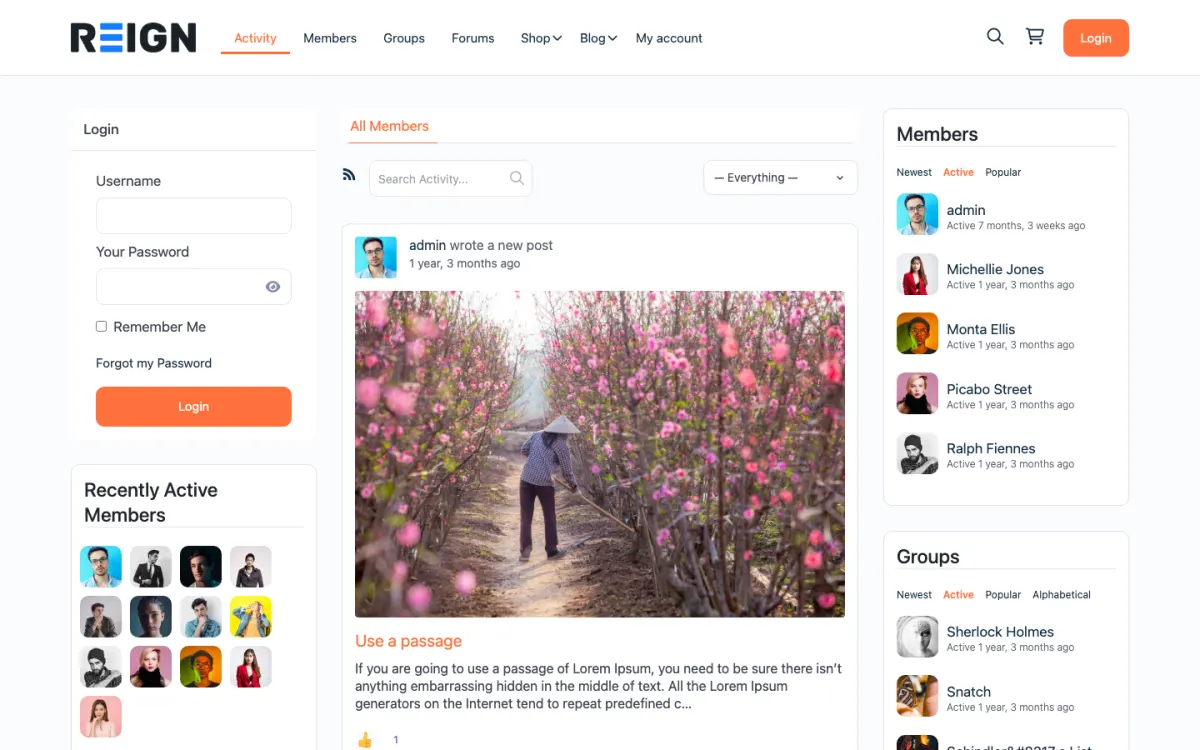
  • Reign BuddyPress demo home with login, activity feed, members and groups
    The home screen: sign-in, the activity feed and who is active, on one page. Open the demo
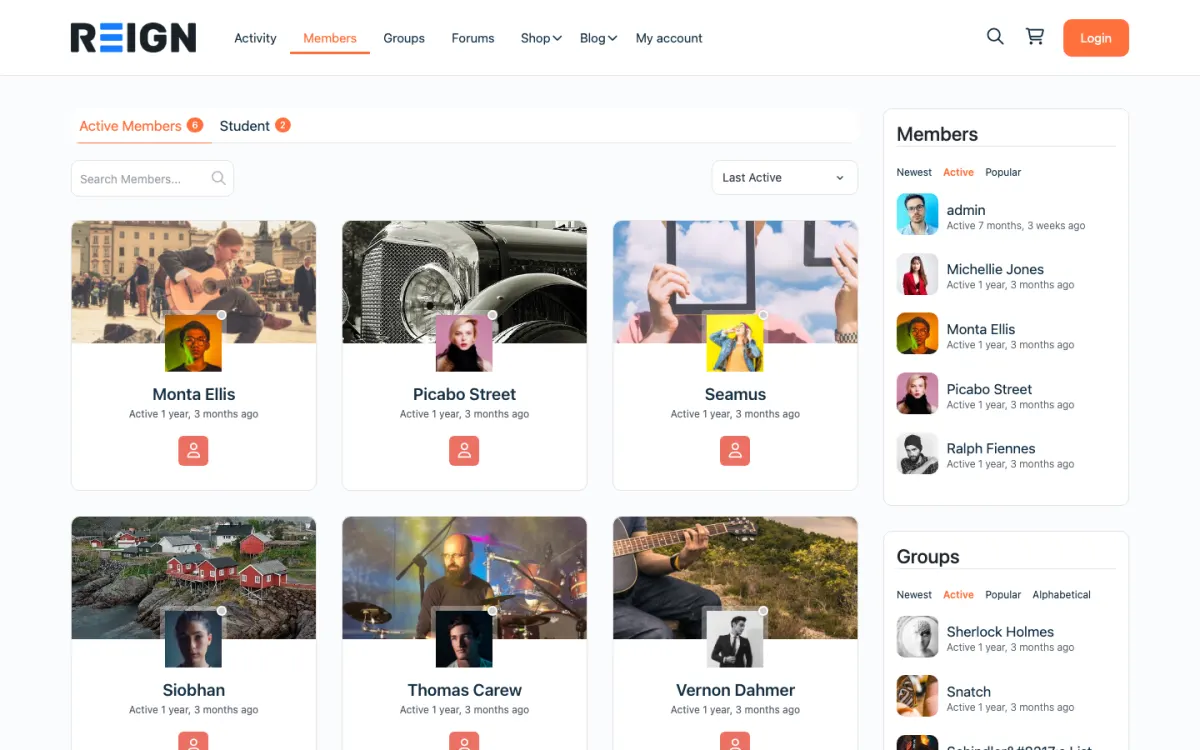
  • Reign members directory with member cards, search and sort
    The member directory: search, sort by activity, and a card for every member. Open the demo
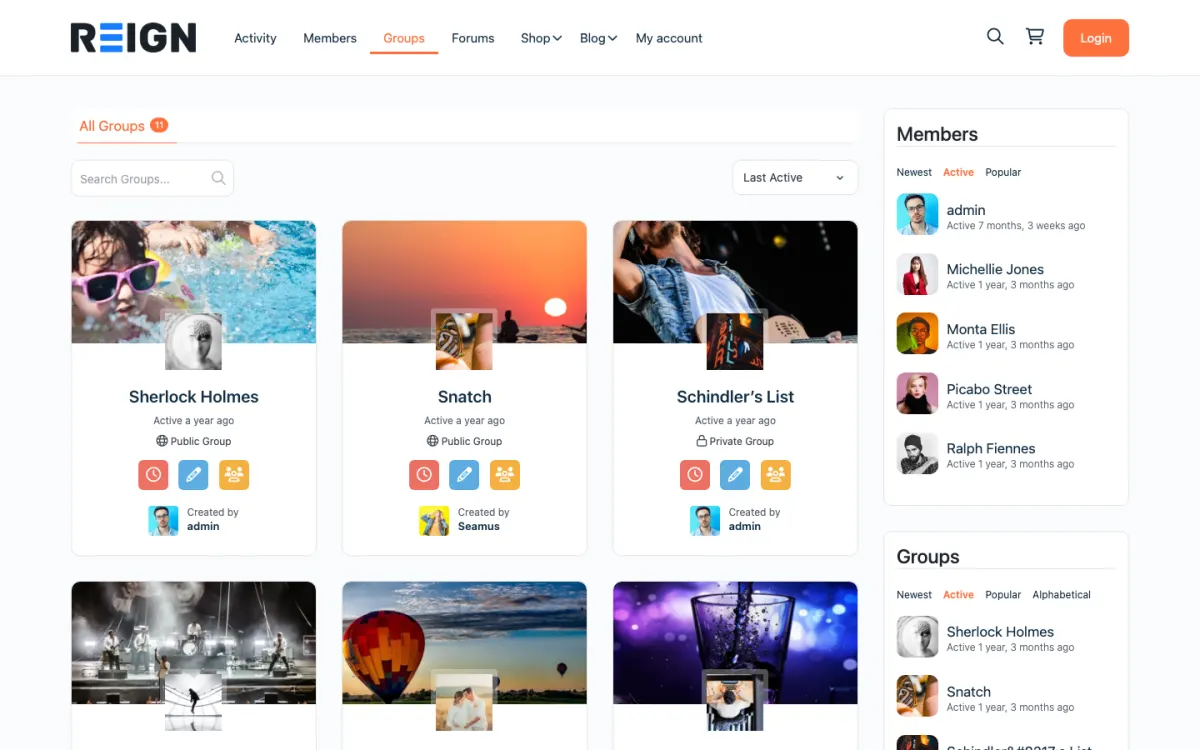
  • Reign groups directory with public and private groups
    Groups: public and private spaces members can join or create. Open the demo

Set expectations before you start.

  • Members with emails, profile fields, tags and space access (admin member export or the Circle API).
  • Spaces, posts, comments and events as CSV files (the community data export, requested from Circle support).
  • Subscription and transaction history as CSV (Payments export), kept for your records.
  • Uploaded images and files are not in the CSV export, so save the ones you need before you cancel.
  • Paid plans and gated spaces (BuddyNext Pro, with Stripe checkout).
  • Space structure, recreated as BuddyNext spaces.
  • Courses, rebuilt in Learnomy, which installs free.
  • Custom profile fields, recreated as BuddyNext profile fields.

The migration walkthrough.

1

Export your members from Circle

Export the member list with emails and profile fields from the Circle admin, or pull it through the Circle API. Check the file has every email before you set a date.

Circle: export a CSV of your members

2

Set up Reign on staging

The theme plus BuddyNext, our community engine, which installs free. Import a starting layout with the free Reign Demo Installer. Add Learnomy free if you run courses on Circle. The BuddyPress Community Bundle and LearnMate kits are the third-party routes.

3

Recreate Circle spaces

Each Circle space becomes a BuddyNext space. Match names and privacy levels so members recognise the layout.

4

Rebuild paid plans

Create BuddyNext Pro membership plans that match your Circle paywalls, gate the matching spaces, and connect Stripe.

5

Announce the billing change

Give paying members plenty of notice and a simple link to re-subscribe on the new site.

6

Run both for a while

Invite every member to the new site while Circle stays live as the fallback.

7

Cut over and archive Circle

Point your domain at the new site, make Circle read-only, and cancel it after the grace period.

What to export from Circle before you cancel

You lose nothing if every export is on your own drive before you cancel. Circle has three exports, and each comes out as CSV. The member export comes from the admin and holds names, emails, profile fields, tags and which spaces each person can see. The community data export is requested from Circle support and holds your spaces, posts, comments and events. The Payments export holds subscription and transaction history.

The community data export does not include images or files uploaded to posts and comments. Save the ones worth keeping by hand, starting with your most read posts, and upload them again on the new site. Courses are not part of these exports, so copy lesson content across as you rebuild each course in Learnomy.

Keep the subscription and transaction files even though they cannot be imported as live billing. They tell you who was paying, on which plan, so you can invite each paying member to the right plan on your site. Circle documents each export in its help centre: community data, members and subscriptions and transactions.

How long the move takes, phase by phase

The move has four phases, and only one of them is long. Exporting is quick once you have asked support for the community data file. Installing Reign and BuddyNext on staging is a short job, and the free Reign Demo Installer gives you a starting layout. Rebuilding is the long phase: its length depends on how many spaces you recreate, how many posts you copy across and whether you run courses.

The side-by-side period has no fixed length, because your members set it. Cut over when the daily posts happen on the new site, not on a date you picked in advance. Move billing last, as its own step, once people have settled.

If you would rather not do the work yourself, the Wbcom team can run the whole move and give you a timeline once they have seen your export.

What members notice on day one, and how to brief them

Members notice three things: a new link, a new password and a new look. If you matched the space names and privacy levels, the layout will feel familiar even though the design is different. Send one email ahead of time with the new link, a plain reason for the move and a note that nothing they posted is being lost.

Brief your paying members separately. They are the ones who will be asked to do the most, because subscriptions do not move between platforms. Tell them clearly what they need to do, give them a single link, and keep billing on Circle until the community has settled.

Finally, pin a short guide in the main space of the new site. Say where the feed is, where the spaces are and how to edit a profile. Members who are shown the way in the first minute stay longer than members who have to hunt for it.

How to run both sites side by side and pick the cut-over

Do not close anything until the new site has its own activity. Start by inviting a small group of regulars to the new site while Circle stays live. Let them use it for a week and tell you what is confusing. Fix those things, then invite everyone.

While both run, post in both places and link between them. Move one space at a time if that suits you; start with the most active one. The aim is to make the new site the place where things happen, so that the old one quietens by itself.

Choose the cut-over by watching behaviour, not the calendar. When the new site has the daily posts and most active members have logged in, make Circle read-only and leave a pinned post pointing to the new address. If Circle ran on your custom domain, redirect the old URLs to the matching pages on the new site so links keep working.

What you gain on your own site

The main gain is that the community becomes part of your website. Public posts and landing pages sit on your own domain and can be found through search. The member list lives in your database, so you can email it with any tool, and you decide the rules.

You also get one login across features. BuddyNext runs members and spaces, Jetonomy adds forums and Q&A with accepted answers, Learnomy adds courses, and MediaVerse adds photos and video, with messages working through WPMediaVerse. If you later want a member directory, a job board or a marketplace, those run on the same accounts.

On cost, Reign is a flat theme licence with no per-member fee and no share of your sales. The plugins install free and sell Pro plans separately. See the pricing page.

Moderation and roles on the new site

Members report posts and you review them from the BuddyNext moderation queue, which is in the free plugin. Jetonomy has a moderation queue for forum posts. If your community has grown to the point where one person cannot read everything, BuddyNext Pro adds auto and bulk moderation.

Map your Circle roles before you launch. Decide who can moderate, who can post in announcement spaces and who can see private spaces, then test each with a second account. Write the rules into a short code of conduct and pin it where new members arrive.

When staying on Circle is the right call

If your community is small, the hosted platform is doing its job and you do not want to run a website, staying is a sensible decision. A WordPress site needs hosting and someone to keep it updated, and that is a real responsibility. The hosting page describes what is involved.

The case for moving is ownership and reach: your own domain, pages that search engines can index, and the ability to add courses, forums or a directory on one login. If those matter to you, the move pays back. If they do not, wait until they do.

Before you start.

Export your members first, because that is the part you cannot rebuild. Then audit the spaces honestly: most communities have two or three that carry real content and a long tail that is mostly greetings. Decide which spaces you are actually recreating before you start, because rebuilding everything by hand is how a migration stalls halfway and leaves you running two platforms.

What to check once it is live.

Check that the content you moved is indexable, since being visible to search is one of the main reasons to own the site. Confirm members can register and post with a second account. Then test your paid plans with a real card, because payment continuity is the part that actually costs money when it goes wrong.

Where this one usually goes wrong.

Losing paying members at the payment switch. Subscriptions do not transfer between platforms, so every paying member has to re-subscribe on your site, and each one is a chance to cancel. Migrate the community first while keeping payments where they are, then move billing separately once people are settled, rather than doing both in the same week.

Migration questions.

How do I move from Circle to my own website without losing data?

Take all three Circle exports before you cancel: the member CSV from the admin, the community data export (spaces, posts, comments and events) from Circle support, and the subscriptions and transactions CSV from Payments. Save uploaded images separately, because the export leaves them out. Then rebuild your spaces in BuddyNext on the Reign theme and keep Circle live until members have moved.

How long does it take to move a Circle community to WordPress?

Exporting and installing Reign are the quick parts. Rebuilding spaces, posts and courses takes the most time and grows with how much you carry across. The side-by-side period lasts until members are posting on the new site. The Wbcom team can do the move for you and give a timeline once they have seen your export.

Does the Circle export include images and files?

No. The community data export covers spaces, posts, comments and events as CSV, but uploaded media is not included. Download the images and files you want to keep before you cancel.

Can I export my members from Circle?

Yes. You can export the member list, with emails and profile fields, from the Circle admin or pull it through the Circle API.

What is a good Circle alternative I can self-host?

WordPress with the Reign theme and BuddyNext. You get spaces, profiles, an activity feed and notifications on your own domain, with messages through WPMediaVerse, Jetonomy for forums and Learnomy for courses. The plugins install free, and there is no per-member platform fee.

Will my members have to make a new account?

They set a password on the new site. Import the member list so accounts exist, then invite each person to set their own password.

Will I lose my Circle SEO?

Content on your own domain is the gain here. If Circle ran on your custom domain, redirect the old URLs to the matching pages on the new site so links keep working.

Will my Circle courses transfer?

The lesson content can be copied across; structure and progress generally cannot. Rebuild the course in Learnomy and tell students up front that progress starts fresh.

What happens to my paying members?

They re-subscribe on your site, because subscriptions do not move between platforms. Move the community first and keep billing where it is, then move payments once people have settled.

One theme, the whole site

Rebuild what you had on Circle, then go further.

Reign is the WordPress theme for building a complete community site: social network, courses, member directory, marketplace and job board on one install. Start with one, add the others when you need them, and keep one login for every member. Open a live demo, or launch a sandbox and get a fresh WordPress site to click through in about a minute.

Add more when you need it

Not sure what moves from Circle? Ask us.

Tell us how big your community is and what you run on Circle today. The team that builds Reign replies with what moves, what to rebuild and how long it takes, before you buy anything.

Have us migrate you from Circle.

Our team can take the steps on this page off your hands: members brought across, billing set up on Stripe and welcome emails ready to send.

What customers say on Trustpilot

WBComDesigns is amazing!

WBComDesigns is amazing. The WP plugins and themes are of top notch quality with lots of features and updated very frequently. Supports are very responsive and helpful. I use Reign with TutorLMS, and the experience is surprisingly smooth. The recently launched BuddyNext Pro and MediaShield Pro are…

Hoang PhanVN