
Love this company
Love this company. Loved the REIGN product. They were there the entire time helping me set things up; and when things went wrong? They were quick to take action and help find a solution.
For open source projects
Add a searchable home next to your repository once the same questions keep appearing in places nobody can find later: Jetonomy for Q and A with accepted answers, BuddyNext for contributor profiles, WB Gamification for visible recognition, and your docs on the same domain. Keep issues for bugs. Reign gives the site a clear, readable layout for non-developers.
Open source projects use an issue tracker, chat, public Q and A sites and a separate docs site, so it is hard to onboard contributors and there is no single identity.
Reign + Jetonomy + BuddyNext for a contributor community: getting-started guides, per-version Q&A and a showcase of community projects. Both plugins install free; bbPress is the alternative.
Q&A spaces with accepted answers, contributor profiles and badges, free to install. You buy the Reign theme; Jetonomy, BuddyNext and WB Gamification are ours and install free.
Screens from the live demos, with sample content. Open any of them and click around.
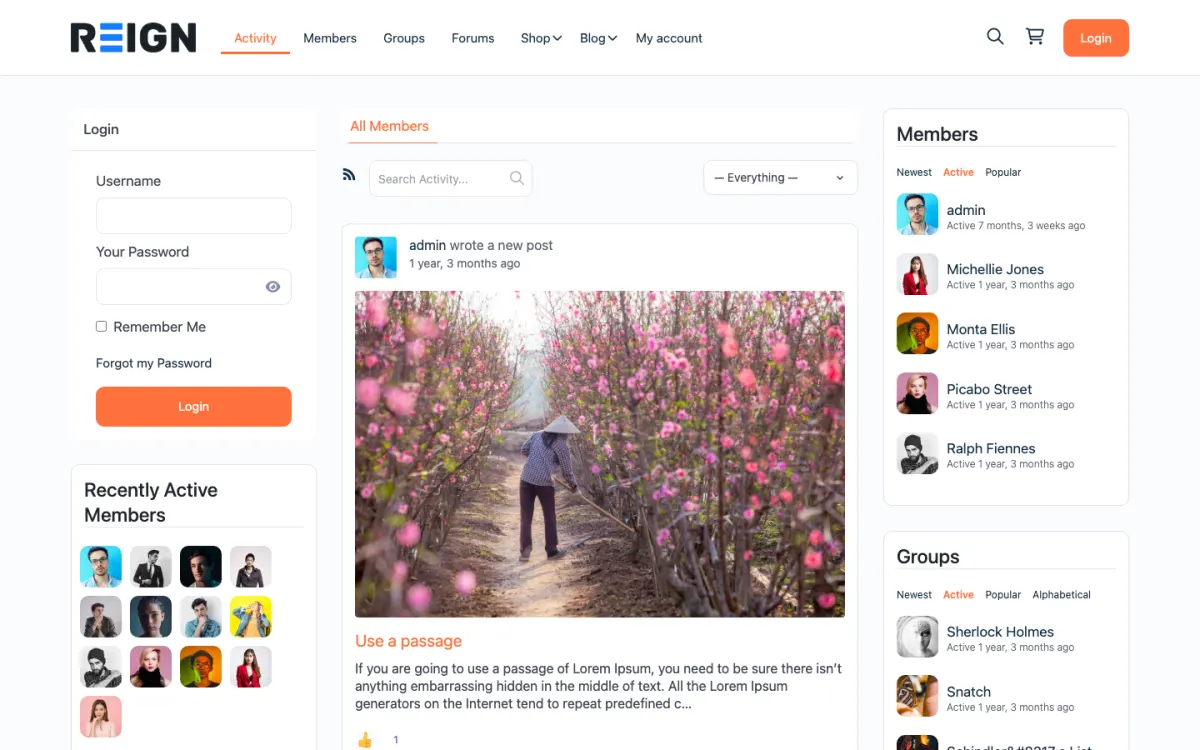
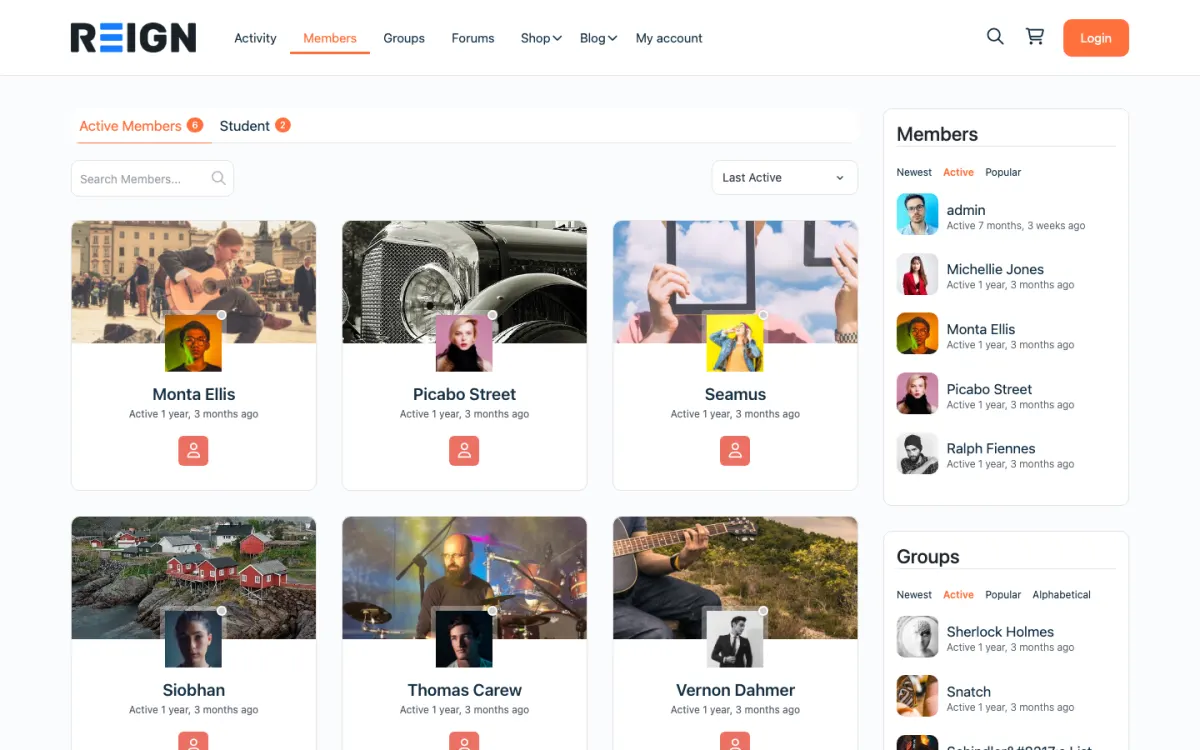
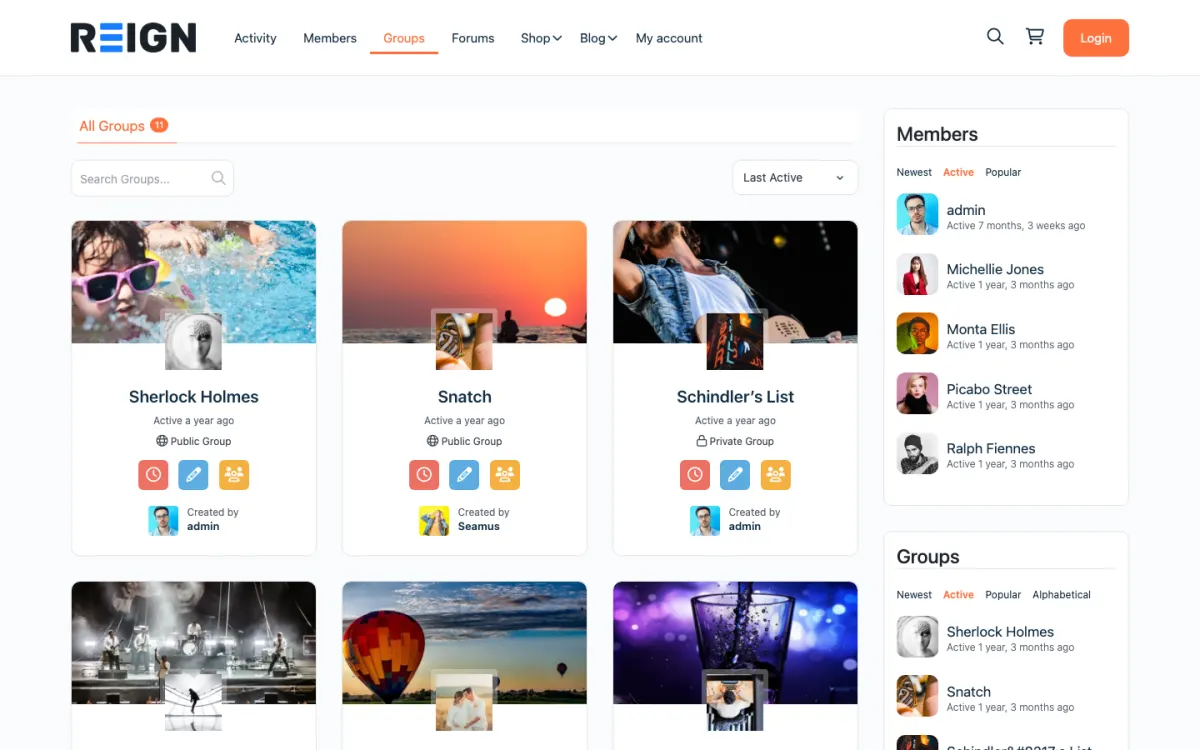
Showcase: members post projects built with your library.
Jetonomy Q&A with accepted answers and per-release topic categories.
Contributor recognition via WB Gamification badges, free to install (GamiPress if you already run it).
You launch with a contributor community, documentation, a support forum and a public roadmap. The forum takes the questions that do not belong in issues, docs live alongside discussion, and contributor recognition is visible rather than buried in a commit log. For a project the site becomes the place non-developers can participate, which is most of your users.
A user hits a problem, searches, finds a thread. If they stay they start answering, and the path from user to contributor usually runs through support rather than through code. Recognition matters disproportionately in open source, because contribution is unpaid: badges, ranks and a visible contributor list do real work that a thank-you in a changelog does not.
Most projects run this as infrastructure rather than revenue, funded by sponsorship, donations or the commercial product alongside it. Where money appears it is usually a paid support tier, training, or a certification programme sold to the companies using the project. The community itself is rarely the thing you charge for.
Building this before the support load justifies it. A small project is better served by issues and a chat room, and an empty forum makes a project look abandoned. The signal to build is answering the same question repeatedly somewhere nobody can search later.
Reign is the WordPress theme for building a complete community site: social network, courses, member directory, marketplace and job board on one install. An open source project uses the forum, the profiles and the recognition layer.
Jetonomy gives you spaces, threaded discussions, Q and A with accepted answers, voting and reputation, plus a moderation queue, free. BuddyNext supplies member profiles and a feed where people show what they built. WB Gamification adds points, badges, levels and leaderboards earned from real activity, with no paid tier. If you also publish tutorials, Learnomy can host them as courses.
On BuddyPress, the BuddyPress Community Bundle kit is the packaged route and the private community build guide covers access control for maintainers-only areas. The plugins page shows the split, and the forum picker compares options.
Make it easy to ask and easy to answer. Contributors usually start by answering a question, not by writing code.
Install WordPress with Reign, Jetonomy and BuddyNext. The start page lists the order.
Create spaces by area of the project and per major release. Add a Getting started space with the questions you answer most.
Move the best answers from issues and chat into threads, with accepted answers marked. Link to them from your docs.
Set up a showcase space where members post what they built with your project, and feature one item per week.
Turn on WB Gamification with a short list of actions to reward, such as answering questions and getting answers accepted. Make a contributor list visible.
Link the forum from your README and your issue templates, and tell maintainers to point questions there instead of answering them in issues.
A user hits a problem, searches and finds a thread. If not, they ask and tag the area. A maintainer or an experienced user answers, and the author marks the answer accepted. That thread is now a search result for everyone else.
Contributors answer a question on a weekday evening, receive a badge for their tenth accepted answer and see their name on the contributor list. Some graduate to writing documentation or fixing a bug, and the path from user to contributor usually runs through support.
Maintainers check the queue briefly: new questions in their area, threads that suggest a bug and discussions that should become an issue. The rule is that issues track work and the forum handles everything else, which makes the issue tracker readable again.
Growth is organic. As the archive of answers grows, more searches land on it, bringing users who have never visited the repository. A good share of them come from outside the developer world, such as integrators and end users, who are the people issues do not serve.
Visible recognition keeps volunteers involved. Celebrate milestones in the feed, publish a monthly roundup of contributors and give long-time helpers moderator rights.
Revenue, if any, usually comes from the commercial layer around the project: paid support, training or certification. The community itself is rarely the thing you charge for, which is why free options matter here.
Maintainers are the scarcest resource in an open source project, and a community that adds to their workload will be switched off. The test of the site is whether it removes repeated questions from their day. Everything else is secondary.
Start with the questions that repeat. Look at the last few months of issues and chat and list the ten questions answered most often. Write each as a thread with an accepted answer, and link to it from the README and the issue template. Maintainers can then answer with a link.
Share the answering. Invite the helpful users you already know to become regular answerers and give them recognition. Jetonomy supports reputation, and WB Gamification can award badges for accepted answers, so the work is visible without asking maintainers to praise people by hand.
Keep moderation light. A short code of conduct, a clear route for reports and one or two moderators who are not the main maintainers will cover most needs. Maintainers should be able to read the forum when they choose, not be on call for it.
Report back on the effect. Once a quarter, note which threads were linked most often and which topics keep recurring. Fix the documentation where the same question appears again and again, because the best answer to a repeated question is a clearer doc.
Building this before the support load justifies it is the main one. A small project is better served by issues and a chat room, and an empty forum makes it look abandoned.
Letting the forum replace issues is the second. Keep the two jobs apart, and give maintainers a one-click way to move a thread to an issue.
Third, do not forget non-developers. If the only voice on the site is technical, new users stay silent. Make a space where beginner questions are welcome.
If your project is a commercial product with paying customers, see the SaaS companies page. If you are mainly a developer audience looking for work, see the tech job board page.
If your project has a handful of users, GitHub Discussions or a chat room is enough for now.
GitHub Discussions works well for people who already live on GitHub, and it is a fine start for a small project. A Reign community fits when you want end users, integrators and contributors in one place, with docs, recognition and a design that matches your project.
Alongside them. Issues are for bugs and tracked work; the forum is for questions, usage discussion and the conversations that should not become issues. Keeping support out of the issue tracker is usually a relief for maintainers and clearer for users.
Yes, with points, badges and ranks earned from real activity, which in an unpaid community does more than most people expect. Make the contributor list prominent. Visible recognition is a large part of what keeps volunteers involved.
Probably not at first. A small project is better served by issues and a chat room until the support load justifies a searchable archive. The signal to build this is answering the same question repeatedly in places nobody can find later.
No. Issues track work; the forum handles questions and usage discussion. Keeping support out of the issue tracker is usually a relief for maintainers and makes the roadmap readable again.
Recognition and a clear path. Most contributors start by answering a question, not by writing code. Make helping visible with badges and a contributor list, and document how to take the next step.
Jetonomy, BuddyNext and WB Gamification cost nothing to install, and each has its own Pro plan for later. Running the third-party stack instead? The BuddyPress Community Bundle kit is the packaged route. Or have the Wbcom team set either one up for you.
One theme, the whole site
Reign is the WordPress theme for building a complete community site: social network, courses, member directory, marketplace and job board on one install. Start with one, add the others when you need them, and keep one login for every member. Open a live demo, or launch a sandbox and get a fresh WordPress site to click through in about a minute.
Profiles, activity feed, spaces, messages and moderation on your own domain. Powered by BuddyNext.
Lessons, quizzes, certificates and memberships, on the same login as the community. Powered by Learnomy.
Listings, search, maps and reviews that members can add themselves. Powered by Listora.
Sell services or products from many sellers, with orders, reviews and commissions. Powered by WP Sell Services.
Employers post jobs, members apply, and you run the board from one dashboard. Powered by WP Career Board.
Reign with BuddyPress, ready in one click, or browse every demo by site type.
Add more when you need it
Tell us what you want members to do on your site. We will tell you which Reign setup, plugins and kit fit, before you buy anything.
Love this company. Loved the REIGN product. They were there the entire time helping me set things up; and when things went wrong? They were quick to take action and help find a solution.
I am using the REIGN theme and several plugins from Wbcom Designs on my website. The theme is beautifully designed, and the plugins are user-friendly. Everything works smoothly, and the features are perfect for building professional websites and communities. What impressed me most is their…
I only have positive experience with wbcom. My journey started a lot of years back with the free buddyx theme. during my learning of wordpress and futher websites ideas I found a match with their Reign job mate theme. Always there to help, always open to explore ideas, always kind replyes even if I…
Swift and expert coding by Kerit to apply a personalised display adjustment on the Reign Theme for a media plugin that was not fully supported at the moment.
I purchased Reign theme from Wbcom Designs, the support team was very helpful and I got the perfect website what I was looking for. Good work Wbcom Designs
WBComDesigns is amazing. The WP plugins and themes are of top notch quality with lots of features and updated very frequently. Supports are very responsive and helpful. I use Reign with TutorLMS, and the experience is surprisingly smooth. The recently launched BuddyNext Pro and MediaShield Pro are…
A plugin made a conflict and they fixed it immediately, great plugins anf great support.
They provided me great advice on how to achieve the best display and function for my blog.
From the moment we partnered with Wbcom Designs in 2016, they have been nothing short of phenomenal, becoming not just our go-to website developers but also treasured friends. Their team, led by the incredibly kind and competent Varun, has saved our operations on more occasions than we can count,…
The team at WBcom has been extraordinarily helpful in taking care of the technical aspects of my website They respond quickly and address all my issues in a highly professional manner. In addition to being super attentive to the requirements of my site, they have been very patient in explaining…