
Swift and expert coding!
Swift and expert coding by Kerit to apply a personalised display adjustment on the Reign Theme for a media plugin that was not fully supported at the moment.
For law firms
Split the site in two: a public library of plain-language guides on the questions people ask before they call, and a private area for clients with a team directory and gated resources. BuddyNext and Jetonomy supply the profiles, the private spaces and the Q and A. Reign gives the firm a professional face. Confidentiality shapes every setting.
Law firms have a generic WordPress site, a client portal and email, while clients want answers without being billed for every question.
Reign + BuddyNext + Jetonomy for a tiered-access legal resource community: free educational content plus a paid Q&A tier. Both plugins install free; bbPress is the alternative.
Attorney profiles, educational content and a Q&A space with accepted answers, free to install. You buy the Reign theme; BuddyNext and Jetonomy are ours and install free.
Screens from the live demos, with sample content. Open any of them and click around.
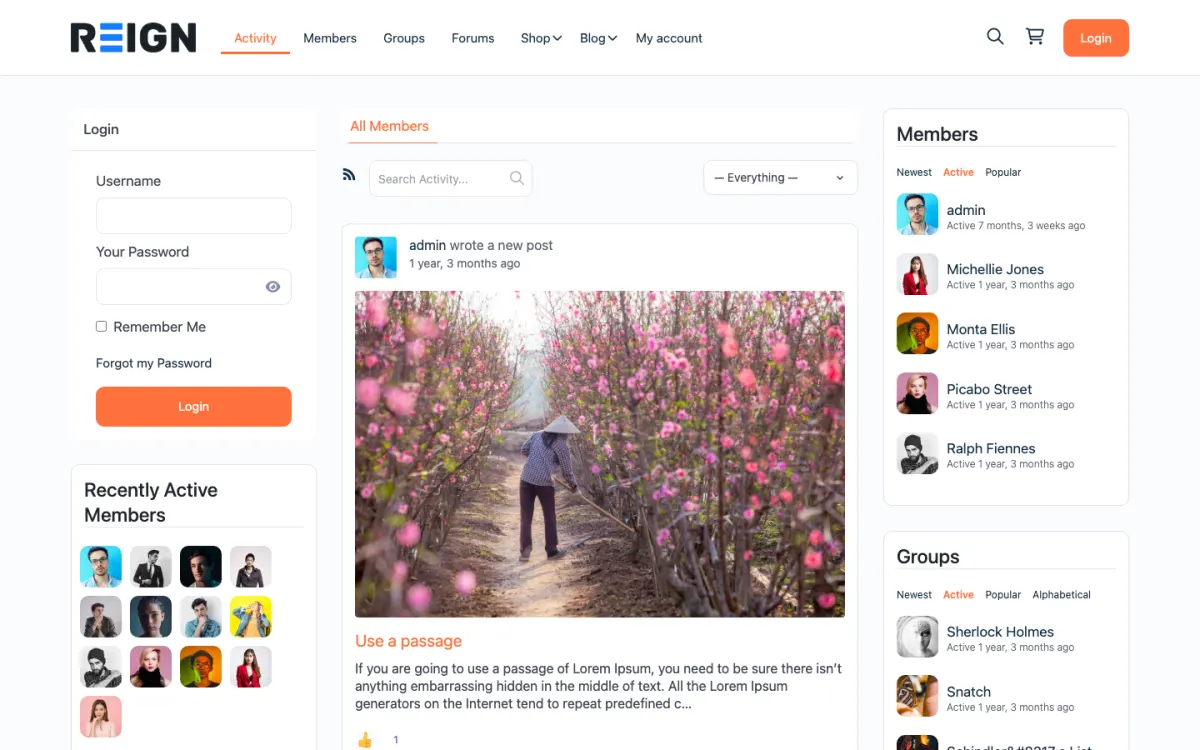
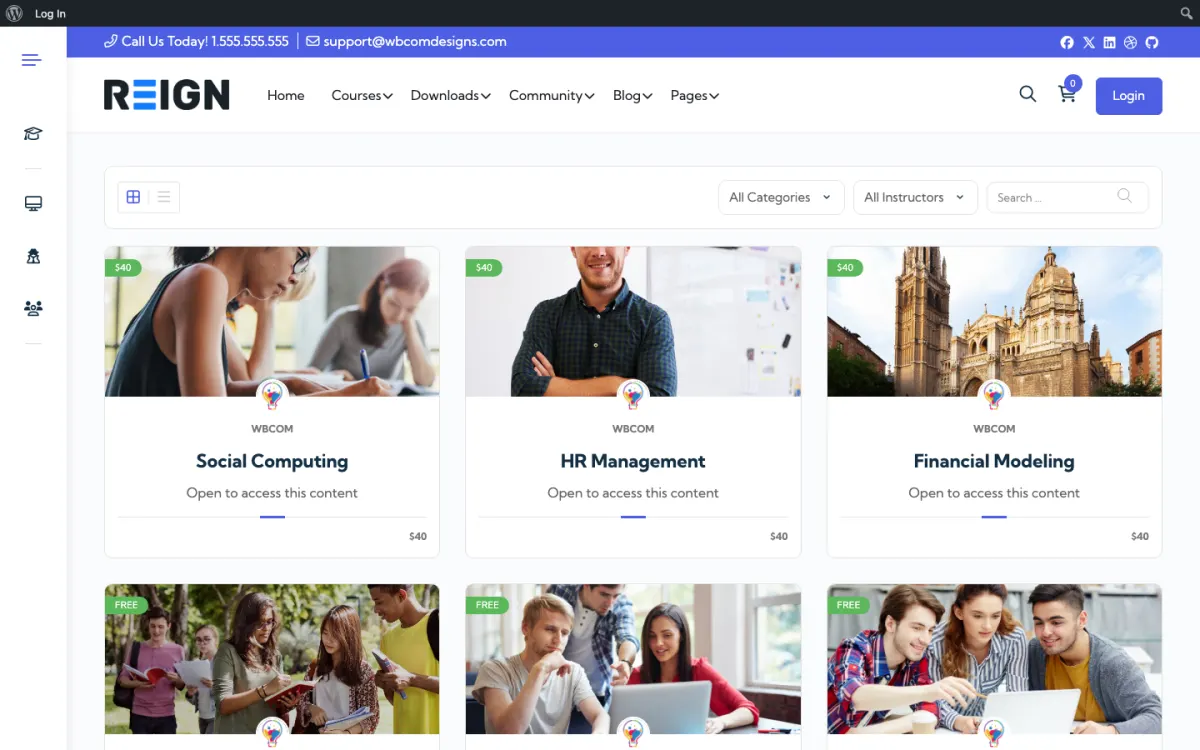
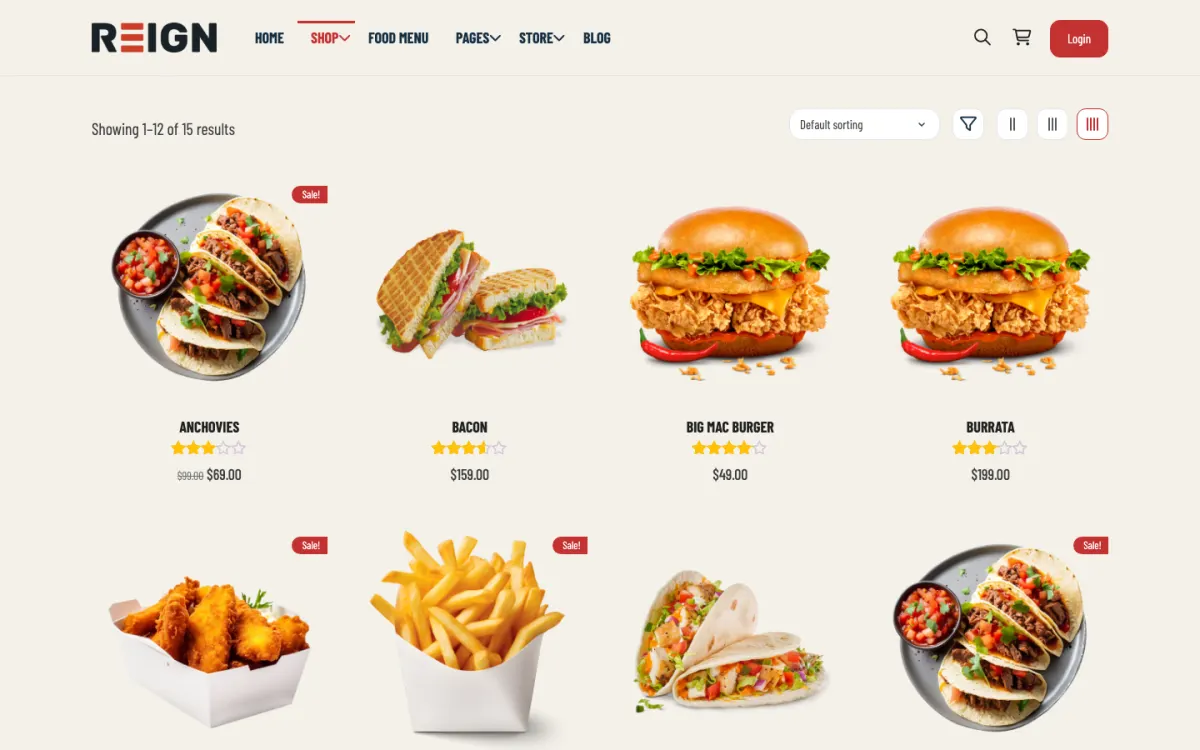
A free tier of educational articles and general Q&A.
A paid tier with faster Q&A replies and document templates, using BuddyNext Pro paid plans.
Attorney profiles with practice-area fields that visitors can search.
You launch with a resource library, a private client area and a team directory. Guides and templates sit behind a login, client matters have their own gated space, and the public side carries the practice content that brings enquiries. Confidentiality shapes everything: default to private, and verify what is public before anything goes live.
A prospective client reads a public guide and enquires. An existing client uses the portal to find documents and updates without emailing to ask. Adoption depends entirely on whether the portal is faster than email; if it is not, clients revert within a fortnight. The public library, meanwhile, keeps generating enquiries long after it is written.
For most firms this is lead generation and client service rather than direct revenue: the library brings enquiries, the portal reduces administrative time. Where it earns directly it is paid templates, fixed-fee products or a subscription advice service, which is a growing model for small firms and suits a members area well.
Publishing firm news instead of answers. Nobody searches for your office move; people search for the problem they have at midnight. Plain-language guides to the specific questions clients ask before they call are what generate enquiries, and they keep generating them for years.
Reign is the WordPress theme for building a complete community site: social network, courses, member directory, marketplace and job board on one install. A firm uses the member directory for its team, plus gated resources.
BuddyNext supplies attorney profiles with practice-area fields and private spaces. Jetonomy gives you a Q and A space with accepted answers, voting and a moderation queue, with private spaces available as a visibility option. Learnomy can host fixed-fee guidance or templates as lessons with Stripe or PayPal checkout, if the firm sells them. BuddyNext Pro adds paid plans and gated spaces for a subscription advice service.
The BuddyPress Community Bundle kit is the packaged route if your stack is BuddyPress, and the membership site build guide explains gated areas. The plugins page shows the free and Pro split, and Reign is a flat theme licence.
Draw the line between public and private before you create a single page.
List what is public (guides, team profiles, practice areas) and what is private (client matters, templates, internal notes). Write it down.
Install WordPress with Reign on hosting suited to confidential data, with enforced strong passwords and two-factor sign-in. The hosting guide lists what to ask a host.
Create attorney profiles with practice-area fields so visitors can find the right person.
Write the first ten guides, each answering one specific question in plain language, with a clear note that it is general information and not advice.
Create private spaces for client matters only if you will manage them consistently, with access limited to the client and the team on the matter.
Check your regulator's guidance on website content and advertising, and have someone senior review before launch.
A prospective client searches for a problem, reads a guide at night and decides whether to call. They may read two or three pages, look at the profile of the attorney who wrote it and send an enquiry the next morning.
An existing client uses the portal to find a document or an update without emailing to ask. Adoption depends entirely on whether the portal is faster than email, so keep it simple and put documents in obvious places.
The firm's week is about keeping content current: updating a guide after a change in the law, adding a new one for a question that came up repeatedly and checking that private spaces still have the right people in them.
Growth for a firm comes from a library of useful content and a reputation for being clear. Each guide answers a question and invites a call. Keep the language plain, include contact routes and update dates, and organise by problem rather than by legal category.
A subscription advice service or fixed-fee product is a growing model for small firms and suits a members area well. Start with a narrow offer, such as a set of templates for small businesses, and add depth based on what clients ask for.
Client reviews, where your regulator allows, strengthen team profiles. Check the rules before adding anything that looks like a testimonial.
A guide earns its place when it helps a stranger understand their situation and decide what to do next. It should sound like a calm colleague explaining, not like a leaflet. Firms that write this way bring in better-qualified enquiries, because readers arrive already knowing what the matter involves.
Choose topics from real calls. List the questions your reception and your lawyers hear most, and write one guide per question. Use the words clients use, such as what happens if my landlord will not return my deposit, rather than the formal name of the area of law.
Structure each guide the same way. Begin with a short answer, then explain the steps, the usual time frames in general terms, the documents people need and the points where they should get advice. End with who to contact and what to bring to a first call.
Be clear about limits. State that the guide is general information, that the law changes and that it is not advice on a particular matter. Follow your regulator's rules on content and advertising, and have a partner review each guide before it goes live.
Keep guides current. Add the date it was last checked, and set a reminder to review each one. An outdated guide damages trust more than having no guide at all, and an updated one earns repeat visits.
Publishing firm news instead of answers is the main one. Nobody searches for your office move; people search for the problem they have. Plain-language guides generate enquiries.
Ad hoc permissions per client is the second. It is how confidentiality mistakes happen. Set a pattern once and apply it consistently.
Third, do not blur general information and advice. Frame public content clearly, follow your regulator's guidance and keep specific advice inside private channels.
If your firm's work is entirely bespoke, a public content library and a simple contact page will serve you better than a members area. If you are a nonprofit legal clinic, see the nonprofits page.
If you need case management, billing and document assembly, buy a legal practice product and link to it from the site.
It depends on your host, your settings and your regulator, and nothing on a theme can promise confidentiality. Keep public Q and A educational, with no advice on a specific matter. For client-specific work, use a private area with strict access control or a dedicated client portal, and take advice on your obligations.
It can be, and it is your responsibility rather than a vendor's. Proper hosting, strict access control, enforced strong passwords and two-factor authentication, and no more data than you need. For regulated client data take advice on your obligations rather than assuming a plugin covers them.
Yes, through a private group or gated pages per matter, with access limited to the client and the team on it. Set the pattern once and apply it consistently; ad hoc permissions per client is how confidentiality mistakes happen.
Answers to the questions people ask before they call. Plain-language guides on the specific problems your practice solves outperform firm news by a wide margin, because one matches what somebody types into a search box and the other does not.
Yes, with clear framing that it is general information rather than advice on a specific matter, and a disclaimer that says so plainly. Most firms find their regulator has guidance on this; follow it rather than improvising.
If you have repeatable products, yes: templates, fixed-fee guidance, a subscription advice service. If everything you do is bespoke, the public content library will earn more than a portal.
BuddyNext and Jetonomy cost nothing to install, and each has its own Pro plan for later. Running the third-party stack instead? The BuddyPress Community Bundle kit is the packaged route. Or have the Wbcom team set either one up for you.
One theme, the whole site
Reign is the WordPress theme for building a complete community site: social network, courses, member directory, marketplace and job board on one install. Start with one, add the others when you need them, and keep one login for every member. Open a live demo, or launch a sandbox and get a fresh WordPress site to click through in about a minute.
Profiles, activity feed, spaces, messages and moderation on your own domain. Powered by BuddyNext.
Lessons, quizzes, certificates and memberships, on the same login as the community. Powered by Learnomy.
Listings, search, maps and reviews that members can add themselves. Powered by Listora.
Sell services or products from many sellers, with orders, reviews and commissions. Powered by WP Sell Services.
Employers post jobs, members apply, and you run the board from one dashboard. Powered by WP Career Board.
Reign with BuddyPress, ready in one click, or browse every demo by site type.
Add more when you need it
Tell us what you want members to do on your site. We will tell you which Reign setup, plugins and kit fit, before you buy anything.
Swift and expert coding by Kerit to apply a personalised display adjustment on the Reign Theme for a media plugin that was not fully supported at the moment.
I purchased Reign theme from Wbcom Designs, the support team was very helpful and I got the perfect website what I was looking for. Good work Wbcom Designs
WBComDesigns is amazing. The WP plugins and themes are of top notch quality with lots of features and updated very frequently. Supports are very responsive and helpful. I use Reign with TutorLMS, and the experience is surprisingly smooth. The recently launched BuddyNext Pro and MediaShield Pro are…
Love this company. Loved the REIGN product. They were there the entire time helping me set things up; and when things went wrong? They were quick to take action and help find a solution.
I am using the REIGN theme and several plugins from Wbcom Designs on my website. The theme is beautifully designed, and the plugins are user-friendly. Everything works smoothly, and the features are perfect for building professional websites and communities. What impressed me most is their…
I only have positive experience with wbcom. My journey started a lot of years back with the free buddyx theme. during my learning of wordpress and futher websites ideas I found a match with their Reign job mate theme. Always there to help, always open to explore ideas, always kind replyes even if I…
I received a very nice answer just a few hours after I created a ticket. Funnily enough, the feature I had requested in my ticket had just been implemented and released, so Kerit asked me to update the LD Dashboard plugin. It all works as I had hoped for my use case. Maybe I wasn't the first to…
Excellent service from Kerit Piplani and his team. Quick and efficient with my websites. I look forward to lots more business with them.
Support is helping me with set up. Multisite Theme and PLugin working as expected. We are continuing with WBcom Thank You to the team
I am really glad to have known BuddyX Pro Team led by Mr.Varun Dubey. I had a challenge of mobile responsiveness and after I brought the issue to their attention, they were able to address it promptly. They also made a follow-up on my experience after resolving the issue. I highly recommend WBcom…