Reign for universities / colleges. Department-level community and courseware.
Start with one department: a BuddyNext space per cohort or module, Learnomy or LearnDash for course material, Jetonomy for Q&A and an alumni area that students move into when they leave. Size hosting and caching before the first term, because a department site gets busy exactly when people are watching. Reign supplies the interface.
University departments use a learning platform, a chat workspace and a static department website, so faculty and students miss announcements, alumni lose touch and engagement goes unmeasured.
Reign + BuddyNext + Learnomy for a department-level community: course discussions, an alumni network and a faculty research showcase. Both install free, so a department can pilot without a procurement cycle. BuddyPress and LearnDash are supported if IT already standardised on them.
Course discussion, alumni profiles and Q&A spaces, free to install. You buy the Reign theme; BuddyNext, Learnomy and Jetonomy are ours and install free.
Treat scale as a day-one decision: hosting, caching and indexed queries before the first cohort.
The site sits beside your VLE, which keeps assessment and formal delivery.
Single sign-on with the university account is done through established SAML or OAuth plugins and is usually the longest item in the project.
BuddyNext, Learnomy and Jetonomy install free, so a department can pilot without a procurement cycle. See pricing for the theme licence.
What it looks like on Reign
Screens from the live demos, with sample content. Open any of them and click around.
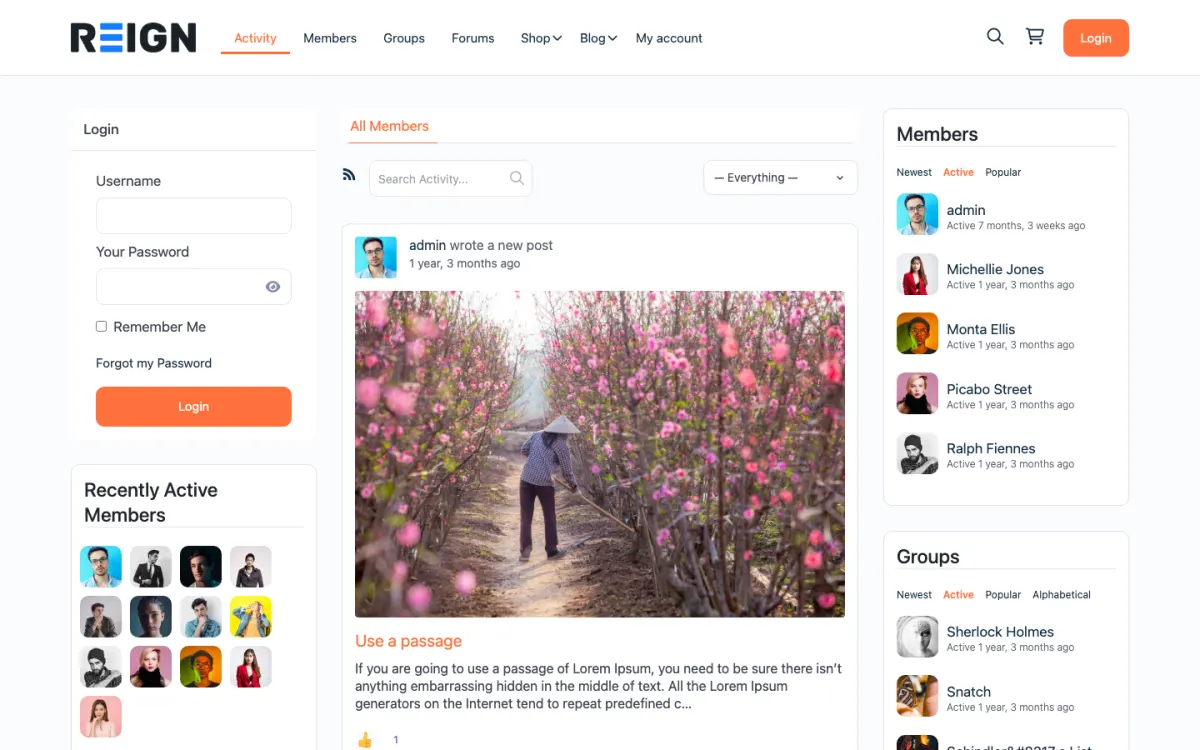
The home screen: sign-in, the activity feed and who is active, on one page. Open the demo
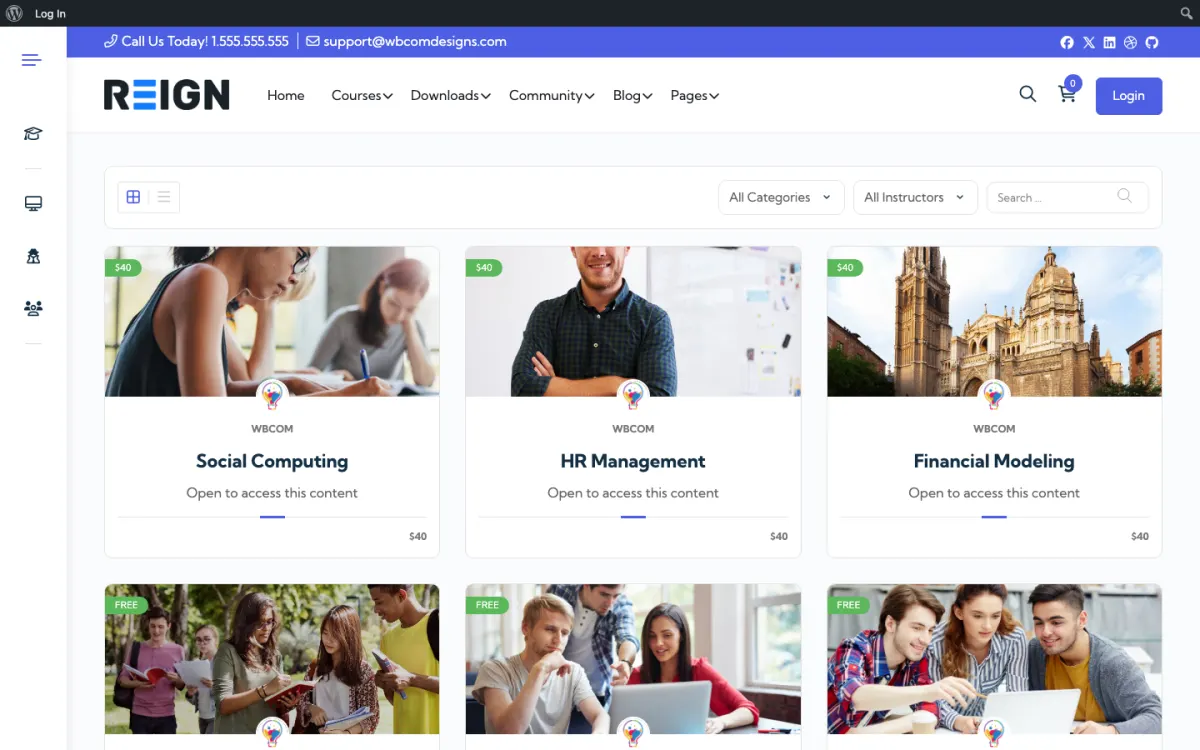
The course catalog, filtered by category and instructor. Open the demo
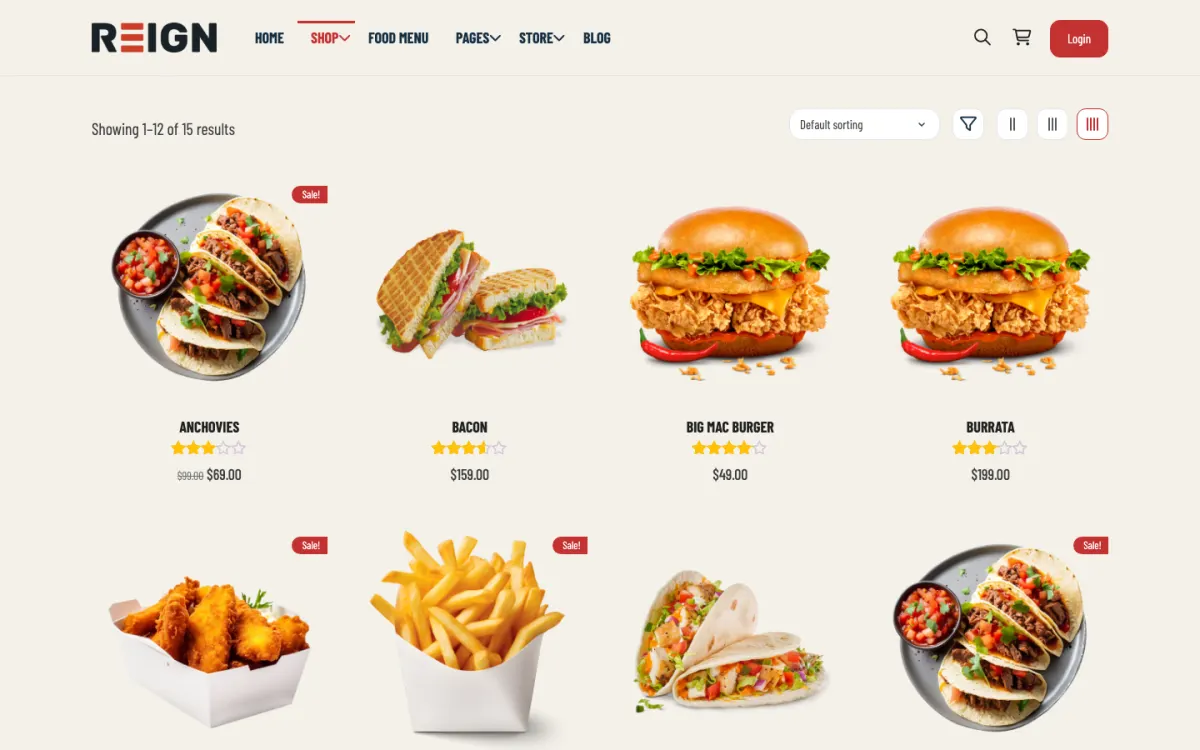
The shop: products from every seller in one grid, with ratings. Open the demo
Three highlights for universities / colleges.
01
Per-course BuddyNext spaces that carry on beyond the semester.
02
Alumni profiles with searchable fields, so graduates can be found for mentoring.
03
Faculty research posts shown on the department homepage.
What the site looks like on day one.
You launch with a department-level community: cohort groups, a resource library, an events calendar and a member directory. Each cohort or module gets its own space, staff and students have different roles, and alumni move into their own area rather than being removed. The scale question arrives immediately, so hosting and caching are day-one decisions rather than later optimisations.
What a member actually does.
A student joins at the start of a module, uses it for materials first, and starts posting when a question gets answered faster there than by email. Cohort groups stay active through a term and then go quiet, which is normal. The alumni layer is where long-term value accumulates, and departments that set it up early end up with a network rather than a list.
How this usually makes money.
Most departmental deployments are funded as infrastructure rather than earning revenue, replacing licensing for separate community, events and directory tools. Where income appears it is usually short courses, CPD or alumni events sold through a commerce plugin. The case to a budget holder is typically consolidation, data ownership and not paying per seat for a population that changes every September.
The mistake to avoid.
Treating scale as a later problem. A departmental community hits a few thousand members in a term, and a site built on default hosting with no object caching gets slow exactly when the most people are watching. Size the infrastructure before the first cohort, not after the complaints.
Which Reign setup fits a university department
Reign is the WordPress theme for building a complete community site: social network, courses, member directory, marketplace and job board on one install. A department uses the community and directory halves, with courses where it needs them.
BuddyNext supplies profiles, spaces and a member directory with searchable profile fields. Jetonomy supplies threaded discussions and Q&A with accepted answers and a reputation system. Learnomy holds short courses and CPD material. Eventonomy lists seminars and office hours with RSVPs.
If IT has standardised on LearnDash, the LearnMate LearnDash kit is the packaged route, and the enterprise intranet build guide covers roles and private spaces. For the numbers question, read the scale page, which describes how large communities are built, and the plugins page for the free and Pro split.
Launch steps for a department community
Start small enough to pilot without a long approval process, and design for the load you expect in term time.
01
Agree the scope with IT: one department, one cohort or one module. Confirm hosting, backups and who owns the site.
02
Choose hosting with object caching and room for traffic spikes at the start of term. The hosting guide lists what to ask for.
03
Install WordPress, Reign and BuddyNext. Create spaces per cohort and a staff space with different permissions.
04
Scope single sign-on early with the identity team. Build the site with local accounts first if sign-on will take time, and switch over when it is ready.
05
Build the directory: staff profiles with research interests, and student profiles with course and year. Decide what is public and what is members only.
06
Run a pilot with one cohort for a term. Collect what they actually use before adding more departments.
What students and staff do week to week
A student opens the site at the start of the week for module notices and the seminar calendar. They post a question about an assignment in the module space and often get an answer from a classmate before a lecturer replies. Staff check the questions that need a staff voice and mark answers as accepted.
Cohort spaces are lively for a term and then quiet down, which is normal. Staff use their own space for departmental business, and research groups use spaces to share outputs and invite comments. The directory helps a student find someone who works on a topic.
The week for a department administrator is housekeeping: approving new members, moving finished cohorts into the alumni area and posting events. Keep these jobs small and give them to a named person, because a site without an owner decays within a term.
How a department community grows
Most growth comes from adding cohorts and years. Each new intake joins the existing community, and the previous intake moves to alumni rather than being removed. Over several years the department ends up with a network instead of a mailing list.
Alumni are the long-term value. A graduate who can still search the directory, attend events and answer a question for a current student keeps their link to the department. That link feeds mentoring, placements and giving later.
Other departments may ask to join. Decide early whether they get groups on the same site or separate sites. One site is cheaper to run; separate sites give autonomy. Choose by IT structure rather than by features.
How to plan for the start-of-term rush
A department community spends most of the year quiet and then gets very busy in the first weeks of term. New students sign up, staff post notices, and everyone looks at the site at once. If it is slow or confusing that week, people form an opinion that is hard to change.
Rehearse before term. Create test accounts for each role, sign up as a first-year student and walk through the first-week tasks. Fix whatever confuses you. Ask a few current students to try it and watch where they hesitate.
Check the hosting. Ask your host what happens when many logged-in users arrive together, whether caching is in place for logged-in pages and how you can add capacity quickly. The scale page describes how larger communities are built.
Prepare the welcome. Pin a short guide in each cohort space, make the first events easy to find and have a staff member ready to answer questions in the first week. A fast, friendly reply sets the tone for the term.
Review afterwards. At the end of the second week, look at what people used, what they asked and what failed. Use it to plan the next intake, and write a one-page note for the next person who runs the site.
Mistakes specific to university sites
Treating scale as a later problem is the main one. A site on basic hosting with no caching can slow down when the most people are watching. Test with realistic numbers before the term begins.
Trying to replace the VLE is another. Assessment, grading and formal delivery belong in the systems built for them. Use the community for the informal layer that a VLE handles badly.
Neglecting data protection is the third. A student directory is personal data, so decide what is shown, who can see it and how long accounts are kept, and involve your data protection contact.
If your need is a formal learning management system with assessment and gradebooks, choose one for that and use the community alongside it.
University / college-specific questions.
Will this replace our learning management system?
No, and it is not meant to. Your learning management system is the right place for grades, assessment and formal delivery. The Reign site adds the community, directory and events layer around it, so the two sit side by side.
Can students sign in with their university account?
Usually yes. WordPress supports SAML and OAuth sign-in through established plugins, so most institutional identity providers can be connected. Scope it with your identity team early, because it is configuration work that depends on their setup.
Will this handle tens of thousands of members?
With hosting built for it, yes. WordPress runs sites far larger, but the work is real: object caching, properly indexed tables and a host that expects the traffic. Treat it as an engineering task at the start rather than something to fix when the directory gets slow.
Can we use university single sign-on?
WordPress supports SAML and OAuth through established plugins, so most institutional identity providers can be connected. Scope this with IT early, because it is usually the longest item in the project and the one that decides whether students adopt it.
How does this fit with the VLE?
Alongside it. The VLE keeps assessment and formal delivery; this handles community, events, directory and the informal layer that a VLE does badly. Departments that try to replace a VLE with WordPress generally regret it.
Can each department run its own?
Either separate sites or one site with department groups, and the choice usually comes down to who administers it. One site is cheaper and easier to maintain; separate sites give departments autonomy. Decide based on your IT structure rather than on features.
What happens to students after graduation?
Move them to alumni rather than deleting the account, which keeps a network you spent three years building. Plan that transition before the first cohort graduates, including what alumni can still see.
Buy the theme. Add the plugins free.
BuddyNext, Learnomy and Jetonomy cost nothing to install, and each has its own Pro plan for later. Running the third-party stack instead? The LearnMate LearnDash kit is the packaged route. Or have the Wbcom team set either one up for you.
Reign is the WordPress theme for building a complete community site: social network, courses, member directory,
marketplace and job board on one install. Start with one, add the others when you need them, and keep one login
for every member. Open a live demo, or launch a sandbox and get a fresh WordPress site to click through in about a minute.
Community and social network
Profiles, activity feed, spaces, messages and moderation on your own domain. Powered by BuddyNext.
I only have positive experience with wbcom. My journey started a lot of years back with the free buddyx theme. during my learning of wordpress and futher websites ideas I found a match with their Reign job mate theme. Always there to help, always open to explore ideas, always kind replyes even if I…
Oskar Hanborg · SE ·
Swift and expert coding!
Swift and expert coding by Kerit to apply a personalised display adjustment on the Reign Theme for a media plugin that was not fully supported at the moment.
Russell · GB ·
Perfect themes
I purchased Reign theme from Wbcom Designs, the support team was very helpful and I got the perfect website what I was looking for. Good work Wbcom Designs
Monika Singh · IN ·
WBComDesigns is amazing!
WBComDesigns is amazing. The WP plugins and themes are of top notch quality with lots of features and updated very frequently. Supports are very responsive and helpful. I use Reign with TutorLMS, and the experience is surprisingly smooth. The recently launched BuddyNext Pro and MediaShield Pro are…
Hoang Phan · VN ·
Love this company
Love this company. Loved the REIGN product. They were there the entire time helping me set things up; and when things went wrong? They were quick to take action and help find a solution.
Fable Fortitude · CA ·
Excellent Theme, Powerful Plugins and Outstanding Support
I am using the REIGN theme and several plugins from Wbcom Designs on my website. The theme is beautifully designed, and the plugins are user-friendly. Everything works smoothly, and the features are perfect for building professional websites and communities. What impressed me most is their…
S W Malcolm · US ·
This team is always responsive and…
This team is always responsive and helpful, providing me with solutions that work and that are without delay. They are an amazing group to work with!
Philip Schissler · US ·
A great company with a great solutions…
A great company with a great solutions that has helped me a lot and their customer service support is top notch even for free users. They need riducule their customers.
Abdulakeem Muhammed · NG ·
I have found that support for…
I have found that support for Wbcomdesigns has been very responsive and has gone above and beyond to help resolve any/all issues I run into.
Dave Sadows · US ·
Prompt and thorough feedback and…
Prompt and thorough feedback and responses, very easy to work with, really excellent customer service. I'm grateful to the team, particularly Kerit and Shashank, for their patience and help.