Reign for language teachers. Language learning community.
Build a language site where the conversation space matters more than the lessons: levelled Learnomy courses for grammar and vocabulary, a BuddyNext space for each level where mistakes are welcome, and Eventonomy for live conversation sessions. Seed the space yourself for the first month. Reign gives learners one home to return to.
Language teachers use a tutor marketplace, Discord and a flashcard app, so learners drop off: there is no single home, no daily habit and conversation partners are scattered.
Reign + Learnomy + BuddyNext hosts vocabulary drills, conversation practice groups and a learner community where partners are found by searching profile fields for level and language. Both plugins install free; LearnDash and BuddyPress are the alternatives.
Drills, the learner community and streak badges, free to install. You buy the Reign theme; Learnomy, BuddyNext and WB Gamification are ours and install free.
Learners need a low-stakes place to make mistakes, and a comment box under a lesson is not it.
Separate beginners from advanced learners; a beginner who watches fluent chat usually goes quiet.
Partners can be found by searching profile fields for level and target language. Learnomy records placement scores, and you point each band to a starter course.
Learnomy, BuddyNext, Eventonomy and WB Gamification all install free. See pricing for the theme licence.
What it looks like on Reign
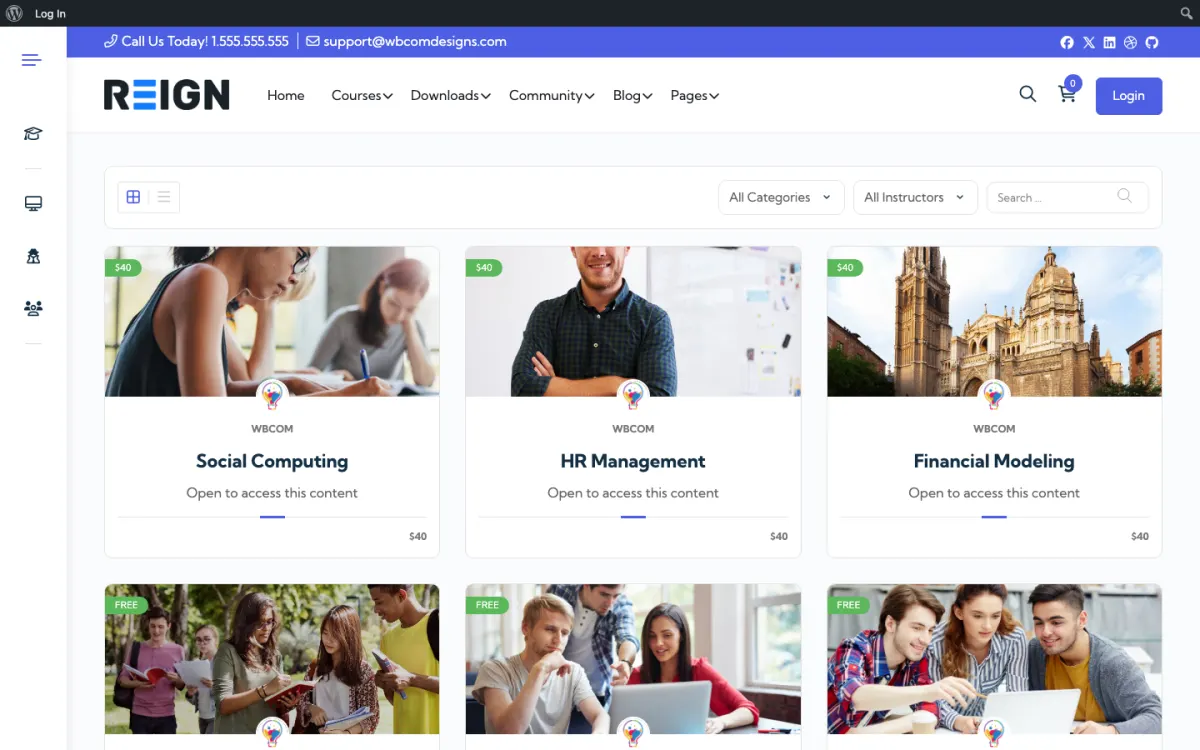
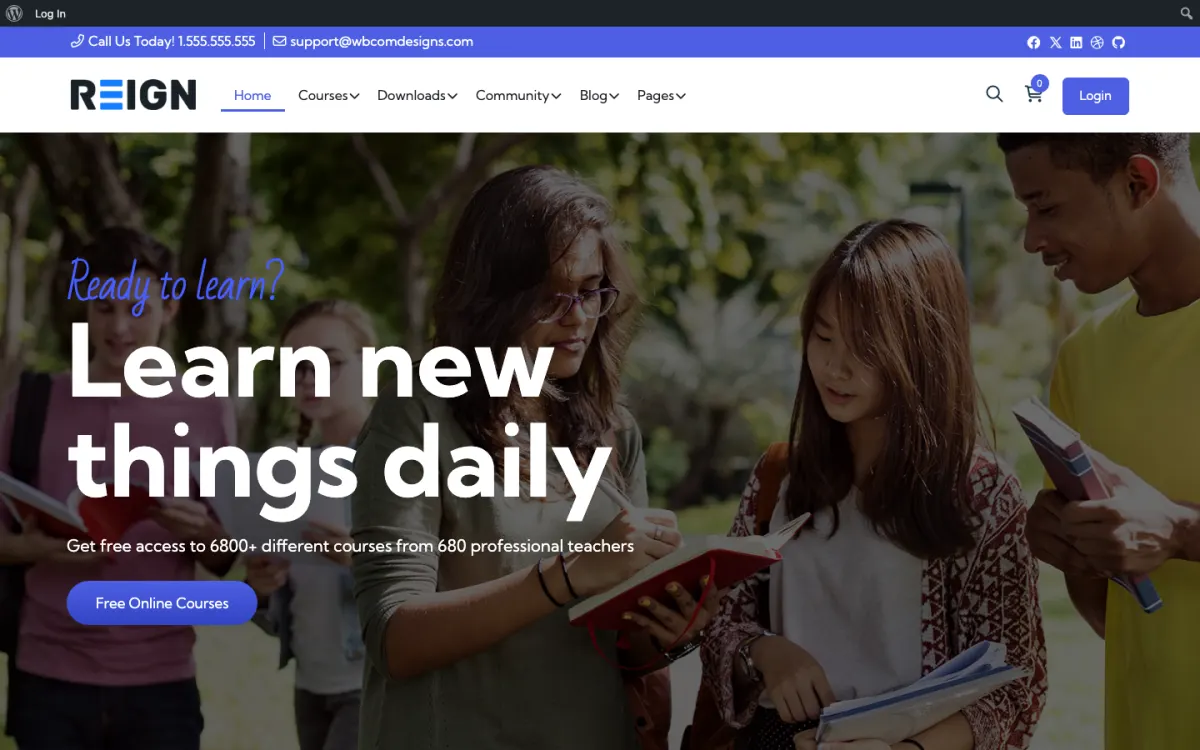
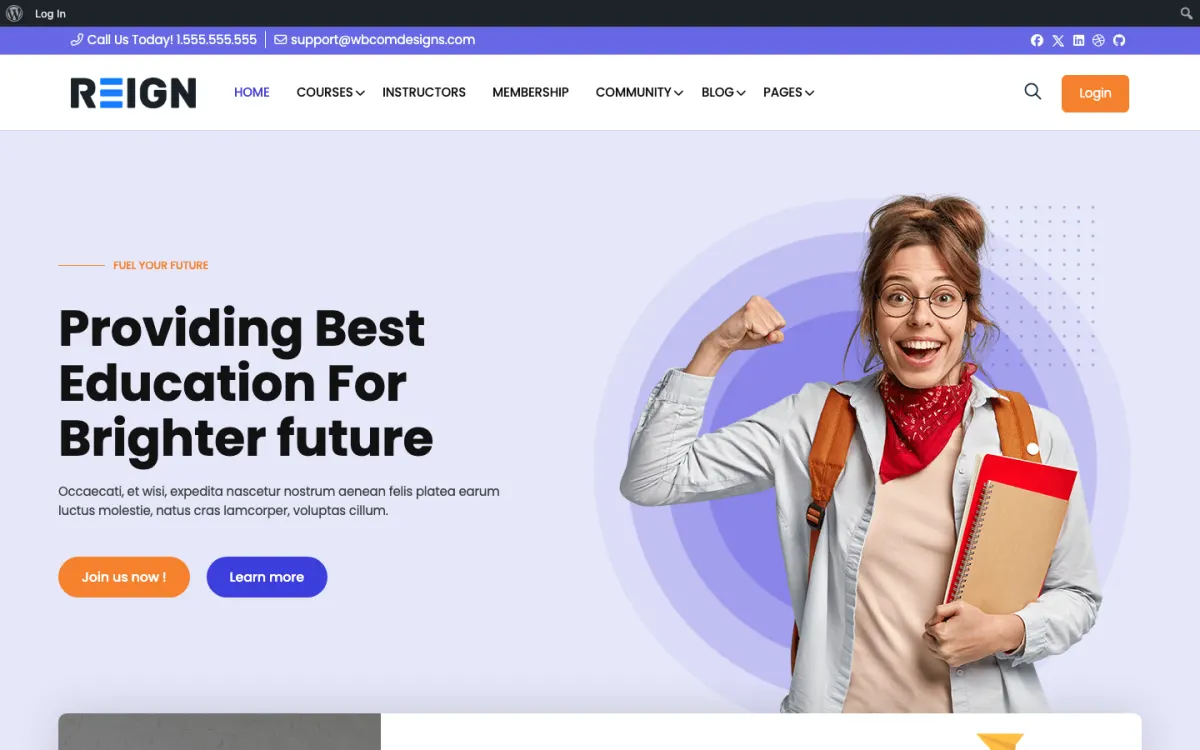
Screens from the live demos, with sample content. Open any of them and click around.
The course catalog, filtered by category and instructor. Open the demo
A course site home page, styled by Reign. Open the demo
The same layout on LifterLMS, if that is your course engine. Open the demo
Three highlights for language teachers.
01
Find conversation partners by searching BuddyNext profile fields (level and target language).
02
Daily vocabulary review streaks via WB Gamification, free to install (GamiPress if you already run it).
03
Live practice rooms scheduled in Eventonomy, free to install, or The Events Calendar.
What the site looks like on day one.
You launch with levelled courses, a conversation space and a class calendar. Lessons hold the grammar and vocabulary, the community is where learners practise in the target language, and events are the live conversation sessions. The conversation space is the whole point: language learners need somewhere low-stakes to make mistakes, and a comment box on a lesson is not it.
What a member actually does.
A learner joins at a level, works through lessons, and lurks in the conversation space for a while because posting in a new language is frightening. Getting them to post once is the job. After that they tend to keep going, and by a few months in the regulars are correcting each other gently, which is both good practice and the thing that makes the community self-sustaining rather than dependent on you.
How this usually makes money.
The usual shape is a monthly membership covering lessons and the conversation space, with live classes either included at higher tiers or sold separately. One-to-one lessons book through a scheduling plugin. The recurring membership is what makes this work, because language learning is a long project and a course sold once does not match how people actually learn.
The mistake to avoid.
Expecting learners to start talking unprompted. Posting in a language you are learning is frightening, so an unseeded conversation space stays silent and then dies. Prompt daily for the first month and answer your own prompts if you have to, until the regulars take over.
Which Reign setup fits a language teaching site
Reign is the WordPress theme for building a complete community site: social network, courses, member directory, marketplace and job board on one install. A language teacher benefits from the course, community and events halves together.
Learnomy holds levelled courses and quizzes and can run a placement quiz that records a score. It does not route learners automatically, so you point each score band to a starter course. BuddyNext gives you profiles with fields for level and target language, which are searchable, and a space per level. Eventonomy schedules conversation hours with RSVPs, and WB Gamification awards points and streak badges for daily practice, with no paid tier.
If you already use LearnDash, the LearnMate LearnDash kit is the packaged route and the course community build guide shows the steps. The plugins page lists what is free and what is Pro. Reign is a flat theme licence, so adding learners does not add a fee.
Launch steps for a language learning site
A language site works when learners have a reason to speak or write on day one. Plan the first month of prompts before you open.
01
Install WordPress with Reign, Learnomy and BuddyNext. The start page lists the order.
02
Build two levels first. Each is a Learnomy course with short lessons, a vocabulary list and a quiz at the end of every unit.
03
Create a placement quiz and decide which score sends a learner to which starter course. Put the rule on the sign-up page so learners understand it.
04
Add profile fields for level, target language and native language, then create one BuddyNext space per level with a pinned welcome post in simple language.
05
Schedule weekly conversation hours in Eventonomy and attach a topic to each so no one arrives without something to say.
06
Write thirty days of prompts in advance and post one a day yourself. Answer your own prompts if no one else does.
What language learners do week to week
A learner starts the week with a short lesson and a vocabulary quiz. They keep a streak going with a few minutes each day, because a streak badge is a good reason to open the site on a bus. Later in the week they answer the day's prompt in their space, usually with a sentence or two and an apology for their mistakes.
On conversation night they join a live session, either speaking or typing. Afterwards they come back and post a line about something they could not say. Other learners reply with the word they were looking for, and you add a gentle correction. That exchange is more valuable than a lesson.
Your week is mostly prompting and replying. Reply fast on the first post from any new member, since a first post that gets an answer is the strongest predictor of a second one.
How a language teaching site grows
Language learners stay for as long as they feel progress. Growth comes from showing it: monthly posts that celebrate what a member can now say, visible level badges and a clear route from one course to the next. Each stage keeps a learner for another term.
Specific audiences help. A site for one language, or for one purpose such as travel, business or exam preparation, gives people a reason to prefer you. Public lesson previews and short posts bring in people searching for a phrase or a grammar point.
If you want other teachers on the site, WP Sell Services, free to install, lets them list lessons and takes a commission you set. Treat that as a later step; first make sure your own learners are talking to each other.
Mistakes specific to language sites
Expecting learners to start talking unprompted is the big one. Posting in a language you are learning is frightening, so an unseeded space stays silent and then dies. Daily prompts and fast, kind replies are the fix.
Forcing full immersion too soon also backfires. Give beginners a clearly marked space where their own language is allowed for questions they cannot yet ask, and keep the target-language rooms for practice.
Lastly, do not mix levels in a single feed. A beginner who lands in advanced chat usually leaves rather than asking for help. One space per level costs little and saves many learners.
When a different setup fits better
If you mainly want to be a teacher marketplace where many teachers sell lessons, start from the services path instead. The online tutors page is closer if your goal is a library plus a question archive.
If your lessons are live one-to-one and you have no material, you do not need a community yet. Add it once your students begin asking to practise with each other.
Language teacher-specific questions.
How is this different from Italki?
Italki is a teacher marketplace. WP Sell Services, free to install, lets you be the marketplace operator charging a commission instead of competing on someone else.
Can I run a level-test on signup?
Yes, as a placement quiz. Learnomy records the score, and you point each score band to the right starter course; Learnomy does not route students automatically.
Can I organise learners by level?
Yes, with a group or space per level and membership tiers or manual assignment controlling who sees what. Keeping beginners and advanced learners apart matters more in language communities than in most, because a beginner watching fluent conversation usually goes quiet rather than joining in.
How do I encourage people to actually post?
Give them something low-stakes and specific: a weekly prompt, a question of the day, a thread where mistakes are explicitly fine. Seed it yourself for the first month. Communities that wait for learners to start talking unprompted generally wait a long time.
Should the community be in the target language?
Mostly, with a space where English or the native language is allowed for the questions people cannot yet ask. Forcing full immersion silences beginners; allowing anything removes the practice. A clearly marked space for each works better than a single rule.
Can I teach several languages on one site?
Yes, a course tree and a group per language, with membership tiers controlling access. One site, one login. Keep the communities separate, because a learner who lands in the wrong language conversation usually leaves rather than asking.
Buy the theme. Add the plugins free.
Learnomy, BuddyNext and WB Gamification cost nothing to install, and each has its own Pro plan for later. Running the third-party stack instead? The LearnMate LearnDash kit is the packaged route. Or have the Wbcom team set either one up for you.
Reign is the WordPress theme for building a complete community site: social network, courses, member directory,
marketplace and job board on one install. Start with one, add the others when you need them, and keep one login
for every member. Open a live demo, or launch a sandbox and get a fresh WordPress site to click through in about a minute.
Courses with a community
Lessons, quizzes, certificates and memberships, on the same login as the community. Powered by Learnomy.
I only have positive experience with wbcom. My journey started a lot of years back with the free buddyx theme. during my learning of wordpress and futher websites ideas I found a match with their Reign job mate theme. Always there to help, always open to explore ideas, always kind replyes even if I…
Oskar Hanborg · SE ·
Swift and expert coding!
Swift and expert coding by Kerit to apply a personalised display adjustment on the Reign Theme for a media plugin that was not fully supported at the moment.
Russell · GB ·
Perfect themes
I purchased Reign theme from Wbcom Designs, the support team was very helpful and I got the perfect website what I was looking for. Good work Wbcom Designs
Monika Singh · IN ·
WBComDesigns is amazing!
WBComDesigns is amazing. The WP plugins and themes are of top notch quality with lots of features and updated very frequently. Supports are very responsive and helpful. I use Reign with TutorLMS, and the experience is surprisingly smooth. The recently launched BuddyNext Pro and MediaShield Pro are…
Hoang Phan · VN ·
Love this company
Love this company. Loved the REIGN product. They were there the entire time helping me set things up; and when things went wrong? They were quick to take action and help find a solution.
Fable Fortitude · CA ·
Excellent Theme, Powerful Plugins and Outstanding Support
I am using the REIGN theme and several plugins from Wbcom Designs on my website. The theme is beautifully designed, and the plugins are user-friendly. Everything works smoothly, and the features are perfect for building professional websites and communities. What impressed me most is their…
S W Malcolm · US ·
I recently purchased the Buddyx Theme…
I recently purchased the Buddyx Theme and the support that I have been receiving from WBCom is nothing short of amazing! They truly stand behind their product in every sense!
Greg Morehead · US ·
Support staff is responsive and…
Support staff is responsive and knowledgable
dp · CA ·
Camilia solved my support request very…
Camilia solved my support request very fast and I am thrilled. So glad I made this purchase.
Cheri LaVelle · US ·
Quick and accurate
Quick and accurate. I just started, so more as time passes. Kenneth Babb