Reign for therapists / counselors. Group therapy and workshop community.
Treat privacy as the first feature: build a members-only workshop community with private BuddyNext spaces, noindex community pages and invitation-only sign-up, then add workshop content in Jetonomy discussions or Learnomy lessons. Check the result in a private browser window before you invite anyone. Reign gives it a calm look that does not feel clinical.
Therapists running group workshops use Zoom for sessions, a private Facebook group for discussion and email for homework, so participants lose the group when the workshop ends.
Reign + BuddyNext with private spaces creates a closed group-therapy container. Workshop libraries, homework and peer support in one privacy-first setup, with BuddyNext free to install. Already on BuddyPress? Reign styles that stack identically.
A private community engine and closed discussion spaces, free to install. You buy the Reign theme; BuddyNext and Jetonomy are ours and install free.
Set groups to private, restrict profiles and keep community routes out of search before the first invitation goes out.
An eight-week workshop maps to an eight-week space, with homework as posts or lessons.
Moderation and safeguarding are a policy and a person, not a plugin. Plan both before launch.
A WordPress site is not a clinical records system. Keep records elsewhere and use the site for the educational and peer-support layer.
What it looks like on Reign
Screens from the live demos, with sample content. Open any of them and click around.
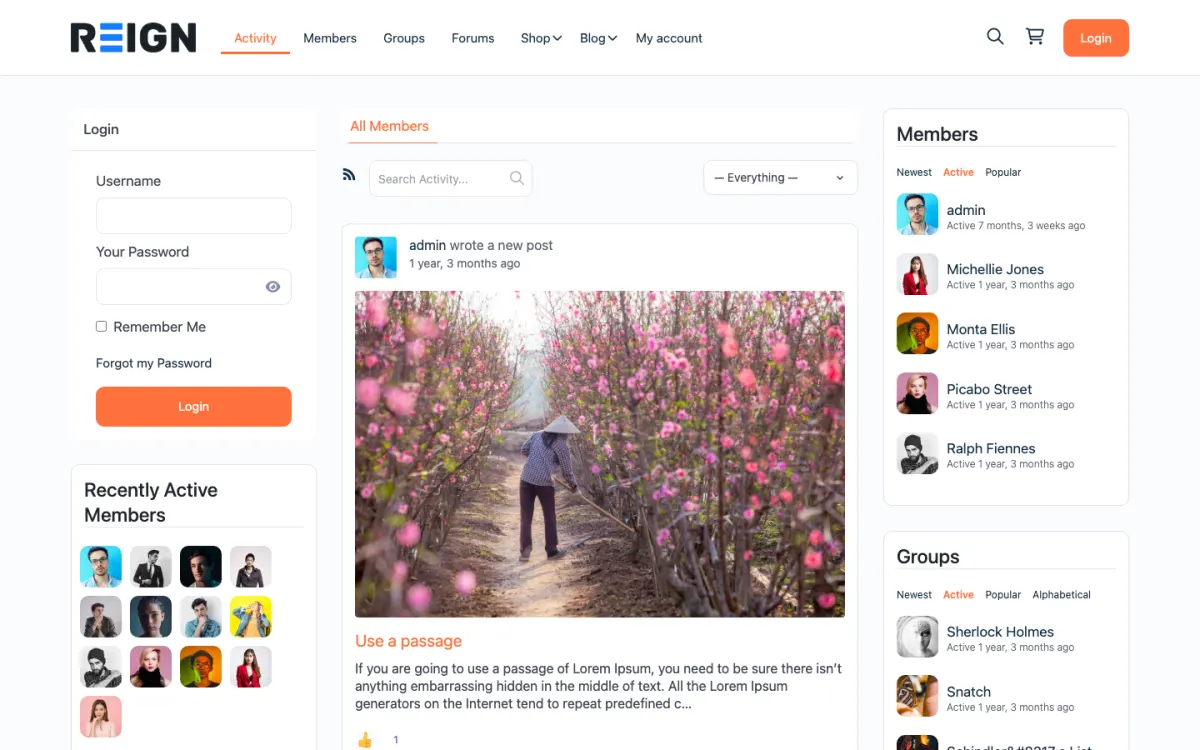
The home screen: sign-in, the activity feed and who is active, on one page. Open the demo
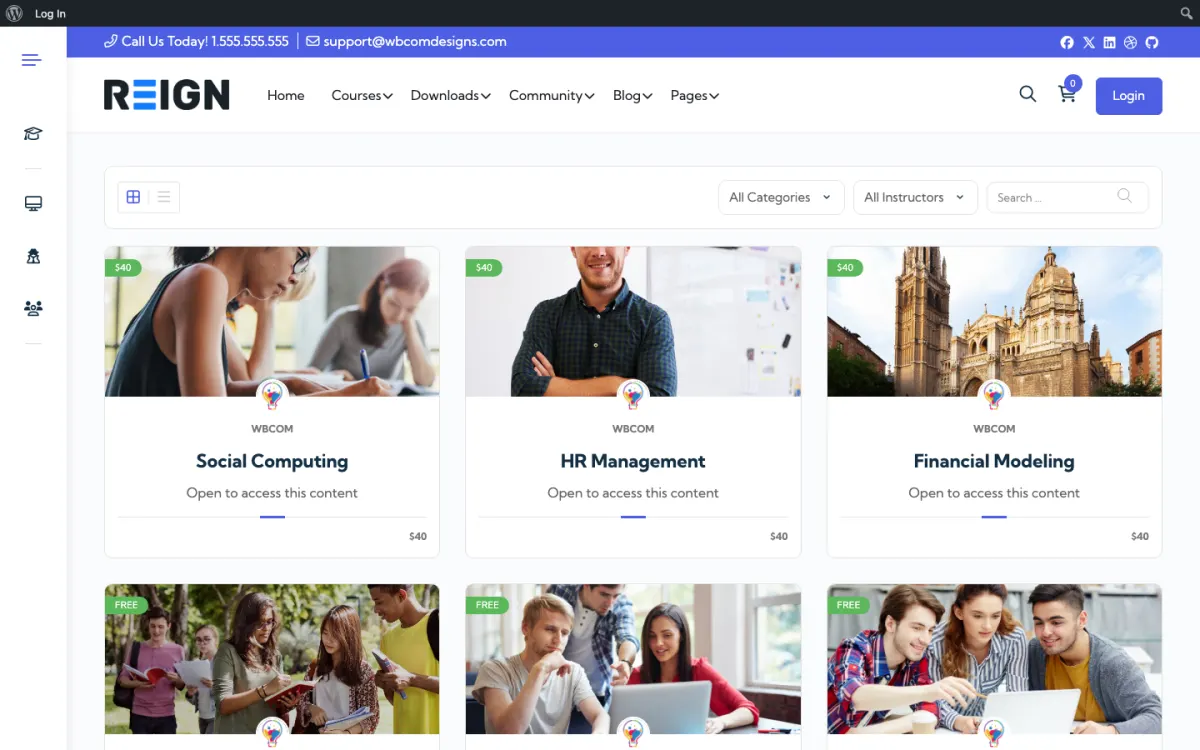
The course catalog, filtered by category and instructor. Open the demo
The shop: products from every seller in one grid, with ratings. Open the demo
Three highlights for therapists / counselors.
01
Private spaces and restricted sign-up, so the group stays closed.
02
A cohort structure: each workshop cohort gets a BuddyNext space of its own.
03
Worksheets and readings posted in the workshop space for members.
What the site looks like on day one.
You launch with a private members area, a workshop or course structure, and a moderated group. Access is gated, profiles are limited to what you decide, and nothing is public unless you make it public. For this niche the defaults matter more than the features: a therapist's community that indexes member posts in Google is a serious problem, and the first configuration job is making sure it does not.
What a member actually does.
A member joins after a workshop or a referral, reads more than they post for the first few weeks, and that lurking is normal rather than a failure. The ones who do post tend to do so after somebody else goes first, which is why seeded discussion and clear moderation matter so much here. Over months the group becomes the thing people stay for, with your workshops as the reason they arrived.
How this usually makes money.
Common shapes are a modest monthly membership for group access and resources, with workshops sold separately, and one-to-one sessions booked through a scheduling plugin at your usual rate. The community is rarely the main income; it is what makes the practice sustainable between sessions and gives people somewhere to be when you are fully booked.
The mistake to avoid.
Leaving the privacy configuration until after launch. On this kind of site defaults are not good enough: member posts must not be indexable, profiles must not be public, and groups must be private before the first invitation goes out. Verify it in a private browser window rather than trusting the settings page.
Which Reign setup fits a therapy workshop community
Reign is the WordPress theme for building a complete community site: social network, courses, member directory, marketplace and job board on one install. For a therapist, the useful part is the private community.
BuddyNext supplies profiles, spaces and notifications, with a report-and-review moderation queue in the free version. Jetonomy adds threaded discussions and private spaces as a visibility option, which suits a structured workshop where each week has its own thread. If you want recorded teaching or worksheets as a course, Learnomy handles lessons and downloads. BuddyNext Pro adds auto and bulk moderation if a larger group needs more help.
If your stack is BuddyPress, the BuddyPress Community Bundle kit is the packaged route and the private community build guide walks through the privacy settings step by step. Check the plugins page for which features are free, and note that Reign is a flat theme licence with no per-member fee.
Launch steps for a therapy community
The order matters here. Privacy and moderation come first, content comes second, and invitations come last.
01
Choose hosting you are comfortable placing members' words on, and read your own country's rules for health-related data. Take professional advice rather than assuming a plugin makes you compliant. The hosting guide is a starting point.
02
Install Reign and BuddyNext. Set every space to private, restrict profile visibility and switch off anything that publishes member posts to the public web.
03
Mark community pages noindex and exclude them from your sitemap. Then open the site in a private window and try to find member content with a search engine and with direct links.
04
Write the guidelines and the crisis policy, and pin them where members see them first. Say what is not allowed, who responds to a worrying post and what you do when someone is in distress.
05
Create the workshop space and seed week one with a discussion thread and any worksheets. Decide whether members use real names or pseudonyms and set the profile fields to match.
06
Invite the first small group yourself and moderate every day for the first month. Adjust the rules from what actually happens, not what you imagined.
What members do week to week in a therapy community
Most members read more than they post, and that is fine. In the first week a member opens the welcome thread, reads the guidelines and perhaps likes a post. In the second week they might add a short reply to a prompt, often after someone else has gone first.
Through a workshop the weekly rhythm is simple. A new thread opens with the week's topic, members complete a short reflection or worksheet, and the group responds to each other. Some members use the space only on the evenings after a session, when the material is fresh and they want to say it out loud somewhere safe.
Your week is the facilitation: opening the thread, replying to posts that need a professional voice, nudging quiet members gently and watching for anything that needs action. Keep your replies short and kind. The group works best when members support each other and you keep the container safe.
How a therapy community grows
Growth here is slow on purpose. A group that doubles overnight is harder to keep safe, and members join because the room feels small enough to trust. Most practices grow by running another workshop cohort and letting finished cohorts stay on as an alumni space with lighter moderation.
Referrals come through word of mouth and through the practice itself, so the site rarely needs advertising. A clear public page describing the workshops, who they are for and how to apply does more than any campaign. Keep the community behind the login and the description in front of it.
As the group grows, add a trained peer moderator and a written escalation path. Jetonomy's moderation queue and BuddyNext's report flow give them the tools, and the policy gives them the confidence to use them.
Mistakes specific to therapy communities
Leaving privacy configuration until after launch is the worst. Defaults are not good enough on this kind of site, and a single indexed member post can do real harm. Set it up first and test it, then re-test after every plugin update.
Another is under-moderating because the group seems gentle. Distress does not announce itself, and a community without active moderation puts the people in it at risk. If you cannot moderate daily, bring in a colleague or reduce the group size.
Finally, do not store session notes or clinical records here. Use the site for workshop material and peer support, and keep anything that looks like a record in a system built for it.
When a different setup fits better
If your work is one-to-one therapy with no group component, you do not need a community; you need a practice-management system and a simple, calm website. The life coaches page covers cohort programmes, which sit closer to workshops than to clinical sessions.
If you want to publish a large public library of articles, treat that as a separate public section of the site, and keep the private community entirely apart from it.
Therapist / counselor-specific questions.
Is a WordPress therapy community compliant with health privacy rules?
That depends on your host, your settings and your jurisdiction, not on the theme. No theme or plugin makes a site compliant by itself. Ask your host what agreements it offers, limit what you collect, and take professional advice before storing anything that counts as health data.
Can I record workshop sessions and keep them members only?
Yes. MediaVerse, free to install, supports privacy levels for uploads, so a recording can be limited to the group. Recording a session needs the explicit consent of everyone in it, and many therapists choose not to record at all.
Can the site hold clinical records or integrate with my practice software?
It is not built for that. Keep clinical records in software designed for them, and use the Reign site only for the workshop and peer-support layer, with a link between the two if you want one.
How do I keep the community genuinely private?
Set groups to private, keep profiles restricted, exclude the community routes from your sitemap and set them to noindex, then verify in a private browser window rather than trusting the settings screen. Do this before you invite anybody. It is the single most important configuration on this kind of site.
What about moderation and safeguarding?
Decide your policy before launch and write it down where members can read it: what is not allowed, what happens when somebody is in crisis, and who responds. The software gives you flagging, a moderation queue and roles. It cannot make the judgement calls, and pretending otherwise would be irresponsible.
Should the community be anonymous?
Pseudonyms are common and often the right call, because people share more freely. Decide the policy explicitly and write it in the guidelines rather than leaving it ambiguous, and make sure profile settings actually enforce whatever you choose.
How much moderation does this need?
More than you expect, and it cannot be automated away. Budget real time or bring in a moderator. A community in this space without active moderation is a risk to the people in it, and that is the deciding factor rather than the workload.
Buy the theme. Add the plugins free.
BuddyNext and Jetonomy cost nothing to install, and each has its own Pro plan for later. Running the third-party stack instead? The BuddyPress Community Bundle kit is the packaged route. Or have the Wbcom team set either one up for you.
Reign is the WordPress theme for building a complete community site: social network, courses, member directory,
marketplace and job board on one install. Start with one, add the others when you need them, and keep one login
for every member. Open a live demo, or launch a sandbox and get a fresh WordPress site to click through in about a minute.
Community and social network
Profiles, activity feed, spaces, messages and moderation on your own domain. Powered by BuddyNext.
I only have positive experience with wbcom. My journey started a lot of years back with the free buddyx theme. during my learning of wordpress and futher websites ideas I found a match with their Reign job mate theme. Always there to help, always open to explore ideas, always kind replyes even if I…
Oskar Hanborg · SE ·
Swift and expert coding!
Swift and expert coding by Kerit to apply a personalised display adjustment on the Reign Theme for a media plugin that was not fully supported at the moment.
Russell · GB ·
Perfect themes
I purchased Reign theme from Wbcom Designs, the support team was very helpful and I got the perfect website what I was looking for. Good work Wbcom Designs
Monika Singh · IN ·
WBComDesigns is amazing!
WBComDesigns is amazing. The WP plugins and themes are of top notch quality with lots of features and updated very frequently. Supports are very responsive and helpful. I use Reign with TutorLMS, and the experience is surprisingly smooth. The recently launched BuddyNext Pro and MediaShield Pro are…
Hoang Phan · VN ·
Love this company
Love this company. Loved the REIGN product. They were there the entire time helping me set things up; and when things went wrong? They were quick to take action and help find a solution.
Fable Fortitude · CA ·
Excellent Theme, Powerful Plugins and Outstanding Support
I am using the REIGN theme and several plugins from Wbcom Designs on my website. The theme is beautifully designed, and the plugins are user-friendly. Everything works smoothly, and the features are perfect for building professional websites and communities. What impressed me most is their…
S W Malcolm · US ·
Top notch support
Top notch support! I've been frustrated generally by the slow support for most themes and plugins, but they are helpful and quick to reply. Highly recommend!
Woods · DE ·
I was impressed
I was impressed. I have been worked with many Wordpress Plugins over the past 14 years part time. I have learned that if the support is not prompt and effective it is a sign to move on. Tonight, WEBcom has impressed me and I will be hiring them for some more work in the future due to the FREE…
Steve Valencia · US ·
i wanted to build a community website…
i wanted to build a community website and these guys created the perfect plugins for me. to be honest, i want to buy every single one of their plugins. if i had more money i would.
Sora Seaton · US ·
This company have been great and very…
This company have been great and very supportive.I highly recommend them