
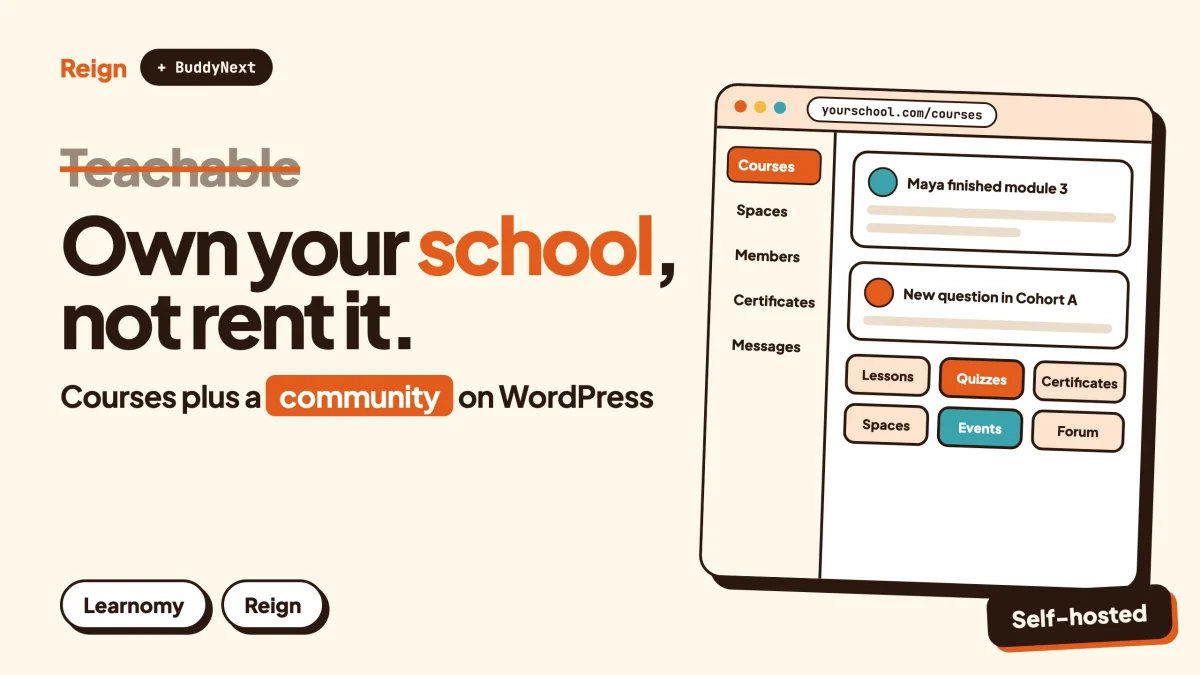
The best Teachable alternative if you want to own your school is a WordPress stack: Learnomy for courses, BuddyNext for the student community, and the Reign theme as the design layer. You keep the student list, the content, the checkout and the look. Teachable is still the better pick if you want a hosted product that handles hosting, sales tax and student apps for you. Wbcom makes all three alternatives named here, so read this as a vendor view.
Teachable is a good product. It is one of the longest-running course platforms, and for a first course it removes a lot of decisions. This post is for the person who has been running on it for a while and is starting to feel the edges.
Maybe the course now needs a real community around it. Maybe the school should look like the brand, not like a template. Maybe you simply want the students on a site you control. We will look at what Teachable gives you, where it stops, what the WordPress route looks like, and who should stay put. Teachable details were read from its own site in November 2026.
When is Teachable the better pick?
Teachable is the better pick when you want everything handled for you and you do not want to look after a website. That is a real advantage, and it deserves a straight statement before any alternative is sold to you.
Here is who should probably stay.
- First-time course creators. You can have one course live without learning anything about hosting, plugins or updates. Someone else keeps the lights on.
- Sellers in many countries. Teachable says it collects and remits sales tax, VAT and GST across more than 45 countries for transactions on its platform. That is a heavy job to carry yourself, and on WordPress the tax setup is yours to configure.
- People who want an app for students. Teachable advertises iOS and Android apps for students. BuddyNext ships as an installable progressive web app, and a native mobile app is still in development.
- Creators who want built-in AI help. Teachable lists a course starter that drafts a curriculum, a quiz generator, and automatic subtitles and translations in more than 70 languages.
- Teams that value a vendor to call. Hosting, uptime and payments sit with one company. On WordPress, you or your host own those problems.
If that list describes you, the sensible move is to stay and spend your energy on the course itself. If it does not, keep reading.
What does Teachable include?
Teachable is a hosted platform for selling courses, coaching, digital downloads and memberships. Its own site describes the following.
| Area | What Teachable advertises |
|---|---|
| Courses | Video, quizzes, drip content, completion certificates, a drag-and-drop builder, mobile access |
| Coaching | One-on-one or group sessions with scheduling and payment management |
| Digital downloads | Templates, guides and resources delivered instantly |
| Memberships | Recurring subscriptions with flexible models |
| Checkout | Coupons, bundles, upsells, order bumps, more than 35 local payment methods, subscription recovery |
| Tax | Automatic collection and remittance of sales tax, VAT and GST across more than 45 countries |
| Payouts | Daily payouts through Teachable Payments |
| Community | A community for students, available on higher plans |
| Apps | iOS and Android apps for students |
| Integrations | Mailchimp, AWeber, Zapier, Zoom, Google Analytics, Stripe, plus APIs and webhooks |
| AI tools | Course starter, quiz generator, automatic subtitles and translations |
| Enterprise | Single sign-on, advanced reporting, a dedicated success manager |
Teachable says over 150,000 experts and businesses use it, and that it is part of the same group as Hotmart. Those are the vendor’s own figures, so treat them as marketing, not an audit.
Two things are worth noticing in that table. First, it is a broad product. Second, the word “community” is one row, not the centre. Teachable is a course platform that has added a community, which is a different thing from a community platform that has courses inside it.
Why do people look for a Teachable alternative?
People leave Teachable for a handful of ordinary reasons, and none of them mean the product is bad. They mean the product was built for a different shape of business.
The plan decides what you can do
Teachable’s pricing page lists four tiers. Every plan is paid, and the page does not offer a permanent entry plan at no cost. Transaction fees apply on the lowest plan, and the higher plans drop them when you use Teachable Payments. Card and PayPal processing fees apply on all plans, and chargebacks carry a separate fee. Community features and the affiliate programme start on the second tier. Removing Teachable branding and importing students start on the third.
That is a fair structure. It also means growth moves you up a ladder. We are not quoting numbers here because they change, so check their pricing page for the current figures. Our post on what online course platforms cost and what owning it looks like walks through the fee types in more detail.
Community is an add-on, not the core
Students on a course platform mostly talk to the instructor. Students in a community talk to each other, and that second pattern is what keeps people enrolled. On Teachable, community is a feature that arrives with a higher plan. If the community is the point of your business, you will want one with profiles, spaces, direct messages, moderation and a member directory, where the courses plug in as one part of the whole.
Design control has a ceiling
Teachable lets you use your own brand and domain, and its site builder handles pages. A school on any hosted platform still sits inside that platform’s layout options. WordPress sits at the other end: every template, header and colour is yours to change.
The student list lives on someone else’s system
When your students, progress records and sales history live in a hosted product, moving them takes an export, and exports are rarely complete. On your own WordPress site they are rows in your own database, reachable through standard tools and a REST API.
You want things a course platform will never add
A job board, a business directory, a forum with accepted answers, a services marketplace, or ad inventory. These matter once an audience gathers around your teaching. A hosted course platform has no reason to build them. A modular WordPress stack does.
What does the WordPress alternative to Teachable look like?
The alternative is three layers on a WordPress site you host. Learnomy is the course engine. BuddyNext is the community engine. Reign is the theme that makes both look like your school. Wbcom builds all three, which is why they are designed to fit together, and why you should check each claim on the product pages.
Learnomy for the courses
Learnomy builds a course out of sections, lessons and topics in a drag-and-drop builder. Its site lists these lesson types: video, audio, PDF, embed, download, live session and rich text. A live lesson links to a meeting you create on Zoom, Google Meet or Microsoft Teams, so you keep your own account, settings and recordings. Learnomy does not create the meeting itself.
Quizzes cover several question types with auto-grading, partial credit, an inbox for grading essays, and a reusable question bank you can fill from a CSV file. Progress tracking shows each student where they are.
Certificates are designed on a canvas and issued automatically on completion. Students can download a PDF, and each one can be verified through a QR code and a signature. Our guide to issuing course certificates people can verify covers the practical side.
Selling is built in. Checkout runs through Stripe and PayPal, supports subscriptions, and you can sell memberships with coupons and a transaction ledger. If you already use WooCommerce, Easy Digital Downloads, MemberPress, PMPro or Restrict Content Pro, Learnomy can also grant access from those orders. The full walk-through is in how to sell online courses on WordPress with Stripe.
Drip scheduling and cohorts are part of the picture too. Which licence includes what is spelled out on the Learnomy product page, so check it before you plan around a feature.
Coaching, bundles and downloads
Teachable lists coaching and digital downloads as product types. On WordPress you build the same offers from parts. Downloads are a lesson type in Learnomy, and a WooCommerce store handles stand-alone files, bundles and order history if you want a proper catalogue. Group coaching works well as a cohort with live lessons and a private space in the community. One-to-one scheduling is where a hosted tool has an edge, so check how you would book sessions before you commit.
Video hosting is a decision you make
Teachable’s feature page lists unlimited video uploads as a perk of some plans. On WordPress you choose where video lives. Common options are a dedicated video host, an embed, or a protected setup using the MediaShield plugin, which Learnomy mentions for protected video. Pick on cost and control, not on habit. Video is the largest bill in most course businesses.
Reign for the design
Reign is the design layer. It gives you five header layouts, colour tokens, a dark mode, a mobile drawer menu, 27 block patterns and 8 style variations, and none of it needs code. A demo library with an installer lets you import a finished layout, then swap in your logo and colours. It styles BuddyNext, BuddyPress and BuddyBoss Platform, and paid add-ons cover LearnDash, LifterLMS, Tutor LMS, Dokan and WP Job Manager. Reign has been on WordPress for 13 years.
If you already run a course site with another LMS, our notes on Reign and LearnDash and the best WordPress LMS for course creators help you compare.
How do you add a real community to a course site?
You add BuddyNext. A community is a place where students meet each other, not just a comment box under a lesson. BuddyNext supplies the pieces that make that work.
- Spaces. Public, private or secret groups. Make one per cohort, per course or per topic, with roles inside each.
- An activity feed. Posts, reactions, threaded comments, @mentions, hashtags and polls.
- Profiles and a member directory. Custom profile fields, member types and an onboarding wizard so new students fill in the right details first.
- Direct messages. Powered by WPMediaVerse, so students can talk privately.
- Moderation. Reports, strikes, suspensions, banned words and a front-end review queue.
- Notifications and email digests. So the community pulls people back in.
- A progressive web app. Students can install the site on a phone home screen.
By default the feed checks for new activity every few seconds. Instant delivery and push notifications need a paid add-on, so check the product page if that matters to you.
Points and badges for finishing
Completion is the hard part of any course. WB Gamification awards points, badges and ranks for what members do, including activity around courses. It is a gentle nudge that costs you nothing in lesson design. See Reign with WB Gamification for how it looks on the site.
Forums and Q&A when students ask the same thing twice
Jetonomy adds forums, Q&A with accepted answers, and an ideas board. For a course business it turns repeated student questions into a searchable library. If you are deciding between formats, read forum vs Q&A vs ideas board.
Events for live cohorts
Eventonomy handles events with RSVPs, capacity limits and waitlists, recurring events, calendar views and reminders. It is a natural place for office hours or a workshop series.
For the whole picture of a paid course with a community around it, see how to create a paid online course community with WordPress. BuddyNext also supports paid membership tiers through a paid add-on, and the product page lists the gateways and licence details.
Teachable and the WordPress stack, side by side
| Teachable | Learnomy + BuddyNext + Reign | |
|---|---|---|
| Where it runs | Teachable’s servers | Your WordPress site |
| Setup effort | Low, hosted for you | Higher, you need hosting and updates |
| Student and sales data | Held by the vendor | Your database |
| Courses and lessons | Builder with video, quizzes, drip | Builder with seven lesson types, quizzes, drip and cohorts (check licence) |
| Certificates | Completion certificates | Designed on a canvas, PDF, QR verification |
| Sales tax and VAT | Handled by Teachable Payments in 45+ countries | You configure tax yourself, check local rules |
| Payment methods | 35+ local methods through Teachable Payments | Stripe and PayPal built in, WooCommerce for others |
| Platform fee on sales | Applies on the lowest plan | None from the platform; processor fees still apply |
| Community | Available on higher plans | BuddyNext spaces, feed, profiles, messages, moderation |
| Student app | iOS and Android apps | Progressive web app, native app in development |
| AI course tools | Course starter, quiz generator, translations | Learnomy lists AI features, check the product page |
| Design control | Brand and domain, site builder | Reign layouts, patterns, style variations, any WordPress plugin |
| Beyond courses | Coaching, downloads, memberships | Forums, events, directory, jobs, marketplace, ads as modules |
| Support | One vendor | Product vendors plus your host |
A fair note on money. Neither route removes payment-processor fees. What changes is whether a platform takes its own cut on top, and whether growth pushes you up a plan for everything at once. Check each vendor’s pricing page for current terms.
Is the course market worth the move?
The market is large and still growing, which is a reason to build on something you own. Arizton’s e-learning market report, published in January 2026, puts the global e-learning market at about 325 billion US dollars in 2025 and forecasts about 665 billion by 2031. Analyst firms define the market differently and their figures vary, so read that as a size indicator, not a promise.
The point for a course creator is simple. A growing market means more competition for attention. The brands that hold students are the ones with a community, a recognisable look and a direct line to their members. Those are things you control better on your own site.
How do you move off Teachable?
You move in stages, and you do not need to switch everything on one day. Plan for a few weeks, and keep Teachable running until the new site is proven.
- List what you have. Write down every course, lesson, quiz, download, coupon, bundle and membership you sell. To confirm it worked, you should be able to tick each item off later against the new site.
- Back up your content. Download videos, files and lesson text while you still have access. Check Teachable’s help centre for what each export covers, because exports do not always include media.
- Set up WordPress and Reign. Install the theme, import the demo closest to your brand, and replace logo, colours and copy. To confirm it worked, open the site on your phone and check the header and menu. Our guide to installing Reign and importing a demo shows the steps.
- Install Learnomy and rebuild one course. Start with your best-selling one. To confirm it worked, enrol a test account and complete a lesson, a quiz and a certificate.
- Connect payments. Add Stripe or PayPal, create your offers and run a test purchase. Then set up tax according to your local rules.
- Add BuddyNext. Create spaces for your cohorts, set roles, and write the welcome post. To confirm it worked, sign in as a student and check that private spaces stay private.
- Invite students in waves. Email your list, explain what is changing and why it helps them, and keep the old login live for a short overlap. Import students where your plan allows, and give them clear sign-in instructions.
- Retire the old school. Redirect old links where you can and cancel only after the last student has moved.
A few things take thought. Recurring subscriptions are the tricky part of any move, because a card on file at one processor does not transfer by itself. Many creators let existing subscriptions run out on the old platform and start every new sale on the new site. Check with your payment processor before you promise anything to subscribers.
If you are coming from a different setup altogether, the Kajabi alternative guide covers a similar move, and the best self-hosted online course platforms lists other routes.
Which other Teachable alternatives are worth a look?
BuddyNext with Learnomy is one answer, not the only one. These are described at the level you can check on each product’s own site.
Thinkific
A hosted course platform in the same family as Teachable. It suits creators who want a managed product and are happy to stay hosted. Compare plans and community options on its own site.
Kajabi
A hosted all-in-one with courses, email, pages and a community product. It suits creators who want marketing tools bundled in. See our Kajabi alternative post for how it compares with WordPress.
Podia
A hosted platform aimed at simple stores for courses, downloads and memberships. It suits small, focused offers.
LearnDash, LifterLMS and Tutor LMS
WordPress course plugins that give you ownership like Learnomy does. If you already use one, Reign has paid add-ons that style them. Read best LifterLMS alternatives and best WordPress LMS with membership features before choosing.
FluentCommunity
A WordPress community plugin with courses built in. It suits a lighter footprint. It does not cover forums, directories, jobs and a marketplace as modules from one team.
Check each vendor’s pages for current features and terms. A comparison like this one ages fast.
Questions people ask
Is Teachable available at no cost?
Its pricing page lists no permanent plan at no cost. Every plan is paid, and the page mentions a trial and a money-back guarantee on paid plans. Check their pricing page for the current length and terms, because the page shows more than one trial period.
Does Teachable take a cut of my sales?
Its pricing page says transaction fees apply on the lowest plan, and the higher plans have none when you use Teachable Payments. Card and PayPal processing fees apply on all plans. Check the page for current numbers.
Can I keep selling globally on WordPress?
Yes. Stripe and PayPal work internationally. The difference is tax: Teachable says it handles sales tax, VAT and GST across more than 45 countries, while on your own site the setup is yours. Check your local rules, and talk to an accountant if you sell across borders.
Can students use a mobile app?
Teachable advertises iOS and Android apps. BuddyNext is installable as a progressive web app, and a native mobile app is in development, so students can add the site to their phone but will not find it in an app store yet.
Do I need technical skills to run a school on WordPress?
You need decent hosting and basic admin comfort. Reign’s demo installer sets up layouts for you, and Learnomy and BuddyNext are added one at a time. Plan for ongoing updates, or pay a host to handle them.
Can I try it before moving?
Yes. Open a live Reign demo, click through it as a student would, and try the BuddyNext live demo.
Related reading
- Online course platform fees: what you pay to teach
- How to sell online courses on WordPress with Stripe
- How to issue course certificates that people can verify
- Kajabi alternative: courses, community and memberships on WordPress
- Best self-hosted online course platforms
- How to create a paid online course community with WordPress
- How to build a multi-instructor course marketplace
- What you actually keep on Patreon, Substack and Circle
- Keep your Reign site, upgrade the community
If you are ready to look at the design layer, start with the Reign theme: see Reign and its live demos, pick the layout closest to your school, then add Learnomy for the courses and BuddyNext for the community.