
Choosing to self-host a course platform is really two decisions stacked on top of each other. The first is the one most guides cover: own your platform instead of renting one. The second, and the one this guide is actually about, is which self-hosted system to run, because “self-hosted” is not one category. A WordPress LMS plugin, a full Moodle deployment, and a headless open-source stack are all self-hosted, and they ask completely different things of whoever maintains them.
This guide compares the best self-hosted online course platforms in 2026 specifically on what self-hosting actually demands: how much a site owner needs to manage directly, how the platform handles backups, updates, and scaling, and how much genuine extensibility comes with the added responsibility. We cover WordPress-based options and Moodle, the other major self-hosted system in this space, and weigh them against what a real site owner, not a systems administrator, can realistically maintain. No fabricated review scores appear anywhere in this guide.
Table of Contents
- Quick comparison
- 1. Learnomy, self-hosted without the assembly overhead
- 2. LearnDash, self-hosted with a bigger stack
- 3. Moodle, the institutional self-hosted standard
- 4. Tutor LMS, self-hosted, frontend-focused
- 5. LifterLMS, self-hosted with add-on sprawl
- How we evaluated
- What self-hosting actually asks of you
- FAQ
- Final verdict
Quick comparison
| Platform | Foundation | Maintenance load | Extensibility | Standout strength |
|---|---|---|---|---|
| Learnomy | WordPress plugin | Standard WordPress hosting and updates | WordPress plugin and theme ecosystem | Complete platform, minimal extra pieces to maintain |
| LearnDash | WordPress plugin | Standard WordPress plus WooCommerce for payments | Huge add-on ecosystem | Deepest quiz engine of any self-hosted option |
| Moodle | Standalone open-source system, separate from WordPress | Dedicated server or hosting partner, often a Moodle admin | Enormous plugin catalog, LTI integrations | Built specifically for institutional-scale course delivery |
| Tutor LMS | WordPress plugin | Standard WordPress hosting and updates | Growing add-on catalog | Frontend course builder, no wp-admin needed |
| LifterLMS | WordPress plugin | Standard WordPress plus add-on bundles | Solid third-party ecosystem | Engagement automation |
1. Learnomy, self-hosted without the assembly overhead
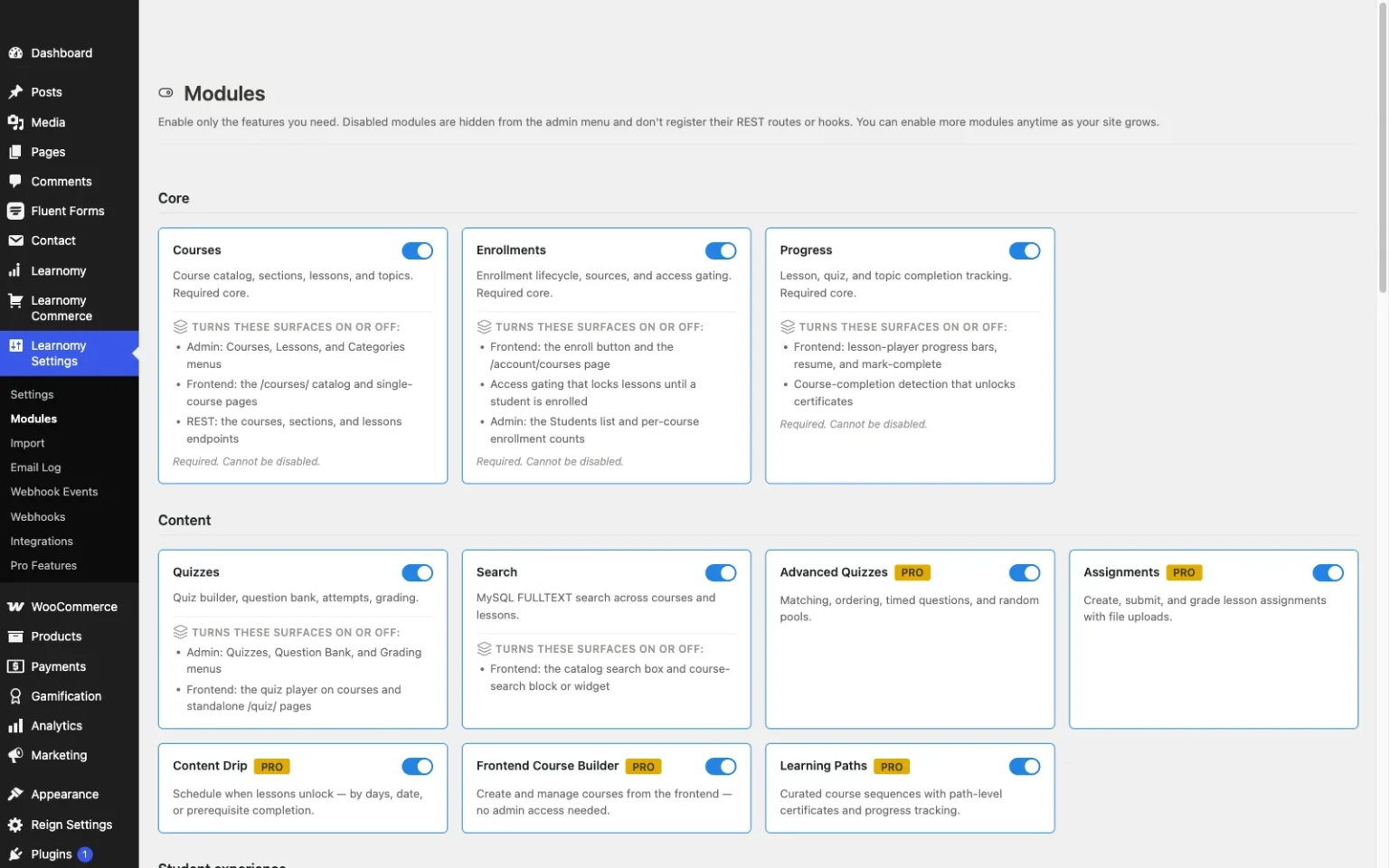
Self-hosting already asks a site owner to take on hosting, backups, and updates directly, and Learnomy is built to keep that the only real overhead rather than adding a second layer of plugin-assembly maintenance on top. It is a complete learning platform in one plugin: course building, native Stripe and PayPal checkout, quizzes, certificates, drip, coupons, and analytics all live in the same codebase, which means fewer plugins to keep updated, fewer compatibility conflicts to watch for after a WordPress core update, and one changelog to read rather than five.
That matters because the actual burden of self-hosting is rarely the initial setup, it is the ongoing maintenance: every additional plugin in a stack is another update to test, another potential conflict, another thing that can break silently. Learnomy runs on any standard WordPress host, with student records and revenue living in the site’s own database, fully portable to a different host at any time, with no platform fees, the ownership case covered in selling online courses from your own website. Built by the team behind the Reign community theme, it works cleanly alongside standard WordPress security and backup practices without needing anything exotic. A migration wizard imports courses and students from LearnDash, Tutor LMS, and LifterLMS for a site consolidating its stack. Full details at learnomy.app.

- Pros: One plugin to maintain instead of a stack, fewer update and compatibility risks
- Runs on any standard WordPress host, fully portable
- Full ownership of student data and revenue, no platform fees
- Migration wizard from LearnDash, Tutor LMS, and LifterLMS
Cons:
- A newer ecosystem than plugins with a decade of hosting-specific tutorials
- Hosting, backups, and updates remain the site owner’s or their host’s responsibility
2. LearnDash, self-hosted with a bigger stack
LearnDash is self-hosted on the same standard WordPress infrastructure as Learnomy, but its assembly-first design means the maintenance load tends to be heavier: WooCommerce for real payment flexibility, a reporting companion for deeper analytics, and potentially several other add-ons depending on requirements, each one an additional plugin to keep updated and compatible.
The payoff for that heavier stack is the deepest quiz engine and largest add-on ecosystem of any self-hosted option here, genuinely useful for a site with a specific, well-defined requirement an add-on already solves. Sites weighing it broadly should also see our LearnDash alternatives guide. Pros: deepest assessment engine, huge ecosystem for specific needs. Cons: more plugins to maintain, more potential compatibility conflicts.

3. Moodle, the institutional self-hosted standard
Moodle is a genuinely different category of self-hosting from a WordPress plugin: a standalone open-source learning platform with its own server requirements, its own update cycle, and its own administrative interface entirely separate from WordPress. It is the platform actually running a large share of degree-granting instruction worldwide, with deep institutional structure, cohorts, roles, gradebooks, built in from the start, and an enormous plugin catalog of its own.
The maintenance load is the honest trade-off: running Moodle well typically means a dedicated Moodle administrator or a specialized hosting partner, a separate codebase from a site’s public marketing pages, and an implementation timeline measured in months rather than days. For an institution with dedicated IT support, that depth is worth it. For a smaller site wanting a lighter self-hosted option alongside its existing WordPress site, it is considerably more infrastructure than a plugin-based approach. Pros: unmatched institutional depth, enormous plugin catalog. Cons: separate system from WordPress, heaviest maintenance load in this list.
4. Tutor LMS, self-hosted, frontend-focused
Tutor LMS runs on the same standard WordPress hosting as the other plugins here, with a frontend course-building interface that reduces how much time an instructor spends in wp-admin day to day, a real convenience for a maintenance-averse team.
Certificates, drip, and deeper monetization sit in its paid tier or require WooCommerce, adding pieces to the maintenance stack the further a site’s requirements go beyond the free core. Pros: comfortable frontend authoring, standard WordPress hosting. Cons: growing maintenance load as requirements deepen.
5. LifterLMS, self-hosted with add-on sprawl
LifterLMS also runs on standard WordPress hosting, with strong engagement automation, behavior-triggered emails and badges, built into its core rather than an add-on. Its access-plan system handles memberships and trials natively.
Checkout and several deeper features route through separate add-on bundles that need mapping and ongoing maintenance as a site grows. Pros: strong native engagement automation. Cons: add-on bundle sprawl adds to the maintenance load.
How we evaluated
We scored each platform specifically on what self-hosting demands: maintenance load, how many separate pieces, plugins, add-ons, a second system entirely, a site owner has to keep updated and compatible; hosting requirements, whether the platform runs on standard hosting or needs something specialized; extensibility, the depth of the plugin or add-on ecosystem available; and true ownership, whether data and revenue genuinely stay under the site owner’s control. Feature scopes shift, so confirm specifics on each vendor’s own site before committing.
What self-hosting actually asks of you
Self-hosting trades a recurring subscription for ownership, but it is worth being honest about what that ownership costs in practice. Every self-hosted platform, regardless of which one, makes hosting, backups, security updates, and uptime the site owner’s responsibility rather than a vendor’s. Where these platforms genuinely differ is how much additional complexity sits on top of that baseline: a single complete plugin like Learnomy keeps the maintenance surface close to “standard WordPress site,” a plugin-plus-WooCommerce-plus-reporting stack like a fully configured LearnDash build adds several more moving parts, and a separate system like Moodle effectively doubles the infrastructure a site owner maintains. None of these are wrong choices, but a site owner should pick based on how much ongoing maintenance they are actually prepared to take on, not just which platform has the deepest feature list on a comparison page.
FAQ
What is the best self-hosted online course platform? For the lowest maintenance load with the most complete feature set, Learnomy, since course building, payments, quizzes, and certificates all live in one plugin rather than a stack. For institutional-scale degree instruction, Moodle remains the dominant standalone option.
Is Moodle the same kind of self-hosting as a WordPress LMS plugin? No. Moodle is a separate, standalone system with its own server and administration, entirely apart from WordPress. A WordPress LMS plugin like Learnomy or LearnDash runs inside an existing WordPress site’s standard hosting.
Does self-hosting mean I need to be technical? Not necessarily. Standard WordPress hosting with managed updates handles most of the technical burden for a WordPress LMS plugin. Moodle typically requires more dedicated technical support given its separate infrastructure.
How many plugins do I need to run a self-hosted course business? That depends heavily on the platform. Learnomy is built to need none beyond itself for a full launch. LearnDash, Tutor LMS, and LifterLMS typically need WooCommerce and one or more add-ons for a complete build.
Can I migrate between self-hosted WordPress LMS plugins? Yes, Learnomy’s migration wizard imports courses and students directly from LearnDash, Tutor LMS, and LifterLMS, so consolidating a stack does not mean rebuilding from zero.
Final verdict
Self-hosting is a genuine spectrum, not a single choice, and the right platform depends on how much ongoing maintenance a site owner actually wants to take on. Learnomy keeps that overhead close to a standard WordPress site while still delivering a complete platform. LearnDash is worth the heavier stack when its assessment depth is a genuine requirement, and Moodle is worth the separate infrastructure at true institutional scale. Start at learnomy.app and weigh the maintenance load honestly before committing.