
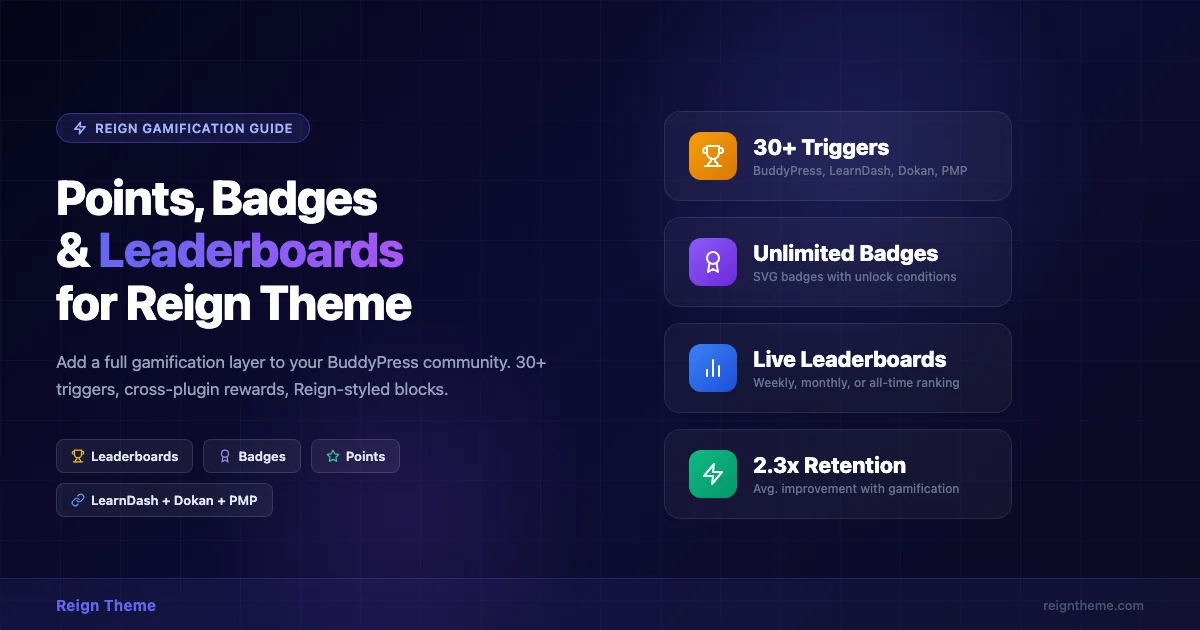
Community growth stalls when members run out of reasons to come back. You can have the best BuddyPress setup, a polished Reign theme, and active groups, but without a feedback loop that rewards participation, most members log in once and disappear. Points, badges, and leaderboards solve that problem by turning everyday actions into visible progress. This guide shows you exactly how to wire WB Gamification into Reign to create a reward engine that works across your courses, marketplace, and membership tiers.
Why Gamification Works for BuddyPress Communities
Behavioral research from Wharton School of Business found that progress-tracking mechanics increase repeat engagement by up to 40% in online communities, even when the rewards carry no monetary value. The effect is strongest when progress is visible to peers. BuddyPress already builds social visibility into its DNA: public profiles, activity streams, group memberships. Adding a points layer on top transforms passive visibility into active competition and achievement.
For Reign theme users, the stakes are higher. Your community is likely doing more than running a social network, you may be selling courses through LearnDash, running a vendor marketplace with Dokan, or gating content behind Paid Memberships Pro. Each of those systems generates user actions that currently go unrewarded. WB Gamification can capture every one of those actions and turn them into points, badge triggers, and leaderboard rankings.
What Is WB Gamification?
WB Gamification is a free WordPress plugin built specifically for community-driven sites. It ships with 30+ predefined triggers covering BuddyPress, WooCommerce, LearnDash, Dokan, and Paid Memberships Pro. Every trigger is configurable, you decide how many points each action awards, which badge it can unlock, and whether it qualifies the user for a specific leaderboard.
The plugin outputs standard Gutenberg blocks: wp-gamification/badge-grid, wp-gamification/leaderboard, and wp-gamification/points-balance. Because these are native blocks, they drop cleanly into Reign page templates, widget areas, and BuddyPress profile tabs without requiring a page builder or custom shortcode workarounds.
Key Features at a Glance
- Points engine, fixed, variable, or multiplied award amounts per trigger
- Badge system, image-based or SVG badges with custom unlock conditions
- Leaderboards, all-time, weekly, monthly, group-scoped, or course-scoped
- Notifications, in-site BuddyPress notifications when badges are earned
- REST API, external tools can read points and badges via authenticated endpoints
- Redemption, optional WooCommerce coupon or store-credit redemption for points
- Reign-ready blocks, badge grids and leaderboards inherit Reign color tokens automatically
Installing and Configuring WB Gamification with Reign
Step 1: Install the Plugin
Upload the WB Gamification zip file via Plugins > Add New > Upload Plugin. Activate it. The plugin registers its tables on activation, you will see a new top-level menu item called Gamification in your WordPress admin.
No additional setup is required to activate BuddyPress integration. The plugin detects BuddyPress automatically and enables the BuddyPress trigger group. If LearnDash, Dokan, or PMP are active, those trigger groups appear in the settings panel as well.
Step 2: Configure Point Rules
Go to Gamification > Point Rules. Each rule maps one trigger to a point award. Click Add Rule to create your first rule. A recommended starting configuration for a Reign BuddyPress site:
| Trigger | Points | Notes |
|---|---|---|
| BuddyPress: profile completed | 50 | One-time award |
| BuddyPress: activity posted | 5 | Daily cap: 50 pts |
| BuddyPress: activity comment | 3 | Daily cap: 30 pts |
| BuddyPress: activity liked | 2 | Given to liker |
| BuddyPress: activity like received | 5 | Given to author |
| BuddyPress: friend connection made | 10 | Both users rewarded |
| BuddyPress: group joined | 15 | Per group |
| BuddyPress: group post made | 4 | Daily cap: 40 pts |
| LearnDash: lesson completed | 25 | Per lesson |
| LearnDash: course completed | 200 | One-time per course |
| LearnDash: quiz passed | 50 | Per quiz attempt |
| Dokan: product published | 30 | Per product, capped 5/month |
| Dokan: order received | 20 | Per order |
| Dokan: review received (4+ stars) | 15 | Per qualifying review |
| PMP: membership level upgraded | 100 | One-time per level |
| PMP: membership renewed | 75 | Per renewal |
| WooCommerce: order placed | 10 | Per order |
| WooCommerce: review submitted | 8 | Verified purchase only |
Daily caps prevent gaming. Without them, a single member can post hundreds of low-quality activity updates to farm points. Set caps at a level that rewards genuinely active members without rewarding spam.
Step 3: Create Badges
Go to Gamification > Badges. Click Add Badge. Each badge has four fields: name, image or SVG, unlock condition type, and unlock condition value.
Unlock condition types include: points threshold (user reaches X total points), trigger count (user fires a specific trigger N times), specific trigger (user fires a trigger at least once), and manual grant (admin assigns the badge).
A solid starting badge set for a Reign community site:
- First Post, trigger: BuddyPress activity posted (count: 1)
- Conversationalist, trigger: BuddyPress comment posted (count: 25)
- Connector, trigger: BuddyPress friend connection (count: 10)
- Group Leader, trigger: BuddyPress group created (count: 1)
- Scholar, trigger: LearnDash course completed (count: 1)
- Honor Roll, trigger: LearnDash course completed (count: 5)
- Seller, trigger: Dokan product published (count: 1)
- Top Vendor, trigger: Dokan order received (count: 25)
- VIP Member, trigger: PMP membership level upgraded (count: 1)
- Community Pillar, points threshold: 1,000 total points
- Champion, points threshold: 5,000 total points
Badge images should be square, at least 150×150 pixels. The Reign badge block renders them at 64px in the profile tab and 96px in the badge showcase block. Upload SVG files for sharpness at every size.
Step 4: Set Up Leaderboards
Go to Gamification > Leaderboards. Click Add Leaderboard. Each leaderboard has a name, a time window (all-time, weekly, monthly), and an optional scope (global, group-scoped, or course-scoped).
Create at least three leaderboards for a standard Reign setup:
- All-Time Community Leaders, global, all-time, shows top 10
- Weekly Top Contributors, global, weekly reset, shows top 5
- Course Completers, scoped to LearnDash points only, all-time
Placing Gamification Blocks Inside Reign Templates
WB Gamification outputs Gutenberg blocks. Reign uses a hook-based template system that also accepts blocks via the Full Site Editor or widget areas. Here is where to place each block for maximum visibility.
Points Balance in the BuddyPress Profile Header
Reign’s BuddyPress profile template registers the hook reign_bp_member_header_after_meta. Add the following to your child theme’s functions.php to inject the points balance block into every member profile header:
add_action( 'reign_bp_member_header_after_meta', function() {
    if ( function_exists( 'wpgam_render_points_balance' ) ) {
        wpgam_render_points_balance( bp_displayed_user_id() );
    }
} );
This renders a small points badge directly below the member’s avatar and bio text, exactly where visitors look first when viewing a profile.
Badge Grid in the Profile Tab
WB Gamification adds a Badges tab automatically to the BuddyPress member profile navigation when the plugin is active. The tab displays the member’s earned badges in a responsive grid. No additional configuration is required.
To control the grid layout, go to Gamification > Display Settings > Badge Grid. You can set columns (2, 3, or 4), badge size (small/medium/large), and whether to show locked badges as greyed-out placeholders. Showing locked badges as placeholders is a strong engagement mechanic, members can see exactly what they need to earn next.
Leaderboard Block on a Dedicated Community Page
Create a new WordPress page called Leaderboard. In the block editor, add the wp-gamification/leaderboard block. In the block sidebar, select which leaderboard to display and how many entries to show.
Add this page to your Reign navigation menu under Appearance > Menus. Many sites also add the leaderboard to the BuddyPress Groups page as a sidebar widget using Appearance > Widgets > BuddyPress Sidebar.
Weekly Leader Banner in the Activity Stream
One high-impact placement is a weekly leader banner at the top of the BuddyPress activity stream. WB Gamification ships a wpgam_weekly_leader_banner() template function. Hook it to bp_before_activity_loop:
add_action( 'bp_before_activity_loop', function() {
    if ( function_exists( 'wpgam_weekly_leader_banner' ) ) {
        wpgam_weekly_leader_banner( array(
            'leaderboard_id' => 2, // Your weekly leaderboard ID
            'style'          => 'compact',
        ) );
    }
} );
This renders a slim banner showing the current weekly leader’s avatar, name, and point total at the top of every activity stream page. It is one of the most-commented features reported by site admins using WB Gamification, members actively try to get their name into that slot.
Cross-Plugin Rewards: LearnDash, Dokan, and PMP
The real power of WB Gamification inside a Reign site comes from its cross-plugin trigger support. Most gamification plugins only cover BuddyPress actions. WB Gamification extends into the three plugins that Reign users most commonly run alongside BuddyPress.
LearnDash Integration
WB Gamification hooks into learndash_lesson_completed, learndash_course_completed, learndash_quiz_completed, and learndash_topic_completed. When any of these fire, the plugin awards the configured points and checks badge unlock conditions.
The Reign LearnDash Addon already reskins the LearnDash course player to match your Reign color scheme. When you layer WB Gamification on top, the course completion experience gains a points award toast and a badge unlock animation, both using Reign’s CSS variables for color, so they match your brand without any custom CSS.
A practical use case: award a Scholar badge when a member completes their first course, and a Bronze, Silver, Gold Scholar badge sequence for completing 1, 5, and 10 courses. Display a course-scoped leaderboard on each course’s landing page showing who has earned the most points in that specific course.
Dokan Vendor Marketplace Integration
Dokan vendors are already motivated by sales, but WB Gamification adds social status on top of financial reward. Vendors earn points for publishing products, receiving orders, and getting high-star reviews. A Top Vendor leaderboard scoped to Dokan triggers shows the most active sellers in your marketplace.
This creates a secondary motivation for vendors beyond revenue: visibility. A vendor who ranks on the leaderboard gets their name in front of every buyer who visits your community. That social proof drives more purchases, which earns more points, which keeps them on the leaderboard. The flywheel runs on its own.
Consider adding a Verified Vendor badge that unlocks after a vendor receives 10 orders with an average review of 4.5 stars or higher. This badge appears on the vendor’s Dokan store page and on their BuddyPress profile, signaling trustworthiness to buyers without any manual admin review.
Paid Memberships Pro Integration
PMP integration rewards members for upgrading and renewing. This is particularly useful for sites with multiple membership tiers. When a member upgrades from a free tier to a paid tier, they receive a one-time points bonus plus a tier-specific badge, say, a Gold Member badge for the highest tier.
The Reign and Paid Memberships Pro integration guide covers how to restrict content by membership level. When you combine PMP restriction with WB Gamification, you can create exclusive leaderboards visible only to paid members. Free-tier members see a teaser, “Upgrade to Gold to join the VIP leaderboard”, which drives conversions.
Renewal rewards are especially effective at reducing churn. Award 75 points on every annual renewal plus a Loyal Member badge after three consecutive renewals. Members who are close to a badge threshold are statistically less likely to cancel their membership.
Full Trigger Reference: 30+ Actions You Can Reward
WB Gamification ships with the following triggers organized by integration. Every trigger supports: fixed points, variable points (range), daily cap, total cap, and cooldown period.
| Integration | Trigger | Configurable Caps |
|---|---|---|
| BuddyPress | Profile completed | Total cap (1) |
| BuddyPress | Avatar uploaded | Total cap (1) |
| BuddyPress | Activity posted | Daily, total |
| BuddyPress | Activity comment posted | Daily, total |
| BuddyPress | Activity liked | Daily |
| BuddyPress | Activity like received | Daily, total |
| BuddyPress | Friend connection made | Daily, total |
| BuddyPress | Group joined | Per group |
| BuddyPress | Group created | Total cap |
| BuddyPress | Group activity posted | Daily |
| BuddyPress | Group comment posted | Daily |
| BuddyPress | Private message sent | Daily |
| BuddyPress | User mentioned | Daily received |
| BuddyPress | Document uploaded | Daily, total |
| LearnDash | Lesson completed | Per lesson |
| LearnDash | Topic completed | Per topic |
| LearnDash | Quiz passed | Per quiz |
| LearnDash | Course completed | Per course |
| LearnDash | Assignment submitted | Per assignment |
| Dokan | Vendor registered | Total cap (1) |
| Dokan | Product published | Monthly cap |
| Dokan | Order received | Daily, monthly |
| Dokan | Review received (3+ stars) | Per review |
| Dokan | Review received (4+ stars) | Per review |
| Dokan | Store setup completed | Total cap (1) |
| PMP | Membership level activated | Per level |
| PMP | Membership level upgraded | Per upgrade |
| PMP | Membership renewed | Per renewal |
| WooCommerce | Order placed | Daily, monthly |
| WooCommerce | Order completed | Daily, monthly |
| WooCommerce | Product review submitted | Per product |
| WordPress | Comment posted | Daily |
| WordPress | User registered | Total cap (1) |
| WordPress | Post published | Monthly cap |
Styling Gamification Elements to Match Reign
WB Gamification reads Reign’s CSS custom properties for primary color, secondary color, and border radius. Out of the box, badge borders, leaderboard row highlights, and points balance chips will match your Reign color scheme. You do not need to write custom CSS for basic color matching.
For deeper customization, the plugin exposes BEM-style CSS classes. The points balance chip is .wpgam-points-balance. The badge grid is .wpgam-badge-grid. Each badge card is .wpgam-badge-card, with .wpgam-badge-card--earned and .wpgam-badge-card--locked modifiers. The leaderboard table is .wpgam-leaderboard with .wpgam-leaderboard__row--current-user highlighting the logged-in user’s row.
A minimal child theme CSS override to adjust badge card spacing in the Reign profile tab:
.buddypress .wpgam-badge-grid {
    grid-template-columns: repeat( auto-fill, minmax( 100px, 1fr ) );
    gap: 16px;
}

.wpgam-badge-card--locked {
    opacity: 0.35;
    filter: grayscale(100%);
}
Real-World Setup: A Course Community with Reign + WB Gamification
Here is a real-world configuration example for an online learning community built on Reign Theme + LearnDash + PMP:
The Site: DevPath Academy
DevPath Academy is a WordPress developer training community. It runs Reign Theme, LearnDash for courses, PMP for membership tiers (Free, Pro, Expert), and BuddyPress for community discussion. Before adding gamification, average session duration was 4 minutes and members posted an average of 1.2 activity updates per month.
The Gamification Setup
DevPath added WB Gamification with the following configuration:
- Points: 5 pts per activity post, 3 pts per comment, 25 pts per lesson completed, 200 pts per course completed, 100 pts on Pro upgrade, 75 pts on annual renewal
- Badges: First Post, 10 Comments, First Lesson, First Course, 5 Courses, Pro Member, Expert Member, Community Helper (500 pts), Community Champion (2,000 pts)
- Leaderboards: All-Time Top Learners, Weekly Activity Leaders, Course-Specific Boards (one per flagship course)
- Placement: Weekly leader banner above the activity stream; badge grid in the member profile tab; all-time leaderboard embedded on the community homepage sidebar
Results After 90 Days
Average session duration rose from 4 minutes to 9 minutes. Monthly activity posts per member increased from 1.2 to 6.8. Course completion rate improved from 23% to 41%. Pro membership renewals improved by 18% among members who had earned at least one badge, compared to members who had not.
“The leaderboard banner above the activity stream was the single biggest engagement driver. Members told us they opened the app specifically to check who was leading that week.”
DevPath Academy admin
Common Mistakes to Avoid
Mistake 1: Rewarding Quantity Without Quality
If you award points for every activity post without a daily cap, members will spam the stream with one-word posts to farm points. Always set a daily cap on activity triggers. The recommended ratio is: daily cap = 10x the per-action award. So if posting earns 5 points, cap it at 50 per day.
Mistake 2: Too Many Badges Too Fast
When every member earns five badges in their first week, badges lose meaning. Start with a small badge set, 8 to 12 badges total, and make the higher tiers genuinely difficult to reach. Members should be able to see the top badges on a leaderboard and feel that earning them is an achievement worth pursuing over weeks, not hours.
Mistake 3: Hiding the Leaderboard
Leaderboards only work if people see them. Placing the leaderboard on a dedicated page that members have to actively navigate to reduces its impact. Put at least a top-3 or top-5 mini leaderboard in the sidebar of your most-visited community pages: the activity stream, the groups directory, and the member directory.
Mistake 4: No Notifications for Badge Unlocks
WB Gamification sends BuddyPress notifications when a badge is earned. Make sure BuddyPress notifications are enabled in your Reign site’s BuddyPress settings. A badge unlock that a member does not see is a wasted engagement moment. The notification pulls them back into the site, do not disable it.
Performance Considerations
WB Gamification stores points in a custom database table (wp_wpgam_points) rather than user meta. This avoids the wp_usermeta table bloat that plagues other gamification plugins. Leaderboard queries use indexed columns and support object cache via wp_cache_get/wp_cache_set.
On high-traffic Reign sites (5,000+ daily active users), enable Redis or Memcached and set the leaderboard cache TTL to 300 seconds (5 minutes) in Gamification > Performance. Near-real-time leaderboards are motivating, but true real-time queries at scale will slow your database.
Badge unlock checks run synchronously on trigger fire by default. For sites with 10,000+ members, switch badge processing to async mode in Gamification > Performance > Badge Processing. Async mode queues badge checks via Action Scheduler, the same library LearnDash and WooCommerce use, so badge unlocks happen within seconds without blocking the triggering request.
Integrating with Reign’s Community Pages
Reign ships with dedicated page templates for the BuddyPress member directory, groups directory, and activity stream. These templates use a sidebar layout by default. The sidebar is widget-ready, which means you can add WB Gamification’s leaderboard widget without touching any template files.
Go to Appearance > Widgets > BuddyPress Sidebar. Drag the WB Gamification: Leaderboard Widget into the sidebar. Configure it to show the weekly leaderboard with 5 entries and a link to the full leaderboard page. Save.
The widget inherits Reign’s sidebar typography and spacing. Member avatars in the leaderboard widget use the same circular crop that BuddyPress uses throughout the Reign template, no custom CSS required for visual consistency.
For Reign sites built around membership tiers with Paid Memberships Pro, you can restrict the leaderboard widget visibility by membership level using PMP’s shortcode restrictions or by wrapping the widget output in a PMP member check.
Points Redemption: Turning Engagement into Revenue
WB Gamification includes an optional redemption module. Members can exchange points for WooCommerce store credit or autogenerated coupon codes. This turns your gamification system into a loyalty program that drives repeat purchases.
A recommended redemption ratio for community sites: 100 points = $1 store credit. Set a minimum redemption threshold of 500 points to prevent micro-redemptions. Members earning 5 points per activity post need to post 100 quality updates before redeeming $5, meaningful engagement, not token farming.
For Dokan marketplace sites, you can configure the redemption module to generate vendor-specific discount codes. A member earns points by buying from vendors. They redeem points for a discount on their next vendor purchase. This keeps spending inside your marketplace ecosystem rather than losing it to external platforms.
Getting Started Today
The fastest path to a working gamification system on your Reign site is:
- Install WB Gamification and activate it
- Enable the BuddyPress trigger group and set 5-10 point rules
- Create 6-8 badges covering first-time actions and milestone thresholds
- Set up a weekly leaderboard and a global all-time leaderboard
- Add the leaderboard widget to the BuddyPress sidebar
- Add the weekly leader banner hook to your child theme
- Run for 30 days, then adjust point values based on which badges are being earned too fast or too slow
If you run LearnDash, enable the LearnDash trigger group in step 2 and add course-completion triggers. If you run Dokan, add vendor triggers and a vendor leaderboard. If you run PMP, add membership upgrade and renewal rewards. You do not need to configure all integrations on day one, start with BuddyPress triggers and layer in the rest as your community grows.
Community engagement data consistently shows that structured gamification increases long-term member retention. Gamification research across e-learning, social networks, and loyalty programs demonstrates that progress-tracking mechanics and visible social rewards keep members returning at significantly higher rates than untreated communities. According to Mordor Intelligence’s gamification market analysis, the global gamification market is projected to reach $58.8 billion by 2028, driven almost entirely by engagement and retention gains. Sites implementing gamification within the first 12 months of launch see compounding retention benefits, members who earn their first badge in week one are far more likely to still be active in month six.
For community builders who want to push engagement further, the same framework applies to content contribution, event attendance, and peer mentorship. Every action worth encouraging is a candidate for a point rule. Start small, measure, and expand the trigger set as you learn what your specific community responds to best.
If your community also needs a structured discussion area, the Reign + Jetonomy block-based forums guide shows how to add modern forum spaces to Reign, each forum post and reply can then feed back into your gamification point rules, turning discussions into additional earning opportunities for active members.
To see how Reign handles media-rich community experiences alongside gamification, the Reign + MediaVerse integration guide covers adding albums, video uploads, and document sharing to your BuddyPress activity stream, features that pair naturally with document-upload gamification triggers.
Ready to Add Points, Badges, and Leaderboards to Your Reign Site?
WB Gamification works out of the box with Reign Theme, BuddyPress, LearnDash, Dokan, and Paid Memberships Pro. Install in minutes. No code required for the core setup.