
Swift and expert coding!
Swift and expert coding by Kerit to apply a personalised display adjustment on the Reign Theme for a media plugin that was not fully supported at the moment.
For wedding vendor directories
Build a regional wedding directory around vendor galleries and enquiries: Listora for listings by category and region, MediaVerse for portfolio galleries, a contact form on each listing and member reviews from real couples. Give the first vendors free placement, show them the enquiries you send, then sell premium placement. Reign gives the site a polished, image-led layout.
Regional wedding directories compete with the big national wedding sites, so a local operator needs a sharper offer: a tighter region and vendors couples can trust.
Reign + Listora for a regional wedding vendor directory where local vendors pay for premium placement. Listora installs free and its Pro plan adds paid listings; GeoDirectory with WC Paid Listings is the alternative.
Vendor and venue listings plus portfolio galleries, free to install. Paid placement is the Listora Pro upgrade. You buy the Reign theme; Listora and MediaVerse are ours and install free.
Screens from the live demos, with sample content. Open any of them and click around.
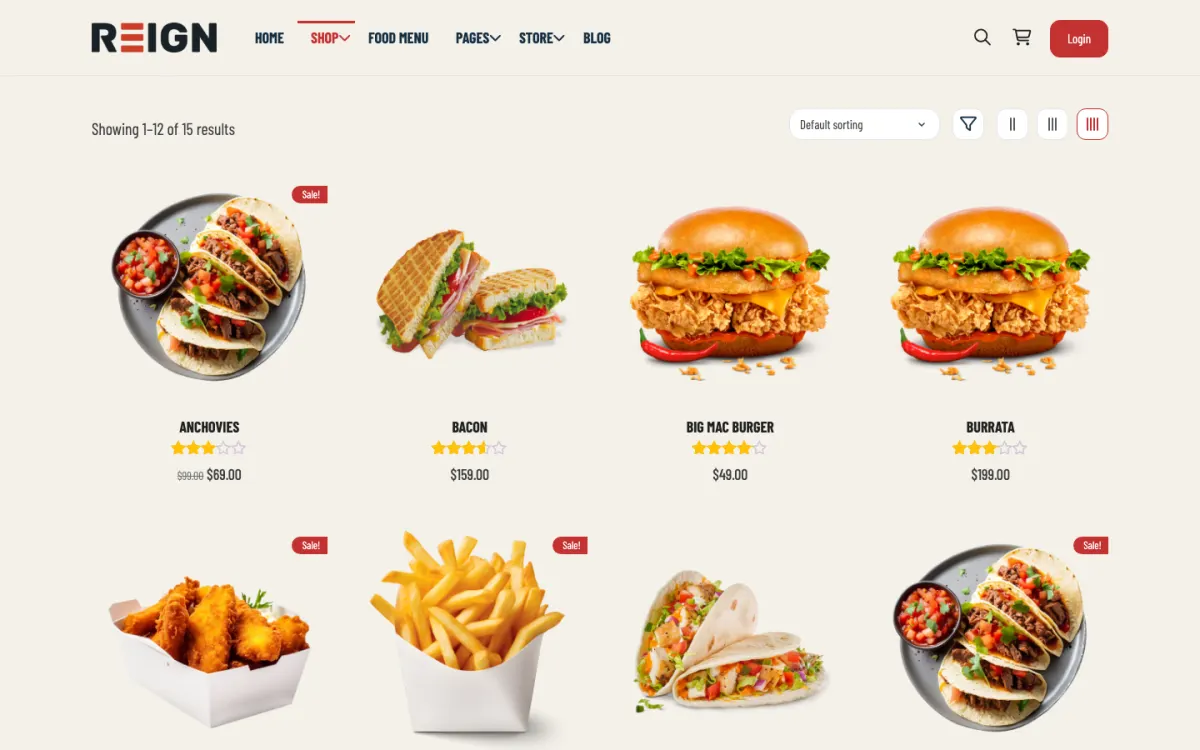
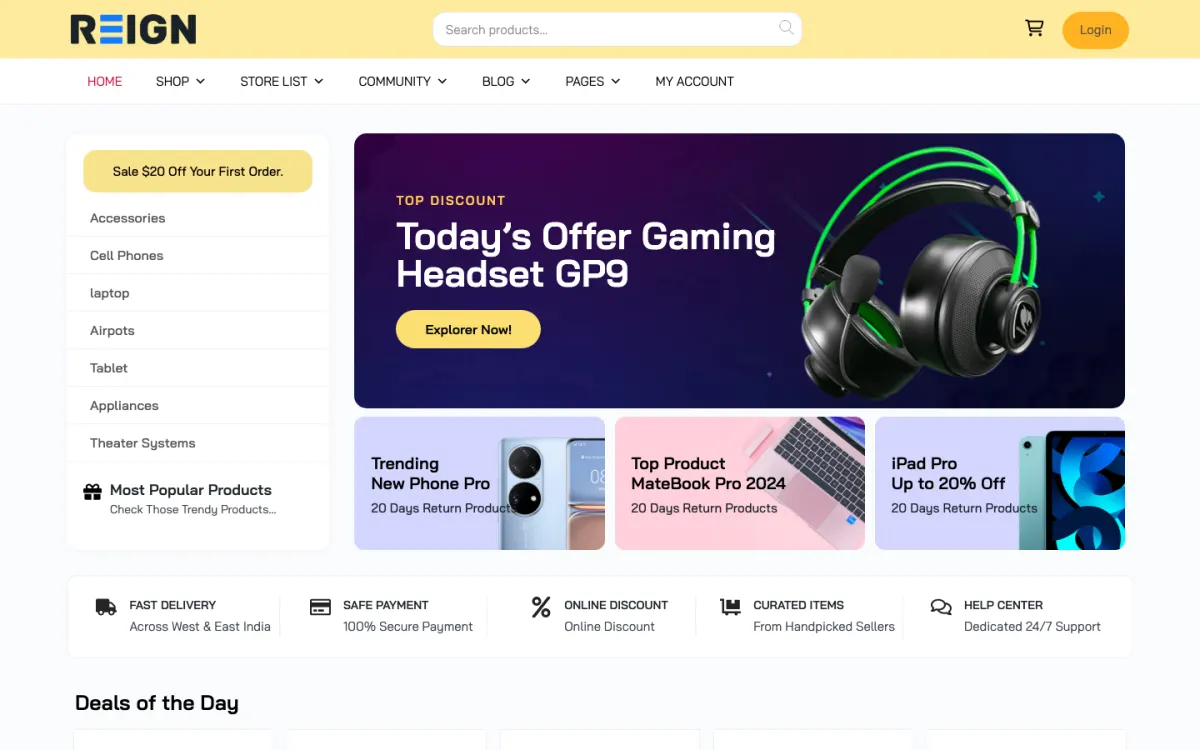
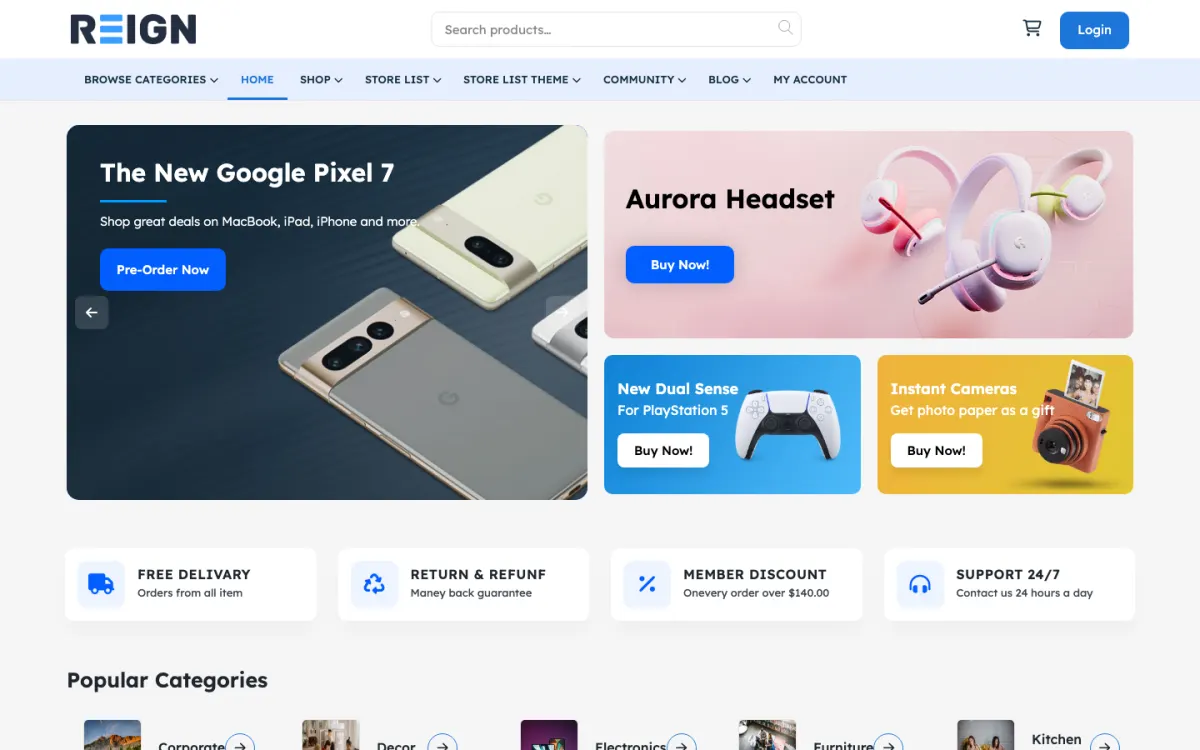
Vendor profiles with portfolio galleries via MediaVerse, free to install.
Venue listings with maps, photo galleries and a contact form on each one.
Featured and premium placement through Listora Pro paid listing plans.
You launch with vendor listings by category and region, portfolio galleries, enquiry forms and reviews. Wedding vendors sell visually, so galleries carry more weight than description text, and the enquiry form is the conversion point rather than a phone number. Couples browse many vendors and contact few, which shapes everything about the layout.
A couple browses a category, saves several vendors, and enquires with two or three. The cycle is long, often months, and heavily seasonal. Vendors judge the directory purely on enquiries received, so tracking and showing that number is what retains them. Reviews from real couples are what move a vendor from a shortlist to a booking.
Vendor subscriptions are the dominant model here, priced by category and region, because vendors think in terms of bookings won rather than clicks. Featured placement and category exclusivity sell well in a seasonal market. Advertising works less well than subscriptions for this audience.
Selling listings before the directory produces enquiries. Vendors judge on enquiries received and nothing else, so a subscription sold on promise churns at the first renewal. Give the first cohort free placement, produce enquiries, then charge with numbers to show.
Reign is the WordPress theme for building a complete community site: social network, courses, member directory, marketplace and job board on one install. A wedding directory is mostly the directory half, with media on top.
Listora handles listings by category and region, search, maps, member submissions, reviews with owner replies, claims and a contact form that saves each message as a lead. Pro adds paid listing plans, credits and coupons, verification badges and photo reviews, so you can sell premium placement when you are ready. MediaVerse, free, gives vendors galleries and albums. If a vendor has a lot of video, MediaVerse handles that too.
On a GeoDirectory stack, the Reign GeoDirectory kit is the packaged route, and the business directory build guide gives the steps. The plugins page explains the free and Pro split, and Reign is a flat theme licence.
The directory is only useful once every major category has real choice in your region, so recruit before you open.
Pick a region and list the categories couples search: photographers, venues, caterers, florists, music and celebrants.
Install WordPress with Reign, Listora and MediaVerse. The start page lists the order.
Set up the listing type with a starting-price field, a service-area field and a gallery. Add image-size guidance for vendors.
Recruit vendors by hand and offer free placement to the first group in exchange for a good gallery and a quick reply to enquiries.
Switch on the enquiry form and make sure vendors get the message and you can see the count. Test with a real email address.
Open to couples with a short campaign aimed at engaged people in your region, and ask your first vendors for introductions to recent clients who can leave reviews.
A couple browses one category at a time, often at weekends and in the evenings. They open a dozen listings, save a few, compare packages and prices, and send enquiries to two or three. The cycle takes months, which means they return many times.
A vendor checks enquiries as they arrive, replies, updates their gallery after a recent wedding and watches for new reviews. In busy months they have little time, so make the dashboard fast. In quiet months they have time to improve the listing, which is when to nudge them.
Your week is vendor care. You report enquiry numbers, approve new listings, check galleries for quality and chase reviews. The directory's reputation is the quality of the vendors in it.
Seasonality shapes growth. Enquiries cluster heavily, so use quiet months for recruitment and content, and busy months for converting free vendors to paid. An annual subscription taken in the quiet months gives you steady revenue.
Real-wedding content is the strongest asset. A post about a real wedding in your region, with vendors credited and linked, brings couples looking for local inspiration and gives vendors exposure. Feature those posts on the homepage and share them with the vendors involved.
Venues and category exclusivity sell well in a seasonal market. A featured venue slot or one exclusive caterer per area gives vendors a clear reason to pay.
Wedding vendors renew when they can see bookings and cancel when they cannot. You cannot promise bookings, because a booking depends on the vendor's reply, price and availability. What you can do is show them everything that happens up to that point, clearly and often.
Report enquiries monthly. Listora saves every contact-form message on a listing as a lead, so you can tell each vendor how many couples asked about them. Send a short summary with the count and the dates, and note which enquiries are still unanswered.
Help them reply faster. A vendor who answers within a day wins far more enquiries than one who takes a week. Tell them so in the welcome email, and congratulate the quick responders in the vendor group. Speed is the easiest improvement a vendor can make.
Ask for outcomes. After the wedding season, send a short question to each vendor: did any enquiries from the directory turn into bookings? Keep the answers private and use them to see what works. Never invent a figure for a sales page.
Keep vendors learning. A few posts a season on photography for listings, writing good packages and replying to couples cost little and make the directory feel like a partner. Vendors who feel supported renew without being chased.
Selling listings before the directory produces enquiries is the main one. A subscription sold on promise churns at the first renewal. Give the first group free placement, produce enquiries and then charge with numbers to show.
Letting vendors upload any image is the second. A gallery of phone snapshots defines the look of the whole site. Check what vendors upload early.
Third, do not hide pricing entirely. Couples filter hard on budget and vendors who hide it get enquiries they cannot convert.
If you are a single wedding planner or venue, you need a portfolio site rather than a directory; the photographers page shows how galleries and a client portal work. If you want a general local-services directory, see the pet services page for the same pattern in another niche.
If you cannot recruit vendors in your region, consider a smaller scope, such as one category, before building a full directory.
Manual outreach. Offer free listings to the first group, show them the enquiries the directory sends, and only then charge for premium placement.
Yes, through a vendor dashboard where they upload images, update packages and respond to enquiries. Image quality is the product on a wedding directory, so set size guidance and check what vendors upload early rather than letting a gallery of phone snapshots define the look.
Through a form on the listing that emails the vendor and records the enquiry on the site, so you can show vendors what they are getting. That record is what justifies the subscription at renewal, and without it you are asking them to take your word for it.
It is a fact to plan around rather than a problem to solve. Enquiries cluster heavily, so annual subscriptions smooth revenue better than monthly ones. Use the quiet months for content and vendor recruitment rather than expecting steady traffic.
Enough that every major category has real choice in your region, which usually means recruiting before you open. A directory where a couple clicks photographers and finds two listings does not get a second visit.
Encourage a starting price or a range. Couples filter hard on budget, and vendors who hide pricing get enquiries they cannot convert, which is worse for them than a filtered-out enquiry.
Listora and MediaVerse cost nothing to install, and each has its own Pro plan for later. Running the third-party stack instead? The Reign GeoDirectory kit is the packaged route. Or have the Wbcom team set either one up for you.
One theme, the whole site
Reign is the WordPress theme for building a complete community site: social network, courses, member directory, marketplace and job board on one install. Start with one, add the others when you need them, and keep one login for every member. Open a live demo, or launch a sandbox and get a fresh WordPress site to click through in about a minute.
Sell services or products from many sellers, with orders, reviews and commissions. Powered by WP Sell Services.
Profiles, activity feed, spaces, messages and moderation on your own domain. Powered by BuddyNext.
Lessons, quizzes, certificates and memberships, on the same login as the community. Powered by Learnomy.
Listings, search, maps and reviews that members can add themselves. Powered by Listora.
Employers post jobs, members apply, and you run the board from one dashboard. Powered by WP Career Board.
Reign with BuddyPress, ready in one click, or browse every demo by site type.
Add more when you need it
Tell us what you want members to do on your site. We will tell you which Reign setup, plugins and kit fit, before you buy anything.
Swift and expert coding by Kerit to apply a personalised display adjustment on the Reign Theme for a media plugin that was not fully supported at the moment.
I purchased Reign theme from Wbcom Designs, the support team was very helpful and I got the perfect website what I was looking for. Good work Wbcom Designs
WBComDesigns is amazing. The WP plugins and themes are of top notch quality with lots of features and updated very frequently. Supports are very responsive and helpful. I use Reign with TutorLMS, and the experience is surprisingly smooth. The recently launched BuddyNext Pro and MediaShield Pro are…
Love this company. Loved the REIGN product. They were there the entire time helping me set things up; and when things went wrong? They were quick to take action and help find a solution.
I am using the REIGN theme and several plugins from Wbcom Designs on my website. The theme is beautifully designed, and the plugins are user-friendly. Everything works smoothly, and the features are perfect for building professional websites and communities. What impressed me most is their…
I only have positive experience with wbcom. My journey started a lot of years back with the free buddyx theme. during my learning of wordpress and futher websites ideas I found a match with their Reign job mate theme. Always there to help, always open to explore ideas, always kind replyes even if I…
A great company with a great solutions that has helped me a lot and their customer service support is top notch even for free users. They need riducule their customers.
I have found that support for Wbcomdesigns has been very responsive and has gone above and beyond to help resolve any/all issues I run into.
Prompt and thorough feedback and responses, very easy to work with, really excellent customer service. I'm grateful to the team, particularly Kerit and Shashank, for their patience and help.
I received a very nice answer just a few hours after I created a ticket. Funnily enough, the feature I had requested in my ticket had just been implemented and released, so Kerit asked me to update the LD Dashboard plugin. It all works as I had hoped for my use case. Maybe I wasn't the first to…