
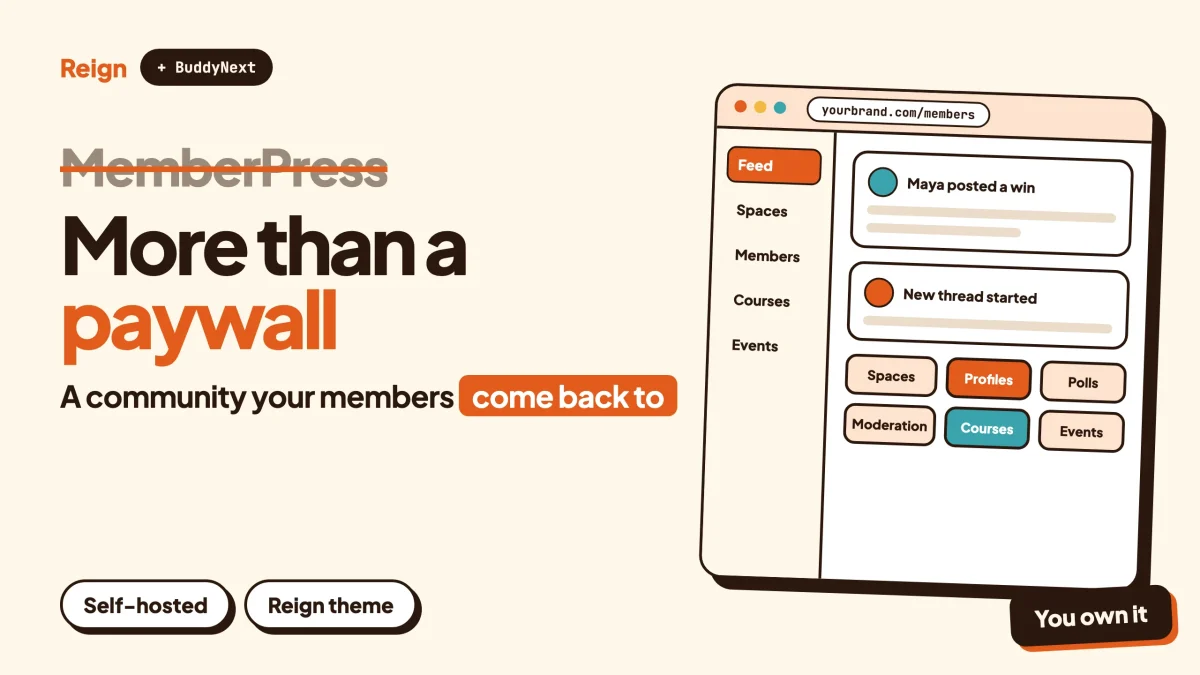
If you are looking for a MemberPress alternative because your members want a community and not just a locked door, the closest fit is BuddyNext, the self-hosted community engine from Wbcom Designs, with the Reign theme as its design layer. MemberPress is still the better pick when your main job is selling access. Wbcom makes BuddyNext and Reign, so read this as a vendor view and check each claim on the product pages. Details were checked in November 2026.
MemberPress is a good product. It is one of the best-known membership plugins on WordPress, and it does the unglamorous work well: it decides who sees what, takes the payment and handles the renewal.
That is also the catch.
A membership plugin answers the question “who is allowed in?” A community platform answers a different one: “what do people do once they are in?” Plenty of sites need both, and the choice of where the weight sits changes which tool you should start with.
When is MemberPress the better pick?
Start with the honest part. There are cases where you should stay on MemberPress, or choose it, and not read any further.
Pick MemberPress when the product you sell is access. A paid newsletter archive, a library of lessons, a members-only download area, a coaching programme. In all of those the content or the course is the draw, and the community, if there is one, is a side benefit.
It also wins on the commerce side. Its own pages list a wide set of payment methods, including Stripe, PayPal and Square, plus Apple Pay, direct debit and buy-now-pay-later options. They describe coupons, order bumps, built-in tax calculations including VAT, PDF invoices for customers, gifting and Corporate Accounts for selling bulk memberships to organisations. If you run a business that depends on checkout details like these, that is a real reason to stay.
And it has its own mobile story. MemberPress lists AppKit, which turns a membership or course site into a branded app for iOS and Android. BuddyNext ships as a progressive web app today, and a native mobile app is in development, so if a packaged app in the stores is a hard requirement this month, that point goes to MemberPress.
If none of that describes you, because the thing members are paying for is each other, keep reading.
Why look for a MemberPress alternative?
People do not usually leave MemberPress because it broke. They leave, or add something beside it, because the business changed shape. These are the reasons that come up most.
The community became the product
A site starts as a paywall around some lessons. A year later the most active part is the discussion, and members ask for a proper feed, profiles that mean something, groups for their own city or level, and a way to report abuse. A plugin built around access rules can bolt those on. A platform built around people has them as its centre.
You want the community layer to be deeper than a bolt-on
MemberPress now sells community tools under the ClubSuite name: private forums, messaging, profiles and directories. That is genuine progress, and for a small private forum it can be enough. The question is whether you want a forum attached to a billing tool, or a social engine that a billing tool plugs into.
You want to design the whole experience
The page where a member lands after login, the profile, the group, the directory, the dashboard. On a community site these are the product. A purpose-built community theme controls all of them. A paywall plugin mostly controls the checkout and the gate.
Moderation grew past one admin
Once a few hundred people post, you need reports, queues, warnings and a clear way to suspend someone. Those tools belong to the community side, and that is where a dedicated engine tends to be stronger.
You do not want the community tied to one billing plugin
If the membership plugin owns the community, then leaving the plugin means leaving the community too. Separating the two layers lets you change billing later without rebuilding the place where people actually talk.
None of these is a reason to panic. They are reasons to check your plan before the next round of spending.
What does MemberPress actually include today?
Going by MemberPress’s own public pages, as of November 2026, the product is a family of pieces more than a single plugin. Here is how they describe it.
| Area | What MemberPress advertises |
|---|---|
| Access control | Rules that restrict pages, child pages, posts, custom post types, categories, tags and files by membership or purchase |
| Billing | Subscriptions with automated billing, coupons, order bumps, a multi-item cart, PDF invoices, built-in tax calculations including VAT |
| Payments | Stripe, PayPal, Square, Apple Pay and other methods listed on the site |
| Content delivery | Drip content with timed releases and access expiry, protected digital downloads |
| Courses | A courses add-on described as a drag-and-drop LMS with quizzes and certificates |
| Coaching | CoachKit, with programmes, milestones and messaging |
| Community | ClubSuite: private forums (ClubCircles), private messaging (ClubConnect), member profiles and searchable directories (ClubDirectory) |
| Teams | Corporate Accounts for bulk memberships with parent and sub-accounts |
| Mobile | AppKit, a branded iOS and Android app built from your membership site |
| Build and integrate | A page maker called ReadyLaunch, a setup wizard, a REST API, email integrations and Zapier |
Two things stand out. First, the community pieces are real and sit on the main product page, so the old line that MemberPress has no community features is out of date. Second, the pages describe the community as private forums, direct messages, profiles and directories, all gated by the same access rules that protect everything else.
Which tier includes which piece is a pricing question. Check the MemberPress pricing page for plan limits, add-on availability and any transaction fee before you decide, because those details change.
Is it a membership problem or a community problem?
This is the question that settles most decisions, so it is worth a minute of honest answering.
Ask yourself what a member does in their second week. If the answer is “watches the next lesson” or “downloads the new file”, you have a membership site, and an access plugin is the right foundation. If the answer is “reads the feed, replies to someone, joins a group, asks a question”, you have a community, and the community engine should be the foundation.
A few more tests help.
- Who creates the content? If you do, it is a membership. If members do, it is a community.
- What makes someone stay? Fresh material from you points to membership. Other members point to community.
- What do you count? Paying subscribers is a membership number. Posts, replies and active groups per week are community numbers. Our post on community metrics worth tracking covers the second kind.
- What hurts when it breaks? A failed renewal or a broken checkout hurts a membership. An empty feed or an unanswered newcomer hurts a community.
Most real sites sit somewhere between. That is why the useful framing is not “which one wins” but “which layer comes first, and what plugs into it”.
For the trade-offs of renting a hosted community versus owning one on WordPress, what you actually keep on Patreon, Substack and Circle is a useful companion read. The same ownership logic applies when your paywall and your community live in different plugins.
What is the BuddyNext and Reign alternative?
BuddyNext is the community engine. Reign is the WordPress theme that gives it a face. Both are made by Wbcom Designs, and both run on your own WordPress site, on your domain, in your database. Neither charges a per-member fee or takes a share of what your members pay you.
Here is what the engine covers, using the product’s verified feature list.
Spaces and groups
Spaces can be public, private or secret. They nest, so a main community can hold sub-spaces for cohorts, cities or skill levels. Members have roles inside a space, new people can be added automatically, and invite links bring them straight in. Hashtags give a lighter way to follow a topic across spaces.
The feed
Members post to a feed, react, reply in threaded comments and @mention each other. Polls sit inside the feed. Posts can be pinned to a profile, comments can be pinned in a thread, and space announcements stay at the top. The feed checks for new activity every few seconds by default. Instant delivery over WebSockets needs a paid add-on and your own server, so check the product page.
Profiles and directory
Custom profile fields, member types, a member directory with field-level privacy, and an onboarding wizard that gets new members to fill in what matters. For a membership business this is where the “who else is in here?” value lives. If you want to go deeper on that layer, see our guide to building a member directory on WordPress.
Messaging and notifications
Direct messages are powered by WPMediaVerse. In-app notifications come as standard, and email digests help pull people back in. Push notifications are a paid add-on, so check the product page.
Moderation
Reports, strikes, suspensions, appeals, banned words and content warnings, with a front-end moderation queue. An AI moderation add-on exists for busier sites. Our community moderation guide shows how to set up the rules and the queue.
Private and gated communities
You can lock the whole site behind login, make single spaces private or secret, and gate spaces so only certain members can enter. Paid memberships and Stripe or PayPal billing come through BuddyNext’s paid add-ons, so check the product page for what is included in which licence.
The platform around it
BuddyNext is a progressive web app out of the box, has a REST API, personal-data export and erase tools, and a search function. A mobile app is in development.
Reign, the design layer
Reign handles how all of this looks. It has a dark mode toggle, RTL stylesheets, a mobile drawer menu, 27 block patterns, 8 style variations and a library of demo sites with an installer. It styles BuddyNext, BuddyPress and BuddyBoss Platform, and it has paid add-ons for LearnDash, LifterLMS, Tutor LMS, Dokan, WP Job Manager and others. It has been on WordPress for 13 years. If you are already on Reign, the post on upgrading a Reign site to BuddyNext shows the path.
For a site that sells access, the practical effect is that the front end stops looking like a plugin’s default screens. The login destination, the profile, the group and the directory are designed pages that share one visual system.
How do MemberPress and BuddyNext compare side by side?
This table is a fair summary of what each side puts at the centre. It is not a scorecard. Several rows favour MemberPress, and that is intentional.
| Question | MemberPress | BuddyNext with Reign |
|---|---|---|
| What is at the centre? | Access rules and billing | Spaces, feed, profiles and moderation |
| Paywall depth | Strong: rules by page, post type, category, tag and file; drip and expiry | Private and gated spaces; paid memberships come through add-ons, check the product page |
| Checkout tools | Coupons, order bumps, cart, tax and invoices described on the site | Billing add-ons for Stripe and PayPal; check the product page for the full list |
| Corporate or team accounts | Corporate Accounts for bulk memberships | Check the product page |
| Courses | Courses add-on with quizzes and certificates | Pair with Learnomy or a supported LMS through Reign add-ons |
| Community features | ClubSuite: forums, messaging, profiles, directories | Nested spaces, feed, polls, reactions, hashtags, mentions, profiles, directory, DMs |
| Moderation | Forum and access controls; check the docs for the detail | Reports, strikes, suspensions, appeals, banned words, content warnings, front-end queue |
| Design control | ReadyLaunch page maker and your theme | Reign theme with demo installer, block patterns and style variations |
| Mobile | AppKit for iOS and Android apps | Progressive web app now; native app in development |
| Hosting | Your own WordPress site | Your own WordPress site |
| Per-member fees | Check the pricing page | None |
Reading across the rows, the pattern is simple. MemberPress wins where the question is money and access. BuddyNext with Reign wins where the question is people and design. If your plan needs both, it is worth thinking about the order in which you build them.
Which modules fit a membership business?
A community on its own is only half of what most membership sites sell. Wbcom makes separate modules for the rest, and each one can run on its own. None of them is required for another. Check each product page for licence details.
Courses with Learnomy
Learnomy handles courses, sections and lessons, quizzes with timers, student progress and certificates with public verify links. It supports direct checkout and memberships. Live lessons link to a Zoom, Meet or Teams address that you paste in, with a start time, duration, countdown and Join button. Learnomy does not create the meeting itself. Drip and cohorts need a paid licence. If courses are your main product, read how to sell courses on WordPress with Stripe and how to create a paid online course community.
Forums and Q&A with Jetonomy
For deeper discussion than the feed gives you, Jetonomy offers forums, Q&A with accepted answers, an ideas board, nested spaces, trust levels and a moderation queue. It also has importers for bbPress, wpForo and Asgaros. Our post on the forum, Q&A and ideas board choice helps you pick the right shape.
Events with Eventonomy
Eventonomy covers RSVPs with capacity and waitlist, guest RSVP, recurring events, calendar views, ICS files and reminders. Members-only workshops and meetups are a natural fit. See the event calendar plugin comparison if you are weighing other options.
Points and badges with WB Gamification
Points, badges, ranks and rewards from activity give new members a reason to take their first steps. The post on Reign with WB Gamification walks through how the pieces fit.
Photos and video with MediaVerse
Member photo and video uploads with albums, which also power direct messages in BuddyNext. Useful for fitness, craft, cooking and any other hands-on topic.
The point of the modular approach is that you do not have to buy the whole stack on day one. Start with the engine and the theme. Add the module a real member request calls for. That is how most healthy communities grow, and it keeps the first month simple.
What other MemberPress alternatives are worth a look?
BuddyNext is the answer for one specific kind of site. Others will fit better, and the list below describes each at a level you can check on the vendor’s own pages.
Stay on MemberPress and use ClubSuite
If your community is small and private, and the billing side is where you spend your effort, the simplest answer is to keep MemberPress and switch on its own community pieces. You get one vendor, one set of access rules and one invoice. The trade-off is the depth of the social layer and the amount of design control you have over it.
FluentCommunity
A WordPress community and course plugin from WPManageNinja. Its site lists a feed, spaces, member profiles, discussions, a leaderboard, private messaging, directories and a courses module, and it describes the platform as running on your own site. It is a lighter-footprint choice for creators who want a clean community and courses in one install. It is not the same product as BuddyNext, and it does not come with a matching family of modules for directories, jobs and marketplaces from the same team. Look at their features page and compare against your list.
Hosted platforms: Circle, Skool and Mighty Networks
These are the polished, managed options. They are quick to start, and you do not touch hosting. The cost of that convenience is that your members, content and billing live inside someone else’s product. We have a guide for each: Circle alternative, Skool alternative and Mighty Networks alternative. For a broader look at the trade, see the best self-hosted community platforms.
Kajabi-style all-in-one platforms
If what you want is courses, a funnel and a membership in one hosted tool, the situation is covered in our Kajabi alternative post.
Another WordPress membership plugin
A different membership plugin may suit you better on price or features, and several are covered in our walkthrough of a WordPress membership site with Reign and PMP. If you take that route, the community layer on top is still the open question, and the answer is the same: pick the engine first.
A hybrid, with care
Some owners keep one tool for billing and run the community on another. Since both are WordPress plugins this can be done, but do not assume any two plugins work together. Test the pair on a staging site, check what each vendor documents, and look at how logins, roles and access rules line up before you move a single member.
How do you move from MemberPress to a community-first stack?
Do it in an order that never leaves paying members without access. Here is a plan that works for a site of any size.
- List what you actually use. Write down every membership level, every rule, every coupon in use and every integration. Mark which ones the community depends on. Many sites find they use a small slice of what they are paying for.
- Decide the new centre. Pick whether the new engine will replace MemberPress or sit beside it. Replacing is cleaner. Running both is safer in the first month.
- Build the new front end on staging. Install Reign and import the demo that looks closest to your brand. Our guide to installing Reign and importing a demo covers each step. Then add BuddyNext and set up the spaces, profile fields and onboarding.
- Mirror your access tiers. Decide which spaces map to which paid level. Keep the mapping on one page so you can test it. Members on a basic level should reach their spaces and nothing else.
- Plan billing separately. Active recurring subscriptions live with your payment processor, and how they move depends on the processor and the plugins on each side. Read the processor’s documentation, and consider letting existing subscribers run on the old setup until their next renewal while new sign-ups go to the new one.
- Keep the theme question separate. If you are also changing the theme, change your community theme without losing members covers the order of operations.
- Soft-launch to a small group. Invite a few active members first. Ask what they could not find, what confused them and what they missed. Fix it before announcing the move.
- Announce with dates. Tell everyone what changes, when, and what stays the same. Keep the message short and the new link obvious.
- Keep the old site read-only for a while. Do not delete anything for a few weeks. Redirect old URLs that matter for search.
If the community is brand new and does not exist yet, the plan is easier: build it first, then add the paywall. Our post on launching a community and getting the first 100 members covers the quiet early weeks, and the paid community on WordPress with Stripe post shows how the money side attaches.
What if your members live in a Facebook Group today?
A surprising number of MemberPress sites have a shadow community: a Facebook Group where the real conversation happens, because the membership site itself has nowhere to talk. If that is you, this is the clearest sign that you have a community problem and not a billing one.
The group is rented space. You do not control the reach, the rules, the data or the notification settings, and members who never log into your site still see everything. That is the opposite of what a paid membership should offer.
The alternative angle here is not about leaving Facebook overnight. It is about giving the group a home that your paywall can protect. A private space on your own site, with the same members who already pay you, takes away the reason to keep the conversation somewhere else. Our full walkthrough, how to migrate from Facebook Groups to a self-hosted WordPress community, covers the invite and cutover side in detail, so it is not repeated here.
One practical tip: run both for a short overlap. Post the best thread of the week on the new site first, and link to it from the group.
Why does the community layer matter for a paid membership?
The reasoning is plain. WordPress runs close to six in ten of the websites whose content management system W3Techs can identify, as of November 2026 (source: w3techs.com/technologies/details/cm-wordpress). So the pool of membership sites on it is large, and many of them sell content that looks much the same as their neighbour’s.
What does not look the same is the group of people around the content. Another site can copy your lessons. It cannot copy the members who answer each other’s questions at nine at night. This is the sustainable edge, and it is why the community layer deserves the same planning as the paywall.
If you want the broader picture of what makes a group of customers into a brand community, our post on what a brand community is sets out the steps.
Questions people ask
Is BuddyNext a direct replacement for MemberPress?
Not on its own for every site. MemberPress is built around access rules and billing, while BuddyNext is built around the community. For a site where community is the product, BuddyNext with Reign can be the foundation, with paid memberships added through its add-ons. For a site that mostly sells content access, MemberPress remains the stronger starting point.
Does MemberPress have community features?
Yes. Its public pages describe ClubSuite, which includes private forums, direct messaging, member profiles and searchable directories, all controlled by MemberPress access rules. Check the pricing page to see which plan includes them.
Can I use MemberPress and BuddyNext together?
Do not assume it. Both are WordPress plugins, so a combination may be possible, but compatibility depends on your versions, roles and gateways. Test on a staging site and ask both vendors before putting paying members on it.
Do I pay per member with BuddyNext or Reign?
No. There is no per-member fee and no share of your revenue. Licences for Wbcom products are separate, so check each product page for what is included.
What about courses and quizzes?
MemberPress describes a courses add-on with quizzes and certificates. On the Wbcom side, Learnomy covers courses, timed quizzes, progress and certificates with public verify links, and Reign has paid add-ons for LearnDash, LifterLMS and Tutor LMS. Our comparison of LearnDash, LearnPress, MemberPress and Learnomy goes through the LMS side in more detail.
Does my member data stay mine if I move?
On a self-hosted WordPress site, the database is yours in both cases. The harder part is moving subscriptions that are tied to a payment processor, so plan that step separately and read the processor’s documentation.
Related reading
- WordPress membership site with Reign and PMP: the paid community playbook
- How to build a paid community on WordPress with Stripe
- Best WordPress membership themes for paid communities
- What you actually keep on Patreon, Substack and Circle
- Kajabi alternative: courses, community and memberships on WordPress
- How to migrate from Facebook Groups to a self-hosted WordPress community
- Best self-hosted community platforms
- How to create a paid online course community with WordPress
- LearnDash vs LearnPress vs MemberPress vs Learnomy
If your members are paying for each other as much as for your content, start with the design layer: see Reign and its live demos, pick the layout closest to your brand, and add BuddyNext and the modules your launch needs. Billing and access rules can follow once the place people come back to is built.