
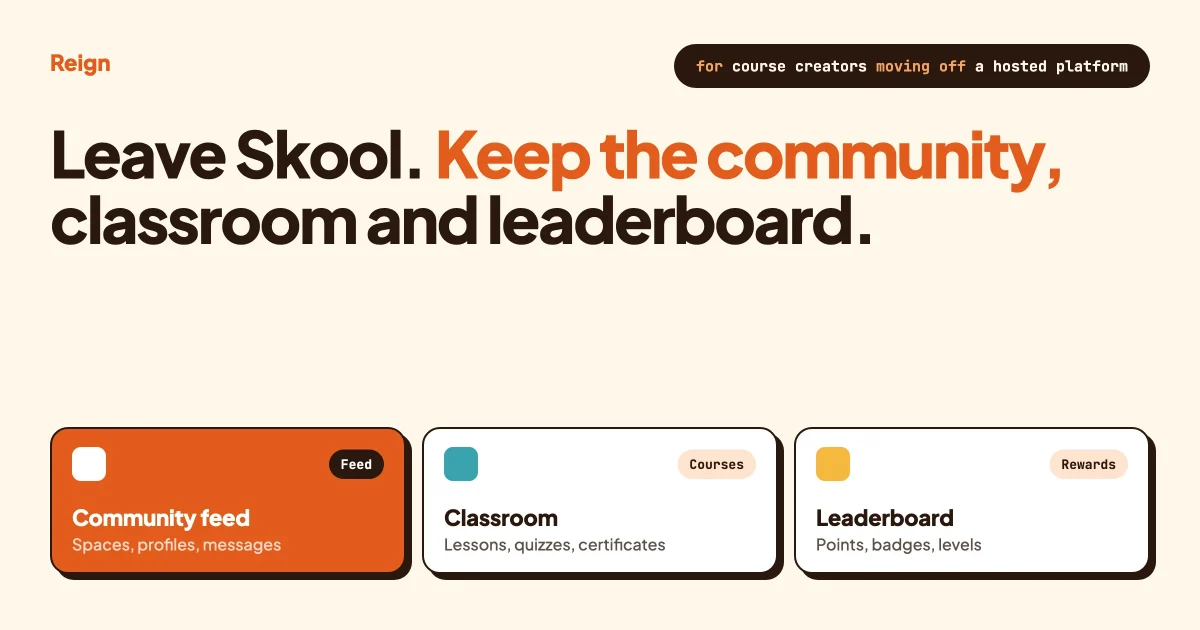
If you want to leave Skool but keep what your members like about it, the closest match on WordPress is a Reign site running BuddyNext for the community, Learnomy for the classroom, WB Gamification for points and levels, and Eventonomy for the calendar. You own the site, the member list and the content. You also take on hosting, updates and backups, which Skool handles for you today. This guide shows what maps to what, what you give up, and how to move without losing your members.
Skool details here were checked against Skool’s pricing page and our own earlier comparison in October 2026. Skool changes its plans often, so confirm anything that affects your budget on skool.com before you decide.
In this guide
- Why people start looking for a Skool alternative
- What Skool does well, so you do not leave for the wrong reason
- Skool features and their WordPress equivalents, in one table
- What you give up by leaving
- How to build a Skool-style community with Reign, step by step
- How to move your members from Skool
- Who should stay on Skool
- Questions people ask
Why do people look for a Skool alternative?
Most people leave for one of four reasons: the community sits on someone else’s platform, each community needs its own subscription, the entry plan takes a cut of member payments, or the layout cannot be changed to look like their own brand. None of these is a flaw in Skool. They are the cost of a hosted product that is deliberately simple.
Here is what Skool’s own pricing page says. Members, courses, videos and live calls are unlimited on both plans. The entry plan takes a higher percentage of what members pay you than the top plan does. Our earlier four-platform comparison adds that each community needs its own subscription, that the design is a fixed layout with a logo, banner and brand colour, and that export is mostly a member email list. That last point matters most when you plan a move, and we come back to it below.
The deeper question is ownership. On Skool, your member list, posts and course content live on Skool’s servers and follow Skool’s terms. On WordPress they sit in your own database, on your own domain, and search engines can index the discussions. If you want more detail on that trade, read what you actually keep on Patreon, Substack and Circle.
What does Skool do well?
Skool is fast to start and hard to get wrong. You get a community feed, a classroom for courses, a calendar and a leaderboard in one place, with almost nothing to configure. Its points and levels system is its best-known feature, and it gives members a reason to post and comment.
Be honest with yourself about this list before you move. If a simple, hosted product that someone else maintains is what you need, and the fees are acceptable at your size, Skool is a reasonable choice. A move makes sense when ownership, branding, a wider feature set or the fee structure starts to cost you more than the simplicity is worth.
Which Skool features have a WordPress equivalent?
Every core Skool feature has a counterpart you can run yourself. The table below pairs each one with the Wbcom product that does the job, and says plainly where the match is not exact.
| On Skool | On WordPress with Reign | How close is it? |
|---|---|---|
| Community feed and groups | BuddyNext activity feed and Spaces, styled by Reign | Close. Spaces can be open, private or secret, with roles and bans. |
| Member profiles and directory | BuddyNext profiles with custom fields and a member directory | Broader. You choose which fields exist and who can see each one. |
| Direct messages | Direct messages powered by WPMediaVerse | Close. Setup note below. |
| Classroom | Learnomy: courses, lessons, quizzes, student progress, certificates | Close for core course delivery. Check drip content and assignments against your needs. |
| Calendar and RSVPs | Eventonomy: event listings, calendars, RSVPs | Close. Reign styles the event pages. |
| Points, levels, leaderboard | WB Gamification: points, badges, ranks and rewards earned from member activity | Close in idea. Levels and rules are yours to set, so they will not look identical. |
| Paid groups | Membership tiers with Stripe, built into BuddyNext | Close, with more control over tiers and trials. |
| Branding | Reign: five header layouts, colour tokens and dark mode without code edits | Far beyond a logo and a banner. |
| Native mobile app | BuddyNext installs as a progressive web app | Not the same. See the next section. |
Reign also adds things Skool does not offer at all, such as a job board, a directory of listings or a service marketplace, because those plugins are styled by the same theme. You do not need them to leave Skool, but they are there when your community grows into them. Our guide to what you can build with Reign shows the range.
What do you give up by leaving Skool?
You give up three things: a native mobile app, hosting that someone else runs, and a product with very few settings. Each is a real cost, so weigh them against what you gain.
The mobile app
Skool has an app that mirrors the web experience. BuddyNext offers a progressive web app, which members add to their home screen from the browser. A native BuddyNext app is in development. If most of your members live on their phones and expect an app store listing, test the progressive web app with a few of them first.
Hosting and upkeep
On WordPress, someone has to keep the site updated, backed up and fast. That is you, your host or an agency. A managed WordPress host covers most of it, and the work is small once the site is set up. It is still work Skool does for you now.
Simplicity
Skool has few settings, which is part of its appeal. A WordPress community has many, which is the point of owning it and also the reason to start with the defaults. Resist the urge to configure everything in week one.
How do you build a Skool-style community with Reign, step by step?
Set up hosting and WordPress, install Reign, add BuddyNext and finish its setup screen, then switch on courses, events and points one at a time. Doing them in that order lets you test each layer before adding the next. Use a staging copy while you build, and keep Skool running until you are ready to move.
Step 1: Get hosting and a clean WordPress install
Pick a host that offers a current PHP version and at least 512 MB of PHP memory, which is what Reign’s BuddyNext guide recommends. Check the BuddyNext requirements in the setup documentation before you buy, because minimum versions change between releases. Install WordPress on your own domain, and use a subdomain such as community.yourbrand.com if you want to keep your main site separate.
Step 2: Install Reign
Install and activate Reign under Appearance, then Themes. Use the Reign Demo Installer to import a demo layout if you want a head start, then replace the demo content. A demo gives you real pages to adjust, which is faster than building menus and templates from nothing.
Step 3: Add BuddyNext and finish its setup
In Reign Settings, the Extend tab offers a one-click BuddyNext install. Run BuddyNext’s own setup screen to the end before judging how the site looks, because a half-finished setup can look like a theme problem. Then open Reign Settings, then Integrations, and look for the BuddyNext tile. It should read “Styling active”. If you are coming from BuddyPress instead of Skool, deactivate it first, as described in Keep Your Reign Site, Upgrade the Community.
Step 4: Set up Spaces and onboarding
Create one Space for each area your Skool group has now. A coaching group might start with Announcements, Introductions, Wins and Q&A. Keep it to four or five. Turn on the onboarding wizard so new members fill in a short profile, which is how you avoid a feed full of strangers.
Step 5: Move your courses into Learnomy
Install Learnomy and rebuild each Skool course as a course with lessons. Videos do not transfer automatically, so keep the original files or re-export them from wherever you recorded them. Add quizzes only where they help someone learn, and turn on certificates if members ask for proof of completion. Our guide to running a cohort programme on your own site covers timing and pacing if your courses run on a schedule.
Step 6: Add points and levels
Install WB Gamification and decide what earns points: a post, a comment, a completed lesson, a login streak. Start with three rules. Too many rules make points meaningless. The setup is covered in Reign and WB Gamification: Points, Badges and Leaderboards.
Step 7: Add events
If you run live calls, install Eventonomy and list them with RSVPs. See How to Run Community Events on Your Reign Site for the details. Link each event to the Space where members will discuss it afterwards.
Step 8: Set up paid access
Create your membership tiers and connect Stripe. Decide what each tier unlocks, such as one Space, a set of courses or the whole site. Check what each licence includes on the pricing page rather than assuming, because some features need a paid licence. The reasoning behind tier design is in Run a Paid Membership Community for Coaches and Consultants.
Step 9: Test it at phone width
Open the site on a phone and sign up as a new member. Post, reply, start a lesson and open an event. Fix anything that is awkward before a single real member arrives. Our pre-launch checklist lists 25 things worth checking.
How do you move your members from Skool?
Export your member list, set up the new site, invite members by email and run both sites side by side for a few weeks. Expect to re-create your content by hand, because posts, comments and courses do not move with a member list. Skool’s own export options change, so check what your plan offers today. Our earlier comparison reports that the main export is a CSV of member emails.
- Export what you can. Download the member list from Skool and save your course videos and documents from your own files.
- Check consent. Only email members who agreed to hear from you. Rules differ by country, so check yours before you send a bulk invitation.
- Build and test on staging. Finish steps 1 to 9 above before you tell anyone.
- Import members. Create the accounts on WordPress and send each person a link to set their own password. Passwords cannot move across, so every member sets a new one.
- Announce a date. Give members two to four weeks of notice and say what will be better for them, not only what is better for you.
- Run both for a while. Keep Skool open and read-only once most members have moved, then cancel when activity there stops.
The same approach applies to any hosted platform. Our guide to migrating a Facebook group to WordPress covers the communication side in more depth.
How do you compare the real cost of Skool and WordPress?
Add up every recurring cost on each side at your current member count, then again at double that count. Do it on paper before you decide. The result depends on your numbers, so we do not quote any here, and prices on both sides change.
For Skool, list the subscription for each community you run, the percentage taken from member payments on your plan, and any payment processor fee on top. For WordPress, list hosting, your Reign licence, the licences for any add-ons you need, an email sending service, and the processor fee, which you pay on both sides. Then add a line for your time or a maintenance service, because owning a site is not free labour.
Two things usually decide the comparison. The first is growth: a percentage cut grows with your revenue, while hosting and licences grow slowly. The second is how many communities you run, since each Skool community has its own subscription and one WordPress site can hold several Spaces. If you run a single small group with modest income, the gap may be small, and ownership is the main argument. If you run several groups or charge more per member, the gap can be large. Work it out with your own figures.
What does upkeep on your own site really involve?
Upkeep is a short, regular routine. It takes more effort in the first month and then settles. Plan for these five jobs.
- Updates. Update WordPress, Reign and your plugins on a staging copy first, then on the live site. Do it weekly or fortnightly, not once a year.
- Backups. Keep daily backups stored away from the web server, and test a restore once so you know it works.
- Email delivery. Community notifications and digests are email. Send them through a transactional email service rather than your host’s default mail, or many will land in spam.
- Speed. Use a host with server-side caching and check your pages after big changes. Our Reign performance guide covers what to measure.
- Security. Use strong passwords, two-factor sign-in for admins and a firewall or host-level protection. BuddyNext supports two-factor sign-in for members as well.
If you would rather not do these yourself, hire a maintenance service or choose a managed WordPress host. That is a cost to include in the comparison above, and it is still a choice you make, not a rule someone else sets.
How do you rebuild Skool levels so members still feel progress?
Skool’s levels work because they are visible and they unlock things. Copy that logic, not the exact numbers. Give each level a name that fits your community, tie it to actions you want, and attach a small reward members can see.
Here is an example for a cooking course community. The names and thresholds are illustrations, so set your own.
| Level | How a member reaches it | What it unlocks |
|---|---|---|
| Prep cook | Join and complete the profile | Access to the Introductions Space |
| Line cook | Finish the first course and post three times | Access to the weekly recipe swap |
| Sous chef | Help others by answering questions regularly | A badge on the profile and early access to new lessons |
Test whether members can reach the second level within their first week. If they cannot, the early steps are too hard and people will not stay long enough to find the rest.
What should the announcement to members say?
Say what is changing, why it helps them, the date, what they need to do and where to get help. Keep it short and send it more than once. People who ignore the first message often act on the second.
A plain version could read: “We are moving our community to our own site on [date]. You will get an email with a link to set your password. Everything you posted stays available on Skool until [date], and your course access carries over. If anything goes wrong, reply to this email.” Edit it to match your voice and your facts. Do not promise things you have not tested, such as progress carrying over, unless you have set that up yourself.
Send a reminder a week before, another on the day, and a thank-you after. Ask a few of your most active members to move first and welcome everyone else. A busy site on day one makes the move feel like an upgrade instead of a chore.
What mistakes do people make when leaving a hosted platform?
- Moving everything on day one. Start with the community and the main course, then add events and points once members settle.
- Copying every Skool feature. Some features exist because Skool has no other option. Pick the ones your members actually use.
- Skipping the staging test. Try the sign-up, a lesson and a payment as a new member before anyone else does.
- Forgetting the old links. If you shared Skool links in emails or on social profiles, update them once the new site is live.
- Cancelling too early. Keep Skool open until activity there has stopped, then cancel.
Who should stay on Skool?
Stay on Skool if you want the least possible setup, you have no interest in running a website, and the fees are fine at your size. Stay if your members mainly use the native app. Stay if your whole business is one small paid group and design does not matter to you. A move costs time, and you should only pay it for a reason that matters to your community.
Questions people ask
What is the best Skool alternative?
It depends on what you value. If you want ownership, branding control and a wider feature set, a WordPress build with Reign and BuddyNext is built for that. If you want another hosted product, compare Circle and Mighty Networks in our platform comparison.
Is there a free Skool alternative?
Nothing is entirely free, because you pay for hosting and your time. Several WordPress plugins have no per-member fees. Add up hosting, licences and any payment processor fees, then compare that total with your Skool subscription at your current member count.
Can I keep my members’ progress and points?
Not automatically. Course progress and points live inside Skool. You can start members fresh on the new site, or award starting points by hand to your most active people so they do not feel they lost ground.
Do I need a developer?
Not for a standard build. The steps above use plugin settings and the Reign theme, with no code. If you want a hand with setup, Reign offers a done-for-you service. A developer is useful if you have custom needs, such as a single sign-on link to another system.
Will search engines find my community?
Public Spaces and pages sit on your own domain, so search engines can index them. Private Spaces stay private. That is a real difference from a hosted platform, where the content lives on the platform’s domain.
Reign is the theme behind every setup in this guide. It styles the community, courses, events and points from one place, so the site looks like yours. See the Reign theme page for features and demos, or try the BuddyNext live demo to click around a working community first.