
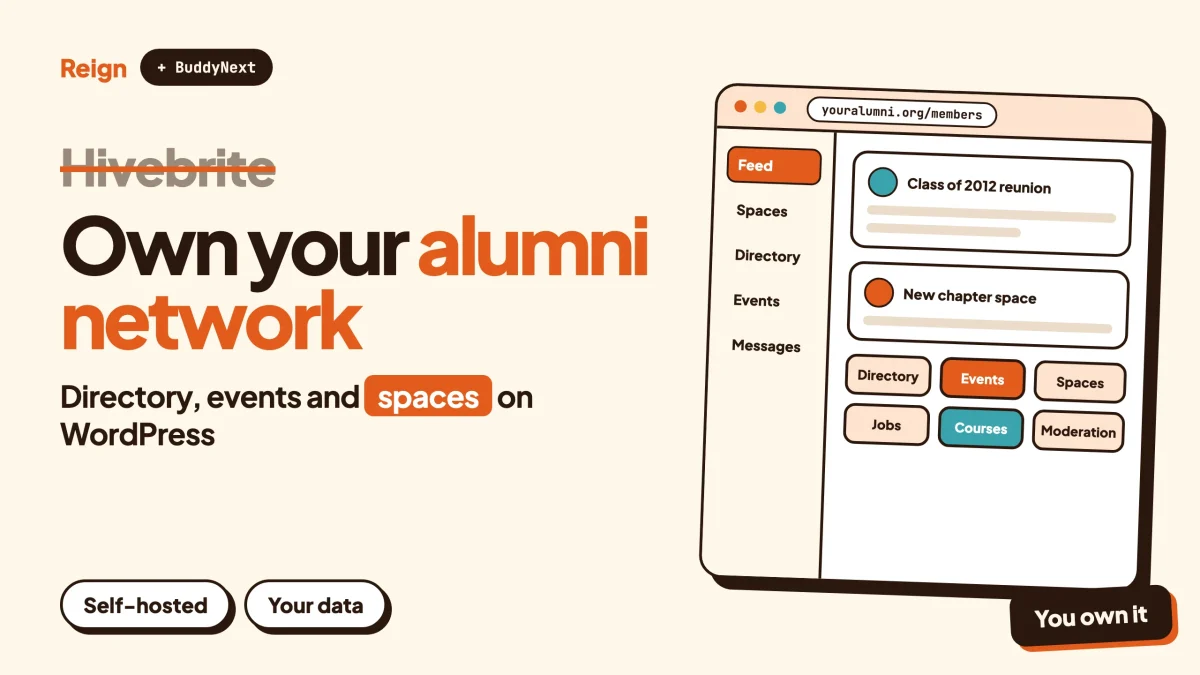
If you want a Hivebrite alternative that you own, the closest match on WordPress is BuddyNext, the community engine from Wbcom Designs, with the Reign theme as its design layer and Eventonomy for events. You host it, you keep the member database, and you add modules only when your members ask for them. Wbcom makes all of these, so read this as a vendor view. Hivebrite is still the better pick for some organisations, and the next section says which.
Hivebrite is a hosted community platform that positions itself at alumni networks, associations and larger organisations. This guide describes it only in general terms and leaves its module list to the vendor. Check hivebrite.io for the current features. Details on the Wbcom side were checked in November 2026.
When is Hivebrite the better pick?
Hivebrite is the better pick when you want a vendor to run the platform and your organisation is large enough to buy it that way. If nobody on your team wants to look after a WordPress site, a hosted platform with an implementation team behind it removes that job.
That is a real advantage, and it is worth saying plainly before any pitch.
A hosted platform suits you when:
- Your organisation already buys enterprise software and has a procurement process for it.
- You want a vendor accountable for uptime, security patches and support, in writing.
- Your IT team does not want another site to maintain.
- You need a packaged native mobile app today rather than a progressive web app.
On the last point, be careful with comparisons. BuddyNext ships a progressive web app, which members can add to their home screen. A native mobile app for BuddyNext is in development and is not available yet. If a branded app in the app stores is a hard requirement this quarter, that favours a hosted vendor.
Where a self-hosted route wins is ownership, flexibility and fit for smaller budgets and smaller teams. That covers a regional alumni chapter, a trade association with a few thousand members, a professional body, a school foundation or a club. Those groups often do not need an enterprise platform. They need a place to post news, run events, keep a directory and collect dues, and they want to keep the data when a committee changes hands.
Why do people look for a Hivebrite alternative?
Most people look for a Hivebrite alternative for one of four reasons: cost structure, ownership, flexibility or scale mismatch. None of them is a scandal. They are the normal trade-offs of renting a platform.
Cost structure
Hosted platforms for organisations often price by size or by agreement, so ask the vendor how its pricing works and what implementation involves. A volunteer-run association may struggle to commit to a recurring contract, because its own income swings with the membership year.
Self-hosting changes the shape of the bill. You pay for hosting and for the modules you use, and the total does not rise because your member count did. We do not quote prices in this post, so check each product page for licence details.
Ownership
An alumni database is the most valuable thing an association owns. Who graduated when, who works where, who gave, who volunteered. On a hosted platform that data sits in the vendor’s system, and you can usually export it, but the live community stays behind.
On WordPress the database is yours, on a server you choose. If the platform changes direction, you keep the members, the posts and the relationships.
Flexibility
Alumni and association communities rarely fit one template. One has a mentoring programme, another has a job board, another has a paid directory of members in good standing. A modular stack lets you add a job board or a directory without changing platform.
Scale mismatch
A platform aimed at large organisations can be more than a chapter of 400 people needs. Formal rollouts, many roles and long implementation projects suit the big organisation and can slow the small one.
What does an alumni or association community actually need?
An alumni or association community needs six things: a member directory, a place to talk, events, a way to collect dues or donations, communication tools and moderation. Everything else is optional.
Start from that list rather than from a vendor’s feature page. It keeps you from paying for a long tail of tools your committee will never switch on.
- A directory. Members find each other by year, city, industry or interest. Privacy controls matter, because not everyone wants to be listed.
- A place to talk. A feed for news and a set of groups for classes, regions and interests.
- Events. Reunions, chapter meetups, webinars and annual meetings, with RSVPs and reminders.
- Money. Dues, event fees or donations. Check your local rules for how you collect and report them.
- Communication. Notifications, digests and announcements that reach people who do not log in daily.
- Moderation. Reporting tools, warnings and a record of what was decided, so a volunteer moderator does not have to improvise.
For a deeper look at this exact use case, we wrote a separate walkthrough: build a professional association or alumni network with Reign. It covers the layout side in more detail than this post does.
What does the BuddyNext and Reign stack give you?
BuddyNext gives you the community engine, and Reign gives you the design layer on top. Together they cover the feed, groups, profiles, directory, messaging and moderation on your own WordPress site. Here is what BuddyNext lists, based on its product and code.
Spaces and the feed
Spaces are BuddyNext’s groups. A space can be public, private or secret, can have nested sub-spaces, and supports roles, auto-join and invite links. For an alumni group, think of a space per graduating class, a space per city chapter and a secret space for the committee.
The feed supports hashtags, reactions, threaded comments, @mentions and polls. Posts and announcements can be pinned. Updates arrive by the feed checking for new posts every few seconds. Instant delivery over WebSockets needs a paid add-on and your own server, so do not plan on instant chat behaviour from the default setup.
Profiles and the member directory
Member profiles have custom fields, member types and field-level privacy. That matters for alumni. You can add fields such as graduation year, degree, employer and city, create member types such as graduate, current student, faculty and friend, and let each member decide which fields are visible.
The member directory lists everyone and lets people find each other. If directories are central to your plan, read how to set up a member directory plugin on WordPress before you design your fields.
Onboarding
New members meet an onboarding wizard. Use it to collect the graduation year and to point people to the right spaces on day one. An alumni network lives or dies on whether a new member finds their own class in the first minute.
Moderation
BuddyNext includes reports, strikes, suspensions, appeals, banned words, content warnings and a front-end moderation queue. A volunteer moderator sees reports in one place and acts without opening the admin area. For rules and process, see our community moderation guide and the community guidelines template.
Privacy and data
Private communities and gated spaces are supported, and BuddyNext includes personal-data export and erase tools. These help when a member asks for their data. They do not make you compliant on their own, so check your local rules and have someone qualified review your setup.
Direct messages and the rest
Direct messages are powered by WPMediaVerse. BuddyNext also includes in-app notifications, search, a REST API and a progressive web app.
Reign as the design layer
Reign is the WordPress theme from the same team. It styles BuddyNext, BuddyPress and BuddyBoss Platform, and it comes with a demo library and installer, 27 block patterns and 8 style variations, a dark mode toggle, RTL stylesheets and a mobile drawer menu. For an association, the useful part is that you can import a demo that looks close to what you want, then change the logo and colours to match your institution. If you are new to it, installing Reign and importing a demo takes you through it step by step.
Already running an older community on Reign? Keep your Reign site and upgrade the community to BuddyNext shows the path.
How do events work for an alumni group?
Events are handled by Eventonomy, a separate Wbcom plugin. It offers RSVPs with capacity and a waitlist, guest RSVPs, recurring events, calendar views, ICS downloads and reminders.
Those features map onto alumni life easily. A reunion has a cap on attendees, so capacity and a waitlist matter. A monthly chapter coffee is recurring. A plus-one is a guest RSVP. A member who wants the date in their calendar uses the ICS file.
One honest caveat. We do not claim an integration between Eventonomy and BuddyNext, so treat them as two plugins that sit on the same WordPress site. Each one runs on its own, and you link between them with ordinary menus and pages. Tickets, check-in and attendee management need a paid licence, so check the Eventonomy product page at eventonomy.org for what each licence includes.
If you are still comparing calendar plugins, our roundup of the best WordPress event calendar plugins sets Eventonomy next to the alternatives.
Other modules that suit associations
The modules below are separate products. Add them only if they match a real need.
- Listora for a directory of members, firms or local businesses, with categories, search and member submissions. Read about directories with claims and paid listings for the model.
- WP Career Board for a job board that members and employers can use. See how to build a job board site with Reign.
- Jetonomy for forums, Q&A with accepted answers and an ideas board. It helps when a mentoring or advice area needs threads that last. Compare formats in forum vs Q&A vs ideas board.
- Learnomy for courses, quizzes and certificates, useful for continuing education. Course certificates on WordPress covers that side.
- WB Gamification for points and badges that reward participation, such as volunteering or event attendance.
Where does MemberPress fit?
MemberPress is a WordPress membership plugin, and it solves a different problem from a community. It controls who can see what and who has paid. A community engine such as BuddyNext controls how members talk to each other. Many associations need both.
Going by its own site, MemberPress sells memberships and subscriptions, controls access with rules, supports payment gateways, and includes a course builder. It also lists ClubCircles forums for member discussion and ClubDirectory for searchable member profiles. That means it can reach into community territory on its own, and for a small group that may be all you need.
Here is a simple way to choose:
- Pure access control. If your main job is gating content, collecting recurring dues and releasing material on a schedule, MemberPress is built for that, and a full community engine would be extra.
- Community first, access second. If members posting, replying, joining groups and finding each other is the point, start with the community engine and add paid access to it.
- Both. A tiered association, where dues open up groups, content and events, often pairs a membership plugin with a community engine.
BuddyNext has native Stripe membership tiers. Paid memberships, Stripe and PayPal billing, email broadcasts and drip, push notifications, AI moderation and white-label are paid add-ons, so check the product page for licence details. For the money side in general, read how to run a paid community on WordPress with Stripe, and for a MemberPress write-up in its own right see our MemberPress review.
How do the options compare?
The table compares approaches, not scores. Each row is a trade-off, and the better choice depends on what your organisation can run.
| Question | Hivebrite | BuddyNext with Reign | MemberPress |
|---|---|---|---|
| How is it delivered? | Hosted by the vendor | Self-hosted on your WordPress site | WordPress plugin on your site |
| Who owns the database? | Check the vendor’s terms | You do | You do |
| Main focus | Alumni, association and organisation communities | Community: spaces, feed, profiles, directory, moderation | Memberships, subscriptions and access control |
| Who runs the technology? | The vendor | You, your host or an agency | You, your host or an agency |
| Events | Check the vendor’s site | Eventonomy, a separate plugin | Not its focus, add a calendar plugin |
| Member directory | Check the vendor’s site | Built in, with custom fields and field-level privacy | ClubDirectory, per its own site |
| Mobile | Check the vendor’s site | Progressive web app, native app in development | AppKit, per its own site |
| Pricing | Check the vendor’s pricing page | Check each product page | Check the vendor’s pricing page |
| Best for | Larger organisations that want a vendor to run everything | Chapters, associations and clubs that want to own the platform and grow it by module | Groups whose main need is paid access to content |
Where the Hivebrite column says to check the vendor, that is deliberate. Their feature set changes, and a comparison that guesses ages badly.
What about the Facebook Group you already have?
Most alumni communities begin as a Facebook Group or a LinkedIn group, and many still run that way. It costs nothing to start, everyone already has an account, and the committee can set it up in an afternoon.
The limits show up later. Members cannot be sorted by graduation year. Announcements compete with everything else in the feed. Event RSVPs are loose. And the group sits on a platform whose rules and reach you do not control.
We already wrote a step-by-step guide for the move itself: how to migrate from Facebook Groups to a self-hosted WordPress community. This post takes a different angle. The question here is not how to leave Facebook but whether to jump straight to an enterprise platform or to a platform you own.
A sensible middle path for a small group:
- Keep the Facebook Group running for discovery.
- Stand up the WordPress community with the directory, the events and the private spaces.
- Post the important announcements on the new site first, and link to them from the group.
- When most active members have an account, retire the group or let it become a public noticeboard.
To confirm it worked, check that a member can find their graduating class in the directory and RSVP to an event without ever opening Facebook.
If you are weighing a chat-style option as well, the Discord alternative on WordPress post covers when a chat server is the right tool.
How do you decide in one afternoon?
You decide by answering five questions in writing with your committee, then testing the top choice with real members. Skip the long vendor comparison spreadsheet.
- Who will run the site? Name a person, not a role. If the answer is nobody, a hosted vendor or a managed host with an agency is the honest choice.
- What must the first month deliver? Usually a directory people can search, one place for news and a working event page. Anything else can wait.
- Who has to approve spending? A board that meets twice a year suits a modest annual bill more than a contract negotiated in stages.
- What happens to the data if the volunteer who set this up leaves? Ownership matters most on the day somebody quits.
- Which members are hardest to win over? Test with them. If a reluctant member can join, find a classmate and RSVP in a few minutes, the setup is good enough to launch.
Open the Reign demo on your phone, walk through it as a member, and write down what you would change. That list is your first week of work.
How do you move off a hosted platform?
You move off a hosted platform in four stages: export, map, import and run both for a short time. Plan for the export first, because that is where the surprises are.
Step 1: Ask for the export
Request your member data from the current vendor, and ask which fields, groups, posts and files are included. Do this before you decide on dates. Terms differ between platforms, so check your contract and the vendor’s help pages.
To confirm it worked, open the file and check that a few members you know are present with the right class year and email.
Step 2: Map the fields
List every profile field on the old platform and decide where it goes. In BuddyNext this means custom profile fields and member types. Drop what nobody used.
To confirm it worked, build one test profile by hand with every field and read it back as a member would.
Step 3: Import and invite
Import members in a small batch first. BuddyNext has a REST API, and standard WordPress import tools cover the plain user data. Then invite people with a clear message that explains why you moved and what they get. Avoid sending a bare link.
To confirm it worked, ask three members to log in on their phone and tell you what confused them.
Step 4: Run both briefly
Keep the old platform live while the first events and announcements run on the new one. Set an end date and say it out loud. Open-ended overlap splits attention and stalls the move.
To confirm it worked, count how many active members posted or RSVPed on the new site in the last two weeks before you switch the old one off.
Set the stage for your volunteers
Associations run on volunteers, and volunteers leave. Write down who has admin access, who moderates, and where the dues records live. A short handover document is worth more than any feature. Our what is a brand community post is a helpful read for the person who needs to explain the purpose of the group to a new committee.
Questions people ask
Is there a cheaper way to replace Hivebrite?
Running any community costs something, whether that is a subscription or hosting plus modules. A Facebook Group costs nothing to start, but you do not own it. A self-hosted stack costs hosting plus the modules you choose, so check each product page for current licence details.
Can BuddyNext handle an alumni network with thousands of members?
BuddyNext runs on WordPress, so the answer depends on your hosting, caching and setup. Choose hosting built for community sites, and read our note on best hosting for community websites. We do not publish benchmark numbers for it.
Do I need Reign to use BuddyNext?
No. BuddyNext is a plugin and works with other themes. Reign is the design layer from the same team, with templates and styling made for it, and it also styles BuddyPress and BuddyBoss Platform.
Can I collect dues and donations?
BuddyNext has native Stripe membership tiers, and a membership plugin such as MemberPress is another route for recurring dues. Check your local rules on how you collect, record and report money.
Does the stack have a mobile app?
BuddyNext ships a progressive web app that members can add to their home screen. A native mobile app is in development and is not released.
Related reading
- Hivebrite review: behind the hive of modern community management
- Build a professional association or alumni network with Reign
- Best self-hosted community platforms
- BuddyPress alternatives
- Circle alternative on WordPress
- Best WordPress membership themes
- Build a private social network on WordPress
- Reign with WB Gamification: points, badges and leaderboards
Ready to see it? Look at the Reign theme and its live demos, pick the layout closest to your institution, then add BuddyNext for the community and Eventonomy for events. A live BuddyNext demo is available here.