
Most teams that get asked to build a “member community” for an association or an alumni office start by copying the shape of a general social network. They put the activity feed front and centre, add a groups page, and call it done. Then six months later the sponsor asks why nobody logs in.
The reason is structural, not cosmetic. A professional association or an alumni network is not a feed-first community. It is a directory-first, chapter-organised, dues-driven membership operation that happens to run on community software.
If you build it like a Facebook group, the parts that actually matter to your members, the searchable directory, the chapter spaces, the renewal cycle, end up bolted on as an afterthought, and engagement never takes off.
This guide walks through how to build that structure properly on Reign, Wbcom Designs’ BuddyPress-powered community theme for WordPress. It covers member states, member types, chapters and cohorts, the directory, privacy, dues and lapses, events, and a members-only resource library, in the order you should actually build them.
The mistake: building an association like a social network
A general-purpose social community has one kind of member and one central surface: the feed. People join, post, follow each other, and the feed is where value gets created and consumed.
An association has none of that as its centre. It has:
- Several distinct member states (prospective, paying, lapsed, honorary) that each need different access
- Members organised by chapter, cohort or region as much as by shared interest
- A directory that people search with intent (find a mentor, find a vendor, find a classmate) rather than browse casually
- A public marketing face that has to sell membership, sitting next to a private interior that only members should see
- A renewal cycle with real financial consequences if it is handled badly
If you design around the feed, all of that gets squeezed into a corner. If you design around the directory and the chapters, the feed becomes what it should be for this audience: a nice-to-have layer on top of the actual product.
That is the core argument of this guide. Treat the member directory as the product. Treat chapters and cohorts as the primary organising structure. Treat the feed as secondary. Everything else follows from that.
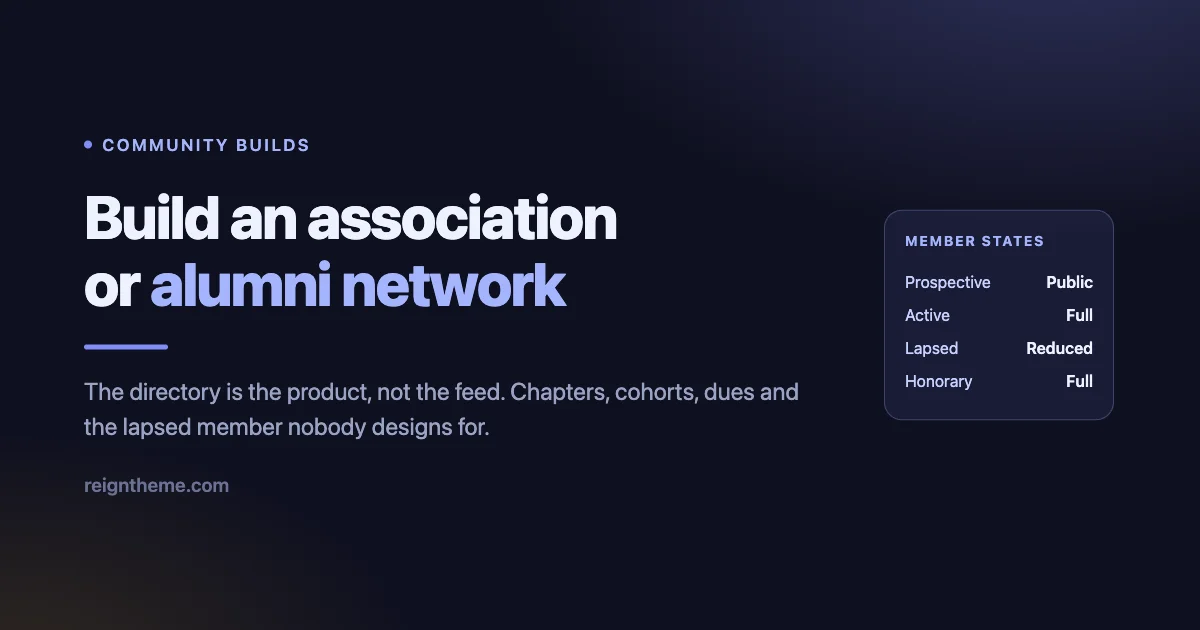
The four member states you have to design for
Most planning conversations talk about “members” as if it were one group. In an association it never is. You are always managing at least four distinct states, and each one needs its own answer to two questions: what can they see, and what can they do.
The state everyone forgets to design for on purpose is lapsed. It is tempting to treat a lapsed member the same as someone who never joined: cut off, redirected to a renewal page, nothing else. That is the wrong call.
A member who paid dues for years and is now locked out entirely has no reason to come back and renew. They cannot even remember what they are missing.
The better pattern is to degrade access, not remove it. A lapsed member should still be able to log in, still see their own profile and connections, still see that the directory and events exist, but lose the things dues actually pay for: full directory search, event registration, the resource library, private messaging with other members. Enough visibility to feel the loss, not enough access to make renewing pointless.
| Member state | What they can see | What they can do | What they should NOT lose |
|---|---|---|---|
| Prospective (not yet joined) | Public pages: about, chapters overview, event calendar teasers, join/renew page | Register, browse public content, start an application if one is required | A clear, low-friction path to becoming active; do not bury the join button behind a login wall |
| Active (dues paid) | Full member directory, all chapter and cohort spaces they belong to, resource library, event listings | Search and message other members, join groups, register for events, download resources, post in the feed | Nothing withheld; this is full access and it should feel noticeably richer than prospective |
| Lapsed (dues expired, in grace period or beyond) | Their own profile, a reduced or read-only directory view, a renewal prompt, public content | Log in, view their history, start a renewal, message current staff or support | Their profile data, their chapter and cohort memberships, and the ability to renew without re-registering from scratch |
| Honorary or lifetime | Everything active members see, sometimes with a badge or distinct profile marker | Everything active members can do, with no renewal prompts ever shown | Recognition of status; do not run them through the same renewal messaging as paying members |
Notice the honorary row is not a technicality. Alumni associations in particular tend to carry lifetime members, founding members, or past presidents who should never see a “your membership is expiring” banner. Getting this wrong reads as careless to exactly the people whose goodwill you most need.
Member types drive everything
Once you have the four states mapped conceptually, you need a mechanism to enforce them. That mechanism is BuddyPress’ member type system, exposed through the free BuddyPress Member Type plugin from Wbcom Designs.
Member type is a field on a user’s BuddyPress profile that you define once (active member, student member, lapsed member, honorary member, staff, and so on) and then use as the condition everywhere else in the build. It is the hinge the whole structure turns on.
In practice, member type should drive:
- Directory visibility: whether a member shows up in full search results, or only in a reduced view
- Group access: which chapters, cohorts and committees a member type can join or is auto-enrolled into
- Profile field visibility: whether fields like employer, phone number or mailing address are shown to other members, staff only, or nobody
- Content gating: whether the resource library, event registration and messaging are available
The reason to set this up before anything else is that retrofitting member type onto a directory or a set of groups that were built assuming “everyone is the same” is painful. You end up writing manual exception lists instead of relying on the type.
Decide your member types on day one, even if you only have two at launch (member, lapsed), and add more as the organisation’s structure demands it. A practical starting set for most associations and alumni offices looks like this:
- Active member (or several tiers: professional, student, corporate, depending on your dues structure)
- Lapsed member
- Honorary or lifetime member
- Staff or board (internal, not dues-paying, needs elevated visibility into all chapters)
Resist the urge to model every nuance of your dues structure as a separate member type at launch. Two or three well-defined types that map cleanly to what people can see and do will serve you better than eight types nobody remembers the difference between.
Chapters and cohorts are groups, but not all the same kind
BuddyPress groups are the building block for chapters, cohorts, and special-interest communities inside your association. But a regional chapter, a graduating cohort, and a committee are not the same shape of thing, and treating them identically will bite you.
A regional chapter (the Bangalore chapter, the Northeast chapter) is usually open to any member who selects that region, semi-permanent, and often needs a visible public presence so prospective members in that region can find it.
A graduating cohort (the class of 1998) is fixed once created, membership is determined by fact rather than choice, and it rarely needs a public face at all. A special-interest group (women in engineering, early-career members) sits somewhere between the two: opt-in, ongoing, but usually private to members.
This is exactly what the free BuddyPress Create Group Type plugin from Wbcom Designs is for. It lets you define distinct group types with their own defaults, rather than forcing every space in your association into one undifferentiated “group” bucket.
| Grouping type | Example | Typical visibility | Who should be able to create one |
|---|---|---|---|
| Regional chapter | Bangalore chapter, Northeast chapter | Public listing, membership open to any active member in or near that region | Staff or board only, to avoid duplicate or competing chapters |
| Graduating cohort | Class of 1998, Class of 2015 | Private to members of that cohort, sometimes with a public landing page for reunion promotion | Staff, auto-created from graduation-year data where possible |
| Special interest group | Women in engineering, early-career members, retirees | Private, opt-in, visible in directory to members only | Staff by default; consider allowing trusted members to request one |
| Committee or board | Events committee, membership committee, board of directors | Hidden, visible only to its own members and staff | Staff or board chair only |
The visibility settings matter more here than in a general community. A hidden group in BuddyPress does not appear in directory listings or search at all, which is correct for a board or a disciplinary committee. A private group is discoverable but requires approval to join, which suits special-interest groups. A public group is fully open, which suits regional chapters you want prospective members to find.
Get these three wrong and you either expose committee discussions publicly or make your regional chapters invisible to the people who should be joining them.
If your association runs university-style cohorts specifically, the considerations around class year, degree program, and reunion cycles are close enough to a dedicated alumni build that it is worth reading alongside this piece. See the companion guide on building a community for schools and universities with WordPress for how cohort structures play out in an academic context.
The member directory is the product
Here is the point worth repeating from the introduction: in most social communities, the feed is the centre of gravity. In an association, it is the directory.
People join a professional association to be findable and to find others. They join an alumni network to reconnect with specific classmates or to find someone in their field. The directory is the feature that gets used the most and, not coincidentally, is usually the single biggest reason someone renews.
BuddyPress’ member directory is built on profile fields, and the fields you choose to make searchable determine whether the directory is genuinely useful or just a list of names. For an association or alumni network, the fields worth prioritising are:
- Profession or industry, so members can find peers in the same field
- Employer or organisation, useful for both networking and verifying member legitimacy
- Region or location, which also feeds chapter assignment
- Graduation year or membership cohort, for alumni networks specifically
- Areas of expertise, a free-text or tag field that becomes searchable
- Willingness to mentor, a simple yes/no field that unlocks one of the highest-value use cases in any alumni or professional network
Have an opinion here: a directory without filters is not a directory, it is a list, and lists stop being useful past a couple of hundred people. If your association has more than a few hundred members, plain alphabetical browsing will not get anyone to the person they are looking for.
Filtering by profession, region, graduation year and expertise is not a nice-to-have layer added later. It is what makes the directory worth building in the first place.
The other half of the directory design is who sees what. This is where BuddyPress profile field visibility settings do real work:
| Viewer | What they should typically see in the directory |
|---|---|
| Logged-out visitor | Nothing, or at most a teaser (aggregate member count, chapter names) with no individual profiles or contact details exposed |
| Active member (logged in) | Full directory, full profile fields per the member’s own visibility choices, search and filter by profession, region, cohort, expertise |
| Lapsed member | Reduced view: their own connections and profile, but not full open search of every other member’s contact details |
| Staff or board | Full directory including fields hidden from other members, for administrative and outreach purposes |
That logged-out row is not optional, it is a privacy requirement. Members join expecting their profession, employer and contact preferences to be visible to fellow members, not indexed by search engines or scraped by anyone who lands on the site.
Getting this backwards, exposing member data publicly, is the single most damaging mistake you can make in this kind of build, and it is entirely preventable with BuddyPress’ existing profile field visibility controls used correctly.
The public face and the private interior
Every association website has to do two jobs that pull in opposite directions. It has to market membership to people who are not members yet, which means being open, searchable, and persuasive. And it has to protect the interior for people who already joined, which means being closed.
Get the balance wrong in either direction and it costs you. Too open, and you leak member directories, event attendee lists, or resource library documents to the public web, undermining the entire reason people pay dues. Too closed, and prospective members cannot see enough of what membership offers to justify signing up, so your join rate suffers.
The practical split looks like this:
- Public: what the association does, chapter list (names and regions only, not member rosters), public event listings (without attendee details), a compelling join or renew page, member spotlights that named individuals have agreed to share publicly
- Members-only: the full directory, chapter and cohort discussion spaces, the resource library, private messaging, full event registration and attendee visibility
Wbcom’s free Private Community for BuddyPress plugin is built for exactly this split. It lets you require login for BuddyPress content (profiles, groups, activity, members) while still allowing you to keep specific pages, like your marketing pages and the join flow, public. That is the correct default posture for an association: private by default, with an intentional, curated public front door.
If you are currently comparing this approach against a hosted, all-in-one association platform, it is worth understanding what that category typically promises and where the tradeoffs sit before committing either way. The review of Hivebrite covers one of the more established platforms in this exact space and is a useful reference point for evaluating a hosted option against an owned WordPress build.
Dues, renewals, and the lapse cycle
This guide will not name a specific payment or membership plugin, because the right one depends on your existing payment processor, your accounting setup, and whether you need recurring billing or annual manual renewal. What matters here is the workflow around dues, which is the same regardless of which plugin handles the transaction.
Whatever handles payments on your site needs to talk to your member type system, because member type is what gates access. The day a membership expires, three things should happen in sequence, not all at once:
- The expiry event: the member’s type changes from active to a grace-period or lapsed state. This should not be a hard cutoff triggered manually; it needs to run automatically off the expiry date.
- The grace period: for a defined window, the member keeps full access while renewal reminders go out. This softens the edge for people who simply missed a reminder rather than deliberately choosing to leave.
- The lapsed state: once the grace period ends, access degrades to the reduced lapsed-member view described earlier, not to a locked door.
The renewal reminder sequence itself typically runs on a simple cadence: a heads-up before expiry, a reminder at expiry, one or two reminders during the grace period, and a final “your access has changed” notice once the member drops to lapsed status.
What the lapsed member actually sees during that window matters as much as the emails. A reduced directory view, a persistent but not obnoxious renewal prompt, and continued access to their own profile and history will convert better than a member who logs in to find themselves locked out entirely and never returns to find out why.
One design decision worth making explicit early: does a lapsed member’s chapter and cohort group memberships survive the lapse? In almost every case, yes. Losing your seat in your graduating class group because you missed a renewal deadline feels punitive and has nothing to do with the actual value exchange of dues. Keep the group memberships; gate the directory, resources, and messaging instead.
Events and reunions, scoped by chapter
Chapter meetups, an annual conference, and class reunions are usually the highest-engagement moments in an association’s calendar, and they need to be visible in the right place to the right people.
A single global events calendar works for national-level events like an annual conference. It does not work for chapter meetups. A member in the Bangalore chapter does not want to scroll past every regional chapter’s monthly meetup to find their own, and a member of the class of 2010 does not want the class of 1998’s reunion cluttering their notifications.
The practical answer is to scope events to the group they belong to wherever possible. A chapter’s meetup lives inside that chapter’s group space and is visible to its members there, while national events live on a site-wide calendar visible to everyone.
Reunions specifically map naturally onto the cohort group structure already covered above: a reunion is simply an event tied to a graduating cohort’s group, which means the people who need to see it already have a space where it belongs.
Practical points worth building in from the start:
- Chapter events should default to visible only to that chapter’s members plus staff, not the whole membership
- National conference events should be promoted more broadly, including to lapsed members as a re-engagement hook
- Reunion events benefit from a longer lead time and a dedicated cohort group thread, since planning often starts a year or more ahead
- Event registration should respect member state: active members register directly, lapsed members should see the event and be prompted to renew before registering
The members-only resource library
For a lot of associations, the resource library is what actually justifies the annual fee in a member’s mind, more than the directory or the feed. Industry reports, meeting recordings, templates, continuing education materials, and past conference presentations are the kind of content people will renew specifically to keep accessing.
The gating principle is the same one used everywhere else in this guide: tie access to member type, not to a separate password or a manual list. If your member type field already distinguishes active, lapsed and honorary members, gating the resource library behind “active or honorary” is a single condition, not a maintenance burden.
A few practical points on structuring the library itself:
- Organise by category (reports, recordings, templates, education) rather than by date, since members search by what they need, not when it was posted
- Consider whether some resources should be chapter-specific (a regional survey) versus association-wide (a national industry report)
- Recordings from chapter meetups and conferences are often the most-requested resource type; make sure whatever meeting tool you use produces a file you can actually upload, not just a link that expires
- Give lapsed members a visible but locked listing of what they are missing, rather than hiding the library entirely; a locked resource with a renew prompt does more to drive renewal than an invisible one
Build order: how to actually sequence this
Trying to build all of this at once, directory, chapters, dues integration, resource library, in a single pass invites mistakes, because each layer depends on the one before it. Build in this order:
- Define member types first. Decide your two-to-four types (active, lapsed, honorary, staff at minimum) using BuddyPress Member Type before building anything else. Every later decision references this.
- Set profile fields and their visibility. Decide which fields exist, which are searchable, and who can see each one (public, members, staff-only).
- Set up group types for chapters, cohorts, interest groups and committees using BuddyPress Create Group Type, with the correct public, private or hidden defaults per type from the table above.
- Lock the site down with Private Community for BuddyPress, carving out only the specific pages that need to stay public (join page, chapter list, public event listings).
- Wire your membership and payment system to member type so that expiry, grace period, and lapse transitions happen automatically rather than by manual admin action.
- Build the directory experience: confirm search and filter works across profession, region, cohort and expertise fields before inviting real members in.
- Populate chapters and cohorts, either by migrating existing chapter rosters or by letting members self-select on registration.
- Stand up the resource library gated by member type, starting with whatever content you already have.
- Turn on events, scoped by chapter or cohort group where relevant, with the national calendar as a separate top-level surface.
- Only then, layer on the activity feed and messaging as the connective tissue across the structure you have already built. It is not the foundation; it is the finish.
This same BuddyPress foundation, member types, group types, directory, privacy layer, supports very different community shapes once it is in place. The same building blocks that structure a professional association can structure a fitness coaching community or even a dating community built on Reign and BuddyPress. The member types and privacy rules differ; the underlying mechanics do not.
If you plan to extend beyond what the free plugins cover, for example richer group management or additional directory controls, it is worth reviewing what is available across the ecosystem rather than assuming you need a custom build. The Reign theme addons guide walks through the available addons for anyone evaluating what to layer on top of the core BuddyPress setup.
Frequently asked questions
Do we need custom development to set up member types and chapters?
BuddyPress Member Type and BuddyPress Create Group Type are both configuration-driven. Defining types, assigning them to users and groups, and setting visibility does not require writing code. Complex conditional logic beyond what these plugins expose, for example highly customised dues calculations, may need development help, but the core structure described in this guide does not.
What happens to a member’s data if they lapse and never renew?
That is a policy decision for your organisation, not a technical default. Most associations keep the profile and history intact indefinitely in case the member returns, while reducing what they and others can see. Decide your data retention policy separately from your access policy; they do not have to expire on the same timeline.
Can a member belong to more than one chapter or cohort at once?
Yes. Since chapters and cohorts are both BuddyPress groups, a member can join multiple groups simultaneously: their graduating cohort, their current regional chapter, and any special-interest groups they choose. There is no structural limit on how many groups a single member belongs to.
How do we handle members who move regions and need to change chapters?
Since chapter membership is a regular group membership, a member can leave one chapter’s group and join another when their region changes. If chapter is also stored as a profile field for directory filtering, update that field alongside the group change so the directory stays accurate.
Should the public website and the private member area look completely different?
They should share the same visual identity but serve different purposes. The public side needs to persuade and inform; the private side needs to be efficient for people who already know what they are looking for. Reign’s theme options let you carry consistent branding across both while the actual page structure and navigation differ appropriately for each audience.