
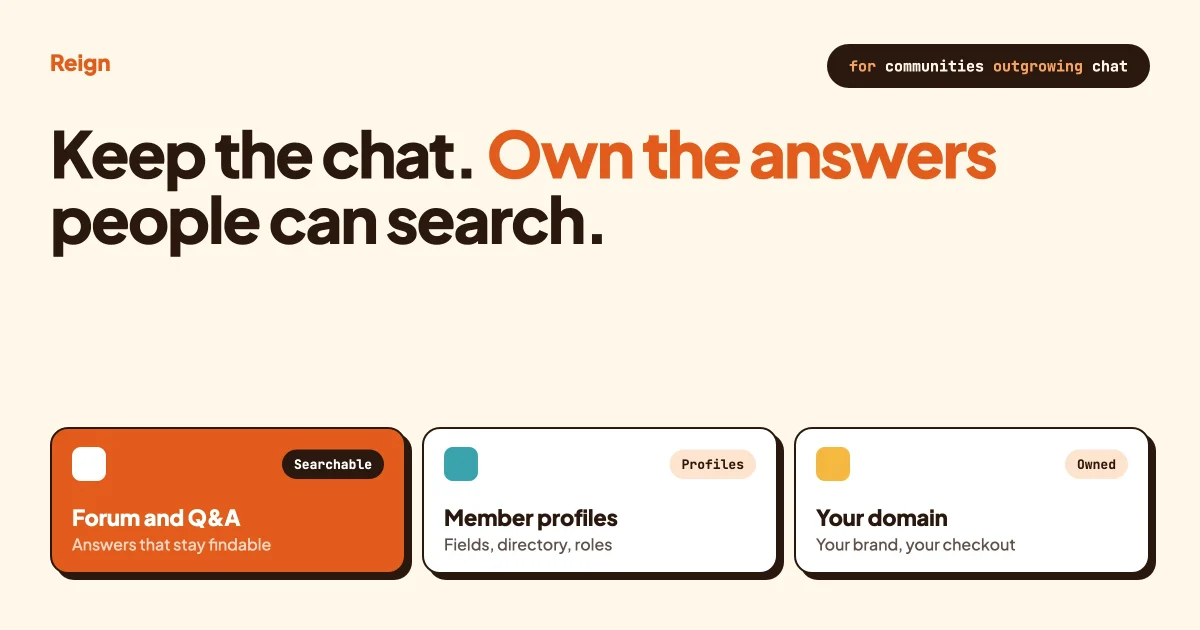
The best Discord alternative for a community that wants searchable content is a site you own, where discussions live on public or member-only pages with their own URLs. A WordPress community built on Reign, BuddyNext and Jetonomy does that, and it gives every member a real profile. What you give up is the instant, always-on chat feel and voice rooms. Most communities that care about knowledge end up running both.
Discord details below were checked on Discord’s own terms, privacy and developer pages in October 2026. Its help centre blocked our automated fetch, so anything that would only appear there is left out rather than guessed. Wbcom makes Reign, BuddyNext and Jetonomy, and this post says so wherever they come up.
In this guide
- Why communities look for a Discord alternative
- What Discord does very well
- Is Discord content searchable and who owns it?
- What a WordPress community gives you that a server does not
- What you give up by moving
- Discord alternatives side by side
- The hybrid option: keep Discord for chat, keep knowledge on your site
- How to migrate from Discord, step by step
- Other alternatives worth a look
- Which choice fits which community
- Questions people ask
Why do communities look for a Discord alternative?
Most communities start looking when answers get buried. A question is asked on Monday, answered well on Tuesday, and by Friday nobody can find it, including the people who gave the answer.
Discord was built around live conversation. Its own homepage describes joining and leaving voice and text chats quickly, with no call to place and no invite to send. That design is the reason people love it, and it is also the reason knowledge drifts away. A stream of messages rewards whoever is online right now.
The second reason is business use. Someone running a paid community, a software product community or a membership wants members to log in on their own domain, see a branded layout, pay through their own checkout and have profiles that mean something. Someone else wants new visitors to find the community through Google before they ever join.
Neither of these is a complaint about Discord’s quality. They are needs the product was not designed around. If your community is mostly people hanging out and talking live, you may not have a problem to solve, and we say so again near the end.
What does Discord do very well?
Discord is excellent at real-time conversation, voice and low-friction community setup. If your members talk every day, it is hard to beat, and it is worth being straight about that before comparing anything.
Here is what Discord’s developer documentation says about how a server is built. A server is divided into channels, and the channel types include text channels, voice channels, announcement channels that other servers can follow, and stage channels described as voice channels for hosting events with an audience. There are also forum channels and media channels, which the documentation says can only contain threads.
Access is controlled with roles. The documentation explains that base permissions are set at server level for each role, that every member starts with the default @everyone role, and that a member’s effective permissions combine @everyone with those of all their roles. Channel-level overwrites then adjust access for a specific role or member. The Administrator permission grants everything.
Bots and apps are first-class. The developer documentation describes them as automated apps, commands and integrations that run inside Discord servers, so moderation, onboarding and utilities can be automated without leaving the platform.
Turning on the Community feature in a server adds a welcome screen, membership screening, stage channels and discovery, according to the documentation. Discord also runs on Windows, macOS, Linux, iOS and Android, plus consoles and Meta Quest, per its download page.
That is a lot of capability with no hosting, no updates and no theme to choose. For a community that lives in conversation, it is a strong fit.
Is Discord content searchable, and who owns it?
Discord’s own policies describe content as yours but hosted and licensed under Discord’s terms, and nothing on the pages we could read says server messages appear in Google. Search engine visibility for Discord content mostly depends on third-party tools you add yourself.
Take ownership first. Discord’s terms say “Your content is yours”. The same terms say that by using the service you give Discord a worldwide, non-exclusive licence to use, reproduce and distribute your content for the limited purpose of providing, developing and improving its services. They also say Discord reserves the right to block, remove or permanently delete content that breaks its terms or policies. That wording is Discord’s, and a lawyer should read it if the details matter to you.
Practically, your content sits on Discord’s servers under Discord’s rules. If you want a copy, the privacy page says you can request your data from the Data and Privacy section of your user settings, that you should receive the packet within 30 days, and that it comes in common formats including JSON. That page describes requesting your own data. We did not find a page describing a tool for exporting a whole server’s message history for the owner, so check before you plan around one.
Now visibility. The terms and the privacy page both note that some servers are listed in Server Discovery or can be joined through public invite links, and that anyone can access those spaces. That is about people finding a server inside Discord. Neither page says anything about search engines indexing messages, so we cannot tell you that Discord posts rank on Google, and we will not say they do or do not on Discord’s behalf.
What we can say is that a separate ecosystem exists. Answer Overflow, an open-source project on GitHub, says it turns Discord thread conversations into web pages that search engines can index. Its README describes a bot joining your server, you choosing which channels to index, and the tool creating pages from threads. So the option is real, but it is an add-on built by someone else, and you would be depending on it.
Forum channels are the closest Discord gets to structured knowledge. The documentation says each post in a forum channel is a thread, forum channels can define up to 20 tags, and a tag can be required when someone starts a post. Posts can be sorted by latest activity or by creation date. There is one behaviour worth knowing for knowledge work: threads stop showing in the channel list after a set period of inactivity, which the documentation gives as 60 minutes, one day, three days or seven days. They are archived, not deleted, but they are no longer front and centre.
Put together, the honest summary is this. Discord is a good place to have a conversation and a modest place to keep the answer.
What does a WordPress community give you that a Discord server does not?
A WordPress community gives you pages you own, a member system you control and the option to let search engines in. The cost is that you run it, and it is not built for instant chat.
The stack this post recommends is three products from Wbcom, which is us. Reign is the WordPress community theme that handles layout, colour and branding. BuddyNext is the community engine. Jetonomy handles forums, Q&A and ideas. All three work together, and each can be used on its own.
Content that lives at a URL
Every forum topic on a WordPress site is a page with an address. That means it can be linked from an email, shared in a chat, cited in a document and, if you choose, indexed by search engines. Jetonomy offers spaces for forums, Q&A and ideas, with threaded replies and voting. In Q&A, the person who asked can mark the reply that solved it as the accepted answer, so the right answer rises to the top instead of sinking down a timeline. Our comparison of WordPress forum plugins covers the alternatives if you want to see the field first, and this guide to Reign with Jetonomy shows how the forum looks inside the theme.
Which parts need a paid licence changes over time, and Wbcom’s own pages are not always consistent about the split. Check the Jetonomy site for the current list before you commit to a feature.
Profiles and a member directory
Discord gives members a profile, a name and roles. BuddyNext gives them profiles with custom fields, so you decide what a member shares and who can see it, plus a searchable member directory. For a professional, product or membership community, this is the difference between a chat roster and a place where people can be found by what they do.
A community feed and the usual social tools
BuddyNext has an activity feed, Spaces that can be open, private or secret, polls, reposts, bookmarks, hashtags and direct messages (powered by WPMediaVerse). It also has a moderation queue with warn, strike, suspend and shadow-ban actions, two-factor authentication, an onboarding wizard, a REST API and webhooks. You can try it on the BuddyNext live demo or read about it at buddynext.com.
For comparison, Discord’s equivalent of a Space is a channel plus a role, and the moderation tools are the server’s roles and bots. Both approaches work. The difference is that a WordPress site stores everything in your own database, on your domain.
Branding that is actually yours
Reign offers five header layouts, colour tokens and dark mode, all without code edits. A Discord server shows Discord’s interface with your icon and banner inside it. A Reign site shows your brand from the address bar down. If you have not seen what that range looks like, see what you can build with Reign.
Your own payments and access rules
BuddyNext supports native Stripe membership tiers. Running a paid community on your own domain, with your own checkout, is covered in our guide to taking payments for a paid community with WordPress and Stripe. Discord’s developer documentation mentions role subscriptions as a server feature, but it does not describe them in detail, so look at Discord’s current pages if paid roles inside Discord are what you want.
Courses, events, points and more
Because Reign styles the other Wbcom plugins, you can add Learnomy for courses, Eventonomy for event listings and RSVPs, and WB Gamification for points, badges and ranks earned from activity. None of these is required to leave Discord. They are there when a community outgrows chat.
What do you give up by leaving Discord?
You give up live voice, instant chat feel and a free pass on maintenance. These are real losses, and for some communities they decide the question.
Voice and live rooms
Discord has voice channels and stage channels built in. We checked the BuddyNext site and found no voice or video calling listed, so assume you would need a separate meeting tool if your community hosts live calls. Eventonomy can list and schedule the event and collect RSVPs, but the call itself happens elsewhere.
The always-on conversation
BuddyNext has direct messages, a feed and notifications. That is good community software. It is not a chat app where forty people trade messages at speed. If your members expect that rhythm, a site will feel quieter, and some people will say it feels dead. Be ready for that.
Native apps and push
Discord ships apps on every major platform. BuddyNext installs as a progressive web app, which means members add the site to their home screen from the browser. A native app is in development. Push notification availability depends on the licence, so confirm it on the product page.
Hosting, updates and backups
With Discord, someone else keeps the lights on. On WordPress, that someone is you or your host. Plan for backups, updates and a security routine from day one. Our pre-launch checklist for a WordPress community covers the basics.
Built-in audience
Discord has its own Server Directory and discovery, as its homepage and documentation show, so a new server can be found by people already inside Discord. A WordPress site starts with no such audience. You bring members in through search, email, social and word of mouth. The flip side is that those members land on your pages, not on a directory listing inside someone else’s app.
How do the main Discord alternatives compare?
The right alternative depends on what you are trying to fix. The table compares Discord with a WordPress community and the other platforms we looked at. Wbcom makes Reign, BuddyNext and Jetonomy, so read that row with that in mind. Check each vendor’s pricing page for costs, because we do not quote prices here.
| Option | Where your content lives | Strongest at | Weaker at |
|---|---|---|---|
| Discord | Discord’s servers, under Discord’s terms | Live chat, voice, stages, bots, desktop and mobile apps, low setup effort | Long-term findable answers, owned branding, your own checkout and member system |
| WordPress with Reign, BuddyNext and Jetonomy (made by Wbcom) | Your own site and database | Searchable pages, profiles with custom fields, member directory, forums with accepted answers, your own branding and Stripe memberships | Voice and live calls, instant chat rhythm, native apps (in development), running and maintaining a site |
| Slack | Slack’s workspace | Channels, search across apps and conversations, huddles for audio and video, canvases, a large app directory | It is a work tool first, so it is a less natural home for a public-facing community |
| Circle | Circle’s hosted platform | Spaces, courses, events, live streams, paywalls and a branded iOS and Android app, all in one hosted product | Less control than your own site; check what you can export |
| Discourse | Self-hosted, or managed hosting from Discourse | A purpose-built forum with categories, tags, groups, real-time chat and a search-engine focus | Not a WordPress plugin, so it sits beside your site rather than inside it |
| FluentCommunity | Your WordPress site | A WordPress community and course plugin with feed, spaces, private messaging, profiles, member directory and leaderboard | A different design philosophy from BuddyNext; compare them before choosing |
Dates matter here. Everything in the table reflects each vendor’s own pages as of October 2026, and vendors change features. Open the vendor pages before you decide, and read our broader look at self-hosted community platforms if you are leaning towards owning the stack.
Should you keep Discord and run a WordPress community alongside it?
For many communities, yes. Keep Discord for live chat and voice, and run the knowledge, profiles and membership on your own site. The two jobs are different, and each tool is better at one of them.
The hybrid works because chat and reference material behave differently. Chat is fast, low-stakes and disposable. A reference answer needs to be correct, findable and still there next year. When you separate them, each gets the home that suits it.
A simple division of labour looks like this.
- Discord: daily conversation, voice hangouts, quick questions, event-day chatter, social channels.
- Your WordPress site: the forum or Q&A with accepted answers, the member directory and profiles, announcements you want people to find by search, courses, event pages and the membership checkout.
The glue is a habit. When a good answer appears in Discord, someone moves it to a forum post or article and replies with the link. Over a few months the site becomes the place people look first, and Discord stays the place people talk. A short rule helps: if it is worth finding again, it goes on the site.
You can also use roles to connect the two. Because Discord roles control channel access, you can give paying or verified members a role that opens the right channels, as long as you decide where the source of truth for membership lives. We would keep that on the site, where the checkout and member records are, and treat Discord as a service your members get.
The hybrid costs you attention. You are running two places, and you need to be clear about which one holds what. If your team is tiny, pick a primary and let the other be optional.
How do you migrate from Discord to a WordPress community?
You migrate from Discord by deciding what moves, building the structure on WordPress first, and then bringing members across in stages. A clean cutover of every message is not realistic, and you do not need one.
Step 1: Decide what is worth keeping
List your channels and sort them into three piles: knowledge that people ask about again and again, social chatter and announcements. Only the first pile needs careful migration. Chatter can stay in Discord or be left behind.
To confirm it worked, you should have a written list where every channel is marked “move”, “keep in Discord” or “retire”.
Step 2: Request your own data and take notes
Discord’s privacy page says you can request your data from the Data and Privacy section of your user settings, with the packet arriving within 30 days. That helps for your own account. For the server’s best content, assume you will copy it by hand or with help from a moderator, because we did not find a documented owner tool for exporting a server.
To confirm it worked, you should have the top 30 to 50 threads saved somewhere you can edit them.
Step 3: Install the foundation
Set up WordPress, activate Reign, and install BuddyNext for the community and Jetonomy for the forum. Reign includes a Demo Installer, which gives you a working layout to adjust instead of a blank page. Our guide to building a private social network on WordPress walks through the base setup.
To confirm it worked, you should be able to create a test member, post in a Space and start a forum topic.
Step 4: Map channels to spaces
Create a Jetonomy space for each knowledge area. A support channel becomes a Q&A space. A feature-request channel becomes an ideas space. An announcements channel becomes a BuddyNext Space or a news category. Discord forum channels, which already use tags, translate neatly into forum categories and tags.
Set Spaces to open, private or secret in BuddyNext, depending on who should see them. If you used roles in Discord for access, recreate the same groupings as membership levels or private Spaces.
To confirm it worked, log in as a member without special access and check that each Space shows what it should and nothing more.
Step 5: Rewrite the best answers instead of pasting threads
This is the step that pays off in search. A raw chat export reads badly: half sentences, reactions, side jokes. Turn each good thread into a clear question and a clear accepted answer. It takes longer, and the result is something a stranger can use.
Give each page a plain, descriptive title that matches how people phrase the question. Add a link to related topics.
To confirm it worked, ask someone outside the community to find an answer using only the site search.
Step 6: Set up profiles and onboarding
Add the profile fields that matter to your community, such as role, location, interests or product you use. Turn on the onboarding wizard so new members complete their profile. A detailed profile is one of the main reasons to move, so spend time on it. The ideas in our post on better member onboarding apply directly.
To confirm it worked, sign up as a new member and check you are asked for the fields you chose.
Step 7: Bring people over in stages
Announce the new site in Discord, pin the announcement, and explain what lives where. Start with your most active members and ask them to seed the first week of posts. If you need a plan for the first wave, how to launch a community to its first 100 members covers it. Moving from another platform follows a similar pattern, and the Facebook Group migration guide is a useful companion because the problem is the same: your members are somewhere else and need a reason to cross.
To confirm it worked, count how many members posted on the site in the first two weeks. If that number is low, the reason to cross was not clear enough.
Step 8: Decide whether Discord stays
After a month, look at where conversation is happening. If Discord is still lively, keep it as the chat layer and link it from your site’s menu. If it has gone quiet, archive it and leave a pinned message pointing to the new home.
To confirm it worked, you should be able to answer, in one sentence, where a new member should ask a question.
A note on search visibility
Whether your pages show up in search depends on your settings, your content and your SEO plugin. Public Spaces and public forum topics can be crawled. Private and secret Spaces are for members only and should not be expected to appear in search. Decide which content is public on purpose, rather than by accident.
What other Discord alternatives are worth a look?
Slack, Circle, Discourse and FluentCommunity each fit a different case, and each is the better pick in some situations. Here is a short, fair take on each.
Slack
Slack’s own features page describes channels for teams and projects, a search bar that covers connected apps and conversations, huddles for audio and video, canvases for documents and an app directory it puts at over 2,600 integrations. It is a strong choice when the community is really a working group or a partner network. It is a less natural fit when you want public pages, member profiles and a branded home.
Circle
Circle describes itself as a platform for digital businesses to build a home for community, events and courses under their own brand. Its page lists spaces, courses, live events, live streams, paywalls and a branded app for iOS and Android with push notifications. If you want a hosted, all-in-one product and prefer not to run a site, Circle is a serious option. We compare it in detail in our Circle alternative guide, and the piece on what you keep on hosted platforms covers the ownership side.
Discourse
Discourse is an open-source forum platform. Its site says you can self-host or use managed hosting, that it has categories, tags, groups and roles, real-time chat, private messaging and gamification, and that it is “SEO optimized for Google”. If your community is mostly questions and answers and you are comfortable running a separate piece of software, it is a mature pick. It does not live inside WordPress, so your community and your main site stay separate.
FluentCommunity
FluentCommunity is a WordPress plugin for community and courses. Its site lists an activity feed, spaces, courses with progress tracking, profiles, private messaging, member directories and a leaderboard. It is a real competitor to BuddyNext on WordPress. We put the two head to head in BuddyBoss vs FluentCommunity, and you should compare features against your own list before choosing.
Skool and Mighty Networks
If your Discord community is really a course or coaching community, hosted platforms built for that may be closer to what you want. We cover them in the Skool alternative guide and the Mighty Networks alternative guide.
Which choice fits which community?
Stay on Discord if your members mainly want live conversation, voice and a casual place to hang out. Move to WordPress if you want owned, searchable content, real profiles and your own payments. Run both if you want each at what it does best.
- Gaming, hobby and social servers: stay on Discord. Its voice, apps and bots fit the use.
- Software product communities: run Q&A and ideas on your site so answers can be found, and keep Discord for real-time help.
- Paid memberships and creators: a WordPress community with your own checkout, with Discord optional.
- Associations, schools and professional groups: profiles and a directory matter, so a WordPress community is the stronger fit.
- Small teams with no one to maintain a site: a hosted platform may be wiser than self-hosting.
If you are unsure, start with the hybrid. It costs you the least, and you learn quickly where your members actually spend their attention.
Questions people ask
Is there a good Discord alternative for business?
It depends on the job. Slack suits internal teams and partner groups, Circle suits creators who want one hosted product, and a WordPress community suits businesses that want owned, searchable content under their own brand. A Discord alternative for business should be judged on ownership, branding, payments and member records, not only on chat.
Can you make Discord content show up on Google?
Discord’s terms and privacy pages do not say that server messages are indexed by search engines. Third-party tools such as Answer Overflow say they turn selected Discord threads into indexable web pages, but that is an add-on you rely on. If search visibility is central, publishing the content on your own site is the more direct route.
Can WordPress replace Discord completely?
For knowledge, profiles, memberships and announcements, yes. For voice channels and fast group chat, not today. BuddyNext has direct messages, a feed and notifications, but we found no voice or video calling on its product page. Most communities that move keep Discord, or a meeting tool, for the live part.
Do you own your content on Discord?
Discord’s terms say “Your content is yours”, and also grant Discord a worldwide, non-exclusive licence to use it to provide, develop and improve the service. Discord can remove content that breaks its terms. Your data lives on Discord’s servers, and the privacy page describes a data request for your own account. Read the current terms yourself, or ask a lawyer, if the details matter to your business.
How long does a migration take?
The setup is quick, because Reign has a Demo Installer and BuddyNext and Jetonomy cover the community and forum. The slow part is rewriting your best threads into clean answers and getting members to cross over. Plan weeks of gradual movement, not a single switch-over day.
Ready to build the owned half of your community?
Discord is a great place to talk, and a WordPress community is a great place to keep what you learn. If you want pages you own, profiles that mean something and a layout that carries your brand, take a look at the Reign theme, then add BuddyNext for the community and Jetonomy for the forum. You can keep Discord running next to it for as long as it earns its place.