
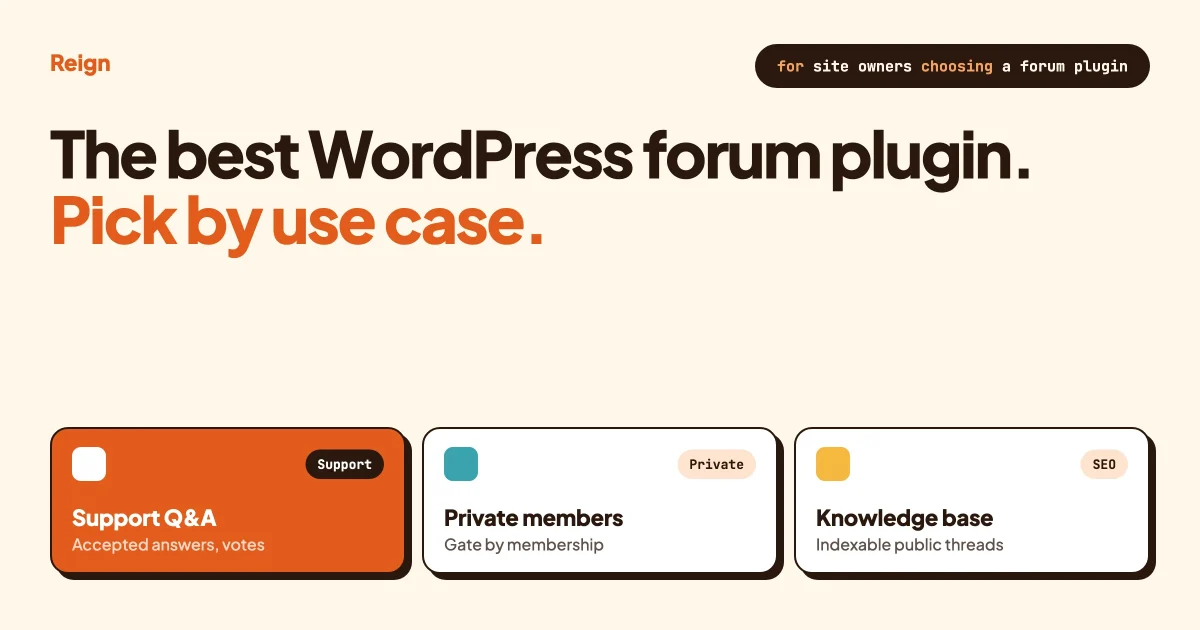
The best WordPress forum plugin depends on what the forum is for. For support Q&A with accepted answers, Jetonomy (made by Wbcom, the company behind Reign) and wpForo both list that mode. For general discussion, bbPress and Asgaros Forum keep it simple. For a social community, a forum belongs inside a larger platform such as BuddyNext or BuddyBoss. This guide matches each use case to a plugin and says where ours is not the best pick.
Everything below was checked against each product’s own pages in October 2026. Plugin pages change often, so confirm anything that affects your decision before you commit.
In this guide
- What a WordPress forum plugin is, and how to pick one by use case
- The feature-by-use-case table
- Jetonomy, then wpForo, bbPress, Asgaros, BuddyBoss and Discourse, each with its strengths
- A plugin that is no longer available, so you can skip it
- Moderation and spam control
- Search visibility: indexable threads and structured data
- Performance when the forum gets big
- Questions people ask
What is a WordPress forum plugin, and how do you choose one?
A WordPress forum plugin adds discussion boards to a normal WordPress site: categories, topics, replies and member accounts, all stored in your own database. You choose one by the job the forum has to do, not by the length of its feature list. A support forum needs a different tool from a hobby club.
Five jobs cover most forums.
Support Q&A. People ask a question and one reply gets marked as the answer. The thing that matters is an accepted-answer mode with voting.
General discussion. Open conversation with no right answer. A simple, fast board is enough.
Social community. The forum sits next to profiles, groups, messages and an activity feed. Here the forum is one feature of a platform.
Knowledge base. Public threads that people find through Google and read later. The things that matter are indexable pages, a sitemap and clean structure.
Private member forum. Only paying members or approved people can see it. Access control and membership integration come first.
One forum can do more than one job. A software company might run a Q&A space for support and a discussion space for ideas on the same site. That is why plugins that offer several space types per forum are worth a look.
If you are replacing bbPress and need migration steps, our separate guide on bbPress alternatives covers that. This article is about choosing by use case, and it does not repeat the migration work.
Which forum plugin fits which use case?
The table lists what each product’s own page says, and nothing more. “Not listed” means the page we read did not mention it, which is different from “no”. Jetonomy is first because Wbcom makes it.
| Plugin | Support Q&A with accepted answers | General discussion | Social community | Knowledge base (search visibility) | Private member forum |
|---|---|---|---|---|---|
| Jetonomy (made by Wbcom) | Yes, Q&A space where the asker accepts the reply, replies sort by votes | Yes, Forum space with threaded replies | Forum plus Ideas and Show & Tell spaces; messaging needs a paid licence | Per-space SEO is listed on its product page; check the page for the free or paid split | Spaces can be gated by membership plan |
| wpForo | Yes, Q&A layout with voting, best answers and reputation points | Yes, several layouts | Badges, usergroups, subscriptions | SEO functions, sitemap, structured data listed | Private topics for selected members or groups; usergroups with permissions |
| bbPress | Not listed on its plugin page | Yes, its core job | Works with BuddyPress per its page | Its page does not discuss SEO | Not described on its plugin page |
| Asgaros Forum | Not listed on its plugin page | Yes, lightweight board | Profiles, members list, reactions | Page lists “SEO-friendly” | Moderators, permissions and usergroups listed |
| BuddyBoss forums | Not covered on the pages we read | Yes, discussions and replies | Yes, part of the BuddyBoss platform, with group forums | Not covered on the pages we read | Forum privacy settings listed |
| Discourse | Page mentions accepted answers and upvotes | Yes, its core job | Not verified here | “SEO optimized for Google” is listed | Not verified here |
Two cautions on reading this table. First, a feature listed on a product page and a feature that works well on your site are different things, so test the finalists. Second, several rows say “not listed” because the pages we read were short. That is a gap in what we could verify, not a verdict on the product.
Is Jetonomy the right forum plugin for you?
Jetonomy is the right pick if you want one forum plugin that handles Q&A, discussion and idea voting as separate space types on a modern WordPress front end. We make it, so weigh our opinion accordingly. It is not the right pick if you need a plugin with a long public track record or a feature it does not list.
Here is what the Jetonomy site lists. It has four space types. A Forum space has threaded discussions with replies, votes, pinning, tags and categories. A Q&A space lets the asker accept the reply that solved the problem, and replies sort by votes. An Ideas space lets members vote on ideas while you set the status. A Show & Tell space is a short-form feed for launches and wins. Spaces sit in categories, and each has its own members and rules.
The site says the free plugin includes the four space types, trust levels, voting, accepted answers, search, moderation and importers. Trust levels are a way of giving new members fewer permissions than established ones. The site also lists email digests, web push, announcements, reply by email, a REST platform, webhooks and white-label control.
Some features need a paid licence. As of October 2026 the product page puts emoji reactions, polls, custom badges, private one-to-one and group messaging, AI moderation, an analytics dashboard and per-space SEO under the paid side. It also lists membership integrations beyond MemberPress and Paid Memberships Pro, naming WooCommerce Memberships and LearnDash. Check the product page for the current split, because it changes.
On requirements, the product page says it is self-hosted on your WordPress, works with any theme and does not need BuddyPress. The front end runs on the WordPress Interactivity API, which is WordPress’s own way of building fast interactive blocks. Community data lives in its own database tables, separate from your main site content.
Where it fits best: a support forum, a product community with a feature-request board, or a members site where the forum should match the theme. Where it fits less well: a forum with a very long archive you do not want to touch, or a site that must run on an old PHP version. For a worked setup, read Reign + Jetonomy: Add Modern Block-Based Forums to Your Community Theme. Product site: jetonomy.org.
What is wpForo, and when is it the better pick?
wpForo is a full-featured forum plugin, and it is the stronger choice when you want the widest feature set in one plugin. Its plugin page shows version 3.2.2 with a changelog date of 28 September 2026, and more than 20,000 active installations.
The page lists five layouts: Extended, Simplified, Question and Answer, Threaded and Boxed. (The same page also says “four different forum layouts” in one place, so check what you get.) The wpForo site says you can mix layouts per forum, so one forum can run as Q&A and another as threaded discussion. Its Q&A layout lists voting, best answers, reputation points and answer sorting.
It also lists forum and topic subscriptions, topic tags, usergroups and member badges, plus AI features: semantic search, topic summaries and content moderation. The plugin page describes these as part of version 3. The wpForo site adds that private topics can be limited to selected members or groups, and that in support-ticket mode topics are private by default, so only the owner and admins or moderators can see them. That is a clear answer for a private help desk.
Add-ons are sold separately through the developer’s store, and the page does not list which ones exist. The plugin page’s requirements are WordPress 5.2 or higher and PHP 7.1 or higher, which is friendlier to older hosting than Jetonomy.
wpForo is the better pick over Jetonomy if you want more built-in layouts today, a vendor with several years of releases, or a lower PHP floor. The trade-off is size. More options means more to configure.
Is bbPress still a good choice?
Yes, for a simple discussion board. bbPress is open source forum software for WordPress with more than 100,000 active installations, and its plugin page showed version 2.6.20 with a last-modified date of 15 October 2026. It requires WordPress 6.0 or higher and PHP 7.2 or higher.
It provides forums, topics and replies, a theme compatibility API, shortcodes for register, sign-in and password pages, an importer for other forums, and built-in Akismet and BuddyPress support. Its plugin page does not list voting, accepted answers or SEO features. Reviews on the page average 3.9 out of 5, and some reviewers describe the design as dated and the mobile experience as weak. Others say it works reliably.
Choose bbPress when you want the lightest option, you already run it, or you want a plugin that stays out of the way. Our guide to bbPress forum themes covers how to make it look better, and the bbPress alternatives article covers leaving it.
What is Asgaros Forum, and when does it make sense?
Asgaros Forum is a lightweight discussion board, and it suits small communities that want something quick to run. Its plugin page lists profiles, a members list, reactions, search, “Approval, Banning and Reporting”, moderators, permissions, usergroups and multisite compatibility.
One setting matters for spam: version 2.5.0 added an option to define the minimum time between new posts, according to the changelog on its page.
There is a caution. The plugin page shows version 3.4.0 and a last-modified date of March 21, 2026. In October 2026 several reviews on that page reported a known security vulnerability in 3.4.0 and said support issues had gone unanswered. We cannot confirm the vulnerability from here. Before you install it, check the changelog and a vulnerability database for the current state, and do not run it on a live site until you have.
Do BuddyBoss forums count as a forum plugin?
BuddyBoss forums count if you want a social platform first and a forum second. They are a component inside the BuddyBoss Platform, so the choice is really about the whole platform. BuddyBoss’s documentation lists forum privacy settings and the choice between standalone forums and forums attached to social groups.
The documentation pages we read did not describe moderation, spam handling, search visibility or Q&A with accepted answers for forums, so we do not make claims about those. If you are comparing the platform as a whole, read Reign Theme vs BuddyBoss and the BuddyBoss alternative guide.
Where does BuddyNext fit?
BuddyNext is a community engine, not a forum plugin. Wbcom makes it. It gives you an activity feed, Spaces that can be open, private or secret, profiles with custom fields, a member directory, direct messages, polls, reposts, bookmarks, hashtags and a moderation queue. If you need threaded boards or Q&A with accepted answers, add a forum plugin such as Jetonomy.
Use BuddyNext when the forum would be only one corner of a social site. Use a forum plugin when threaded discussion is the product. You can run Jetonomy alone, since Wbcom plugins run standalone, or next to BuddyNext. You can try the BuddyNext live demo and read more at buddynext.com. Our article on a WordPress social network with forums, messaging and friends shows how the pieces fit.
Is Discourse better than a WordPress forum plugin?
Discourse is better when the forum is your whole product and you can run a separate application. It is not a WordPress plugin. It has its own login, admin and server.
Its site describes built-in moderation tools, AI-assisted community management and an admin dashboard for community health. It lists “SEO optimized for Google” and the ability to create a searchable public knowledge base. The same page says technical discussions can use accepted answers and that members can upvote helpful replies. You can self-host it or use managed hosting, and you can export your data at any time.
What you give up is a single WordPress site where members, courses, content and forums share one account and one design. If you need that, a WordPress-native plugin fits better. If you do not, Discourse deserves a real look.
Which forum plugins should you skip?
Skip any plugin that its own page says is closed. Two came up while we researched, and both are worth knowing about so you do not waste an afternoon.
AnsPress, a question-and-answer plugin, now shows a notice on its WordPress plugin page saying it was closed on July 23, 2026 and is not available for download, with the stated reason “Security Issue”. Its last version on the page was 4.4.4. If your guide or old article recommends it, treat that advice as out of date.
The plugin called Discussion Board is also gone. Our bbPress alternatives article records that its plugin page says it closed in May 2018.
The general rule is simple. Before installing any forum plugin, open its page and check the last-modified date, the compatibility notes and whether the page shows a closure notice. A plugin with no updates in two years and open security reviews is a risk on a site where people log in.
How do these plugins handle moderation and spam?
Moderation tools range from a bare spam filter to a full queue with trust levels and AI scoring. The more public your forum, the more of this you need on day one. A private club with fifty members can get by with one moderator and Akismet.
Here is what each page says.
- Jetonomy. Its docs index lists trust levels 0 to 5, content flagging, a moderation queue, anti-spam and member banning. The site also lists AI moderation that scores incoming content and routes likely spam to the queue, which sits on the paid side. It says AI suggests, and your rules and moderators still make the call.
- wpForo. The plugin page lists built-in antispam and Akismet integration, front-end moderation of topics and posts, and reCAPTCHA v3 support from version 3.0.0. The wpForo site lists a moderation queue, a report system and user banning in the free plugin, and flood limiting. It also headlines “99.9% Spam Protection”, but the page does not explain how it measured that, so treat it as marketing, not a benchmark.
- bbPress. Built-in Akismet support, and moderation actions for spam, approve and trash. The page does not describe moderator tools in detail.
- Asgaros. Approval, banning and reporting, moderators, and a minimum time between new posts.
- Discourse. Built-in moderation tools and AI-assisted management. The page we read does not address spam directly.
Whatever you pick, set three things before launch. Hold first posts from brand-new accounts for approval. Limit how fast a new account can post. And write down who handles reports and how fast. Spam is rarely the biggest moderation problem. Tone is. Our article on how online communities are fighting AI content slop goes deeper on the human side.
Will forum threads show up in Google?
Forum threads can rank, but only if the plugin makes them indexable pages with clean addresses, a sitemap and sensible handling of duplicate URLs. Most plugins do the basics. Only some publish structured data, and you should verify that on your own site.
Structured data is code on a page that tells search engines what the content is. For forums, the type is usually called DiscussionForumPosting. Here is what we could verify.
- wpForo. Its plugin page lists built-in forum SEO functions and a sitemap with search engine ping. Its changelog says version 2.4.3 to 2.4.4 added DiscussionForumPosting structured data for Google Search, and the wpForo site lists schema markup among the free features.
- Jetonomy. The product page lists per-space SEO, and its docs index lists SEO among the admin settings. The pages we read did not mention structured data or sitemaps, so we do not claim them.
- Asgaros. The plugin page lists “SEO-friendly” and improved compatibility with Yoast SEO in a past release. It does not say more.
- bbPress. The plugin page does not discuss SEO.
- Discourse. Lists “SEO optimized for Google” and a searchable public knowledge base.
To check any of them yourself, publish a few test threads, then paste a thread address into Google’s Rich Results Test and into Search Console’s URL Inspection tool. To confirm it worked, the test should name the structured data type and report no errors, and URL Inspection should show the page as indexable. A claim on a plugin page, including a claim of schema markup, is only a claim until a validator agrees. One reviewer on the closed AnsPress page said exactly that about its schema markup.
Two more habits help every forum. Keep private or members-only threads out of search with the right access setting, so you are not publishing things you meant to hide. And if you ever change plugins, plan redirects before you move, because old addresses carry the ranking. Wbcom’s Jetonomy page makes the same point and suggests mapping old URLs with a redirect plugin.
What happens when the forum gets big?
A forum plugin has to stay fast with thousands of topics and many readers at once, and the plugin page rarely proves it. Look for caching, separate data storage and pagination, then test with realistic data on staging.
What the pages say:
- Jetonomy. Data sits in its own database tables, apart from your main site. The product page says it stays quick at hundreds of thousands of posts and cites a 10,000-topic community loading in about 150ms with Redis object caching. That is the vendor’s own figure, we did not reproduce it, and your host will change the result.
- wpForo. The plugin page says it is designed for small and extremely large forums, with a built-in cache system. Version 3.0.0 added static caching, and the changelog for 3.2.2 advises clearing caches and any CDN and flushing Redis after you update. The wpForo site cites a “significant speed boost” from caching and optimized queries but gives no numbers.
- bbPress. The page says it is built to scale with a growing community, with no figures.
- Asgaros. The pages we read made no scale claims.
A good test costs an afternoon. Copy your site to staging, generate a few thousand dummy topics and replies with WP-CLI, then open the forum index, a busy topic, the search and a member’s profile on a phone. Watch the slowest page, not the average one. If a page takes seconds to build, ask the vendor what object caching they recommend before you decide. Never trust “looks fine with five topics”.
How should you set up the forum around the plugin?
The plugin is only part of it. The theme decides how the forum looks, and the site around it decides whether anyone shows up. Plan these in order.
- Write down the one job. Support, discussion, community, knowledge base or private members. If you wrote two, build two spaces or two forums. To confirm it worked, you should be able to say it in one sentence to a stranger.
- Pick by the table, then test two. Install your top two on a staging copy. Post a question, mark an answer, report a post, and view it on a phone. To confirm it worked, you should have a short list of things one plugin did better.
- Choose access rules. Decide who can read, who can post, and whether new members are held for approval. For a paid forum, connect your membership plugin. Our guide to members-only content with Reign covers the access side. To confirm it worked, log in as a logged-out visitor and as a free member and check what each can see.
- Set moderation before launch. Turn on approval for first posts and a posting limit. To confirm it worked, make a throwaway account and try to post five times in a minute.
- Seed real conversations. Write a dozen genuine threads and invite your most active people first. To confirm it worked, a new visitor should see recent replies, not an empty board.
- Test search visibility. Use the tools in the search section. To confirm it worked, a validator names the structured data and URL Inspection shows indexable pages.
How does Reign fit with a forum plugin?
Reign is the theme layer. A forum plugin handles threads and replies, and the theme decides how everything around it looks. Reign has five header layouts, colour tokens and dark mode, so you can match the forum to the rest of the site without editing code. It styles BuddyNext, BuddyPress, BuddyBoss Platform, PeepSo and Wbcom’s own plugins without add-ons.
The Reign and Jetonomy article says Jetonomy picks up Reign’s CSS variables, so colours match the theme. For the broader decision about themes, see Best WordPress Community Themes in 2026. If you only need a private space and not a public forum, see how to build a private social network with WordPress. And if your community is moving off a Facebook group, start with our migration guide.
We also keep an older roundup, The 9 Best WordPress Forum Plugins I Personally Tested. It was written in 2022, so use it as hands-on background and use this guide for current facts.
Questions people ask
What is the best WordPress forum plugin?
There is no single best one. wpForo and Jetonomy both list a Q&A mode with accepted or best answers, so they suit support forums. bbPress and Asgaros suit simple discussion. BuddyNext or BuddyBoss suit forums inside a social site. Choose by your main use case, then test two on staging.
Is there a free WordPress forum plugin?
Yes. bbPress, wpForo, Several of these plugins, including Asgaros Forum and Jetonomy, can be tried before you pay. Some features sit behind a paid licence or paid add-ons, so check each product’s page before you rely on a feature.
Which forum plugin is best for SEO?
wpForo has the most documented SEO support among the plugins we checked: a sitemap, search engine ping and structured data in its changelog. Jetonomy lists per-space SEO. Whichever you choose, test a few threads in Google’s Rich Results Test and Search Console before you count on it.
Can I run a private forum for paying members?
Yes. Jetonomy says spaces can be gated by membership plan, and it names MemberPress and Paid Memberships Pro. wpForo lists private topics for selected members or groups, and usergroups with permissions. Test the access rules as a logged-out visitor and as a free member.
How many topics can a WordPress forum handle?
It depends on the plugin, the host and caching, and no vendor page gives a guarantee. Jetonomy and wpForo both describe scale and caching features, while bbPress says it is built to scale. Create a few thousand dummy topics on staging with WP-CLI and measure your own slowest page.
If you are building the whole community site around the forum, start with the Reign theme page for features and demos. For a Wbcom forum plugin, see Jetonomy, and try the BuddyNext live demo to see a working community first.