
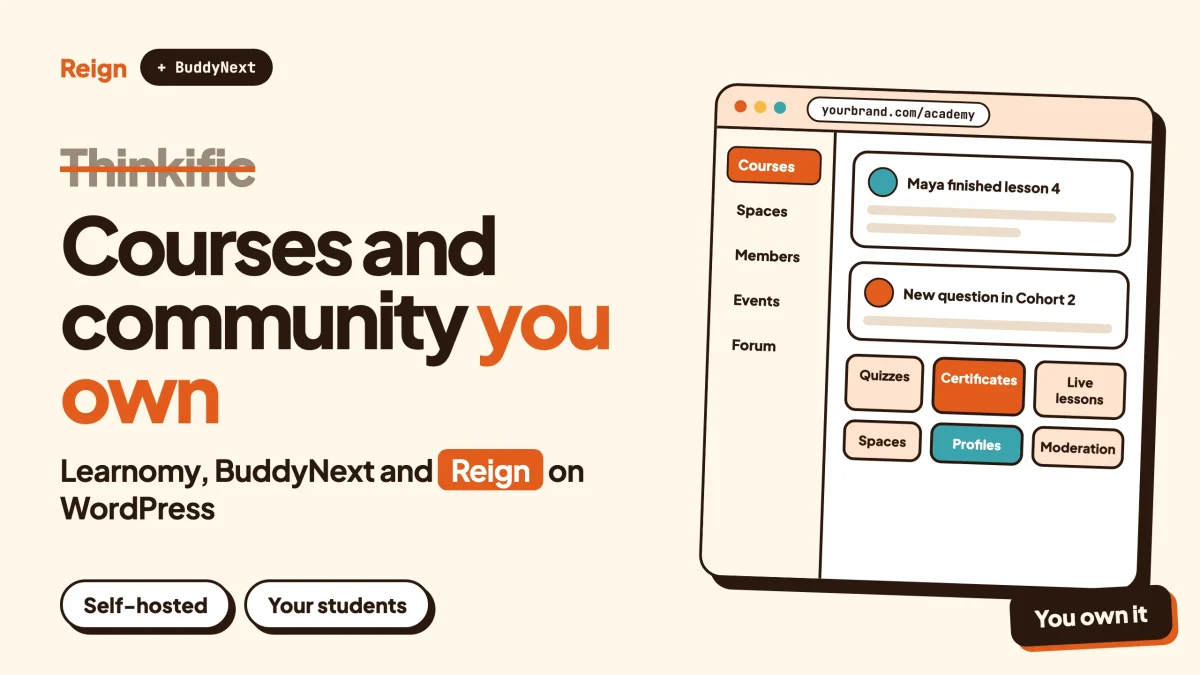
The best Thinkific alternative if you want to own your courses and your students is a self-hosted WordPress stack: Learnomy for the courses, BuddyNext for the community, and the Reign theme as the design layer. Thinkific is a hosted learning platform. This stack runs on your own site, so the student list, the lesson content and the checkout all sit in your database. Wbcom Designs makes Learnomy, BuddyNext and Reign, so treat this as a vendor view and check each claim on the product pages.
First, when Thinkific is the better pick, because it often is.
If you want to be teaching by the weekend, have nobody to look after a WordPress site, and your plans fit inside one vendor’s product, a hosted platform does that job well. Thinkific also serves bigger organisations: its developer site describes a GraphQL API, webhooks, OAuth sign-in, and an MCP server in beta for connecting AI assistants, with the MCP server available on its Plus plans and above. That is a serious toolbox, and a WordPress stack does not hand it to you in one click.
The rest of this post is for people who have started to feel the edges of a rented course platform, or who are about to build and would rather not start there. Details were checked in November 2026.
When is Thinkific the right choice?
Thinkific is the right choice when you want a managed course platform and you do not want to run any software yourself.
Going by Thinkific’s own developer pages, it describes itself as a learning platform, and the products it can hold include courses, bundles, communities, downloads and live events. So a single account can cover the usual creator offer: a course, a bundle of courses, a place for students to talk, some downloadable files and a scheduled live session.
Here is where it tends to win over a self-hosted setup.
- Nothing to maintain. There are no plugin updates, no hosting decisions and no backups to think about. The vendor runs it.
- One support desk. When something breaks, there is one company to ask.
- Developer tooling. The developer site lists a GraphQL API, webhooks that fire on learning events, site-wide API access tokens, and OAuth with OpenID Connect for apps that act on a user’s behalf. Its public changelog shows regular additions, including new webhooks and a way to fetch a learner’s sign-in link through the Users API.
- AI hooks for larger teams. The MCP server lets an AI assistant search courses, check enrolments and look up learner profiles. The page labels it Beta and says it is available on Plus and above.
- A status page and a security overview. Both are linked from the developer site, which matters if you sell to companies that ask for them.
If that list describes what you need, stay put. A WordPress build is a trade, not an upgrade for everybody.
Why do people look for a Thinkific alternative?
People look for a Thinkific alternative when the course business starts to need things that sit outside the course platform, or when they want to own the whole stack. It is rarely about one missing button.
Four reasons come up again and again.
The platform is rented
Your students, your lesson content and your checkout live on someone else’s servers. You can move them, but you move them on the vendor’s terms and with the vendor’s export tools. For a hobby course that is a shrug. For a business that has spent years building an audience, it is a risk worth naming.
The course is not the whole business
A course is often the first product, not the last. Students ask for a place to talk to each other. Then they ask for events, a directory of alumni, a job board, or a forum where questions get answered. Thinkific lists communities and live events as product types, but a course platform stays centred on the course. Once you want a member directory, a services marketplace or a public roadmap alongside it, you are bolting on other tools.
Design control
Hosted platforms give you templates and a theme system. Thinkific’s changelog mentions a Liquid templating layer, so there is room to customise. Still, you are working inside their structure. A WordPress theme like Reign lets you change the layout of feeds, profiles, directories and landing pages without asking permission.
One more login for everything
When courses live on one platform, the blog on another, the forum on a third and the shop on a fourth, members juggle accounts and you juggle exports. Putting it all on one WordPress site gives you one member account, one set of data and one place to run reports.
None of this makes Thinkific a bad product. It is a trade-off between speed and ownership, and it is yours to make.
What should a Thinkific alternative do?
A good Thinkific alternative should cover the course basics and give you something Thinkific cannot: ownership of the data and room to grow in other directions. Use these questions to test any option, including ours.
- Course basics. Sections, lessons, quizzes, progress tracking and certificates.
- Selling. Checkout, coupons and memberships you control, with your own payment account.
- Live teaching. A way to schedule a session and send students to it.
- Community. Somewhere students talk to each other, ideally on the same login.
- Ownership. Your database, your domain, your export.
- Exit. If a vendor changes terms, what do you lose?
Scores on these will differ between a hosted tool and a WordPress build. That is the point of asking.
What does the WordPress alternative look like?
The WordPress alternative is three layers on one site. Learnomy handles the courses. BuddyNext handles the community. Reign is the theme that gives all of it a consistent look.
Each layer is a separate product, so you can start with the part you need and add the others later. All three come from Wbcom Designs, which means updates to one are tested against the others. WordPress itself is the base, and it is not a niche choice: W3Techs reported on 6 November 2026 that WordPress runs about four in ten websites it tracks. That is a large pool of hosts, developers and agencies who know how to look after it.
You pay for hosting and for the licences you choose. There is no per-student fee from the plugins and no platform cut of what you sell, though your payment provider will still charge its own processing fees. Several features need a paid licence, so check the product pages for what each one includes.
How do Learnomy courses compare with Thinkific courses?
Learnomy covers the core of what a course creator needs: a builder, quizzes, certificates, checkout and memberships. It runs inside WordPress, so the course sits next to your blog, your community and your shop.
Building the course
Learnomy uses a drag-and-drop course builder. Courses are organised into sections, lessons and topics. The product page states unlimited courses and students, so there is no course cap to plan around. Student progress is tracked, and academy analytics give you an overview of how people move through the material.
Live lessons are one of the lesson types. Here the detail matters. You paste a Zoom, Google Meet or Microsoft Teams link, set a start time and a duration, and students see a countdown and then a Join button. Learnomy links out to your meeting; it does not create the room for you. You keep your own meeting account and your own recordings.
Quizzes and certificates
Quizzes support timers, and the product page describes automatic grading, an inbox for grading essay answers and a reusable question bank. Certificates are designed on a canvas, issued automatically when someone finishes, downloadable as PDF, and they come with QR verification so an employer can check one is real. If certificates matter to your students, our guide to issuing course certificates people can verify covers the setup in detail.
Selling the course
Checkout is built in, with Stripe and PayPal and coupons. If you already run WooCommerce, Easy Digital Downloads or a membership plugin, the product page says Learnomy can sell through those as well. Membership plans, one-off sales and recurring revenue are all supported. Drip release and cohorts need a paid licence, so check the product page before you plan around them.
Our walkthrough on selling online courses on WordPress with Stripe shows the payment side step by step, and what you pay to teach, and what owning it looks like compares the cost shape of hosted and owned set-ups without putting numbers on anyone’s plan.
Teaching with a team
If you plan to bring in other instructors, the product page lists multi-instructor support with automatic commission splits, a withdrawal queue and Stripe Connect payouts, plus instructor applications for marketplace-style sites. Our article on a multi-instructor course marketplace on WordPress goes through that model.
Where Thinkific is ahead
A fair note. Thinkific is a hosted, finished product with a dedicated team behind the course experience, and a developer programme with an API, webhooks and an MCP server. Learnomy is newer and lives in the WordPress world, where you assemble more of the pieces yourself. If your day is spent teaching and not tinkering, that matters.
What does BuddyNext add that a course platform does not?
BuddyNext adds a full community layer: places for students to talk, member profiles, messages and moderation, all on the same login as the courses.
Thinkific lists communities as a product type, so it is fair to ask what the difference is. The difference is depth and ownership. BuddyNext is a community engine in its own right, not a side feature of a course tool, and it sits in your database.
- Spaces. Public, private or secret, with nested sub-spaces, member roles, auto-join and invite links. A course cohort can have its own private space.
- Profiles and directory. Custom profile fields, member types, field-level privacy and a searchable member directory, with an onboarding wizard for new arrivals.
- Feed. Posts with hashtags, reactions, threaded comments, @mentions and polls. By default the feed checks for new activity every few seconds. Instant delivery over WebSockets needs a paid add-on and your own server.
- Messages. Direct messages are powered by WPMediaVerse.
- Pinned posts and announcements. Keep the welcome note and the rules at the top of a space.
- Moderation. Reports, strikes, suspensions, appeals, banned words, content warnings and a front-end queue. Our community moderation guide shows how to set it up.
- Notifications, search and a PWA. In-app notifications and search are included, and the site can be installed on a phone’s home screen as a progressive web app. A native mobile app is in development.
- REST API and privacy tools. The platform has a REST API, and personal-data export and erase tools plug into WordPress.
If you sell memberships with paid access to spaces, that needs a paid add-on, so check the BuddyNext product page for what each licence covers.
Modules for what comes next
This is where the stack stretches further than a course platform. When your students ask for more, you add a module instead of switching tools.
- Jetonomy for forums, Q&A with accepted answers and idea boards. Useful when students keep asking the same questions. See forum vs Q&A vs ideas board for how to choose.
- Eventonomy for events, with RSVPs, capacity and waitlists, recurring events, calendar views and reminders.
- WB Gamification for points, badges and ranks earned from activity. Our piece on Reign with WB Gamification shows how it looks.
- WP Career Board for a job board, handy if your course trains people for a trade.
- Listora for a directory of graduates, tutors or partners.
Not every course business needs any of these. The point is that they exist when you do.
Where does Reign fit?
Reign is the theme that styles the whole site, courses and community together. It controls the look of feeds, member and group directories, profiles and headers, so the pages students see feel like one product.
It ships with 27 block patterns and 8 style variations, a dark mode toggle, RTL stylesheets and a mobile drawer menu. There is a demo library with an installer, so you can import a starting layout and swap in your own logo, colours and content. Reign styles BuddyNext, BuddyPress and BuddyBoss Platform, and paid add-ons extend it to course plugins such as LearnDash, LifterLMS and Tutor LMS. It has been on WordPress for 13 years.
If you already run Reign with a different course plugin, our guide to your options if your course plugin changes is worth a read before you decide anything.
The practical gain is that a landing page, a course page and a member profile all come from one design system. You are not matching a hosted course template to a separate community tool.
How do Thinkific and the WordPress stack compare side by side?
They compare as a managed product against an owned one, with different strengths on each side. Every line below comes from the vendors’ own pages.
| Thinkific | Learnomy + BuddyNext + Reign | |
|---|---|---|
| Where it runs | Vendor’s servers | Your WordPress site |
| Who looks after updates | The vendor | You or your host |
| Student and member data | Hosted by the vendor | Your database |
| Product types | Courses, bundles, communities, downloads, live events | Courses and memberships in Learnomy; community, directory, jobs and more as modules |
| Live lessons | Live events as a product type | Live lessons that link to your Zoom, Meet or Teams meeting |
| Quizzes and certificates | Check Thinkific’s pages for current detail | Timed quizzes, essay grading, certificates with QR verification |
| Developer access | GraphQL API, webhooks, OAuth, MCP server in beta on Plus and above | WordPress hooks and REST APIs across the products |
| Community depth | Communities as a product type | BuddyNext spaces, profiles, directory, moderation, plus forums via Jetonomy |
| Design control | Templates and a Liquid layer | Reign layouts, patterns and style variations |
| Mobile | Check Thinkific’s pages | PWA today, native app in development |
| Setup effort | Low | Higher: hosting, install, configuration |
Read the effort row honestly. A WordPress stack asks more of you at the start, and that cost is real.
Which other Thinkific alternatives are worth a look?
Several other platforms compete with Thinkific, and which fits depends on whether you want hosted or owned. Our own alternative for each is linked where we have written one.
Kajabi
A hosted platform that sells courses, memberships and marketing tools as one bundle. It suits creators who want one login for the lot. We cover it in the Kajabi alternative guide.
Circle, Mighty Networks and Skool
Hosted community platforms with course features. They suit people whose business is the community first and the course second. See the Circle alternative, Mighty Networks alternative and Skool alternative posts.
Other WordPress course plugins
If you like WordPress but want a different course engine, our roundup of the best WordPress LMS for course creators compares the options, and the best self-hosted online course platforms post widens the view beyond WordPress.
Open source LMS
For schools and training departments, Moodle and similar tools are an alternative of a different kind. Our Moodle alternative and best open source LMS posts look at that route.
Check each vendor’s current pages before you commit. Products change quickly, and a comparison like this one ages fast.
How do you move off Thinkific?
You move off Thinkific by rebuilding the courses on WordPress, bringing your students across with their email addresses, and running both sites side by side for a short overlap. Treat it as a project with steps, not a one-click import.
The product page for Learnomy does not list a course or student importer, so plan on rebuilding lessons by hand. For a catalogue of a few dozen lessons that is an afternoon or two. For a large catalogue, it is a project.
Step 1. Take stock of what you have
List every course, bundle, download and community on your Thinkific account. Note which ones earn money and which ones are dormant. You do not have to move everything.
To confirm it worked, you should have a sheet with one row per product and a column for whether you will move it.
Step 2. Get your data out
Export what Thinkific lets you export from your admin area, and save your own copies of videos, PDFs and slides from your original files. Thinkific’s developer site describes a Users API and Orders API for developers, and webhooks for events. If you have a developer, those are routes for pulling student and order data in a structured way. Check Thinkific’s own documentation for exactly what each returns.
To confirm it worked, open the export and check that student emails, enrolment dates and the course each person joined are all there.
Step 3. Stand up the WordPress site
Choose hosting that can handle a community site. Our post on best hosting for community websites covers what to look for. Then install Reign and import a demo that is closest to your brand, and swap in your logo and colours.
To confirm it worked, you should be able to open the demo homepage in a private browser window and click through to a sample course.
Step 4. Rebuild the courses in Learnomy
Create each course, add sections and lessons, upload or embed the videos, and rebuild quizzes in the question bank. Add live lessons with the meeting links you already use. Set the certificate design once and reuse it.
To confirm it worked, enrol a test account in one course and finish it. You should receive the certificate and be able to verify it from the QR code.
Step 5. Connect payments
Connect Stripe or PayPal, create your products and coupons, and decide whether to sell through Learnomy’s checkout or an existing shop plugin. Match your existing offers one for one before you change anything.
To confirm it worked, make a test purchase and check that access is granted straight away.
Step 6. Set up the community
Install BuddyNext, create a space for each course or cohort, and write a short welcome post for each. Turn on the onboarding wizard so people fill in a profile on the way in. Our guide to launching a community and reaching your first 100 members helps with the opening weeks, and how to create a paid online course community connects courses and spaces.
To confirm it worked, join as a test member and check you land in the right space with the right access.
Step 7. Move your students
Send your students an email explaining the move, the date and what changes for them. Create their accounts or invite them, and keep the old site live for a short overlap so nobody loses access mid-course. Do not change a student’s access without telling them first, and check your local rules on how you move personal data between systems.
To confirm it worked, ask a handful of students to log in and open a lesson before you switch the rest.
Questions people ask
Is there a Thinkific alternative that I can host myself?
Yes. A WordPress stack of Learnomy, BuddyNext and Reign runs on your own hosting. You keep the data and the domain, and you take on updates and backups. Other self-hosted routes include Moodle and other WordPress course plugins.
Does Learnomy have quizzes and certificates?
Yes. The product page lists timed quizzes, automatic grading, an essay grading inbox, a question bank and certificates with QR verification. Check the product page for which pieces need a paid licence.
Can I run live classes without Thinkific?
Yes, with a link-out approach. Learnomy lets you add a live lesson with a Zoom, Meet or Teams link, a start time and a duration. Students see a countdown and a Join button. Learnomy does not create the meeting, so you use your own meeting account.
Will I lose my students if I leave Thinkific?
Not if you plan the move. Export your student and order data first, tell students what is changing, and keep the old site running for a short overlap. You will need to recreate their accounts on WordPress, so budget time for that.
Is the WordPress route harder than Thinkific?
At the start, yes. You need hosting and basic WordPress comfort, and you configure more. In return you get ownership and room to add a forum, events, a directory or a job board later. If you would rather never touch a settings page, a hosted platform is the honest answer.
Related reading
- Kajabi alternative: courses, community and memberships on WordPress
- Best self-hosted online course platforms
- How to sell online courses on WordPress with Stripe
- How to issue course certificates on WordPress that people can verify
- Best WordPress LMS for course creators building learning communities
- How to create a paid online course community with WordPress
- Skool alternative for WordPress
- Best self-hosted community platforms
If you are weighing a move, start with the Reign theme: see Reign and its live demos, pick the layout closest to your brand, then add Learnomy for the courses and BuddyNext for the community when your students are ready for it.