

Mighty Networks is a hosted platform that puts community spaces, courses, memberships, events and a mobile app in one place, and it is built for creators, coaches and educators who want to run a paid community without touching code. It’s a good fit if you want to be live fast and don’t mind renting your platform. It’s a weaker fit if you want to own the site, the data and the member experience, which is where a WordPress build starts to look attractive.
This review covers what Mighty Networks does, who uses it, how it compares with Circle, Discord, Slack and Facebook Groups, and where it falls short. It ends with a practical look at the other route: owning your community on WordPress with Reign.

What is Mighty Networks?
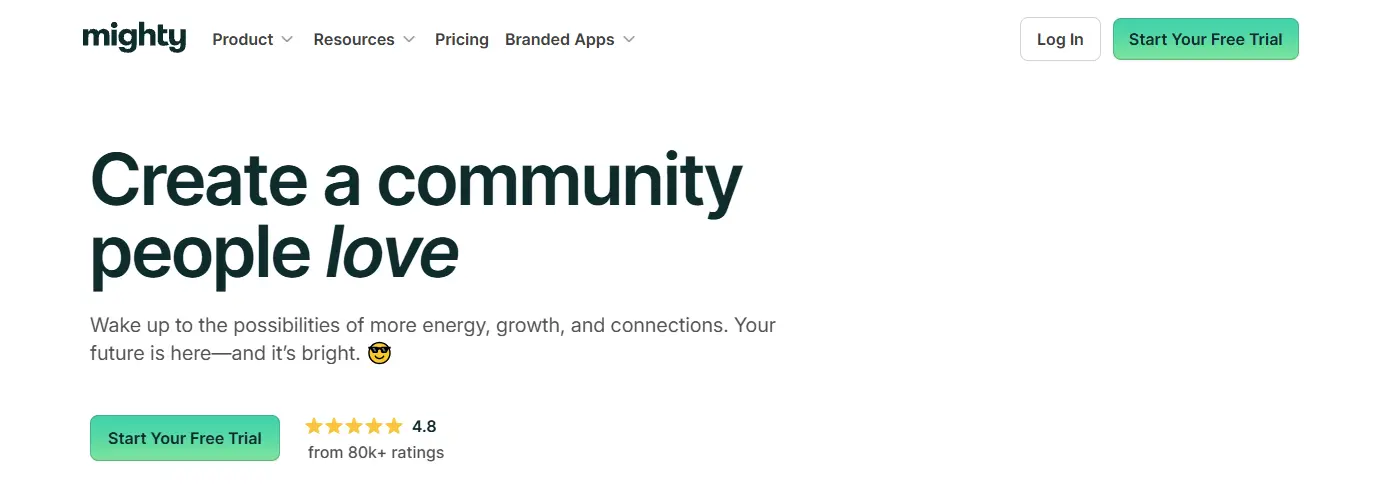
Mighty Networks is an all-in-one platform for building a branded online community. Members join a space, take part in discussions, attend events and work through courses, and the host charges for access through memberships or paid programs. Everything sits inside the vendor’s software, so there’s no WordPress install, no plugins and no hosting to manage.
The pitch is simple. Instead of stitching together a forum, a course tool, an events tool and a payment tool, you get one product. For a first-time host that removes a lot of decisions.
Who it’s for
- Creators: writers, podcasters and artists who want a paid home for their audience.
- Coaches: people who run group programs, accountability groups and workshops.
- Educators: teachers and subject experts who pair a course with a peer group.
- Businesses: companies that want a customer community or a training space outside social media.
How it differs from forums and Facebook Groups
A classic forum is built around threads. A Facebook Group lives under Facebook’s rules and feed. Mighty Networks sits in between: it has your branding, your member list and your paid tiers, and it isn’t ranked by someone else’s algorithm.
The trade-off is that you still don’t own the platform. You own your content and your relationships, but the software, the roadmap and the terms belong to the vendor. Keep that in mind, because it shapes the last third of this article.
Mighty Networks features: the core set
Community spaces and discussions
The hub is organised into spaces, so you can split conversation by topic, cohort or program. Members post, comment, share media and get notified. Hosts get moderation tools to keep things tidy.
For most small and mid-sized groups this structure is enough. It’s clean and it’s easy to explain to new members.
Courses and memberships
You can build courses inside the community and sell them on their own or as part of a membership. Tiers let you offer a free space for newcomers, a paid tier for group access and a premium tier for closer contact. Courses are lighter than a dedicated learning platform, which is fine if the course supports the community rather than the other way round.
Events and live sessions
Hosts can schedule events, run live sessions and keep a calendar members can check. Events give people a reason to come back every week, and recurring sessions are one of the simplest retention tools there is.
Mobile app
Members can use a mobile app on iOS and Android to read, post and join events. A branded app that carries your own name is also available as a separate option. If a native app matters to your audience, check the current terms on the vendor’s own site before you plan around it.
Customisation
You can set your logo, colours and domain, and shape how spaces are organised. It’s enough to look like your own brand. It’s not enough to change how the product works, because you can’t edit templates, add code or install extra plugins.
Why creators and businesses pick it
Built-in ways to earn
Social platforms rarely turn attention into income. Mighty Networks lets you charge for memberships, courses and events from day one. A coach can run a monthly group program, an educator can package lessons as a course, and a business can use the community to support customers.
One product instead of four
The biggest practical benefit is fewer moving parts. You don’t pick a forum plugin, a course plugin and a payment tool, and you don’t wonder which of them will break after an update. One login, one bill, one support team.
Where it gets used
- Coaches and consultants: memberships, accountability groups and live workshops.
- Educators and trainers: courses with peer discussion beside them.
- Entrepreneurs: customer communities that double as support and marketing.
- Nonprofits: spaces for volunteers, donors and advocates.
- Creative professionals: exclusive content and behind-the-scenes access.
How Mighty Networks compares with other platforms
People usually weigh it against Circle, Discord, Slack and Facebook Groups. They overlap, but each was built for a different job.
Circle
Circle is another hosted community platform with a clean interface, spaces, events and courses. Many people see it as the closest alternative. Our own Circle review goes into it in more detail, and the two products are close enough that your decision often comes down to interface preference and how you plan to charge members.

Discord
Discord started with gaming and is now used by communities of every kind. It’s strong at real-time text, voice and video channels, and it’s where many younger audiences already spend time. It isn’t built for structured courses or paid tiers, so most hosts who need both end up running Discord beside something else. We cover the wider field in our BuddyPress review.
Slack
Slack was made for team chat, and many professional groups use it as a community space because everyone already knows it. It’s good for quick conversation. Long-term organisation, public discovery and paid access are not its job.

Facebook Groups
Facebook Groups are free, familiar and easy to find, which makes them a good place to meet people. You have little control over branding, you can’t charge through them directly, and your reach depends on the feed. Read our list of must-have social network features if you want to see what a group needs once it outgrows Facebook.
Quick comparison
| Platform | Best at | Where it’s thinner |
|---|---|---|
| Mighty Networks | Community, courses and paid tiers in one product | You rent the platform |
| Circle | A tidy hosted community with spaces and events | You rent the platform |
| Discord | Real-time chat and voice | Structured learning and paid access |
| Slack | Team-style conversation | Public discovery and paid access |
| Facebook Groups | Reach and familiarity | Branding, ownership, direct payment |
| WordPress with Reign | Owning the site, data and design | You set it up and host it |
The short version
- Want real-time chat? Discord or Slack.
- Want free reach? Facebook Groups.
- Want a hosted, all-in-one product? Mighty Networks or Circle.
- Want to own the platform? Build on WordPress.
What users like
A clean, easy interface
Reviewers often praise how simple it is. Members find discussions, events and courses without a tutorial, and hosts can set up a space without technical help. A short learning curve for members matters more than most hosts expect, because every extra click costs you a few sign-ups.
Branding that looks like yours
Colours, logo and domain let a community feel like a real product instead of a social media page. That sense of ownership, even when partial, is a big part of why people pay for these platforms.
A single place for everything
Discussions, courses, events and payments under one roof keeps members focused, and it keeps your own admin work down. This is the strongest argument for any all-in-one product, and it’s a fair one.
Where Mighty Networks falls short
It’s a subscription
You pay the vendor for as long as the community runs, and the amount depends on the plan you pick. That’s reasonable when income is steady. It can feel heavy for a hobby group or a community that hasn’t started earning yet. We don’t quote rival prices here because they change, so check the vendor’s pricing page for the current plans.
You can’t change how it works
If you need a feature the vendor doesn’t offer, you wait or you work around it. There’s no plugin directory, no template editing and no way to add your own code. Hosts with an unusual idea, such as a directory inside the community or a job board for members, tend to hit this wall first.
Your data lives on their servers
The community, its content layout and the history of conversations sit inside the platform, so check what you can export before you commit. If you ever decide to leave, moving is work. That doesn’t make the platform bad. It does mean you should decide on purpose.
There’s a learning curve for hosts
With courses, memberships, events and branding all in play, a new host needs time to settle on a structure. Plan an evening or two to map spaces and tiers before you invite anyone.
Tips for getting the most out of it
Set up with a clear promise
Write one sentence that says why someone should join and what they will get. Build your spaces around that sentence, not around every feature you could switch on. Customise colours, logo and domain early so the first impression is consistent.
Give people a reason to return
Run a weekly discussion prompt, a monthly live session or a short challenge. Ask questions that need a real answer. Highlight member posts so the community feels like theirs and not only yours.
Match tiers to real needs
- Free tier: a low-pressure place for newcomers to meet each other.
- Mid tier: group access, live sessions and a course.
- Premium tier: closer contact with you, such as small-group calls.
Watch your own numbers
Use the built-in analytics to see which posts, events and course lessons people actually use. If a lesson loses people halfway, rewrite it. If live events outperform posts, schedule more of them.
Connect your other tools
Link your email list, your CRM and your payment records through the integrations the platform offers, so new members get a welcome message and renewals don’t depend on memory.

Pros and cons of Mighty Networks
If you only read one section, read this one. It sums up the review in two lists.
Pros
- Community, courses, events and memberships in one product.
- A clean interface that members pick up quickly.
- Your own branding, colours and domain.
- Built-in ways to charge for access.
- No hosting, plugins or updates to look after.
- A mobile app for members on iOS and Android.
Cons
- It’s a subscription, so you pay for as long as the community runs.
- You can’t add code, install plugins or edit templates.
- Your content and conversation history live on the vendor’s servers.
- Features you need but the vendor doesn’t offer mean waiting or working around them.
- New hosts need time to settle on spaces, tiers and course structure.
Owning your community on WordPress with Reign
The alternative to renting is to build on WordPress, where you own the site, the database and every design decision. Reign is the WordPress theme for building a complete community site: social network, courses, member directory, marketplace and job board on one install. It’s the route to take if the limits in the last section sound like yours.
What you get that a hosted platform can’t give
- Ownership: the site, the member data and the content live on your hosting, under your domain.
- No per-member fee: Reign is one theme licence per site, billed yearly or as a lifetime licence, with no share of your sales. See pricing for the current plans.
- Room to add things: a directory, a job board or a marketplace can sit next to your community on the same install.
- Your own design: templates, colours and layouts are yours to change.
The pieces map to what Mighty Networks does
Our own plugins install free, and Reign styles them with no add-on.
| On Mighty Networks | On WordPress with Reign |
|---|---|
| Community spaces and feed | BuddyNext gives you member profiles, an activity feed, spaces and a moderation queue free. Messages work with WPMediaVerse. |
| Courses | Learnomy covers courses, lessons, quizzes, certificates, Stripe and PayPal checkout, memberships and coupons in the free plugin. |
| Paid tiers and gated areas | BuddyNext Pro adds paid plans and gated spaces with Stripe checkout. Learnomy free already handles paid and free membership plans for courses. |
| Events | Eventonomy offers event listings, calendars, recurring events, RSVPs and attendee management free. Paid tickets are in Pro. |
| Points and badges | WB Gamification is free, with points, badges, levels, leaderboards and challenges. |
That list is the honest picture of what the stack covers. It doesn’t include a ready-made branded mobile app of the kind some hosted products sell, and a WordPress build asks more setup from you than a hosted account does. If you want the app route, read the notes on our community-building guide before you decide.
When to stay, when to move
Stay on Mighty Networks if your community is small, you want to be live this week and you don’t need anything outside what the product offers. Move to WordPress if you want ownership, a design that isn’t shared with every other tenant, or features that a hosted product doesn’t list.
If you’re weighing the move, we’ve written two pages that cover the details. The Mighty Networks alternative page compares the two approaches side by side, and the migration guide walks through bringing members and content across. For a rough cost view, the community cost calculator takes your own member numbers.
Final verdict: is Mighty Networks worth it?
Strengths
It’s a tidy, all-in-one hosted platform that combines community, courses, events and memberships. The interface is clean, branding is flexible enough to look professional, and you don’t have to manage hosting or plugins.
Weaknesses
You rent the platform, so cost and features follow the vendor’s choices. Extending it is limited, and moving away later takes effort. Hosts also need a short period to learn the structure.
Who should use it, and who shouldn’t
It suits creators, coaches and educators who want a paid community quickly and want someone else to run the software. It suits less well if you plan a larger site that mixes a community with a directory, marketplace or job board, or if owning your data is a firm requirement. Those hosts are better served by WordPress.
Frequently asked questions
What is Mighty Networks?
Mighty Networks is a hosted platform for running a branded online community with courses, events and paid memberships in one place. You use the vendor’s software instead of installing your own, which is quick to start but means you rent the platform.
What are the main Mighty Networks features?
Community spaces, courses, memberships, events and live sessions, a mobile app and branding options. The “core features” section above covers each one.
Is Mighty Networks free to use?
No, Mighty Networks is a paid platform. Check the vendor’s own pricing page for current plans and any trial, because they change. Free alternatives such as Facebook Groups and Discord exist, but they don’t offer the same all-in-one setup.
Is Mighty Networks better than Circle or Discord?
It depends on what you need. Mighty Networks bundles community, courses and paid tiers, Circle is a close hosted rival with a similar scope, and Discord is stronger for real-time chat. Pick the one whose strengths match how your members will actually use the space.
Can I sell courses on Mighty Networks?
Yes. You can build courses inside the community and sell them alone or as part of a membership. If you need a deeper learning platform with advanced quizzes or grading, a dedicated course tool such as Learnomy on WordPress gives you more room.
Does Mighty Networks have a mobile app?
Yes, it offers a mobile app on iOS and Android. A branded app is available as a separate option, so confirm the current terms with the vendor before you build a launch plan around it.
Can I own my community instead of renting it?
Yes, by building on WordPress. With Reign you own the site and the member data, and you pay one theme licence per site with no per-member fee and no share of your sales. See the Mighty Networks alternative page for the comparison.
How hard is it to move from Mighty Networks to WordPress?
It takes planning but it’s doable. You export what the platform allows, rebuild your spaces and courses on WordPress, and invite members back. The migration guide lists the steps in order.
Who should not use Mighty Networks?
Anyone who wants a free casual space or who needs deep custom features will find it limiting. A friends group is better on Facebook or Discord. A community with a directory, marketplace or custom workflows is better on WordPress.
Try it yourself
The quickest way to judge the WordPress route is to look at it. Open the Reign demos and click through a live community, then read the BuddyNext community build guide for the exact steps from install to first members.
Interesting Reads:
20 Best Platforms to Build an Online Community
How to Grow an Online Community from Scratch
Who’s Been Viewing My Profile? Track Profile Visitors With Plugin