

Have you ever wondered who’s been checking out your profile on your community website? Whether you run a social network, a professional forum, or a niche community, knowing who views your profile can be a game-changer. It helps build connections, fosters engagement, and even sparks meaningful conversations, so track profile visitors with integrating a plugin which will make this process automatic.
With a plugin that helps you easily track profile visitors on your BuddyPress or Buddy Boss-based website and when paired with the effortless theme that offers seamless integration, will enhance user experience and interest in your community. In this blog, let’s explore how you can set it up!

Why Use a Track Profile Visitors plugin?
Tracking profile visitors serves multiple purposes:
- It helps users identify who is interested in their activities.
- Encourages more interactions within the community.
- Increases engagement and user retention on your website.
- Gives users insights into their profile visibility and popularity.
By offering this feature, you can make your community more dynamic and interactive, encouraging users to stay active and engaged, so do integrate such a plugin.
Integrating the Who Viewed My Profile Plugin with Reign Theme
For this blog I have integrated the Who Viewed My Profile plugin with the Reign theme which is a simple process. Let’s see how you can set it up in just a few steps:
Try Reign Theme Demo here
Step 1: Install and Activate the Plugin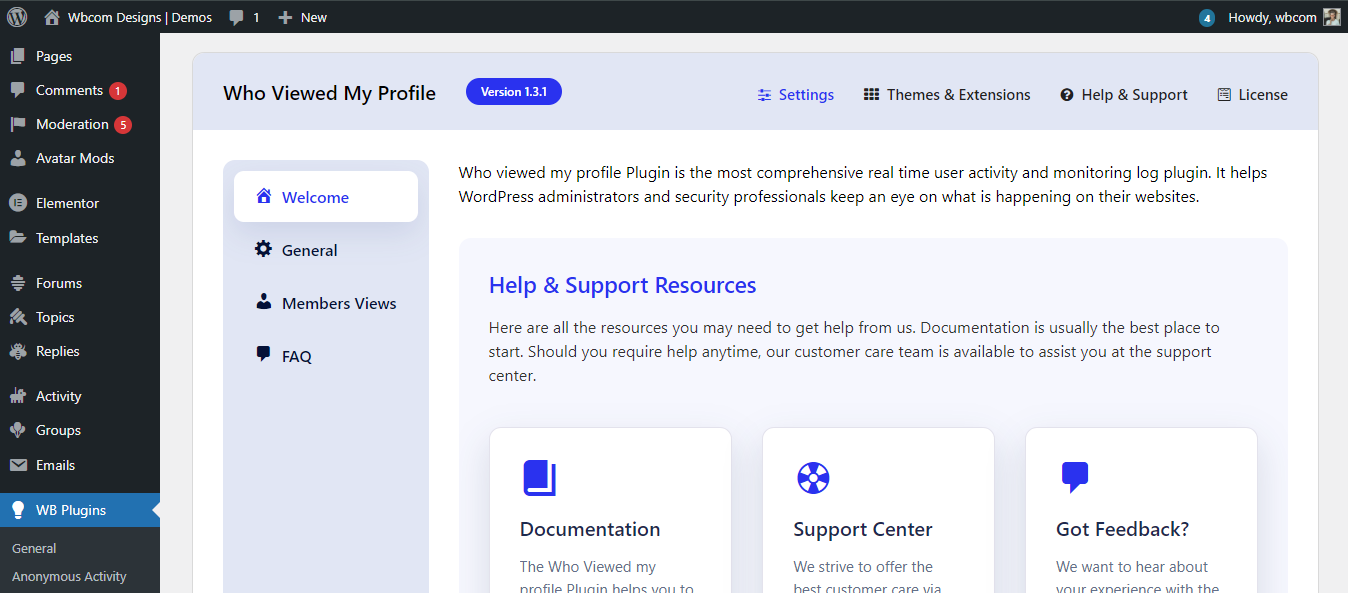
- Head over to your WordPress dashboard.
- Navigate to Plugins > Add New and search for Who Viewed My Profile plugin.
- Install and activate the plugin.
Step 2: Configure the Plugin Settings
Once activated, you’ll find the plugin settings under BuddyPress > Who Viewed My Profile. Here, you can:
- Enable or disable profile tracking.
- Set restrictions on who can see visitor details (admin, friends, or public).
- Choose how long visitor data should be stored.
- Customize notifications to alert users when someone views their profile.
Step 3: Ensure Compatibility with the Reign Theme
The Reign theme is built for BuddyPress and BuddyBoss, ensuring full compatibility with the Who Viewed My Profile plugin. No extra configurations are needed! The plugin works smoothly with Reign’s profile layout, displaying visitors in an intuitive and attractive way.
End Result


Key Features and Functionalities
The Who Viewed My Profile plugin comes with powerful features that enhance user engagement. Here’s what you can do with it:
1. View Recent Profile Visitors
Users can see a list of people who have recently visited their profile. This can spark conversations and new connections.
2. Set Privacy Controls
Users can control who sees their profile visits. They can enable or disable visibility, making the feature flexible for different privacy needs.
3. Display Profile Visitors with Avatars
The plugin shows profile visitors with their avatars, making it visually appealing and easy to recognize frequent visitors.
4. Encourage Community Engagement
By knowing who’s interested in their profile, users are more likely to send messages, add friends, or interact in groups.
5. Admin-Level Control
Website admins can customize plugin settings, deciding how data is displayed and who has access to profile visits.
Try Who Viewed My Profile plugin Demo here
Track Profile Visitors
Adding the Who Viewed My Profile feature to your community website enhances user interaction and increases engagement. Whether you’re running a professional network, an interest-based community, or a social site, this plugin keeps users curious and involved.
Ready to get started? Head over to WBcom Designs and integrate the Who Viewed My Profile plugin with the Reign theme today! Transform your website into an interactive space where users stay connected and engaged.

Interesting Reads
How Can I Collect and Manage User Ideas Effectively?