
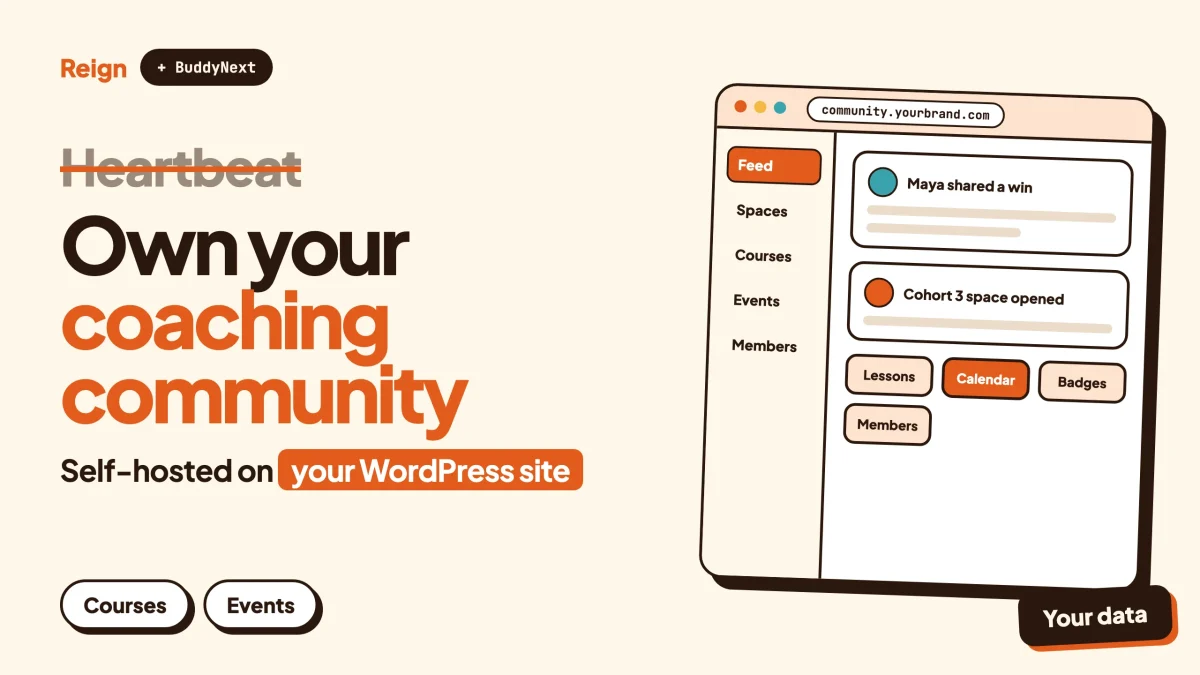
The best Heartbeat alternative for people who want to own the platform is BuddyNext, the self-hosted community engine from Wbcom Designs, with the Reign theme as its design layer. It runs on your own WordPress site, so the members, content and billing sit in your database. Heartbeat is still the faster start for a coach who wants everything hosted. Wbcom makes BuddyNext and Reign, so read this as a vendor view and check each claim yourself.
Heartbeat is a good product, and that deserves saying first, because most “alternative” posts open by pretending otherwise.
It is a hosted platform aimed at creators and coaches, with discussions, courses, events, payments, landing pages and automation in one login. If you want to be live this week and never touch a server, it is a sensible pick. This post is for the person who has used that kind of tool, or priced it out for a growing community, and started asking different questions. Who owns the member list? What happens to the business if the vendor changes its plans? Where does a forum, a directory or a job board fit, if the community grows past coaching?
Heartbeat details here come from its own public pages, read in November 2026. Where its pages are silent on something, this post says so and moves on.
When is Heartbeat the better pick?
Heartbeat is the better pick when speed and zero maintenance matter more than ownership. A hosted platform means no hosting, no updates, no plugin conflicts and no one to call when something breaks.
Going by its public site, here is what it packages together:
- Discussions. Channels, threaded conversations, direct and group messaging, member profiles and roles, public or private spaces, and a member directory. Voice and video rooms are listed too.
- Courses. Self-paced, drip and cohort-based courses, with lessons, modules, quizzes, assignments and progress tracking, and a discussion attached to each lesson.
- Events. RSVPs, reminders, calendar sync, recurring series, attendance tracking and recordings. Sessions can run in Heartbeat’s own rooms or on Zoom, and tickets can be sold.
- Payments. Subscriptions on weekly, monthly, quarterly or annual terms, one-off purchases, bundles and instalment plans, with coupons, trials, upsells and abandoned-cart recovery. Payments run on Stripe.
- Pages, documents and workflows. AI-built landing and checkout pages, a documents area, and automations for welcome, reminder, access and win-back flows.
- Pulse AI. An assistant that takes actions inside the community, such as building courses, offers and channels, and shows you the change before it makes it.
- A branded mobile app. Built and submitted to the app stores by the Heartbeat team on its top plan, under your own developer accounts.
That is a wide scope for one login, and it explains the appeal. Its features page says creators have built 37,000+ communities on it, with more than 750,000 members across them (Heartbeat’s own figures, as of November 2026). Those are vendor numbers, not an audit, but they tell you this is a real product with real use, not a side project.
Plan limits matter too. Heartbeat’s pricing page ties member caps, transaction fees and some features, like the removal of its branding and the mobile app, to the plan you pick, and it keeps a percentage of what you collect on top of Stripe’s own processing fee. Check its pricing page for current figures, because they change.
Why would you look for a Heartbeat alternative?
People look for a Heartbeat alternative when the community stops being a side feature and becomes the asset. None of these reasons is a scandal. They are what renting a platform looks like at scale.
The platform owns the stack
Heartbeat is a hosted subscription product. Its public pages describe your community running on your custom domain with your branding, which is a real benefit, but they state no self-hosted option. The software, the database and the roadmap belong to the vendor. If it changes direction, you adapt or you move.
Costs track growth, not need
Member caps and transaction fees are set by plan. A community that grows needs to move up, and a community that earns more pays a bigger absolute cut, even if the rate falls on higher plans. That is a fair model for a vendor that is carrying your hosting and your payments. It is also a cost that scales with your success rather than with your actual resource use.
The feature list has edges
Heartbeat is built around coaching, courses, memberships and events. Heartbeat’s public pages do not mention a Q&A board with accepted answers, a business directory, a job board, a services marketplace or ad inventory. If your community is heading toward any of those, you either bolt on another tool or outgrow the platform.
Design control is the vendor’s
You get custom brand colours, a custom domain and landing pages. You do not get template-level control of how a feed, a profile or a directory is laid out. For a brand with strong design standards, that ceiling shows up eventually.
Leaving takes planning
Moving off any hosted platform means exporting members, rebuilding content and, hardest of all, moving paying subscribers. Heartbeat’s pricing page lists a community data export among its features, but what an export includes is a question for its support team before you commit, not after.
Is BuddyNext with Reign a good Heartbeat alternative?
BuddyNext is the community engine, and Reign is the theme that gives it a face. Together they make a self-hosted community on WordPress, which means your domain, your database and your hosting bill. Modules for courses, events, forums, media, gamification and more are added only when you need them.
If you have not seen BuddyNext, its site has the full feature list and a live demo you can click through.
The community engine
Here is what BuddyNext gives a community, as of November 2026:
- Spaces. Public, private or secret, with nested sub-spaces, roles, auto-join and invite links. A coaching programme can hold one space per cohort.
- A feed with the usual tools. Hashtags, reactions, threaded comments, @mentions, polls, pinned posts and space announcements.
- Profiles. Custom fields, member types, a searchable member directory, field-level privacy and an onboarding wizard that asks new members the right questions first.
- Direct messages, powered by WPMediaVerse.
- Moderation. Reports, strikes, suspensions, appeals, banned words, content warnings and a front-end queue. See the community moderation guide for how to run it.
- Access control. Private communities and gated spaces, so a paid group stays hidden from everyone else.
- Developer hooks. A REST API, webhooks, search, a progressive web app and personal-data export and erase tools.
One honest limit: by default, the feed checks for updates by polling every few seconds. That feels live enough for most groups, but it is not instant. Instant delivery needs a paid add-on and a server of your own. A native mobile app is in development, and today members use the progressive web app, which sits on the home screen like an app but is not in the app stores.
Reign, the design layer
Most hosted platforms look like themselves. This layer makes the community look like you.
Reign controls how feeds, profiles, member and group directories and headers look. It ships with a demo library you install in a few clicks, 27 block patterns for pages such as heroes, pricing sections, FAQs and testimonials, and 8 style variations. There is a dark mode with a visitor toggle, RTL stylesheets and a drawer menu on phones. It styles BuddyNext, BuddyPress and BuddyBoss Platform, and has been on WordPress for 13 years. The install and demo import walkthrough shows how short the first step is.
The difference with Heartbeat shows here. A Heartbeat landing page is built by its AI inside its editor. A page built this way is a WordPress page, with the full block editor, your SEO plugin and any other tool that already works on your site.
How do Heartbeat features map to WordPress?
Each Heartbeat feature has a counterpart on the WordPress side, but not always a one-to-one one. The gaps are worth knowing before you commit.
Discussions and member connection
BuddyNext covers channels and threads through spaces and the feed, member profiles, a directory and private messages. Heartbeat lists voice and video rooms and an automated Match-ups feature that pairs members for introductions. Treat both as Heartbeat strengths. On WordPress you would run introductions through the onboarding wizard, a welcome space and prompts you post yourself.
If your community is as much about answers as chat, such as a client support group, add Jetonomy. It brings forums, Q&A with accepted answers, an ideas board, nested spaces and a moderation queue. The forum, Q&A and ideas board comparison helps you decide which format fits.
Courses
Learnomy is the course module. It offers courses with no cap on how many you create, sections and lessons, quizzes with timers, progress tracking, certificates with public verification links, direct checkout and memberships. Drip content and cohorts need a paid licence, so check the product page.
Heartbeat attaches a discussion to every lesson. In WordPress you would link a lesson to a BuddyNext space, which gives a cohort one place to talk. The paid course community guide walks through that setup, and course certificates on WordPress covers the certificate side.
Live sessions and events
This is the biggest practical gap. Heartbeat can host live rooms inside the platform, record them and bring the recording back into the community. BuddyNext does not host live video. Learnomy has a Live lesson type where you paste a Zoom, Google Meet or Microsoft Teams link, set the start time and duration, and students see a countdown and a Join button. Learnomy does not create the meeting. You keep your own Zoom account and your own recordings.
Eventonomy handles the calendar side with RSVPs, capacity limits and waitlists, guest RSVP, recurring events, calendar views, ICS feeds and reminders. Paid tickets, check-in and attendee management need a paid licence, so check the Eventonomy page. If you sell tickets, the event ticket guide compares the routes.
Payments and memberships
Heartbeat has payments built in, which is a real convenience. On WordPress, paid memberships, Stripe and PayPal billing, email broadcasts and drip, push notifications and white-label branding are paid add-ons to BuddyNext, so check the product page for what each licence includes. Learnomy takes course payments through its own checkout.
No platform takes a cut of your sales on this stack. Stripe and PayPal still charge their own processing fees, as they do everywhere, including on Heartbeat. The paid community on WordPress with Stripe post covers the setup, and what you keep on Patreon, Substack and Circle shows the same question asked of other hosted tools.
Automation and workflows
Heartbeat’s workflows send welcome messages, reminders and win-back flows from inside the platform. BuddyNext has onboarding, email digests and webhooks, and the paid email add-on adds broadcasts and drip sequences. For anything beyond that, webhooks and the REST API let you connect tools such as Zapier or your own scripts. It takes more setup than a built-in workflow builder, and it is more open once it is done.
Gamification
Heartbeat lists member badges and gamification on its entry plan. WB Gamification is the Wbcom option, awarding points, badges and ranks for what members actually do, with leaderboards and custom rules in the paid tier. See points, badges and leaderboards for what it looks like in practice.
Mobile app and AI
Heartbeat’s strongest card here is a branded iOS and Android app that its own team designs, builds and submits for you. BuddyNext does not match that today. It has a progressive web app now and a native app in development.
On AI, Heartbeat’s Pulse can build courses, pages and workflows by chat. BuddyNext has paid AI moderation. It has no assistant that sets up your site for you. If building by conversation is the draw, say so in your decision, because it is a genuine advantage for Heartbeat.
Heartbeat and BuddyNext side by side
Heartbeat’s column comes from its public pages. BuddyNext’s comes from the product. Neither column includes prices, because both change.
| Heartbeat | BuddyNext with Reign | |
|---|---|---|
| Where it runs | Heartbeat’s servers | Your WordPress site |
| Who owns the database | The vendor hosts it | You do |
| Setup effort | Low, hosted | Higher, you need hosting and updates |
| Spaces and channels | Channels, groups, private spaces | Public, private and secret nested spaces with roles |
| Courses | Evergreen, drip and cohort courses | Learnomy, with drip and cohorts in the paid tier |
| Live sessions | Own rooms and Zoom, recordings returned to the community | Zoom, Meet or Teams links in lessons and events, no hosted video |
| Events and tickets | RSVPs, reminders, paid tickets | Eventonomy, with paid tickets in the paid tier |
| Payments | Built in on Stripe, vendor keeps a share | Paid add-ons using Stripe and PayPal, no platform share |
| Automation | Built-in workflows | Onboarding, digests, webhooks, REST API, paid email add-on |
| AI assistant | Pulse builds and edits for you | AI moderation add-on, no site-building assistant |
| Mobile app | Branded native app built for you on the top plan | Progressive web app, native app in development |
| Forums and Q&A | Not listed | Jetonomy |
| Directory, jobs, marketplace | Not listed | Listora, WP Career Board, WP Sell Services |
| Design control | Brand colours, domain, landing pages | Reign layouts, patterns and style variations |
Read the table as a trade, not a verdict. Heartbeat gives you speed and a team behind the app. BuddyNext gives you ownership and room to grow sideways.
Which other Heartbeat alternatives are worth a look?
BuddyNext is not the only way out of Heartbeat, and it is not right for everyone. These come up most, described at the level you can check on each product’s own site.
Circle
A hosted platform with spaces, courses, events and live rooms, polished and quick to set up. It suits creators who want a managed product and are happy to stay hosted. Our Circle alternative guide covers it in depth.
Skool
A hosted community built around a classroom and a leaderboard, with very little to configure. That simplicity is the point. The trade-off is limited customisation. See the Skool alternative post.
Mighty Networks
A hosted platform combining community, courses and member apps, aimed at creators who want a branded mobile presence. Read the Mighty Networks alternative guide.
Kajabi
A hosted all-in-one for courses, memberships and marketing pages, closer to a business suite than a community product. The Kajabi alternative post covers what WordPress does differently.
FluentCommunity
A WordPress community plugin from WPManageNinja. It gives you ownership like BuddyNext does, with a lighter footprint. For a feed and spaces on a small site it is a reasonable pick. For a side-by-side with the other WordPress options, see BuddyBoss vs FluentCommunity.
For a wider view, WordPress against Circle, Mighty Networks and Skool compares the hosted field with the self-hosted one, and best self-hosted community platforms lists the open options.
How do you move a community off Heartbeat?
You move in stages, with Heartbeat running until the new site is ready. The members are the easy part. The money is the hard part.
- Build the new site first. Install WordPress, the theme and BuddyNext, import the demo closest to your brand (see the demo import guide) and set up your spaces. To confirm it worked, log in as a test member and check that you can post, join a space and send a message.
- Ask Heartbeat what you can export. Its pricing page lists a community data export. Ask its support team exactly what that covers: member lists, content, course material, subscription data. To confirm it worked, you should have written answers before you cancel anything.
- Move your members. Import the member list into WordPress and send an invitation from your own domain. Each member sets a new password. To confirm it worked, check that a handful of real members can log in and see their profiles.
- Rebuild courses and content. Recreate lessons in Learnomy, upload or embed videos, and decide which discussion threads are worth reposting. Do not assume past conversations will carry over. To confirm it worked, enrol a test account and finish one lesson.
- Plan the payment switch. Heartbeat’s pages say payments run on Stripe. Whether existing subscriptions can be moved depends on what Heartbeat and Stripe allow, so ask both before you promise members anything. The safe fallback is a new checkout link that members use to rejoin. To confirm it worked, run one real test purchase end to end.
- Announce, overlap, then close. Give members a date, keep both sites alive for a short overlap, then cancel Heartbeat. To confirm it worked, check that nobody active is still posting on the old platform.
If your members come from a chat or social group rather than a platform like this, moving a Facebook group to WordPress follows a similar order, and launching a community with your first 100 members covers the weeks that follow.
Who should pick which option?
Stay on Heartbeat if you are a coach or course creator, you want events, courses, payments and a branded app handled in one place, and you would rather pay a vendor than look after a site. Its hosted rooms, AI builder and done-for-you app are things a WordPress stack does not hand you.
Choose BuddyNext with Reign if the community is the long-term asset and you want to hold it yourself. It also fits when you expect to add forums, a directory, a job board or a marketplace later, or if you run sites for clients and want each one to look and behave differently.
Be clear about what you take on. You need hosting and someone who keeps WordPress updated. You wire up the pieces you want. Live video stays on Zoom, Meet or Teams, and the mobile app is a progressive web app until the native one ships.
Neither choice is a one-way door. Plenty of communities start hosted to prove the idea, then move to a stack they own once the numbers justify it.
Questions people ask
Is there a self-hosted version of Heartbeat?
Heartbeat’s public pages describe a hosted subscription product and state no self-hosted option. If you want the same kind of community on infrastructure you control, BuddyNext on WordPress is the route this post describes.
Can BuddyNext replace Heartbeat for a coaching business?
For the community, courses, events and payments, yes, using BuddyNext with Learnomy and Eventonomy and the paid membership add-on. The differences are hosted live rooms, a native branded app and an AI site builder, which are Heartbeat strengths. Check each product page for licence details.
Does Heartbeat let me bring my own domain?
Yes. Its pricing page lists a custom domain with brand colours as a feature, and its pages say the community can run on your own web address. The platform itself still runs on Heartbeat’s servers.
Can I keep my members if I leave Heartbeat?
Members are people, so you can invite them across, provided you can get their details out. Heartbeat’s pricing page lists a community data export, and you should confirm exactly what it covers before you plan the move. Paying subscribers need the most care, because payments are tied to Stripe.
Do I need technical skills to run BuddyNext and Reign?
You need to be comfortable with WordPress admin screens, hosting and updates. The demo installer gets you a working layout without code, and the day-to-day work is closer to running a blog than to programming. If that still sounds like too much, a hosted platform like Heartbeat is a perfectly good answer.
Related reading
- Circle alternative on WordPress
- Skool alternative on WordPress
- Kajabi alternative on WordPress
- Discord alternative for communities
- Create a paid online course community on WordPress
- Upgrade your community with BuddyNext
Ready to see what the self-hosted route looks like? Start with the Reign theme, open a demo that fits your brand, and click through it the way a member would. The BuddyNext live demo shows the community engine itself.