
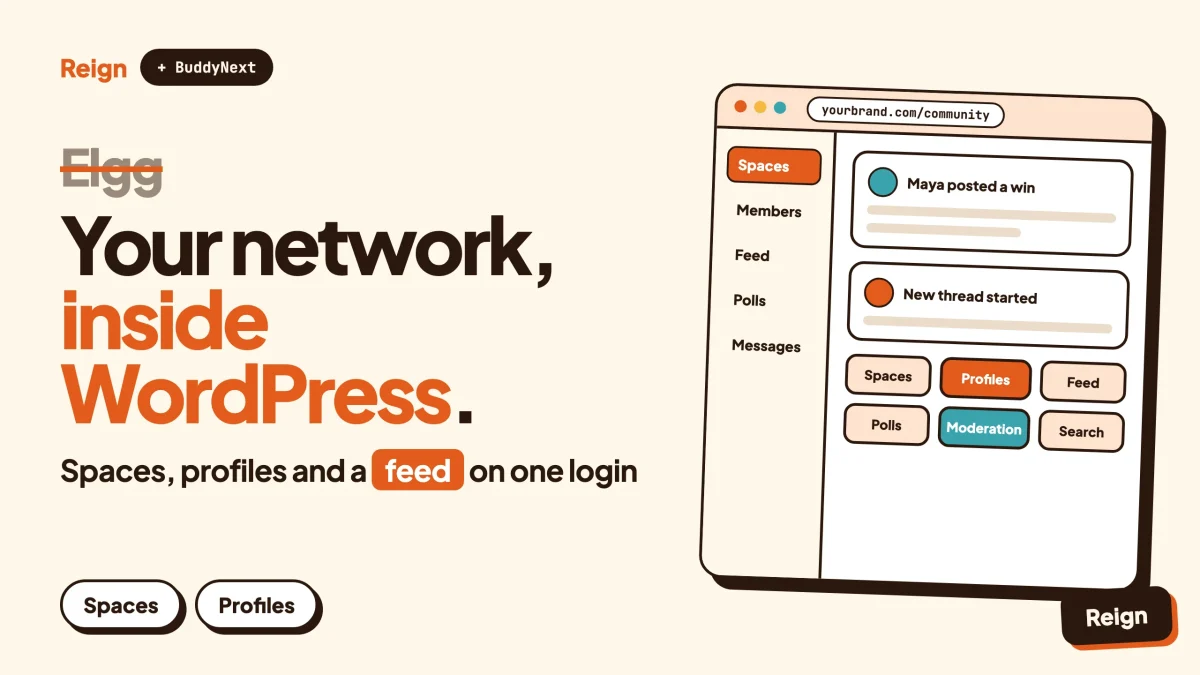
The best Elgg alternative for most site owners is BuddyNext on WordPress, styled by the Reign theme. It gives you spaces, member profiles, an activity feed, polls and moderation inside the same install as your pages, shop and courses. Elgg remains the better pick if you want a purpose-built PHP social networking engine, have developers to extend it and do not use WordPress. Wbcom Designs makes BuddyNext and Reign, so read this as a vendor view.
Elgg is a respectable piece of software. It is still being released, and a lot of campus and intranet networks run on it. The question is not whether it works. The question is whether a separate application is the right shape for your project.
This guide covers who tends to look for an Elgg alternative, what Elgg does well, what a WordPress build gives you instead, how the two compare, how to move a network across, and when you should stay where you are.
What is Elgg, exactly?
Elgg is an open source social networking engine written in PHP. Its own site calls it an award-winning engine that provides a framework to build all kinds of social environments, from a campus-wide network for a university, school or college to an internal collaborative platform for an organisation or a communications tool for a company and its clients.
Notice the word framework. Elgg describes itself as something you build a network on, rather than a finished community product with a fixed shape. That single choice explains most of what follows, both the strengths and the reasons people move on.
Here is what we could confirm from elgg.org and its GitHub repository in November 2026:
- It is current. The download button on elgg.org offers version 7.1.3, and the GitHub releases page shows 7.1.3 published on 5 November 2026, with a 6.3 line also receiving releases.
- It is PHP and MySQL-family. The repository describes it as a social networking engine in PHP and MySQL, and the install page lists MariaDB or MySQL, a recent PHP version, an Apache or Nginx web server and a working mail setup.
- It ships with a set of bundled plugins. The repository’s mod directory includes activity, blog, bookmarks, discussions, file, friends, groups, likes, members, messageboard, messages, pages, profile, reportedcontent, search, site notifications, thewire and web services, among others.
- It has an ecosystem. The features page says the community hosts a repository of more than a thousand open source plugins, and the site has a showcase of networks built on it.
That is a fair picture of a mature project. Now for what it does well.
What is Elgg genuinely good at?
Elgg is good at being a flexible foundation for a custom social network when you have developers and no wish to use WordPress. Its feature page lists the engineering reasons clearly, and several of them are real advantages.
- A flexible entity system. The features page describes an entity system that lets an application prototype new types of content and user interactions. If your network needs a content type nobody has built, that is a good starting point.
- Granular access control. Elgg lists an access control system for building granular content access policies and for creating private networks and intranets. That matters for universities, schools and internal networks where who sees what is the whole point.
- Groups out of the box. Groups are listed as built in, and a groups module is in the bundled set.
- Extension points. Hooks and events let plugins modify most aspects of behaviour, and an extendable view system lets plugins collaborate on the presentation layer.
- A security section. The features page lists built-in anti-CSRF validation, strict XSS filters, HMAC signatures and modern password hashing.
- Web services. It lists RPC web services for integrations with external applications and mobile clients, and the repository includes a web services module.
- Internationalisation. Localisation is built in and can be linked to third-party translation services.
- A clear licence statement. The licence page says the full package, framework plus a core set of plugins, is available under version 2 of the GNU General Public License, and that the framework alone, without the plugins, is also offered under the MIT licence. It also states you may charge your users membership fees, may remove the Elgg branding, and need not publish your changes if you only use Elgg to provide a service.
Those are not trivial. A university IT team that wants a private network with fine-grained access rules, written in PHP by people who already know PHP, has a sensible reason to choose Elgg.
The showcase page lists networks such as an executive networks site, a virtual learning environment and a university landing page, which fits the campus and organisation use cases Elgg describes for itself.
Who should look for an Elgg alternative?
The people who look for an Elgg alternative are mostly site owners whose community has become one part of a larger WordPress business, or teams that do not want to maintain a bespoke application. The software itself is rarely the complaint. The shape of the project is.
Here are the patterns that come up most often.
Your website is on WordPress and the network is not
Elgg is its own application with its own database, its own user table and its own theme system. If your articles, shop, courses and newsletter run on WordPress, members sign up twice, or you build a single sign-on bridge, or you accept that two systems never quite meet.
That friction is tolerable at a few hundred members. At several thousand it becomes a standing job.
You want a product, not a framework
A framework is wonderful if you want to design the thing yourself. It is a cost if you want a community to exist next week. With a framework, decisions like what a member profile looks like, how notifications are batched and how reports are handled are yours to make and maintain.
Plenty of owners would rather start from a working product and change what they need.
You do not have a PHP developer on call
Elgg’s own site routes you to developer resources, a bug tracker, a plugin tutorial and a professional services list of Elgg developers. That is a healthy ecosystem for teams with developers. If you do not have one, customising an engine like this means hiring from a smaller pool than the WordPress pool.
For scale, WordPress is used by about four in ten websites according to W3Techs (as of 6 November 2026, w3techs.com). That is a large pool of hosts, agencies, freelancers and plugins to call on, though it says nothing about which social network software is better.
You want to sell things next to the conversation
Memberships, courses, tickets, directories, a job board. WordPress has plugins for each, and if the community lives there, a purchase and a permission can be one event instead of two systems that need syncing.
You want to design with tools you already know
Blocks, a theme, patterns, a page builder. Many owners would rather keep one skill set than learn a second template and view system.
You are consolidating hosting and maintenance
One application to patch, back up, cache and monitor costs less attention than two. Our note on hosting for community websites helps if you are sizing a server.
If none of those describe you, skip ahead to the section on staying on Elgg. It is a legitimate answer.
What does the WordPress route look like?
The WordPress route is BuddyNext as the community engine and Reign as the design layer, both running inside a normal WordPress install. Other Wbcom plugins plug in when you want forums, courses, events or directories.
BuddyNext: the social engine
BuddyNext is a community plugin for WordPress. Its verified features include:
- Spaces that are public, private or secret, with nested sub-spaces, roles, auto-join and invite links.
- Member profiles with custom fields, member types, a member directory, field-level privacy and an onboarding wizard.
- A feed with hashtags, reactions, threaded comments, @mentions and polls, plus pinned posts and space announcements.
- In-app notifications and search.
- Moderation with reports, strikes, suspensions, appeals, banned words, content warnings and a front-end queue.
- Private communities and gated spaces.
- A PWA, a REST API, and personal-data export and erase tools.
- Direct messages, powered by WPMediaVerse.
Two precise points. First, the feed checks for updates by polling every few seconds by default. Instant delivery over WebSockets needs a paid add-on and your own server. Second, a mobile app is in development. It is not something to plan a launch around today.
Paid memberships, Stripe and PayPal billing, email broadcasts and drip, push notifications, AI moderation and white-label are paid add-ons. Check the product page for licence details before you build a plan on any of them. You can try the BuddyNext live demo.
Reign: the design layer
Reign is the WordPress theme that styles the whole thing. It has a dark mode toggle, RTL stylesheets, a mobile drawer menu, 27 block patterns, 8 style variations and a demo library with an installer. It styles BuddyNext, BuddyPress and BuddyBoss Platform. If you are comparing themes, best WordPress community themes lays out the field, and installing Reign and importing a demo walks the first steps.
The other modules, when you need them
Because it is WordPress, the rest of the family fits in when your use case asks for it. Each product runs on its own, and none requires BuddyNext.
- Jetonomy for forums, Q&A with accepted answers and an ideas board, with nested spaces, trust levels and a moderation queue. Our forum vs Q&A vs ideas board post helps you choose.
- Learnomy for courses, lessons, quizzes, progress and certificates, if your Elgg network was a learning environment.
- Eventonomy for events with RSVPs, capacity and waitlists, recurring events and calendar views.
- MediaVerse for member photo and video uploads and albums.
For a wider survey of what sits next to these, read best WordPress community plugins.
How do Elgg and BuddyNext compare side by side?
They answer different questions. Elgg asks what a flexible social networking foundation looks like. BuddyNext asks how a ready social layer fits into the WordPress site you already run.
| Question | Elgg | BuddyNext with Reign |
|---|---|---|
| What kind of product is it? | An open source social networking engine and framework in PHP (elgg.org) | A community plugin and a theme inside a WordPress site |
| Does it need WordPress? | No, it is a standalone application | Yes, that is the point |
| One login with your WordPress site | Needs an integration you build or buy | Native, same user table |
| Groups | Built in, with a groups module in the bundled set | Spaces: public, private or secret, with nesting, roles and invite links |
| Profiles | Profile module in the bundled set | Custom fields, member types, directory, field-level privacy |
| Short posts and feed | Activity and thewire modules in the bundled set | Feed with hashtags, reactions, threaded comments, polls, pinned posts |
| Messaging | Messages and messageboard modules in the bundled set | Direct messages powered by WPMediaVerse |
| Access control | Granular content access policies and private networks listed as a core feature | Private communities, gated spaces and per-space roles |
| Moderation | A reported content module in the bundled set | Reports, strikes, suspensions, appeals, banned words and a front-end queue |
| Extending it | Hooks, events, views and an API; more than a thousand community plugins | WordPress plugins, a REST API, block patterns |
| Selling memberships | Licence page says you may charge membership fees | Paid add-ons for memberships and billing; check the product page |
| Mobile | Web services for external mobile clients | PWA today; a mobile app is in development |
| Licence of the core | GPL version 2 for the full package; MIT for the framework alone | Check the product page |
| Who builds on it? | PHP developers comfortable with the Elgg framework | Anyone who can run WordPress; developers via the REST API |
Read the table as a map of fit, not a score. If you are choosing between a few open source engines rather than just these two, our post on open source social network software compares the wider list, including HumHub, OSSN and others.
Which Elgg features map to which WordPress pieces?
Most of Elgg’s bundled modules have a direct counterpart in a WordPress build, and a few are better handled by WordPress itself. This map is a planning aid before you move anything.
| Elgg bundled module | What it does for members | Where it lands on WordPress |
|---|---|---|
| groups | User groups with their own content | BuddyNext Spaces |
| members, profile | Member list and profile pages | BuddyNext member directory and profiles with custom fields |
| activity, thewire | A stream of activity and short posts | BuddyNext feed |
| discussions, messageboard | Threaded conversation in groups and on profiles | BuddyNext threaded comments; Jetonomy if you want a full forum |
| messages | Private messages | BuddyNext direct messages, powered by WPMediaVerse |
| likes | Liking content | BuddyNext reactions |
| blog, pages | Member blogs and static pages | WordPress posts and pages |
| file | File uploads and sharing | WordPress media library, with MediaVerse for member photos and video |
| bookmarks | Saving items for later | BuddyNext bookmarks |
| reportedcontent | Members flag content for staff | BuddyNext reports and the front-end moderation queue |
| site_notifications | On-site notifications | BuddyNext in-app notifications |
| invitefriends | Invite people to join | BuddyNext invite links for spaces |
| search | Site search | BuddyNext search plus WordPress search |
| web_services | API access for outside apps | BuddyNext REST API and the WordPress REST API |
Two modules deserve a note. The friends modules, which handle connections and friend collections, have no line in the verified BuddyNext feature list, so check the demo to see how connections behave before you promise that behaviour to members. Likewise, Elgg’s custom entity types, the thing its framework is best at, would be rebuilt as WordPress custom post types or left out.
What other open source options are there?
Several, and none of them is a bad answer. The right one depends on whether you want WordPress, a standalone PHP application or a federated network.
| Option | What it is | Better pick when |
|---|---|---|
| Elgg | Open source social networking engine in PHP | You have PHP developers and want a framework you control, outside WordPress |
| BuddyNext with Reign | WordPress community plugin and theme (made by Wbcom) | Your content, shop or courses already run on WordPress |
| BuddyPress | The long-running WordPress community plugin | You want the established WordPress base; see BuddyPress alternatives |
| A standalone platform | Self-hosted community products outside WordPress | You want a different stack; see self-hosted community platforms |
| A chat-first tool | Real-time chat communities | Conversation speed matters most; see Discord alternative on WordPress |
If your project began as a forum rather than a social network, the same question comes up in our posts on XenForo alternatives and how to create a forum website.
How do you move an Elgg network to WordPress?
Moving from Elgg to WordPress is a content migration with a rebuild of structure, not a one-click upgrade. Nothing on Elgg’s public pages or BuddyNext’s pages describes an automated importer between the two, so plan for an export, a mapping and a scripted or manual import.
What usually moves over
- Member accounts. Usernames, display names and email addresses. Passwords rarely carry across because platforms hash them differently, so plan for members to set a new one.
- Groups. Each group becomes a space, with its description, visibility and members.
- Blog posts and pages. These map cleanly onto WordPress posts and pages and keep their value for search.
- Uploaded files. Possible, but check file paths, sizes and who owns what.
- Wire posts and discussions. Move the ones worth keeping. Old short posts are often not worth the effort.
What usually does not move cleanly
- Your Elgg theme and views. You rebuild the look with Reign instead of porting templates.
- Custom plugins. If you wrote a plugin for a special content type, you either rebuild it as a WordPress plugin or drop the feature.
- Access rules. Granular per-item access settings need a decision. Map them to private and secret spaces, roles and gated spaces, and accept that the model is different.
- Private messages. Often skipped. Decide on purpose, and tell members.
- Old URLs. They break unless you redirect them, and that is the biggest search risk in any move.
A sensible order of work
- Take a full backup of the Elgg database and data directory. To confirm it worked, restore it on a spare server and log in.
- Count what you have: members, groups, blog posts, files, wire posts. You will compare these numbers later.
- List the top traffic URLs from your analytics or Search Console. Those are the ones you must redirect.
- Ask your most active members what they use. Messages, groups, bookmarks, notifications. Build the new site around that list.
- Build a staging site with WordPress, Reign and BuddyNext. Use the Reign demo installer to get a starting layout, then adjust colours and header.
- Create spaces and profile fields to match your groups and profile data. A move is the time to merge near-empty groups.
- Write your rules and set roles. Our community guidelines template and the moderation guide help here.
- Run a trial import on staging. Use a script written by a developer, or standard WordPress import tools for posts and pages. To confirm it worked, spot-check twenty items across different years and groups.
- Check authorship and dates. Content should show the right member and original date.
- Build the redirect map from old Elgg URLs to new ones and test a sample. Each should land on the matching page, not the home page.
- Tell your members the date, what changes and how to set a new password.
- Make Elgg read-only on cutover day, post a notice pointing to the new site, go live, and watch the 404 report in Search Console for a few weeks.
The same flow, for a source that does have a direct importer, is in migrating from bbPress. And if members worry about losing the look they know, changing a community theme without losing members covers the design side. Coming from a Facebook group instead? See moving a Facebook group to WordPress.
What does a first week on the new stack look like?
A first week is setup and decisions, not code. Here is a realistic order with a check at the end of each step.
Day one: install and pick a look
Install WordPress on staging, activate Reign and run the demo installer. Choose a demo close to your community, and change colours and header later. To confirm it worked, open the front page on your phone and check the mobile drawer menu opens.
Day two: add BuddyNext and shape the profile
Activate BuddyNext, define your profile fields and member types, and switch on the onboarding wizard. To confirm it worked, register a test account and walk through onboarding the way a new member would.
Day three: create spaces
Build spaces from your old groups. Decide which are public, which are private and which are secret, and set the roles inside each. To confirm it worked, join a private space from a second account and check that content stays hidden from a non-member.
Day four: moderation and notifications
Set banned words, content warnings and the moderation queue. To confirm it worked, report a test post from a second account and handle it from the queue.
Day five: import and review
Run the trial import, compare counts and invite two or three trusted members to try it. Ask one question: what did you reach for that was not there? That list decides whether you launch or wait.
Notice what is missing from this week. There is no second login to wire up, because members and content already live in WordPress. For owners with an existing WordPress business, that is the main reason to move.
When should you stay on Elgg?
Stay on Elgg when the network works, your team knows it, and WordPress is not part of your plans. A migration carries real risk, and a stable network does not need one without a business reason.
- You run a working network with custom plugins. Rebuilding custom entity types and views costs real time. If members are happy and your developers are productive, leave it alone.
- Your access rules are the product. If fine-grained, per-item access control is the heart of your intranet or campus network, Elgg’s model was built for exactly that. WordPress spaces and roles are a different shape.
- You have no WordPress site and no wish to run one. Adding WordPress only to host a social layer adds a second system rather than removing one.
- You want a framework to design against. If the appeal is writing your own content types and interactions in PHP, Elgg’s entity system, hooks and views are what you came for.
- You need a specific community plugin. If a plugin from Elgg’s repository does something you cannot match, test the replacement before you commit.
Moving makes sense when the reasons earlier in this post describe you: a WordPress site you already run, a wish for one login, and a plan to add courses, events, a directory or memberships around the conversation. If you are still deciding whether to build a network at all, how to start a social media platform and what an online community platform is cover the basics, and must-have features for a social network site gives you a checklist to test any option against.
Questions people ask
Is Elgg still maintained?
Yes, going by its public pages. In November 2026 the elgg.org download button offers version 7.1.3, and the GitHub releases page shows that version published on 5 November 2026, alongside releases on a 6.3 line. Check the repository for the current state before you decide.
Is Elgg open source?
Yes. Its licence page says the full package, framework plus core plugins, is available under version 2 of the GNU General Public License, and the framework without the plugins is also available under the MIT licence. The page adds that it is not legal advice, and so is this post, so ask a lawyer if the details matter to you.
Is there an Elgg plugin for WordPress?
Nothing in Elgg’s public pages describes one. Elgg and WordPress are separate applications, so the usual routes are a single sign-on bridge, or moving the network to WordPress and rebuilding the features with BuddyNext. Both are real projects, not a switch you flip.
Can I keep Elgg and add WordPress?
Yes. Many sites run both for a while, with WordPress for content and the network on a subdomain. You can move group by group instead of all at once. The cost is two logins until the move is finished.
Do I need BuddyNext to use the other Wbcom plugins?
No. Each Wbcom plugin runs on its own. BuddyNext adds spaces, profiles and a feed around them if you want those, and Reign styles the whole site.
Related reading
- Build a private social network on WordPress
- Reign and BuddyNext for your community
- Best open source social network software
- Member directory plugins for WordPress
- A Moodle alternative on WordPress
- Reign and Jetonomy for block-based forums
If the WordPress route fits, start with the design layer: see the Reign theme, install a demo, and add BuddyNext on a staging copy before you touch your live network.