
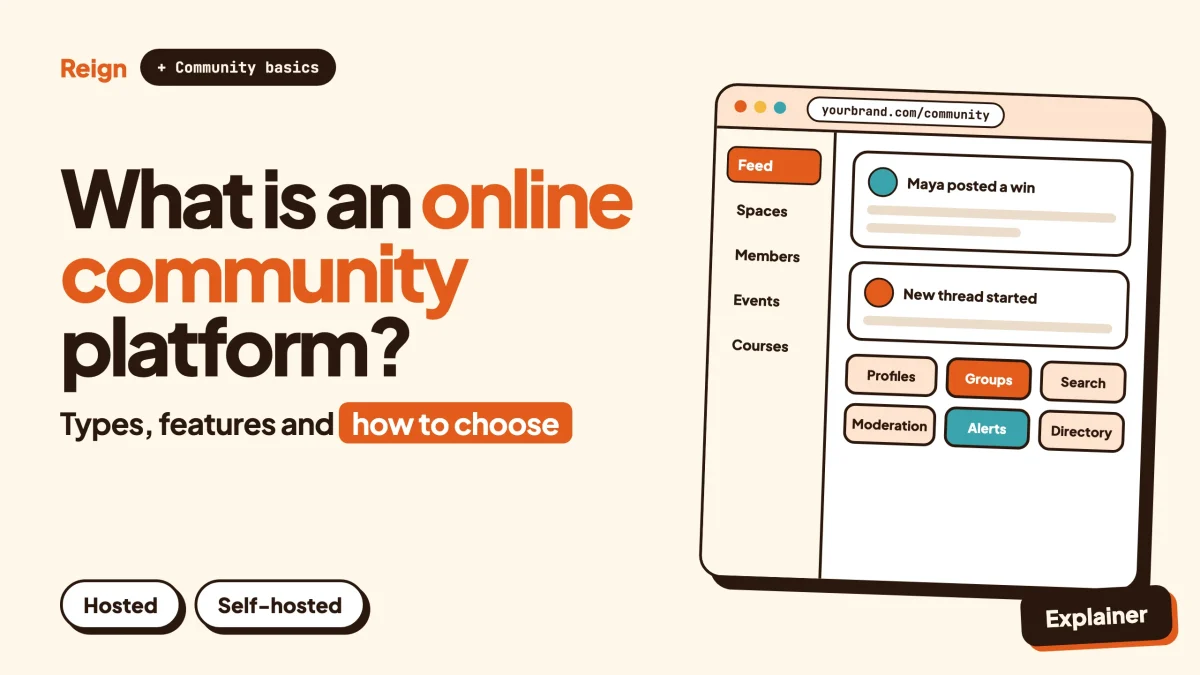
An online community platform is software that gives a group of people one place of their own to talk, share, learn and meet, with member profiles, discussion spaces, notifications and moderation tools built in. It sits between a social network you do not control and a bare website you have to build from scratch. You can rent one as a hosted service or run one yourself, and that choice shapes almost everything that follows. Details on products were checked in November 2026.
That is the short version. The rest of this post covers what such a platform does, the five main types, the features that matter and the ones that are mostly noise, how to choose, what each route really costs you in effort, and a decision table at the end.
A note on who is writing. Wbcom Designs makes BuddyNext and the Reign theme, and both appear below as one option among several. Read it as a vendor view, and check each product on its own site.
What is an online community platform?
An online community platform is a piece of software that hosts a group of people with a shared purpose and gives them tools to interact: profiles, posts, replies, private groups, messages, events and moderation.
Three words in that sentence do the work. Shared purpose separates a community from an audience. People in an audience watch you. People in a community talk to each other. Tools means the software supplies the structure, so you do not have to assemble it from a blog, a mailing list and a chat app. Moderation is on the list on purpose, because a community without it turns into a spam queue within weeks.
The terms people type into search overlap, and they are not exact synonyms.
- An online community is the group itself.
- An online community platform is the software the group lives on.
- A community website is usually a community platform running on your own domain, as opposed to inside someone else’s app.
- A community app normally means the mobile side: an iOS or Android app for members.
For a deeper look at the group side, not the software, read what a brand community is.
How big is the online community platform category?
Market researchers put the online community building platform market at 3.8 billion US dollars in 2025, forecasting 12.4 billion by 2033, according to a report from DataHorizzon listed as published in May 2026 (source, as of November 2026).
Treat that as a direction, not a fact. Other research firms publish different totals for the same category because they draw the boundary in different places. One counts only tools sold to brands, another counts every forum and social-network product. What the estimates agree on is the trend: more money is moving into software where groups run their own spaces, and that is why the number of options has exploded.
For you, the practical meaning is simple. You have more choice than you did a few years ago, and most of the choices look similar on a homepage. The sections below are about telling them apart.
What does a community platform actually do?
A community platform handles six jobs so that you do not have to: identity, conversation, grouping, notification, moderation and measurement.
Identity
Members sign up, build a profile and show up as a person with a name, a photo and a history. Better platforms let you add custom fields, so a profile can hold a job title, a city or a skill list. A member directory then lets people find each other.
Conversation
This is the core. It can be a feed where members post updates, a forum with topics and replies, a question-and-answer board, or a mix. Reactions, mentions and threaded replies sit in this layer.
Grouping
Few communities want everyone in one room. Groups, spaces or channels let people split by topic, region, plan level or cohort. Some are open, some need approval, some are invisible to outsiders.
Notification
People come back when something happens that concerns them. In-app alerts, email digests and push notifications pull members back in. Too many of them drive members away, so the controls matter as much as the channels.
Moderation
Reporting, a review queue, banned words, warnings and suspensions. You want these before you need them. The community moderation guide covers how to set the rules up.
Measurement
Who joined, who posted, who went quiet. Not every platform does this well, and some hide the raw numbers behind a plan. See which community metrics are worth tracking.
Many platforms add a seventh job: money. Memberships, paid spaces and course sales turn a community into a business. It is optional, but it is the reason a lot of people shop for a platform in the first place.
What are the main types of community platform?
There are five main types: hosted SaaS, self-hosted software, forum software, social network software and LMS-based communities. Real products often straddle two of them.
1. Hosted SaaS community platforms
You sign up, pick a plan and get a working community on the vendor’s servers. The vendor runs hosting, updates, security and often the mobile app. Setup takes an afternoon. In return, the vendor controls the roadmap, the plan limits and the terms, and your data lives in their system. This is the model behind most of the names people search for.
2. Self-hosted community software
You install the software on your own server or hosting account. You own the database, the domain and the design. You are also the one who keeps it updated, backed up and secure, or you pay someone who does. WordPress-based community plugins live here, along with a few standalone open source projects. There is a longer rundown in best self-hosted community platforms.
3. Forum software
The oldest type. Discussion is organised into categories and topics, and the strength is searchable, long-lived threads. It suits support, product feedback and knowledge sharing. It feels less personal than a feed with profiles. If you are unsure whether you want a forum, a question board or an ideas board, forum vs Q&A vs ideas board sorts that out.
4. Social network software
This type copies the shape of the big networks: a feed, friends or followers, groups, direct messages and profiles that matter. It suits communities where the members are the content. A private social network for an alumni group or a professional association is the classic case. There is a build guide in how to build a private social network on WordPress.
5. LMS-based communities
Here the course comes first and the community grows around it. Lessons, quizzes and progress tracking are central, and discussion sits beside them. It suits creators who teach. The risk is that the community side stays thin, because the product was designed around lessons.
One useful test: ask what the product is built to do first. Everything else is bolted on, and you will feel the bolts later.
Which products fit which type?
The table below places seven well-known products by type, using what each one says about itself on its own site as of November 2026. It is a map, not a ranking. Where our own alternative posts exist, they are linked underneath.
| Product | Type | How its own site describes it | Good fit when |
|---|---|---|---|
| Circle | Hosted SaaS | Community, events and courses under your own brand; branded iOS and Android apps, email, payments and a website builder are listed | You want a polished all-in-one service and no server to look after |
| Skool | Hosted SaaS | A platform to build a community, courses and events and charge for memberships or course purchases, run from one place | You are a creator who wants the simplest possible paid-community setup |
| Mighty Networks | Hosted SaaS | Community, courses and events, with native mobile apps and custom-branded apps on a higher plan | Mobile-first engagement matters most |
| EzyCommunity | Hosted SaaS | Branded community with feed, courses, gamification, live and events, plus a white-label option for reselling | You want one bundle that includes live sessions and a resale tier |
| Discourse | Forum software, self-hosted or managed | Open source codebase on GitHub, discussion topics, chat, moderation tools, themes and plugins; self-host or use its managed hosting | Public discussion, support and product feedback are the point |
| FluentCommunity | Self-hosted, WordPress plugin | Activity feed, profiles, spaces, private messaging, leaderboard and a course module on your own WordPress site | You run WordPress and want a lean community and course plugin |
| BuddyBoss | Self-hosted, WordPress platform | Course and community platform for WordPress with feed, groups, discussions, memberships and gamification; theme and app options | You want a packaged WordPress community with a branded mobile app |
If you are leaving or considering one of the hosted names, these posts go deeper: Circle alternative, Skool alternative, Mighty Networks alternative and EzyCommunity alternative. For forum software, see Discourse alternative. For the two WordPress-based rivals, BuddyBoss vs FluentCommunity compares them directly. For the head-to-head of the hosted three, there is WordPress vs Circle vs Mighty Networks vs Skool.
Some honest context on the hosted group. They are good products. Their sites emphasise speed to launch and an all-in-one experience, and that is a real advantage when you are testing whether anyone wants your community at all. Nobody should run a server to find out.
What about no-cost community platforms?
Search interest in no-cost options is high, so here is the straight version. Several hosted platforms offer a no-cost entry plan or a trial, and self-hosted software can be installed without a licence fee for the core. Neither route is cost-free. A hosted plan costs you limits and, later, plan upgrades or transaction terms. A self-hosted install costs you hosting and your time. Read each product’s pricing page for the current terms, and plan for the day your community outgrows the entry level. We wrote more on this in best hosting for community websites.
Which features matter and which are noise?
The features that matter are the ones members touch every week: a clear feed or forum, profiles, groups, notifications, search and moderation. Everything else is secondary until the basics work.
Here is the practical split, built from watching what communities need in their first year.
Features that matter
- Onboarding. A new member should know within a minute what the place is for and what to do first. A short wizard that fills in a profile and suggests groups beats an empty homepage.
- Groups with different privacy levels. Open, private and hidden spaces cover most real needs.
- Notifications you can tune. Members need a way to say less, or they leave.
- Search. Once a community has a few thousand posts, finding old answers is the feature people notice most.
- Moderation tools. Reports, a queue, banned words, and a way to warn or suspend. Needed on day one.
- An exit. Can you export members and content, or move the data to another system? You will not care until the day you do.
- Roles and permissions. You will want moderators who are not admins.
- Mobile behaviour. A responsive layout at minimum. A progressive web app or a native app if members expect it.
Features that are often noise
- A huge integrations list on the homepage. Check the two or three you need, not the count.
- Gamification before you have activity. Points and badges reward behaviour that already exists. In an empty community they reward nothing. Add them when you have members to motivate; this post shows how.
- AI summaries and assistants. Useful in a busy community, decorative in a new one.
- Built-in website builders. Handy to have, but a dedicated site builder is usually better at the job.
- Every possible content type. Polls, reels, stories, live rooms. Pick the two your members actually use.
For a longer checklist from the social-network side, see must-have features for any social network site.
How do you choose an online community platform?
Start with who owns the data, then who does the work, then what the community needs to do. Features come last, because most platforms in the same type cover the same ground.
- Write down the job. One sentence: “Members will do X here, and I will know it is working when Y.” If you cannot write it, no platform will fix that.
- Decide who owns the members. If you need your own domain, your own database and the right to leave, lean towards self-hosted. If speed matters more, hosted is fine, and you should still check how export works before you commit.
- Be honest about technical help. Do you have, or can you pay for, someone who keeps a WordPress site updated? If not, hosted is not a weakness. It is a reasonable decision.
- List the second and third things you will need. Courses? A directory? Paid memberships? Events? A platform that has them now may cost less than one you bolt them onto later. A platform you can extend by module may cost less than one with a fixed bundle.
- Test as a member, not as an admin. Sign up with a fresh email, join a group, post, get a notification, change settings on your phone. Admin screens sell the product. The member side decides whether anyone stays.
- Check the unpleasant bits. Pricing page, export options, terms, what happens if you cancel. Do this before you import anything.
- Pilot with a small group. Twenty to fifty real people is enough to see friction. Launching to your first 100 members walks through it.
To confirm your choice holds up, run the pilot for two weeks and then ask three questions: did members come back unprompted, could you handle moderation without dread, and would you be happy to still be on this platform in a year.
What does an online community platform really cost in effort?
Every route costs effort. The difference is where the effort lands: on setup, on upkeep, on content, or on watching a bill. This section is deliberately price-free. Look at each product’s own pricing page for current numbers, since they change.
| Effort | Hosted SaaS | Self-hosted |
|---|---|---|
| Time to first working community | Hours | A day or more, less with a demo importer |
| Hosting, updates, backups, security | The vendor | You, or whoever you pay |
| Design control | Within the vendor’s settings | Full, with a theme or custom code |
| Adding a new capability | Wait for the vendor, or move up a plan | Add a plugin or module |
| Data ownership and export | Depends on the vendor’s tools | Your database |
| Changing direction later | A migration project | Usually a configuration change |
| Mobile app | Often included or offered as an upgrade | A web app option, or an app from the vendor if one exists |
| Predictability of cost | Tied to plan rules | Tied to hosting and licences you choose |
The effort that people underestimate has nothing to do with software. Content and moderation take more time than setup. A community needs someone to welcome new members, start conversations, reply when a question sits unanswered and remove problems quickly. Plan for a person, not just a tool. Even a part-time community manager does more for retention than any feature.
Self-hosting adds a second kind of effort, which is system care. Updates arrive. Backups need testing. If the site slows down, someone investigates. None of that is hard, but it is regular, and it is the cost that a hosted subscription absorbs for you. If you go self-hosted, choose hosting that suits a community with many logged-in users, as covered in the hosting guide.
The migration cost is worth naming too. Moving a community is possible, but it is the one task that hurts every time, because members have habits. Choosing carefully at the start is cheaper than moving.
Where do BuddyNext and Reign fit?
BuddyNext is a self-hosted community platform for WordPress, and Reign is the WordPress theme that styles it. Both come from Wbcom Designs, which is the company that publishes this blog. They are our answer to the self-hosted slot in the table above, and they are not the right answer for everyone.
BuddyNext runs on your own WordPress site, so members, content and data stay in your own database. Based on its product site and our own code review, it includes:
- Spaces that are public, private or secret, with nested sub-spaces, roles, auto-join and invite links
- An activity feed with reactions, threaded comments, @mentions, hashtags and polls
- Member profiles with custom fields and member types, a member directory, field-level privacy and an onboarding wizard
- In-app notifications and email digests
- Moderation with reports, strikes, suspensions, appeals, banned words, content warnings and a front-end queue
- Private communities and gated spaces, search, a progressive web app, a REST API, and personal-data export and erase tools
Direct messages are powered by WPMediaVerse. A mobile app is in development, so for now mobile means the progressive web app. The feed checks for new activity by polling every few seconds, and instant delivery needs a paid add-on and your own server. Paid memberships, billing, email broadcasts, push notifications and other add-ons are licensed separately, so check the product page for what each includes.
Reign is the design layer. It styles BuddyNext, BuddyPress and BuddyBoss Platform, and it comes with a dark mode toggle, a mobile drawer menu, right-to-left stylesheets, 27 block patterns, 8 style variations, five header layouts and a demo library with an installer. Paid add-ons extend it to LearnDash, LifterLMS, Tutor LMS, Dokan, WP Job Manager and others. The theme has been on WordPress for 13 years. If you already run a Reign site, this post explains how to upgrade the community layer.
The modular side is the real pitch. Around the engine sit separate products for forums and Q&A (Jetonomy), courses (Learnomy), events (Eventonomy), directories (Listora), jobs (WP Career Board) and more. You add one when the community asks for it. Each runs on its own, so you can use any of them without BuddyNext.
Where it is the weaker choice, plainly: you need WordPress hosting and someone to keep the site updated. Hosted live rooms and a packaged native app are things a hosted vendor hands you in one click, and with BuddyNext live lessons link out to a Zoom, Meet or Teams address, and the native app is not out yet. If you want to see it before deciding, there is a live BuddyNext demo. Two comparison reads: BuddyNext vs BuddyBoss, and the plugin and theme roundups at best WordPress community plugins and best WordPress community themes.
Decision table: which kind of platform for which situation?
| Your situation | Lean towards | Why |
|---|---|---|
| Testing an idea with a small paid group, no technical help | Hosted SaaS (Circle, Skool, Mighty Networks or EzyCommunity) | Fastest start, no server to look after |
| Public support or product feedback community | Forum software such as Discourse, or a WordPress forum module | Threads that search engines can index and users can search |
| Brand community that will also need courses, events or a directory | Self-hosted modular platform | Add capabilities without switching systems |
| Already on WordPress with a membership site | WordPress community plugin or platform (BuddyNext, FluentCommunity, BuddyBoss) | Same login, same domain, same data |
| Teaching is the main product | LMS-based community, or an LMS plus a community plugin | Lessons and progress come first |
| Private network for an association or alumni group | Social network software, self-hosted | Profiles, directory and private groups are the product |
| Must have a native mobile app today | A hosted platform or a vendor that ships an app | Check each app’s current status on the vendor’s site |
| Need to own the data and the right to leave | Self-hosted | The database is yours |
Questions people ask
What is the difference between a community platform and a forum?
A forum is one kind of community platform, built around topics and replies. A broader platform adds profiles, a feed, groups, messaging, events and sometimes courses. If your members mostly need to ask and answer questions, a forum may be enough.
Do I need a community platform, or is a Facebook group or Discord server enough?
For a test, a group or server is fine. The trade-off is that the network owns the audience, the rules and the algorithm. A platform gives you your own space and data. Our posts on Discord alternatives and moving a Facebook group to WordPress cover that decision.
Can WordPress be a community platform?
Yes. WordPress with a community plugin and a suitable theme becomes a community website you own. See how to create an online community website using WordPress for the build.
How many members do I need before it feels alive?
Fewer than people think, if the group is focused. A small, well-defined group that talks beats a large silent one. The first-members post linked above covers the first hundred.
Is a community app different from a community platform?
An app is a way to reach the platform on a phone. Some platforms ship a branded native app, some offer a progressive web app that installs from the browser, and some are responsive websites only. Ask which of those you are getting.
Related reading
- What is a brand community?
- Best self-hosted community platforms
- WordPress vs Circle vs Mighty Networks vs Skool
- BuddyBoss vs FluentCommunity
- Forum vs Q&A vs ideas board
- How to launch an online community and get your first 100 members
- Community metrics: what to track
- Build a private social network on WordPress
If you decide to run the community on your own WordPress site, start with the Reign theme: see Reign and its live demos, pick the layout closest to your brand, add BuddyNext, and bring in other modules only when your members ask for them.