
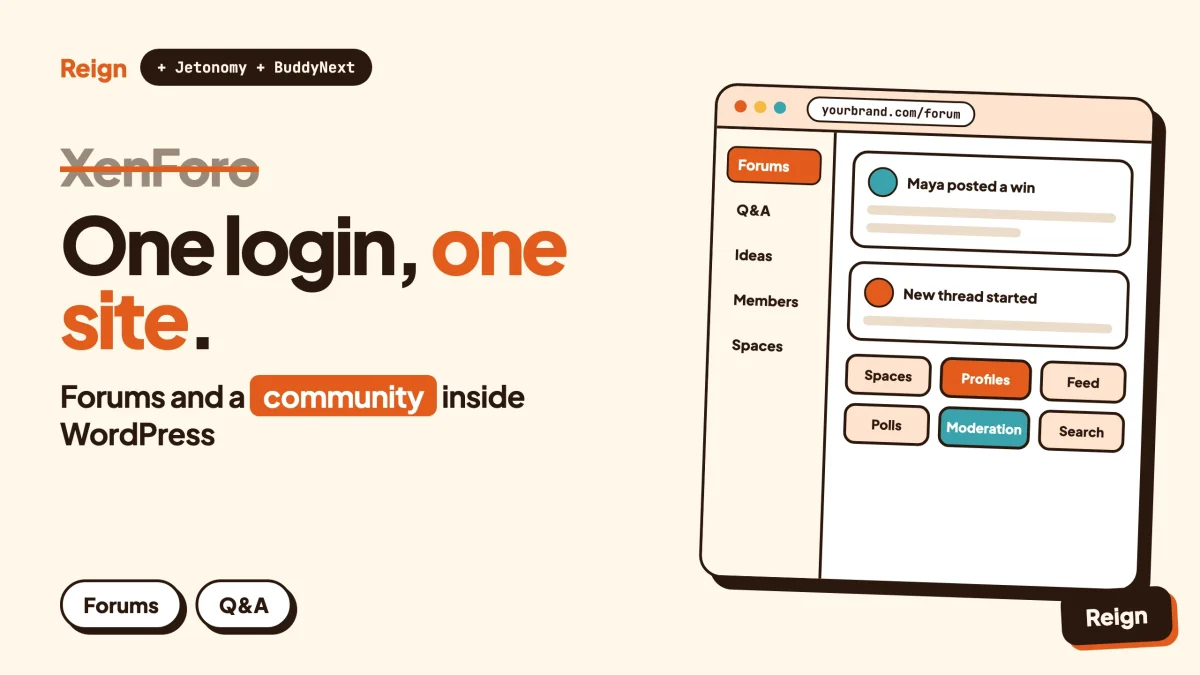
The best XenForo alternative for a WordPress site is a stack, not one plugin: Jetonomy for forums and Q&A, BuddyNext for profiles, spaces and the activity feed, and the Reign theme for design. It suits people who want their community inside the same WordPress install as their content, shop and courses. XenForo remains the better pick if you only want a classic forum and do not use WordPress. Wbcom Designs makes Jetonomy, BuddyNext and Reign, so read this as a vendor view.
People rarely leave a forum platform because it is bad. They leave because the forum stopped being the whole business.
The articles, the store, the course, the member login and the newsletter live somewhere else, and the forum sits on a separate subdomain with its own accounts. This post covers who tends to leave XenForo and why, what XenForo does well, what the WordPress route gives you, and how to move without losing your members. It also has a section for people coming from vBulletin, MyBB or phpBB, plus a migration checklist.
Who leaves XenForo, and why?
The people who leave XenForo are mostly site owners whose forum has become one part of a larger WordPress business. The software is rarely the complaint. The seams are.
Here are the patterns we see most often when someone starts looking for a XenForo alternative.
The forum and the website are two separate worlds
A XenForo board is its own application. It has its own database, its own user table, its own theme system and its own login. If your main site runs on WordPress, a member signs up twice, or you wire up single sign-on, or you accept that the two never quite talk to each other.
That friction is small at 200 members. At 20,000 it becomes a standing job.
You want more than threads
A forum is conversation organised by topic. A modern community also wants profiles that say something, groups with their own space, an activity feed, direct messages, events, courses and sometimes a paid tier. You can bolt those on to a forum engine. You can also build on a platform where they are first-class parts.
You want to sell things next to the conversation
Memberships, courses, digital downloads, tickets. WordPress has a huge ecosystem for each. If the community sits in WordPress, a purchase and a permission can be one event rather than two systems that need syncing.
You want to design with the tools you already know
Some owners simply know WordPress. Blocks, a theme, a page builder, familiar plugins. They would rather keep one skill set than learn the template and add-on system of a second platform.
You are consolidating hosting and maintenance
One application to patch, back up, cache and monitor is cheaper in attention than two. See our note on hosting for community websites if you are sizing a server.
None of these is a defect in XenForo. They are reasons the shape of your project may have changed. If your project is still just a forum and you are happy, skip to the section on when XenForo is the better pick.
What is XenForo genuinely good at?
XenForo is a dedicated forum platform, and that focus is its strength. A tool built for one job usually does that job with fewer compromises than a stack assembled from several.
Here is what we could verify from XenForo’s own published administrator manual at docs.xenforo.com. The main marketing pages block automated reading, so this section sticks to the manual and says nothing about prices or editions. Check xenforo.com for current terms.
- A structured admin manual. It is organised into getting started, installing and upgrading, common concepts, users, access privileges, forums, threads and posts, user-generated content, appearance and layout, communication, configuration, importing content, maintenance, server configuration, reference and official add-ons.
- An admin control panel with its own search. The manual describes a dedicated admin area, separate from the public site, with a search that opens from a magnifier icon or the slash key.
- A dedicated section on access privileges. Permissions are a core concept in the manual, not an afterthought.
- Official add-ons. The manual lists official add-ons as their own section, and links to developer documentation and REST API documentation.
- Importing content. The manual has an importing section, which matters if you are coming from another board.
- Licensed software with update checks. The manual refers to license status and expired access, so XenForo is a licensed product. Check xenforo.com for current licence terms.
Read between those lines and a picture forms. XenForo is mature, documented, and built around the idea that the forum is the product. If a moderator team lives in the admin panel all day, and the community is mostly threads, that single-purpose design is a feature.
It is also a standalone PHP application you host separately, which is both a strength (it is independent of WordPress updates) and the reason some owners leave.
What does a WordPress community stack give instead?
A WordPress community stack gives you forums, a social layer and a design system inside one install, so members, content and commerce share one login and one database. Three Wbcom products cover it, each usable on its own.
Jetonomy: forums, Q&A and ideas
Jetonomy is the forum layer. It offers forum spaces, Q&A spaces with accepted answers, an ideas board with voting and status, trust levels, voting, search, notifications and moderation. Spaces can nest. For a deeper look at choosing between those formats, read forum vs Q&A vs ideas board.
Its developer surface includes a REST API, a template override system and CSS custom properties for theming, according to the product site. Which parts need a paid licence changes, so check the product page rather than relying on a blog post.
BuddyNext: profiles, spaces and the feed
BuddyNext is the social layer. It brings spaces that are public, private or secret, with nested sub-spaces, roles, auto-join and invite links. Members get profiles with custom fields, member types, a member directory, field-level privacy and an onboarding wizard. The feed has hashtags, reactions, threaded comments, @mentions, polls, pinned posts and space announcements.
Moderation covers reports, strikes, suspensions, appeals, banned words, content warnings and a front-end queue. It also ships with search, a PWA, a REST API, and tools to export and erase personal data. Direct messages are powered by WPMediaVerse. A mobile app is in development.
On the feed, be precise: by default it checks for updates by polling every few seconds. Instant delivery over WebSockets needs a paid add-on and your own server. Memberships, billing, email broadcasts, push notifications and AI moderation are also paid add-ons, so check the product page for licence details. You can try the BuddyNext live demo.
Reign: the design layer
Reign is the theme. It has a dark mode toggle, RTL stylesheets, a mobile drawer menu, 27 block patterns, 8 style variations and a demo library with an installer. It styles BuddyNext, BuddyPress and BuddyBoss Platform. For a walkthrough of picking a look, see best WordPress community themes.
Where the stack goes beyond a forum
Because it is WordPress, the rest of the family plugs in when you need it: Learnomy for courses, Eventonomy for events, Listora for directories, WP Career Board for jobs. They are separate products with their own pages. None of them needs BuddyNext to run.
Our post on self-hosted community platforms compares the wider field, including non-WordPress options.
How do XenForo and the WordPress stack compare?
They answer different questions. XenForo asks what the best standalone forum looks like. The WordPress stack asks how a forum fits into everything else you run.
| Question | XenForo | Jetonomy + BuddyNext + Reign |
|---|---|---|
| What kind of product is it? | A dedicated forum application with its own admin control panel (docs.xenforo.com) | Plugins and a theme inside a WordPress site |
| Does it need WordPress? | No, it runs on its own | Yes, that is the point |
| One login with your WordPress site | Needs integration work | Native, same user table |
| Forums | Core product | Jetonomy spaces, with Q&A and ideas formats |
| Social features | Check xenforo.com for the current list | BuddyNext spaces, profiles, feed, polls, reactions |
| Permissions model | Dedicated access privileges section in the manual | Roles and capabilities in WordPress plus per-space roles |
| Extending it | Official add-ons, developer docs, REST API docs | WordPress plugins, REST APIs, block patterns, template overrides |
| Importing from other boards | Has an importing section in the manual | Jetonomy importers for bbPress, wpForo and Asgaros |
| Licence model | Licensed software (check xenforo.com) | Check each product page |
| Who maintains it? | One vendor | One vendor for the stack, plus WordPress core and your hosting |
Look at the second-to-last row. If your old board is XenForo or vBulletin, the importers do not apply to you directly. We come back to that below.
Which other forum engines do people compare with XenForo?
Several. Each has a different centre of gravity, and none of them is a WordPress plugin.
| Engine | What its own site or repo says | Better pick when |
|---|---|---|
| phpBB | Open-source bulletin board written in PHP, GPL-2.0 licence (GitHub repository) | You want a classic, openly licensed board and are happy to stay off WordPress |
| MyBB | “Free and open source” forum software with hundreds of plugins and themes, translations in more than 30 languages; LGPL-3.0 on GitHub (mybb.com) | You want a light, open-source PHP board with a template and theme editor |
| Flarum | Open-source forum software built on Laravel, MIT licence; version 2.0.0 is described as stable (flarum.org) | You want a modern interface and your team knows Laravel |
| NodeBB | Forum software with native ActivityPub support, built-in chat and realtime streaming; self-host, hosted and enterprise options (nodebb.org) | You want a Node.js forum that talks to the fediverse |
| Vanilla | See our separate Vanilla review | You are an organisation that wants a vendor-run community product |
All four are real, active choices. If you want a pure forum and never plan to use WordPress, any of them (and XenForo) may suit you better than a stack of WordPress plugins.
If you want the forum to live with your content, the WordPress route earns its place. That is also why people comparing bbPress alternatives end up looking at the same stack.
What if you are leaving vBulletin, MyBB or phpBB instead?
Moving from vBulletin, MyBB or phpBB to WordPress is a content migration, not an upgrade. Plan on the text moving and the structure needing rebuilding. The searches that bring people here, such as “vbulletin alternative”, “free vbulletin” and “mybb forum”, usually mean the same thing: the old board is ageing, and the owner wants something maintained.
What usually moves over
- Member accounts. Usernames and email addresses. Passwords are usually the weak point because each platform hashes them differently, so plan for members to reset theirs.
- Forum structure. Categories and forums map onto Jetonomy spaces.
- Topics and replies. The text is the valuable part and the part worth the effort.
- Attachments. Possible, but verify file paths and sizes.
What usually does not move cleanly
- Your old theme and templates. You rebuild the look in Reign rather than port it.
- Add-ons and mods. A feature that came from a board plugin has to be matched with a WordPress plugin or dropped.
- Private messages. Often skipped. Decide deliberately whether to bring them.
- Signatures, custom BBCode and reputation scores. Tidy these by hand or accept the loss.
- Old URLs. They break unless you redirect them, which is the largest SEO risk in any move.
What Jetonomy’s importers support
Jetonomy includes importers for three WordPress forum plugins: bbPress, wpForo and Asgaros. According to the product page, each source forum becomes a space, and topics, replies and attachments move over linked to their original authors. That is the full list.
There is no importer there for XenForo, vBulletin, MyBB or phpBB. Check the Jetonomy product page for the current list before you plan around anything else.
For a board that is not on that list, you have three practical paths:
- Export and import with standard tools. Export threads and posts from the old database to CSV or XML, then import them into WordPress through standard import tools or a script, and map them to Jetonomy spaces afterwards.
- Hire a developer. A short custom script that reads the old tables and creates WordPress users and posts is common work, and a developer can preserve authors and dates.
- Convert in two steps. Some owners move first to a board type that has a WordPress importer, then import from there. Test this on a copy, because every extra hop can lose data.
Whichever you choose, run a trial on a staging copy first, and keep the old board read-only and online until you have checked the result.
What does a first week on the WordPress stack look like?
A first week is mostly setup and decisions, not code. Here is a realistic order, with a check at the end of each step.
Day one: install and pick a look
Install WordPress on staging, activate Reign and run the demo installer. Choose a demo close to the community you want, then change colours and the header later. To confirm it worked, open the front page on your phone and check the mobile drawer menu opens.
Day two: add Jetonomy and shape the spaces
Activate Jetonomy and create a handful of spaces. Use a forum space for open discussion, a Q&A space where you want one accepted answer, and an ideas space if you collect feature requests. To confirm it worked, post a test thread and a test question, then accept an answer.
Day three: add BuddyNext if you want a social layer
Activate BuddyNext, define your profile fields and member types, and turn on the onboarding wizard. Leave it out if your members only want threads. To confirm it worked, register a test account and walk through onboarding as a new member would.
Day four: moderation and rules
Set roles, banned words and the moderation queue, and publish your rules. To confirm it worked, report a test post from a second account and handle it from the queue.
Day five: import and review
Run your trial import, compare counts, and invite two or three trusted moderators to try it before anyone else sees it. Ask them one question: what did you reach for that was not there? That list decides whether you launch or wait.
Notice what is missing from this week. There is no second login to wire up, because members and content already live in WordPress. That single fact is the main reason owners with an existing WordPress business make the move.
What is a sensible migration checklist?
A good migration is mostly preparation. Work through these in order and tick each one before the next.
Before you touch anything
- Take a full backup of the old board’s database and files. Confirm you can restore it.
- Count what you have: members, forums, threads, posts, attachments. You will compare these numbers later.
- List your top traffic URLs. Pull them from your analytics or Search Console. These are the ones you must redirect.
- List the features people actually use. Ask moderators. Subscriptions, reputation, polls, private messages, signatures.
- Decide what to leave behind. Dead accounts, spam and empty forums do not need to move.
Build the new home
- Set up WordPress on a staging site with Reign, Jetonomy and, if you want profiles and a feed, BuddyNext. Use the Reign demo installer to get a starting layout.
- Create your spaces to match your old forum structure, or improve it. A move is the time to merge near-empty forums.
- Write your community rules and set roles. Our community guidelines template is a starting point, and the moderation guide covers the queue setup.
Move the content
- Run the import on staging using whichever path above fits your source board.
- Compare counts against the numbers you recorded. To confirm it worked, spot-check twenty threads from different years, including one with attachments.
- Check authorship and dates. Posts should show the right member and original timestamp.
- Test search by looking for a phrase you know appears in an old thread.
Protect search traffic
- Build a redirect map from old thread URLs to new ones, starting with your top traffic URLs. Use a redirect plugin or server rules.
- Test the redirects by opening a sample of old links. Each should land on the matching thread, not the home page.
- Keep the sitemap clean. Submit the new sitemap in Search Console once you go live.
Bring people with you
- Email your members before the move with the date and what changes. If passwords cannot transfer, say so and link to the reset page.
- Freeze the old board on cutover day by making it read-only, and post a notice pointing to the new site.
- Go live, then watch the 404 report in Search Console for a few weeks and add redirects for anything you missed.
- Keep the old board archived for a while so you can recover anything missing.
Our post on migrating from bbPress shows the same flow for a source that Jetonomy imports directly, and changing a community theme without losing members covers the design side of a move.
When is XenForo the better pick?
XenForo is the better pick when the forum is the product and WordPress is not part of your plans. Staying put is often the right call.
- You run a large, busy board that works. A migration carries real risk. If members are happy and moderators are productive, a move needs a clear business reason.
- You have no WordPress site and no wish to run one. Adding WordPress purely to host a forum adds a second system to maintain rather than removing one.
- Your team already knows XenForo’s admin and add-ons. Retraining is a cost.
- You rely on specific add-ons or styles that have no WordPress equivalent.
- Your community is almost entirely threaded discussion. The social layer matters less if nobody wants profiles, feeds and groups.
Moving makes sense when the reasons in the first section describe you: a WordPress site you already run, a wish for one login, and a plan to add courses, events, a directory or memberships around the conversation.
For a sanity check on scale, WordPress is used by about four in ten websites according to W3Techs (as of 5 November 2026, w3techs.com). That is a large pool of themes, hosts, developers and plugins to draw on when you need help, though it says nothing about which forum is better.
Questions people ask
Is there a WordPress plugin that imports XenForo?
Jetonomy’s importers cover bbPress, wpForo and Asgaros only, so XenForo is not among them. Check the Jetonomy product page for the current list. For a XenForo board, plan on an export and import through standard WordPress tools or a developer, with a staging trial first.
Can I keep my XenForo board and add WordPress?
Yes. Many sites run both for a while, with WordPress for content and the board on a subdomain. You can move section by section instead of all at once. The cost is two logins until the move finishes.
Is there a low-cost vBulletin alternative?
Open-source boards such as phpBB, MyBB and Flarum describe themselves as open source and are worth testing. On the WordPress side, check each Wbcom product page for what needs a paid licence. Hosting and your time cost something either way.
Will I lose my search rankings?
Not if you redirect carefully. Map old thread URLs to the matching new thread, test a sample, and keep monitoring 404s after launch. Rankings usually wobble for a short time even with good redirects.
Do I need BuddyNext to use Jetonomy?
No. Each Wbcom plugin runs on its own. BuddyNext adds profiles, groups and a feed around the forum if you want them. Reign styles both.
Related reading
- A Discourse alternative on WordPress
- Best WordPress forum plugins
- Reign and Jetonomy for block-based forums
- Reign and BuddyNext for your community
- Build a Q&A site with accepted answers
- Build a private social network on WordPress
If you decide the WordPress route fits, start with the design layer: see the Reign theme, install a demo, and add Jetonomy and BuddyNext one at a time.