
The best directory setup for WordPress is a theme that styles a dedicated directory plugin, not a directory theme that owns your listings. Reign with Listora, our own free directory plugin, gives you searchable listings, maps, member submissions, reviews and claims on a theme that also runs a community. Reign with the GeoDirectory add-on is the second route if you already use GeoDirectory.
This guide compares the two Reign routes with the standalone directory themes people usually find first. Reign is the WordPress theme for building a complete community site: social network, courses, member directory, marketplace and job board on one install, so a directory here is one part of a larger site rather than a dead end.
What is a WordPress directory theme?
A WordPress directory theme is a theme that bundles the design and the listing features of a business directory, a local guide or a listing site. The catch is that many of them keep the listing data in the theme’s own post types, so changing the theme later can leave your listings behind. A plugin-based directory keeps the data in the plugin and lets the theme change freely.
A good directory needs the same set of parts whichever route you take:
- Listings with categories, locations and custom fields
- Search and filters that visitors can use on a phone
- A map view with markers
- Front-end submission so owners add their own listings
- Reviews and ratings
- Claiming, so a business owner can take control of a listing
- A way to earn money: paid listing plans, ads or featured spots
Reign with Listora: the directory that shares your community
Listora is a WordPress directory plugin from the same team as Reign, and it installs free. The free plugin includes listings, search, maps, member submissions, reviews and business claims. Reign styles it with no add-on, so the archive, single listing and search pages follow your brand without custom CSS.
The free version already covers more than most buyers expect. Maps use Leaflet, reviews allow owner replies, and a business claim goes through admin approval. Listora Pro adds paid listing plans, credits and coupons, Google Maps and verification badges, which is where the money-making side of a directory lives. The Reign with Listora page shows the pairing, and the business directory build guide takes you from install to a first set of listings.
What makes this different from a directory theme is what sits next to it. The same Reign install can run BuddyNext so owners and visitors have profiles, an activity feed and spaces. It can run WP Career Board for a jobs section, WP Sell Services if providers sell services, and Eventonomy for events at listed venues. Each installs free. You start with a directory and grow into a community without changing theme.
Not sure where to begin? Our best WordPress directory plugins post compares the plugin options in more depth.
Reign with GeoDirectory: for sites already on GeoDirectory
If your directory already runs on GeoDirectory, keep it. Reign has a GeoDirectory add-on that connects listings to member profiles on BuddyPress and PeepSo: it adds a Places tab to the profile, posts listing events to the activity stream and sends notifications for new places, favorites and reviews. It does not change GeoDirectory’s own listing pages, search or maps, and it needs GeoDirectory active.
The Reign GeoDirectory kit packages the theme and the add-on, and the add-on page lists the exact behavior. The GeoDirectory build guide covers setup. Choose this route when GeoDirectory features or extensions you already depend on are not worth replacing.
Listora or GeoDirectory: how to choose
Choose Listora for a new directory and GeoDirectory when you already run it. The table shows what changes between the two Reign routes.
| Question | Reign with Listora | Reign with GeoDirectory |
|---|---|---|
| Starting point | New directory | Existing GeoDirectory site |
| Free to install | Yes | Check GeoDirectory’s own terms |
| Theme styling | Built into Reign | Reign GeoDirectory add-on |
| Community link | Sits beside BuddyNext and the rest of the family | Places tab on BuddyPress or PeepSo profiles |
| Paid listings | Listora Pro | Through GeoDirectory’s own extensions |
| Best for | New builds that may grow into a community | Sites with a GeoDirectory investment |
Standalone directory themes people compare
Several directory themes are sold as complete packages. They are worth knowing because they appear in most searches, and they are a reasonable fit for a single-purpose listing site with no community plans. Check each vendor for current terms, features and support before you buy, because they change. We removed vendor links on purpose: look up the name and read the vendor’s own page.
Spotfinder

Spotfinder is a directory theme from Templatic. Its design is aimed at listing properties and local services in a card-based layout.
Service Finder

Service Finder is a theme for a service directory where visitors find and book providers. It is aimed at marketplaces of service providers.
ListingEasy

ListingEasy is a directory theme with a choice of homepage layouts. It is built for a simple listing site you can launch quickly.
Javo

Javo is a map-centered directory theme where listings appear as markers beside the search results.
Listable
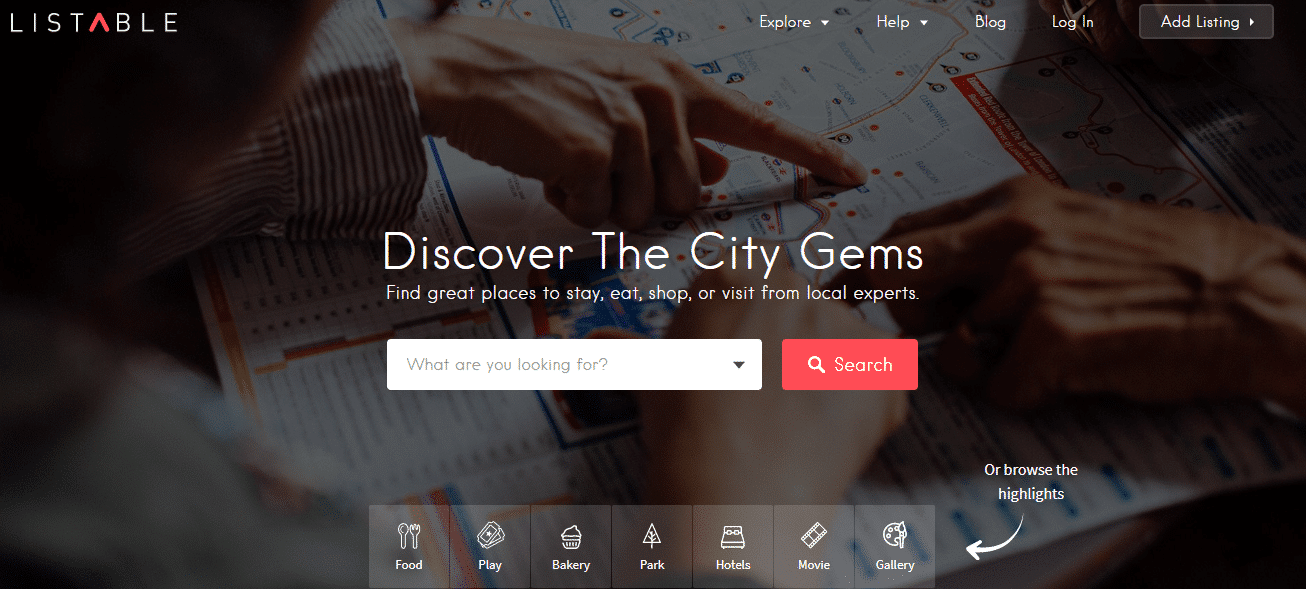
Listable is a clean directory theme aimed at visitors who browse by filters and search.
Listify

Listify is a long-established listing theme that works with the WP Job Manager plugin.
Listing Pro

Listing Pro is a directory theme with several ready-made demos, such as a general listing, travel and restaurants.
Directory
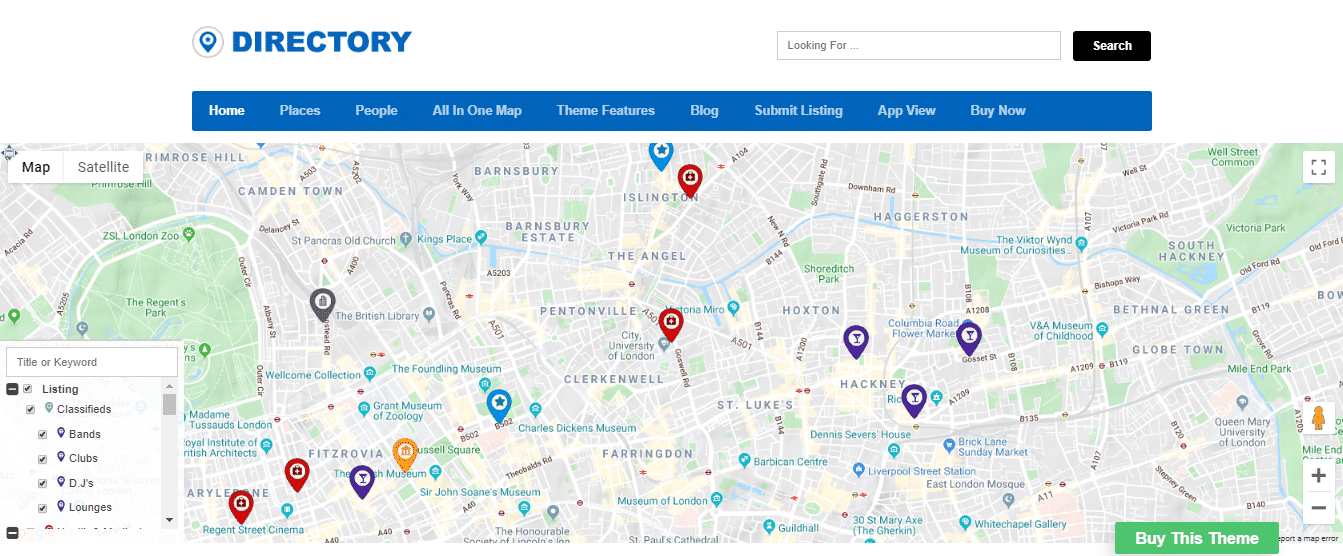
Directory is Templatic’s main directory theme, a general-purpose package for business listings.
Yellow Pages

Yellow Pages is a Templatic theme styled after a classic business directory, with a map on the homepage.
Directory theme or directory plugin: what to weigh
A directory theme is faster to demo; a directory plugin is easier to live with for years. Three trade-offs decide it:
- Portability. When a theme owns the listing types, changing design means rebuilding or migrating data. A plugin keeps listings separate from the design.
- Growth. A theme tuned only for listings gives you little room for members, forums or events. Reign is built to carry those on the same install.
- Money. Paid listings, credits and claims are plugin features. Check where each one lives before you plan revenue. Listora keeps paid plans in Pro, for example.
How to build a business directory on Reign with Listora
You can have a working directory in an afternoon. This is the order that avoids rework:
- Install Reign, then add Listora from Reign Settings, Extend. No licence is needed for the free plugin.
- Define your categories and locations before you add any listing.
- Turn on member submission and decide whether listings need approval.
- Add a handful of real listings yourself so the search and map are not empty.
- Switch on reviews and claims, then test a claim from a second account.
- Add BuddyNext when you want members to follow businesses and talk to each other.
Niche directories work well on this stack. See how the theme fits a restaurant directory, a wedding vendor directory or a pet directory.
What to check before you pick any directory setup
Test the parts your visitors touch first. A directory lives or dies on search, so load a few dozen sample listings and try the filters on a phone before you commit to anything.
- Search and filters. Can a visitor narrow by category, location and a custom field in a few taps? If the filter panel is awkward at 390 pixels wide, most of your traffic will feel it.
- Submission flow. Create a listing from a plain member account. If the form confuses you, it will confuse the business owners you need to attract.
- Moderation. Decide who approves new listings and who handles a dispute over a claim. A directory with no approval step fills with spam quickly.
- Exit route. Ask where the listing data lives and how you would export it. This is the portability question again, and it is cheaper to ask before launch than after.
- Update path. Look at how often the theme or plugin is updated and what the vendor says about supported PHP and WordPress versions.
Which directory idea fits which stack
The right stack follows what you want the directory to become, not only what it is on day one.
- A local business guide. Reign with Listora is enough. Add reviews and claims, and use the free maps. Move to paid plans in Pro when businesses ask for a better placement.
- A directory with member profiles. Add BuddyNext so each owner or professional has a profile, and link listings to the people behind them. See Reign with BuddyNext.
- A directory plus jobs. Pair Listora with WP Career Board so employers list a company and post openings from the same account.
- A directory of services you can buy. Use WP Sell Services when providers sell to visitors on your site, not just advertise.
- An existing GeoDirectory site. Keep GeoDirectory and add the Reign add-on so places show up on member profiles.
Common directory mistakes
Most failed directories fail on supply, not on software. A site with ten listings looks abandoned, so seed it yourself before you invite the public, and focus on one city or one niche at first. The second mistake is picking a theme for its demo screenshots and finding out later that the listing data is tied to it. The third is skipping moderation until spam arrives. Fix all three before launch and the theme choice matters much less than the work of finding businesses to list.
When Reign is not the right directory theme
Reign is a community theme first, so it is more than you need for a ten-page brochure directory with no members and no plans to grow. If you only want a static list that you edit yourself, a lightweight theme and a simple plugin will do. Pick Reign when listings, members and other features such as jobs, events or services will share one site, and when you want one design to cover all of them.
Seed the directory before you launch
An empty directory gives visitors no reason to return. Before you announce anything, add real listings for one niche or one area, fill in every field, and test search with ordinary queries. Then ask a few businesses to claim their entries and leave an honest review. Early listings decide whether owners see the directory as a place worth being found in, so spend your effort on supply before design polish.
How a directory makes money
A directory earns from the side that wants to be found. Common models are paid listings, featured placement, claimed-listing upgrades and ads. Listora Pro supports paid listing plans and credits. Other income routes sit in other plugins from the family, such as WB Ad Manager for ad placements. Reign itself charges one theme licence per site, with no per-member fee and no share of your income. Current terms are on the pricing page.
Frequently asked questions
What is the best WordPress directory theme?
For most new sites, Reign with the Listora plugin is the best route because listings, maps, reviews and claims are free and the theme can also run a community. Standalone directory themes suit a single-purpose listing site with no growth plans. Compare what you need against the table above.
Do I need a directory theme or a directory plugin?
You need a plugin for the directory features and a theme that styles it. Many directory themes bundle both, which makes the design harder to change later. Using a plugin such as Listora with a theme such as Reign keeps the two separate.
Is there a free WordPress directory plugin?
Yes. Listora is free and includes listings, search, maps, member submissions, reviews and claims. Paid listing plans, credits and coupons, Google Maps and verification badges are in Listora Pro.
Can members submit their own listings?
Yes. Listora supports member submissions, and you decide whether new listings go live straight away or wait for approval. GeoDirectory has its own submission pages, which the Reign add-on links to from the profile.
Can I charge businesses to list?
Yes, with paid listing plans. In Listora they are a Pro feature, along with credits and coupons. Plan the pricing of your own listings after you see how many businesses you can attract.
Does Reign work with GeoDirectory?
Yes, through the Reign GeoDirectory add-on, which needs GeoDirectory active. It adds a Places tab to BuddyPress and PeepSo profiles and sends activity and notifications for new places, favorites and reviews.
Can I add a community to my directory later?
Yes, and that is the main reason to pick Reign. Install BuddyNext for profiles, spaces and an activity feed, and add Jetonomy for forums or Eventonomy for events when you need them. Read the best WordPress community theme guide for the wider picture.
Next step: see a directory on Reign
The quickest check is to look at one. Open the Reign demos and click through the directory pages, then follow the Listora business directory build guide to create your own.