
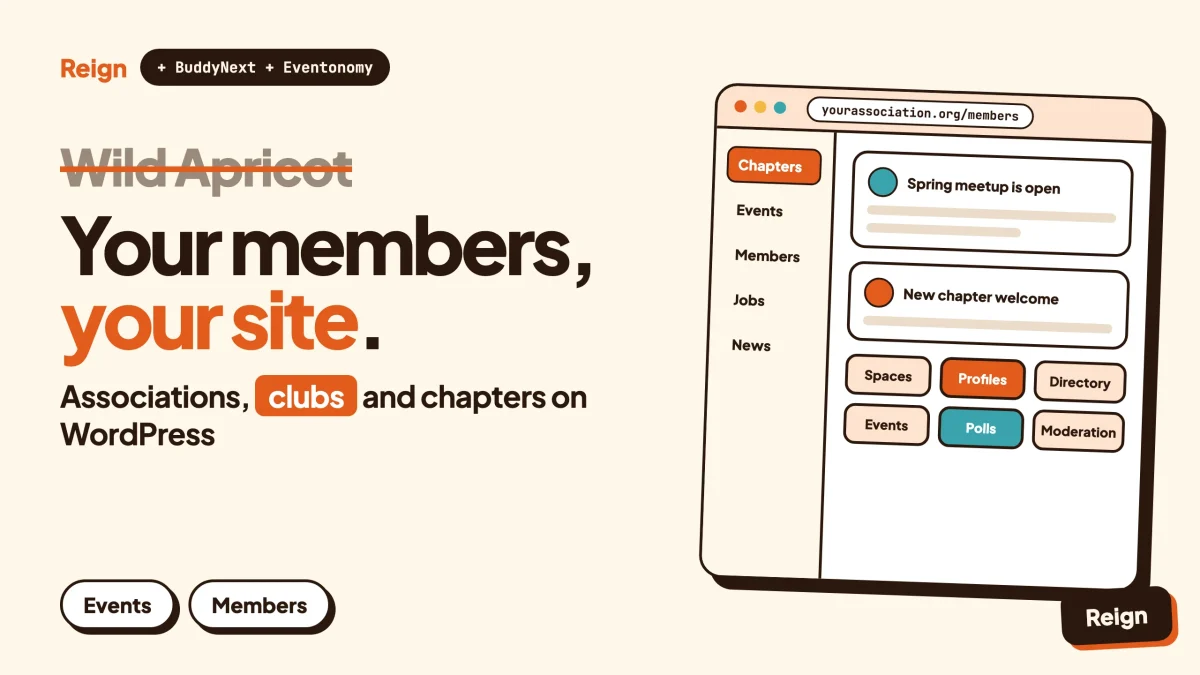
The best Wild Apricot alternative on WordPress is BuddyNext, the community engine from Wbcom Designs, with Eventonomy for events and the Reign theme as the design layer. You run it on your own hosting, so the member records, the events and the conversations live in your database. Wild Apricot is still the better pick if you want one hosted tool that handles dues, renewals and event admin with no WordPress knowledge. Wbcom makes BuddyNext, Eventonomy and Reign, so treat this as a vendor view and check each claim on the product pages.
Wild Apricot has been a default answer for clubs, chambers and associations for a long time, and for good reason. It does the paperwork side of membership well. The part it treats as an add-on is the part many groups now care about most: members actually talking to each other.
That gap is where most people start searching. This post walks through what Wild Apricot gives you, the honest reasons groups move, what a WordPress build looks like, and who should stay put. Facts about Wild Apricot were read on its own site in November 2026.
When is Wild Apricot the better pick?
Wild Apricot is the better pick when your main job is administration: collecting dues, renewing memberships, registering people for events and keeping a clean member database, all without touching a server.
That is not a grudging admission. It is what the product is built for. Its public site describes cloud membership software for associations, nonprofits, chambers, clubs, charities and chapters, and the feature list reads like a treasurer’s wish list. It also comes with onboarding help, and its pricing page says the plans carry no setup fees, no customisation fees and no cancellation fees.
Stay where you are if:
- nobody on your team wants to maintain a WordPress site, even with good hosting
- your members mostly need to pay, register and download things, not chat
- you want financial reports, receipts and card payments from the same vendor that holds the member list
- you run a multi-chapter organisation and want each chapter on a template-based site under one account
If that sounds like you, read the rest as a check on whether you are missing anything, not as a nudge to leave. Plenty of groups are happy exactly where they are.
What does Wild Apricot actually include?
Wild Apricot bundles a member database, a website builder, events, email, payments, an online store, donations and mobile apps into one hosted subscription, with a few extras sold as add-ons.
The vendor says more than 15,000 organisations run on it. That figure comes from Wild Apricot’s own homepage and is a vendor claim as of November 2026, not an independent count. Here is what the public pages list.
| Area | What Wild Apricot lists |
|---|---|
| Members | Cloud contact and membership database, search and filters, renewals and reminders, a members-only portal, an online membership directory |
| Events | Event listings, custom registration forms, online payment, waitlists, guest registration, discount and coupon codes, calendars you can embed on your site |
| Templates, scheduling, segmentation, sequences triggered by member actions, built-in tracking | |
| Website | Drag-and-drop builder with mobile-friendly templates, login-based page access, widgets you can place on other sites |
| Money | Invoices and receipts, recurring charges, donations, an online store, export to QuickBooks or CSV, its own payment processor through Personify Payments |
| Mobile | An app for admins and an app for members; admins can check attendees in by scanning a QR code |
| Integrations | A WordPress plugin with single sign-on, Make and Zapier, webhooks, admin and member APIs |
| Add-ons | Text messaging, a job board with a revenue-share model, a conference app, registration tech for badges and kiosks, and CommUnity |
Sources are listed on the vendor’s features, pricing, mobile app, integrations and add-ons pages. Wild Apricot has been part of Personify since 2017, according to its About page.
The part that matters for community
The member conversation lives in CommUnity, which Wild Apricot sells as an add-on. Its page describes discussion boards, forums, special-interest groups and member-to-member messaging, with custom groups and sub-groups, brand colours, and reporting on trending content. It is aimed at members, donors, advocates, staff and volunteers in one space.
So Wild Apricot does offer community. It just sits beside the core product rather than inside it, and it is a separate purchase.
Why do organisations look for a Wild Apricot alternative?
Groups usually leave over ownership, design freedom and the cost of growth, not over missing features.
None of these reasons is a scandal. They are trade-offs that come with a hosted all-in-one tool.
The cost follows your contact list
Wild Apricot’s pricing page sets plans by number of contacts, with tiers that climb as the list grows. All plans carry the same features. That is simple and predictable while your list is small. So cost follows list size, and it is worth checking how your plan counts contacts before you grow. Check the pricing page for current numbers, because they change.
Your site follows their templates
The website builder is a drag-and-drop tool with a set of templates. For a club noticeboard that is plenty. For an association that wants a front page that looks like a modern product, a journal, a resource library and a members area with its own personality, the builder is a narrower canvas than a full WordPress theme.
Wild Apricot publishes a WordPress plugin so you can put its widgets and single sign-on on a WordPress site. That is a sensible bridge. It also means the member data and payments still live in Wild Apricot, and your WordPress site is a window onto them.
Community is an add-on
If you want a members-only feed, groups, profiles and direct messages as the main experience, you are buying CommUnity on top. Some organisations are happy with that. Others would rather build the community as the centre and bolt the admin on around it.
Your data sits with the vendor
Wild Apricot offers admin and member APIs and a QuickBooks or CSV export for financial data. Still, the database, the payment history and the site all sit inside one vendor’s system. If you ever need to rebuild, you are doing a migration, not a copy.
Everything you want beyond membership needs another tool
Associations increasingly want a job board, a directory of members or suppliers, courses for continuing education, and a place to share files and ask questions. Wild Apricot covers some of this through add-ons, such as its job board. The rest means another subscription from another company.
What does the WordPress alternative look like?
The alternative is a WordPress site built from three layers: BuddyNext as the community engine, Eventonomy for events, and Reign as the design layer that makes it look like your organisation.
BuddyNext is a community plugin for WordPress. In plain terms, it adds the social side of a site: an activity feed, member profiles, a member directory, groups called Spaces, and private messages. Wbcom Designs makes it, and you can read more at buddynext.com.
What it gives an association, using the features Wbcom lists for it:
- Spaces that are public, private or secret, with sub-spaces, roles, auto-join and invite links. A chapter, a committee or a regional group each gets one.
- Member profiles with custom fields, member types and field-level privacy, plus a searchable member directory.
- An onboarding wizard so a new member lands on a filled-in profile instead of a blank screen.
- Posts, polls, pinned announcements and threaded comments in the feed.
- Moderation with reports, strikes, suspensions, appeals, banned words and a front-end queue.
- Private communities and gated spaces for members-only content.
- Direct messages, powered by WPMediaVerse.
- A PWA, a REST API and personal-data export and erase tools. A PWA is a website members can install on a phone home screen. A native mobile app is in development, not available yet.
The default feed checks for new activity by polling every few seconds, which is fine for a member community. Instant delivery needs a paid add-on and your own server.
Reign is the theme. It styles BuddyNext, and it gives you a dark mode toggle, RTL stylesheets, a mobile drawer menu, a library of ready-made demo sites you can import with an installer, 27 block patterns and 8 style variations. You choose colours and layout from the settings, with no code. It has been on WordPress for 13 years. The difference from a website builder is that a theme sits under everything: the feed, the profiles, the directory and the blog all share one look.
Other Wbcom modules slot in only when you need them. Eventonomy for events, WP Career Board for a job board, and Learnomy for courses, which suits continuing-education programmes. Each runs on its own. Paid memberships, Stripe or PayPal billing and email broadcasts are paid add-ons for BuddyNext, so check the product page for what each licence covers.
There is no per-member fee from the plugin side. Your costs are hosting, the licences you choose and whatever time you or a developer spend running the site.
The honest catch
You become the site owner. Updates, backups, security and hosting are yours, or your agency’s. A managed WordPress host takes most of the weight, but it is still more than clicking a Wild Apricot login.
Before you decide anything, try the live BuddyNext demo and click through a Space, a profile and the member directory.
How do the two approaches compare?
Wild Apricot wins on built-in administration and zero maintenance. The WordPress stack wins on design control, community depth and ownership.
| Question | Wild Apricot | BuddyNext + Eventonomy + Reign |
|---|---|---|
| Where does it run? | Vendor’s cloud | Your own WordPress hosting |
| Who maintains the software? | The vendor | You or your agency, with plugin updates from Wbcom |
| Member database and renewals | Built in, with reminders and automation | Add a WordPress membership plugin or a BuddyNext paid add-on; check the product page |
| Community features | CommUnity add-on: forums, groups, messaging | BuddyNext core: feed, Spaces, profiles, directory, messages |
| Design control | Templates and a drag-and-drop builder | A full WordPress theme, Reign, with block patterns and style variations |
| Events | Registration, payments, waitlists, coupons, QR check-in in the admin app | Eventonomy: RSVPs with capacity and waitlist, recurring events, calendar views, ICS, reminders; tickets and check-in need a paid licence |
| Mobile | Mobile apps for admins and for members | A PWA today; a native app is in development |
| Job board | Add-on with a revenue-share model | WP Career Board, a separate plugin |
| Payments | Personify Payments, with other processors available | Depends on the add-on or plugin you choose |
| Data ownership | Exportable, APIs available, stored with the vendor | In your own database |
| Cost shape | Plans set by number of contacts | Hosting plus the licences you pick |
The two rows to watch are the second and the third. If your treasurer lives inside the membership database every week, the third row decides everything.
What about dues, renewals and member-only access?
On WordPress, dues and renewals come from a membership plugin or a billing add-on, and you decide which one fits your organisation.
This is the area where Wild Apricot is simply ahead out of the box. Its feature list covers renewals, reminders, recurring dues, invoices, receipts and finance reports as part of the base product. In WordPress you assemble the equivalent.
There are two common routes.
Route one is a dedicated membership plugin. MemberPress, for example, describes itself as an all-in-one WordPress membership plugin for gating content and charging for access. A plugin like that is built for pure access control: who paid, which tier, which pages they can see. It does not give you a feed, profiles or groups. Put it beside BuddyNext and you get both halves, access rules from one and community from the other. Our post on a paid community built with Reign and a membership plugin shows how that pairing is put together.
Route two is to keep billing simple. BuddyNext has paid memberships, Stripe and PayPal billing available as paid add-ons, covered on the product page. Our guide to charging for a community with Stripe walks through it.
Whichever you pick, test one thing before you commit: run a renewal cycle on a staging site. Create a member with a date set to expire next week and watch what email goes out and what the member sees. That test finds more gaps than any feature list.
Tax, charity-status rules and receipts for donations differ by country. Check your local rules, and ask your accountant what your receipts need to say.
Member-only access
BuddyNext supports private communities and gated spaces, so a chapter’s space can be visible only to its members. For whole-site gating by paid level, pair it with a membership plugin as above. For a list of themes that cope with gated layouts, see best WordPress membership themes.
Can WordPress handle association events?
Yes, for most small and mid-size associations, through Eventonomy, with some things needing a paid licence.
Events are a core reason people pick Wild Apricot, so it deserves a fair look. Wild Apricot lists registration forms, online payment, waitlists, guest registration, coupon codes, embedded calendars and QR check-in through the admin app. It also sells a conference app and badge-printing kit as add-ons for larger conferences.
Eventonomy is the Wbcom events plugin for WordPress. It covers RSVPs with capacity limits and a waitlist, guest RSVPs, recurring events, calendar views, ICS downloads and reminders. Paid tickets, check-in and attendee management need a paid licence, so check the product page for the details you need. Eventonomy is not tied to BuddyNext and runs on its own.
The gap to be honest about is the conference end. If you run a three-day annual conference with badge printing, session apps and on-site kiosks, Wild Apricot’s add-ons are built for it and a WordPress build will need more assembly. If you run monthly meetings, workshops, local chapter evenings and a yearly gathering, Eventonomy handles that kind of calendar comfortably.
We have a separate comparison of calendar plugins in best WordPress event calendar plugins, and a post on selling event tickets on WordPress if paid tickets are your main concern. If your members came to you through Meetup, see the Meetup alternative post.
How do you move off Wild Apricot?
Move in stages: export first, stand up WordPress beside the old system, bring a small group across, then switch the rest and redirect the old links.
Do not cut over in one weekend. An association has renewals, receipts and event bookings in flight, and any of them can break quietly.
Step 1. Export and audit what you have
Download your contact and membership data, your event history and your financial records from Wild Apricot. Wild Apricot says its financial data exports to QuickBooks or CSV, and it offers admin and member APIs for anything else. List the custom member fields you rely on. Each one becomes a profile field in BuddyNext or a field in your membership plugin.
To confirm it worked, open the export and check that a handful of members you know well have complete records, including membership level and renewal date.
Step 2. Build the site on a staging copy
Install WordPress on a staging address, add Reign, and import one of its demo sites with the installer. Add BuddyNext, then Eventonomy if you run events. Pick your membership plugin if you need billing.
Set up Spaces to mirror your real structure: one per chapter, committee or interest group. Keep the first version plain. You can add the extra modules later.
To confirm it worked, log in as a test member and look at the site on a phone. Our guide to changing a community theme without losing members covers what to check when you switch design layers.
Step 3. Import members and map levels
Bring members in from your CSV, mapping each membership level to a role or plan in your WordPress setup. Do a small batch first, ten to twenty people, and send them a short welcome that explains the new login.
If you keep using Wild Apricot for billing during the transition, its WordPress plugin provides single sign-on and syncs member data and event information to a WordPress site. That is a legitimate half-way house while you test, and a decent fallback if the move takes longer than planned.
To confirm it worked, ask your pilot members to log in on their own devices and check that their profile data and level are right.
Step 4. Move events and run a trial cycle
Recreate upcoming events in Eventonomy, and decide how existing registrations carry over. For anything already paid for, a manual list with an email to the people affected is safer than trying to move payment records.
To confirm it worked, register a test attendee on a recurring event, fill the capacity and make sure the waitlist catches the next person.
Step 5. Switch over and redirect
Announce the move, give members a date, and point your domain at the new site. Redirect old public URLs to their closest new page. Keep your Wild Apricot account active for a billing cycle or two so you can pull records if something was missed.
For a general plan on bringing people into a new community without it feeling empty, see launching a community and getting the first 100 members. If your members also gather in a Facebook group, migrating a Facebook group to WordPress covers that move step by step.
What other Wild Apricot alternatives exist?
Wild Apricot sits in a crowded space, and the right alternative depends on what you are replacing: the admin, the community, or both.
- A WordPress membership plugin such as MemberPress. Better if you mostly want paid access and content gating on a site you already have. It does not replace the community or events.
- Circle, Mighty Networks or Skool. Hosted community tools that put the conversation first. They suit creators and course-led groups more than traditional associations. We compare them in our Circle alternative post and our Skool alternative post.
- Other association management systems. Several hosted products target associations directly. Check each vendor’s own site for the current feature list.
- Keep Wild Apricot and add WordPress. Using its own WordPress plugin for single sign-on and widgets is a valid middle path, and the cheapest first step.
For a wider map of self-hosted options, our roundup of self-hosted community platforms covers the field.
Who should pick what
- Treasurer-led club with a simple website: stay on Wild Apricot.
- Association with an active member conversation and a design team: BuddyNext with Reign, plus a billing layer.
- Chapter network that wants members to find each other: BuddyNext Spaces and the member directory, with Eventonomy for local meetings.
- Association running a jobs board for its industry: add WP Career Board; our job board with Reign post shows the build.
- Association with a large annual conference: keep Wild Apricot’s event tools, or budget extra assembly time on WordPress.
Questions people ask
Is there a no-cost Wild Apricot alternative?
Most real alternatives cost something, because membership software handles money and personal data. WordPress itself is open source, so the software layer can be cheap, but hosting, licences and your time are real costs. Check each product’s pricing page for current numbers.
Can I keep Wild Apricot and use WordPress?
Yes. Wild Apricot publishes a WordPress plugin that adds single sign-on, widgets, and sync of member data and event information to a WordPress site. It is a good way to test WordPress before moving your records.
Does Wild Apricot have a community forum?
Through its CommUnity add-on, which its add-ons page describes as discussion boards, forums, special-interest groups and member-to-member messaging. It is sold separately from the core membership software.
Will my members lose their data if I move?
Not if you export first and keep the old account running through the transition. Move a pilot group, check their records, and only then migrate everyone. Treat the old account as your backup for a while.
Do I need a developer to build this on WordPress?
Not necessarily. Reign’s demo installer and settings screens work without code, and BuddyNext is configured from the admin. A developer or agency helps with hosting setup, migration scripts and a billing integration, so plan for some help on the first build.
Related reading
- Best self-hosted community platforms
- Best WordPress membership themes for paid communities
- Run a paid membership community for coaches and consultants
- Member directory plugin for WordPress
- Community moderation guide for WordPress
- Reign and BuddyNext: upgrading your community
- Community guidelines template
If you decide the WordPress route fits, the design layer is the part your members will see first. See what the Reign theme includes, and import a demo to try it on your own content.