
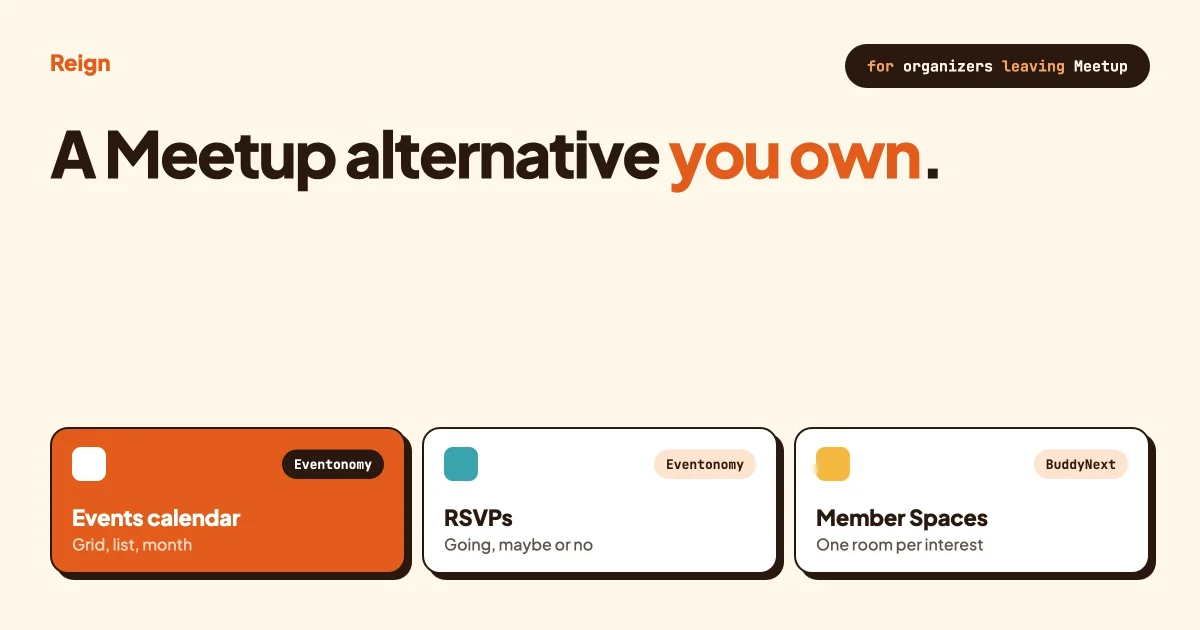
The closest Meetup alternative you can own is a WordPress site with Reign and BuddyNext for the community, and Eventonomy for events and RSVPs. Members get profiles, Spaces for each interest and a calendar with going, maybe and no answers. You keep the member list, the event history and the domain. What you give up is Meetup’s built-in discovery, the way strangers near you find your group, so you have to bring people in yourself. This guide shows what maps to what, and how to get found.
Meetup, Eventbrite, Luma, Mobilizon and Discord details below come from each product’s own pages, read in October 2026. Prices and plans change often, so confirm anything that affects your budget on the vendor’s pricing page.
In this guide
- Why organizers look for a Meetup alternative
- What Meetup actually gives you, so you leave for the right reason
- The other alternatives: Eventbrite, Luma, Mobilizon and Discord
- A comparison table
- The WordPress route: what you build and how
- What you lose, and how to get found without Meetup’s discovery
- Who should stay on Meetup
- Questions people ask
Why do organizers look for a Meetup alternative?
Most organizers leave for one of three reasons: the organizer pays for the platform while the members join for free, the group lives on someone else’s site, or they want to run something wider than a list of events, such as a full community with discussions and member profiles.
None of that is a flaw in Meetup. It is how a hosted marketplace works. Meetup’s home page says membership is free, and it links to Meetup Pro, a plan aimed at organizers. So the person running the group is the customer. For a club with a few dozen regulars that cost can feel steep. For a business that runs events to sell something, it may be fine. Check Meetup’s own pricing page for what a group costs today, because the plans and the numbers change.
The second reason is ownership. When your group is a page on meetup.com, the member list, the event history and the discussion all sit under Meetup’s terms. If you ever stop paying, or Meetup changes a feature, your options narrow. A site on your own domain keeps all of it in your own database.
The third reason is shape. A Meetup group is built around one thing: a schedule of events. Many organizers now want more. A place where people introduce themselves between events, share photos afterwards, post questions, and find each other. That is a community, and a community needs profiles, spaces and a feed, not just an event list.
If you are weighing this up for a wider community and not only for events, our guide on the best self-hosted community platforms covers the platform side.
What does Meetup actually give you?
Meetup gives organizers a group page, event pages with dates, locations and attendee counts, and a way for people nearby to find them. It is a hosted service, so there is nothing to install, and its biggest asset is the audience that already searches it.
Here is what Meetup’s own pages state. People can find groups and events by location and by category, such as technology, hobbies or outdoors. They can browse popular cities and filter for in-person or online events. Organizers start a group from the home page. Event listings show the date, the place and how many people are going.
Meetup Pro, the organizer plan, is described on its own page. It lets an organizer run more than one group, host events across several groups, email attendees with reminders and updates, add custom branding such as headers and logos, and see insights about what drives engagement.
The honest summary is simple. If someone moves to a new city and types “board games” or “python meetup” into Meetup, your group can appear. That discovery is the thing you cannot copy with a WordPress site on day one. Everything else on that list can be rebuilt.
Be clear with yourself about that before you move. If your group depends mainly on strangers finding you through Meetup’s search, leaving takes real work to replace. If your members already know you, and join through your newsletter, your social posts or word of mouth, then discovery is worth less to you than it looks.
What other Meetup alternatives are there?
The main alternatives are Eventbrite for ticketed events, Luma for modern event pages and calendars, Mobilizon for open source and federated groups, and Discord for chat-first communities. Each solves a slightly different problem, and each has cases where it is the better pick than WordPress.
Eventbrite
Eventbrite is built for selling tickets. Its organizer page describes ticket types for in-person and online events, reserved seating, timed entry, customizable event pages, and a marketplace where attendees look for things to do, with recommendations based on interests and location. It also lists email and social marketing tools, analytics, ads, and an organizer app for check-in and door sales.
It is the better pick when you run one-off or large ticketed events and want a marketplace to bring in buyers. It is a weaker fit for an ongoing community, because the product is organized around events, not around a standing group of members. Fees are described as transparent on its page, with no amounts there, so check Eventbrite’s pricing page.
Luma
Luma is an event platform built around calendars and event pages. Its help center says every event belongs to a calendar. Hosts can build event pages with cover images and hybrid in-person and online locations, and can hide the address until a guest is approved.
Registration can be free, paid, sliding-scale or approval-required, with custom questions, coupons, group registration and a waitlist. Hosts can scan tickets at the door, export guest lists as CSV, send event emails and invites, and let people sync events to Google Calendar, Apple Calendar or Outlook through iCal. Calendars can offer memberships. Luma deducts platform fees from ticket sales and hosts need a Stripe account to collect payments, but its help content gives no amounts.
Luma is often the quickest way to get a clean event page live, and it is a genuinely good option if your group is mostly events. It is still a hosted product. Your member relationships sit in Luma, not in a site you own, and it does not give you discussion Spaces or member profiles in the way a community platform does.
Mobilizon
Mobilizon is open-source software for events and groups, licensed under the GNU AGPLv3 and made by Kaihuri. Its site calls it an ethical tool and says it is not a social media platform. People can create and search events, manage attendance, and run groups with public pages and private content. Events can be imported and exported through an API in ICS and RSS formats.
It is also federated. That means it is a network of connected Mobilizon sites that are part of the fediverse, so one site can see events published on another. You can install your own, or use one of the public instances that anyone can join to find and publish events. Mobilizon is the better pick if open source and federation matter to you more than anything else, for example for a cooperative or an activist group. It is not a WordPress plugin, so it runs separately from any WordPress site you already have.
Discord
Discord describes itself as group chat, with voice, video and text, and drop-in chats where people join or leave a conversation without being invited. For a group that mostly wants to talk in real time, it is hard to beat.
The weak spot for a meetup group is memory. Chat scrolls away, and public search engines cannot easily find a conversation held in a chat app. Our post on a Discord alternative for communities that want searchable content goes into that trade. Many groups keep Discord for live chat and use a WordPress site for events and the permanent record.
How do they compare side by side?
The table below shows only what each product’s own pages state, as of October 2026. A dash means the product’s own pages state nothing on it. Wbcom makes Eventonomy, Reign and BuddyNext, so treat our view of those as the maker’s view.
| Product | Who runs it | Built around | Finding new people | You own the member list |
|---|---|---|---|---|
| Meetup | Meetup, hosted | Groups and event pages | Search by location and category, city browsing | No, it sits on meetup.com |
| Eventbrite | Eventbrite, hosted | Ticketed events | Marketplace and personalized recommendations | No, it sits on Eventbrite |
| Luma | Luma, hosted | Event calendars and registration | A Discover Events section | No, it sits on Luma |
| Mobilizon | You, or a public instance | Events and groups | Search on each instance, federated with others | Yes, if you host your own instance |
| Discord | Discord, hosted | Group chat | - | No, it sits on Discord |
| Reign, BuddyNext and Eventonomy (ours) | You, on WordPress | Community plus events | Your own SEO, newsletter and calendar feeds | Yes, in your own database |
Read the table in the right direction. The WordPress route is the only one where discovery is entirely your job, and also the only one with a community built in. That is the trade in one row.
How do you build a Meetup-style community on WordPress?
You build it from three layers: Reign for the design, BuddyNext for the community, and Eventonomy for events and RSVPs. Each is a separate piece, and each runs on its own, so you can start with the part you need first.
Reign is the WordPress theme from Wbcom Designs. It gives you five header layouts, colour tokens and dark mode without code, and it styles BuddyNext, BuddyPress and several other community plugins. If you are new to it, our post on how to install Reign and import a demo walks through the first hour.
BuddyNext is the community engine at buddynext.com. It gives you an activity feed, Spaces that can be open, private or secret, rich member profiles, a member directory, hashtags and email digests. A Space is a room for one topic, which is how you would give each chapter, interest or city its own corner. Try the BuddyNext live demo to click around a working community.
Eventonomy is the events plugin at eventonomy.org. Its page lists event listings, calendar views (grid, list, month and upcoming), RSVPs with going, maybe or no answers and an optional guest count, capacity caps, a waitlist for full events, a shared catalog of venues and organizers, and an ICS calendar feed. Its blocks are standard WordPress blocks that take on your theme’s styles. Some features, such as paid tickets and door check-in, need a paid licence, so check the product page for the current split. Our guide on how to run community events on your Reign site shows the setup in detail.
One caution. Eventonomy and BuddyNext are two separate plugins that can sit on the same site. We do not claim a built-in link between them, so plan your menu and your Space pages so members can reach the calendar from the community, and test it on your own site.
Step 1: Set up the site and the theme
Install WordPress on hosting you control, install Reign, and import a demo that matches your tone. Then set your brand colours and header layout in the Customizer.
To confirm it worked, visit your home page while logged out and check that it reads as your brand and not as a template.
Step 2: Add the community
Install BuddyNext and create the Spaces you need. A meetup for photographers might start with a general Space, one for each city, and one for gear questions. Keep the list short. Five busy Spaces beat fifteen empty ones.
To confirm it worked, register a test account in a private window, join a Space and post once. Check that the post shows in the feed.
Step 3: Add events and RSVPs
Install Eventonomy, create your first event, and add the calendar block to a page called Events. Turn on RSVPs, set a capacity if the venue is small, and add a venue to the shared catalog so the next event reuses it.
To confirm it worked, RSVP “going” from your test account, then open the event as an organizer and check that the response and guest count appear.
Step 4: Connect the community and the calendar
Add Events to your main menu. In each Space description, link to the calendar page so members see what is coming. When you post an event, share it in the feed with a short note, because people react to a human line more than to a listing.
To confirm it worked, ask a friend who has never seen the site to find the next event in under 20 seconds.
Step 5: Publish a calendar feed
Eventonomy’s page lists an ICS feed. Give the feed link to members so they can add your events to Google Calendar, Apple Calendar or Outlook. A calendar subscription puts your events in front of people every day without you sending anything.
To confirm it worked, subscribe to the feed in your own calendar app and check that an event you just created shows up.
What do you lose by leaving Meetup?
You lose built-in discovery. On Meetup, people who have never heard of you can find your group by searching their area. On your own site, nobody arrives until you send them. That is the largest cost, and no plugin removes it.
You also lose a few conveniences. A new site asks members to create one more account. Sign-up needs to feel quick, so keep the registration form short.
You take on the work Meetup does for you. Hosting, updates, backups, spam control and moderation are yours. If you want a plan for rules and reporting, see our community guidelines template.
Lastly, you lose the trust shortcut. A group on a platform people know feels safe to a newcomer. On your own domain you earn that with a clear About page, photos from past events, and named organizers. It is not hard, but it is a job.
How do you get found without Meetup’s discovery?
You get found through search engines, a newsletter and calendar feeds. These three channels take longer than Meetup’s search to build, but they belong to you, and they keep working after the event is over.
Search engines
Give every event its own page with a plain title, a date, a place and a short description of what happens. People search for things like “photography walk in Leeds on Saturday”. A page that answers that, on a site that Google can read, can appear.
Public Spaces and pages on your domain can be indexed. Private Spaces stay private, so decide on purpose which things should be public. Our guide to optimizing community sites for SEO and performance covers the technical side.
After each event, publish a short recap with photos and a link to the next date. Recaps are what a stranger reads to decide whether you are worth turning up to.
A newsletter
A newsletter is the one channel that works the same on any platform. Put an email box on every event page and every recap. Send a short note once a week or once a month, with the next date first.
BuddyNext lists email digests among its features, which helps with members who have joined. For people who have not joined yet, use whichever email tool you already trust.
Calendar feeds
Calendar feeds are underused. A member who subscribes to your feed sees every new event appear in the calendar they already check. It is the closest thing to Meetup’s reminders that you control. Mobilizon and Luma both use calendar formats too, which shows how common this is.
Go where people already are
You do not have to drop every other channel. Keep a social account, a few local noticeboards and any relevant forum posts, and point each of them at the event page. If you also run a Facebook group today, our guide to moving a Facebook group to a self-hosted WordPress community covers how to bring those people across.
For the first stretch, treat it like launching any community. Our post on how to launch an online community and get your first 100 members lays out the order to do things in.
Can you charge for events on WordPress?
Yes, though the details depend on the plugin and your local rules. Eventonomy’s page lists paid tickets through Stripe, PayPal or WooCommerce, along with door check-in, as features that need a paid licence, so check the product page for the current list.
Meetup sells organizer plans. Luma and Eventbrite take fees from ticket sales, and neither product’s pages state amounts. On WordPress, you pay your payment processor’s fee and your plugin licence, and you do not pay a per-ticket platform fee to a marketplace. Add up all three for your own volume before you decide. Our guide to selling event tickets on WordPress walks through the options.
If you would rather charge for membership than per event, see how to build a paid community on WordPress with Stripe. Tax, refunds and consumer rules vary by country, so check your local rules.
How do you compare calendar plugins before you pick one?
Compare them on what your events need: recurring dates, RSVPs, tickets, member-only access and the views you want. Eventonomy is the plugin we build and it comes first in our own posts, but it is not the only choice.
If your events are public and members do not matter, a plain calendar plugin may be enough. Our comparison of the best WordPress event calendar plugins sets out seven options, each checked on its own site, and says where Eventonomy is not the better pick. If you already use The Events Calendar, read The Events Calendar alternatives before you switch anything.
Who should stay on Meetup?
Stay on Meetup if most of your new members are strangers who found you by searching, if you run in-person events in a place with many Meetup users, and if the organizer plan costs less to you than the effort of a site. Stay too if you have no wish to run a website. A move costs time, and you should only pay it for a reason that matters to your group.
A sensible middle path also exists. Keep your Meetup group running while you build the WordPress site. Mention the site at every event, move the regulars across, and cancel Meetup only when new sign-ups on your own domain match what Meetup was bringing you. Do not cancel early.
Questions people ask
What is the best Meetup alternative?
It depends on what you need. For ticketed events, look at Eventbrite. For clean event pages and calendars, look at Luma. For open source and federation, look at Mobilizon. For an ongoing community you own, with profiles, discussion Spaces and events together, a WordPress build with Reign, BuddyNext and Eventonomy fits.
Is there a free alternative to Meetup?
Nothing is entirely free, because you pay in money or in time. Mobilizon is free software, and you can join a public instance, but running your own means hosting and upkeep. On WordPress you pay for hosting and any licences. Add the total up and compare it with what Meetup’s organizer plan costs you today on its pricing page.
Can I find new members without Meetup’s search?
Yes, but it is slower. Search engines, a newsletter, calendar feeds and local noticeboards each bring people in over time. Meetup’s built-in discovery has no equivalent on a self-hosted site, so plan to spend effort on promotion in the first months.
Do I need BuddyNext to use Eventonomy?
No. Eventonomy runs on its own, and so does BuddyNext. Using both gives you a community and a calendar on one site, with Reign styling the whole thing. Test how your menus and pages connect on your own site.
Can I move my Meetup members across?
Not automatically. People need to create an account on your site, and you should invite them yourself, in person and by message. Ask your regulars to join first, and keep the Meetup group alive until the new site has its own steady stream of sign-ups.
Reign is the theme behind every setup in this guide. It styles the community, the calendar and the member pages from one place, so the whole site looks like your group. See the Reign theme page for features and demos, or try the BuddyNext live demo first.