
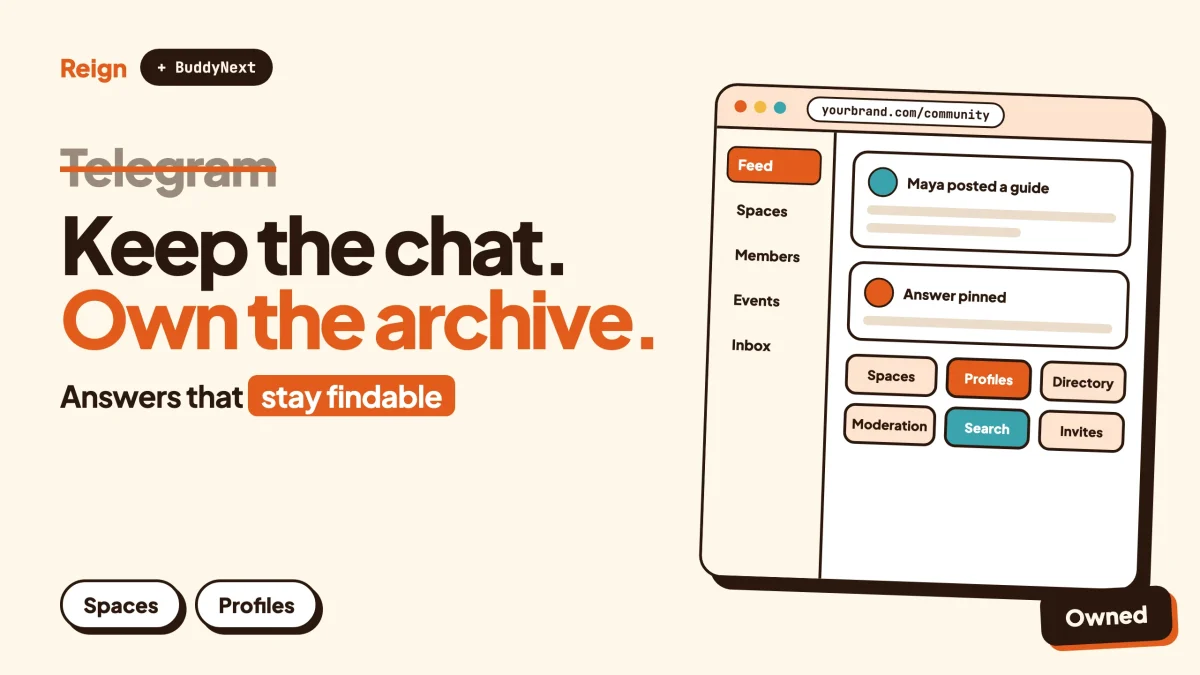
The best Telegram alternative for a community that wants searchable archives, structured content and its own member records is a WordPress site running BuddyNext, with the Reign theme as the design layer. Telegram stays the better pick for fast, free-flowing chat and broadcast. A site you own wins when answers, profiles and paid access must outlast any one conversation. Wbcom makes BuddyNext and Reign, so treat this as a vendor view.
Telegram details below were read on Telegram’s own pages (telegram.org, its FAQ, tour, terms, press and blog) in November 2026. Where a page was silent, this post is too.
When is Telegram the better pick?
Telegram is the better pick when the main thing your community does is talk, quickly, to a lot of people, on their phones.
Its own site says groups can hold up to 200,000 members, and its FAQ says channels can have an unlimited number of subscribers. A channel owner can also host live streams with an unlimited number of viewers, according to the FAQ. No WordPress site matches that reach on day one, and it would be dishonest to pretend otherwise.
The scale is real. Telegram’s press page says that in 2025 it passed 1 billion monthly active users (as of its press page, November 2026). Most of your members probably have the app already. That removes the hardest step in any community, which is getting people to install and log in to something new.
Telegram also gives group admins serious tools. The FAQ lists mass-deleting messages, control over membership, pinning, privileges defined with granular precision, default permissions that stop members posting certain content, and an anti-spam setting for large groups. Its August 2026 news post adds welcome messages for new members of groups and channels. Its June 2026 post mentions AI admins that screen new group members.
So if you run a news channel, a hobby chat, a launch-day crowd or a group that exists for the next hour of conversation, stay put. The rest of this post is for a different kind of community, the kind where yesterday’s answer still matters next year.
Why do communities look for a Telegram alternative?
Most communities start looking when the group becomes a place people ask the same questions again and nobody can find the old answers.
Telegram was built as a messaging app. Its terms describe it as an application with cloud storage, file uploads, calls and group chats. A chat is a stream. New messages push old ones out of sight, and the person who knew the answer last month may not be online today.
Search exists. The FAQ says instant search works even among millions of messages and can filter by sender. That helps you find a message you half remember. It is not the same as a page with a title, a URL and an accepted answer that a stranger can land on from a search engine.
Here are the usual reasons, in plain terms.
Knowledge gets buried
Telegram added topics to groups, which the topics announcement describes as separate spaces for any subject, each with its own shared media and notification settings. That is a real improvement for large groups. A topic is still a chat thread, though, not a knowledge base. It has no category tree, no editable guide, no pinned canonical answer that other pages link to.
The membership record is thin
Members have a Telegram profile. You do not get custom profile fields you designed, a searchable member directory with filters you chose, or member types that map to your business. If you run a paid group, a customer list and a Telegram member list are two separate things that you reconcile by hand.
The platform sets the rules
Telegram’s terms say failure to comply may result in a temporary or permanent ban from Telegram or some of its services. Channels that mislead users through giveaways may be terminated or labelled as a scam and removed from Telegram search. These are sensible rules for a public messaging service. They also mean your community lives under someone else’s enforcement, and your audience goes with it if a channel is removed.
Public groups expose everything
The FAQ says public groups get a short t.me link, and that anyone can view the full chat history and join. A persistent-history toggle controls whether new members see earlier messages. For an open public group that is fine. For a paying or private community you need a membership gate you control.
Money and courses live elsewhere
The pages read for this post describe paid post suggestions and Premium subscriptions. They do not describe a built-in way to sell course access or tiered memberships to your own group. Most paid Telegram communities bolt on a bot or an outside checkout. That works, but it is another system to maintain.
None of this is a flaw in Telegram. It is a messaging app doing what it was built for. The question is whether the thing you are building is a conversation or a library.
What does a WordPress community give you instead?
A WordPress community gives you ownership of the pages, the member records and the checkout, on a domain you control.
Four things change when the community moves from a chat app to a site you run.
Content gets an address. A post or discussion has its own URL. Search engines can index the public parts, and members can search the parts behind a login. Someone who types a question into Google can land on last year’s answer.
Members get records you design. Profiles hold fields you chose, and the member directory lets people find each other by those fields. You decide who sees what.
Access follows your rules. Private communities and gated spaces let you decide who gets in and why, instead of relying on an invite link that was forwarded twice.
The data stays with you. Hosting, backups and exports are yours to run. For a longer look at what you keep when you leave a rented platform, read what you actually keep on Patreon, Substack and Circle.
You also take on work. You pick the hosting, keep the site updated and moderate the space. We cover that honestly further down.
How does BuddyNext with Reign work as a Telegram alternative?
BuddyNext is a community engine for WordPress. It supplies the groups, feed, profiles and moderation. Reign is the theme that gives all of it a consistent look. Both come from Wbcom Designs.
Here is how the Telegram ideas map across, using only features Wbcom lists for BuddyNext.
Telegram groups become Spaces
BuddyNext Spaces can be public, private or secret. They support nested sub-spaces, roles, auto-join and invite links. A large Telegram group with topics maps naturally to a parent space with sub-spaces for each subject. A secret space is invisible to people who are not in it, which suits a leadership group or a paid cohort.
Channels become the activity feed and announcements
A Telegram channel broadcasts one voice to many readers. In BuddyNext the nearest equivalent is the activity feed plus space announcements and pinned posts. Members can react, reply in threaded comments, mention each other with @mentions, use hashtags and vote in polls placed in the feed.
One honest detail. The feed checks for new activity by polling every few seconds by default. Instant WebSocket delivery needs a paid add-on and your own server. If you need the sub-second feel of a chat app, that is the gap, and the next section covers it.
Direct messages
BuddyNext direct messages are powered by WPMediaVerse, a separate Wbcom module that also handles member photo and video uploads. Check the MediaVerse site for the current feature list before you plan around it.
Profiles and a member directory
Members get profiles with custom fields, member types and field-level privacy. A member directory lets people browse and search. An onboarding wizard walks new members through setting up. A Telegram member list shows names; this gives you a record you can actually work with.
Moderation with a paper trail
BuddyNext includes reports, strikes, suspensions, appeals, banned words, content warnings and a front-end moderation queue. Telegram admins can delete and restrict. The difference is the trail: a strike, an appeal and a queue make it easier to be fair and to show you were. Our guide to community moderation on WordPress goes through how to set rules before the first dispute.
Everything else you would expect
BuddyNext also ships in-app notifications, search, a PWA (an installable web app that sits on a phone home screen), a REST API, and personal-data export and erase tools. A native mobile app is in development, so for now the phone experience is the PWA in a browser. Paid memberships, Stripe and PayPal billing, email broadcasts and drip, push notifications, AI moderation and white-label are paid add-ons, so check the product page for licence details.
Where Reign fits
Reign is the part members see. It offers a dark mode toggle, RTL stylesheets, a mobile drawer menu, 27 block patterns and 8 style variations, plus a demo library with an installer that sets up a ready-made layout. It styles BuddyNext, BuddyPress and BuddyBoss Platform. The upgrade path for an existing site is covered in keep your Reign site, upgrade the community.
If you are starting from nothing, how to start a social media platform and building a private social network on WordPress cover the wider setup. You can also try the BuddyNext live demo before committing.
How does Telegram compare with a BuddyNext community?
The honest answer is that each wins in a different place. This table lists only what the Telegram pages and the Wbcom product facts state.
| Area | Telegram | WordPress with BuddyNext and Reign |
|---|---|---|
| Group size | Groups up to 200,000 members, channels with unlimited subscribers | Depends on your hosting; there is no platform-set cap to quote |
| Where it lives | Telegram’s apps and servers | Your domain and your hosting |
| Organising topics | Topics split a group into sub-discussions with their own history and media | Spaces with nested sub-spaces, roles and hashtags |
| Search | Instant search across messages, filter by sender | Site search inside the community; public pages can be indexed by search engines |
| Finding old answers from outside | Public groups have a t.me link and visible history | Each post has its own URL; you choose public or members-only |
| Member records | Telegram profiles; member tags introduced in March 2026 | Custom profile fields, member types, directory, field-level privacy |
| Moderation | Mass delete, permissions, pinning, anti-spam setting, AI admins | Reports, strikes, suspensions, appeals, banned words, content warnings, front-end queue |
| Live feel | Chat-first, built for speed | Feed polls every few seconds by default; WebSocket delivery needs a paid add-on and your own server |
| Mobile | Native apps on Android, iPhone, iPad, Windows, Mac and Linux, plus web | Responsive site and a PWA; a native app is in development |
| Bots and automation | Large bot platform with an open API | REST API and webhooks |
| Memberships | Premium subscriptions for users; no built-in tiered access for your group is described on the pages read | Paid memberships, Stripe and PayPal billing are paid add-ons; check the product page |
| Rules and enforcement | Telegram’s terms can lead to a ban or channel termination | Your own rules, within your host’s and the law’s limits |
| Effort to run | Create a group and share a link | Hosting, setup, updates and moderation are on you |
The last row is the one that decides most cases.
What do you give up by leaving Telegram?
You give up reach, instant chat and the zero-setup start.
The audience that is already there
Members already on Telegram open it without thinking. A site needs a reason to be visited. Email digests help; BuddyNext lists them, and so do notifications. A PWA lets members keep the site on their home screen. Even so, a site will not match a messaging app for sheer habit.
Speed and voice
Telegram is built for fast back-and-forth. The default BuddyNext feed polls every few seconds, which feels like a forum or feed, not a chat. Telegram also offers group calls, which its FAQ describes as end-to-end encrypted with up to 200 participants. A WordPress community does not replace live voice.
The bot ecosystem
Telegram’s blog describes a deep bot platform, including bots that chat with each other, bots managed by bots and affiliate programs for mini apps. Its own site calls the API open for anyone to use. BuddyNext has a REST API and webhooks, which is a smaller and different surface. If your community runs on Telegram bots, the migration is bigger than moving posts.
Native apps
Telegram runs as a native app on Android, iPhone, iPad, Windows, Mac and Linux, and in the browser. BuddyNext does not have a native app yet. It is in development.
Free-form startup speed
You can start a Telegram group in a minute. A WordPress community takes an afternoon to set up properly, and a few days if you want the design right. Reign’s demo installer shortens that, but it does not erase it.
If two or three of those are essential to your members, keep Telegram as the front door. The next section shows how.
Can you keep Telegram and still own the archive?
Yes, and many communities should. Use Telegram for chat and the site for everything you want to keep.
The split is simple. Chat stays in Telegram: greetings, quick questions, live reactions to an event. Anything that deserves a permanent home moves to the site: guides, answers, announcements, member introductions, resources, the member directory and the paid area.
Three habits make the split work.
- When someone gives a good answer in chat, copy it into a site post or discussion and reply with the link. After a few weeks, members start checking the site first.
- Pin the site link at the top of the Telegram group. Telegram admins can pin messages, per the FAQ.
- Put the member sign-up on the site, so the member record and the invite to Telegram come from one place.
This is the same pattern our Discord alternative post describes, and the logic is identical: the chat app is where people talk, and the site is where the community remembers.
For discussions that are mostly questions and answers, Jetonomy is worth a look. It is another Wbcom module, covered below, and forum vs Q&A vs ideas board helps you pick the right format.
How do you move a Telegram group to WordPress?
Move in phases, starting with the content that matters most and leaving chat history alone. There is no point importing years of small talk.
Step 1. Decide what to bring
Scroll through your group and list what people keep asking for: the rules, the starter guide, the recurring answers, the resource links, the event announcements. That list is your first content set. To confirm it worked, you should be able to answer your five most common newcomer questions with a link.
Step 2. Set up the site
Install WordPress on hosting that suits a community, then install the Reign theme and import a demo layout from its demo library. Add BuddyNext and set up your first spaces to mirror your Telegram topics. To confirm it worked, log in as a test member and check that you land on the feed and can join a space.
Hosting matters once the community grows, and we cover that in best hosting for community websites.
Step 3. Rebuild profiles and rules
Create the profile fields that matter to your members, such as role, location or interests, and turn on the onboarding wizard. Write your community rules and set up the moderation queue. To confirm it worked, register a second test account and walk through onboarding as a stranger would.
Step 4. Move the best content by hand
Post the guides, rules and best answers as site content. Copy, tidy and link them. Do not try to mass-import chat logs. Keep a private copy of the old chat using the app’s own options if you want one for reference.
To confirm it worked, search the site for three phrases members commonly use and check that the right page comes back.
Step 5. Invite people in waves
Announce the site in Telegram with a pinned post. Invite your most active members first, ask for feedback, then open it to everyone. BuddyNext supports invite links on spaces, and for paying members you can use gated spaces. Our guide to launching a community and getting the first 100 members has a week-by-week plan.
To confirm it worked, watch how many new questions are asked on the site rather than in chat after two weeks.
Step 6. Decide what Telegram becomes
Keep it as the casual room, or retire it with a clear date. If you retire it, post the notice well ahead and pin the site link. Members who dislike change will hang on, so give them a long runway.
If you are coming from another group-based platform, the same steps apply to moving a Facebook group to a WordPress community.
Which other Wbcom modules fit a Telegram community?
Only add a module when your members ask for it. These fit the things Telegram groups commonly run on.
Jetonomy (jetonomy.org) suits groups that mostly answer questions. It offers a forum, Q&A with accepted answers and an ideas board, with nested spaces and a moderation queue. An accepted answer is the opposite of a buried message. See Reign with Jetonomy.
WB Gamification suits groups where keeping people active matters. It awards points, badges and ranks from activity. See Reign with WB Gamification.
Learnomy (learnomy.app) suits groups that teach. It provides courses, lessons, quizzes with timers, progress tracking and certificates with public verify links. Live lessons link out to a Zoom, Meet or Teams URL that you paste in; Learnomy does not create the meeting.
Eventonomy (eventonomy.org) suits groups built around meetups. It handles RSVPs with capacity and waitlist, recurring events, calendar views and reminders.
For charging members, running a paid community on WordPress with Stripe walks through the setup. Check each product page for what needs a paid licence.
What other Telegram alternatives are worth a look?
The right alternative depends on what you are replacing. Telegram does several jobs at once.
Discord
Discord is the closest peer for community chat, built around joining voice and text chats quickly. It is the better pick if voice and live events drive your community. Our Discord alternative post covers its trade-offs.
Workplace and private messengers
Apps such as Slack, Signal and WhatsApp are also chat first. Check each product’s own pages for current group limits and plans, because they change. Like Telegram, none of them is designed to be a public, organised archive.
Hosted community platforms
Skool, Circle and Mighty Networks give you a ready-made community with profiles, courses and payments on their servers. They are quick to start and you accept their rules and billing. See our Skool alternative post and the roundup of best self-hosted community platforms.
Open source options
If you want software you can host and inspect, best open source social network software lists the main choices and their trade-offs.
Which should you pick?
Pick Telegram if the community is a conversation and you want maximum reach for minimum effort. Pick a hosted platform if you want speed and a bundled checkout. Pick WordPress with BuddyNext and Reign if you want the archive, the member records and the billing to be yours, and you are happy to run a site.
Questions people ask
Is there a Telegram alternative that keeps messages searchable on Google?
A site you own can. Posts and discussions on a WordPress community have their own URLs, so the public ones can be indexed. Telegram public groups have a t.me link and visible history, but a chat stream is not organised as pages.
Can I keep my Telegram group and add a WordPress site?
Yes. Many communities keep Telegram for chat and use the site for guides, answers, member profiles and paid access. Pin the site link in the group and move good answers across over time.
Does BuddyNext replace Telegram bots?
Not directly. BuddyNext has a REST API and webhooks, which let developers connect other systems, but it is not a bot platform. If your group depends on custom bots, plan that work before you move.
Is BuddyNext as fast as Telegram?
No, and it does not try to be. The default feed polls for updates every few seconds. Instant WebSocket delivery needs a paid add-on and your own server. For discussions and a feed that is usually fine; for rapid chat it is not.
Do I need technical skills to run a WordPress community?
You need WordPress hosting and basic admin comfort. Reign’s demo installer sets up a working layout, and you can add BuddyNext spaces one at a time. A developer helps with custom work, not with day one.
Related reading
- Discord alternative for communities that want searchable content
- Skool alternative on WordPress
- Best self-hosted community platforms
- Best open source social network software
- Forum vs Q&A vs ideas board
- Community moderation guide for WordPress
- Move a Facebook group to a WordPress community
- Launch a community and get the first 100 members
- Paid community on WordPress with Stripe
- What you keep on Patreon, Substack and Circle
If you are weighing a move, start with the Reign theme: see Reign and its live demos, pick the layout closest to your brand, then add BuddyNext and the modules your members ask for. Keep Telegram for the chat until the site has earned its place.