
A teacher moving online for the first time is not solving the same problem as a marketer launching a digital product. A teacher already knows how to teach, sequence a lesson, explain a concept three different ways when the first one doesn’t land, tell the difference between a student who’s stuck and one who hasn’t tried yet. What a teacher usually doesn’t have is software patience: time to configure a payment gateway, debug a broken quiz, or figure out why a certificate template renders wrong. The best WordPress LMS for a teacher is the one that gets out of the way of the one skill that actually matters.
This guide ranks the strongest WordPress LMS options for teachers and online educators in 2026, from the classroom teacher building a side income to the independent tutor going full-time, with grading, feedback, and a real classroom feel weighted as heavily as the checkout. And because this is a Reign community site, every option here is also judged on whether it lets students learn together, discuss lessons, and show up for each other, not just watch a video alone and disappear.
Table of Contents
- Quick comparison
- 1. Learnomy, built for someone who teaches, not sysadmins
- 2. LearnDash, the assessment-heavy default
- 3. Tutor LMS, the frontend teaching studio
- 4. LifterLMS, engagement that mimics a good teacher
- 5. Sensei LMS, for the teacher already on WooCommerce
- 6. LearnPress, the low-stakes starting point
- 7. WP Courseware, the scheduled-class workhorse
- What actually matters for a teacher
- How we evaluated
- The grading and feedback workflow, compared
- Three teachers, three right answers
- FAQ
- Verdict
Quick comparison
| Platform | Grading and feedback | Sell without WooCommerce? | AI help | Community fit |
|---|---|---|---|---|
| Learnomy | Essay-grading inbox, partial credit, anti-cheat tracking | Yes, Stripe/PayPal native | Yes, available as an upgrade | Excellent, built by the Reign/BuddyPress team |
| LearnDash | Deep quiz engine, manual essay grading | Basic native; WooCommerce for more | Limited | Very good, mature group sync |
| Tutor LMS | Capable quizzes, frontend gradebook | In paid tier | Some features | Good with integration work |
| LifterLMS | Achievement-based, behavior-triggered feedback | Via gateway add-ons | No | Good |
| Sensei LMS | Basic quizzes, block-native | No, WooCommerce required | No | Moderate |
| LearnPress | Basic grading + add-ons | Via add-ons | No | Moderate |
| WP Courseware | Gradebook included, straightforward | Yes, Stripe/PayPal built in | No | Basic |
1. Learnomy, built for someone who teaches, not sysadmins
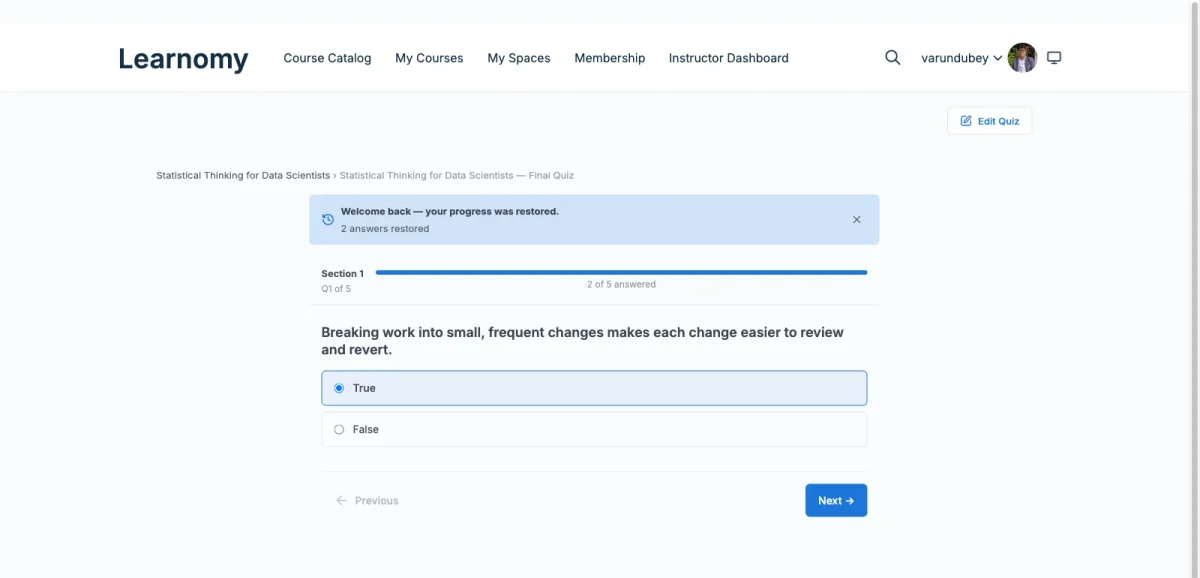
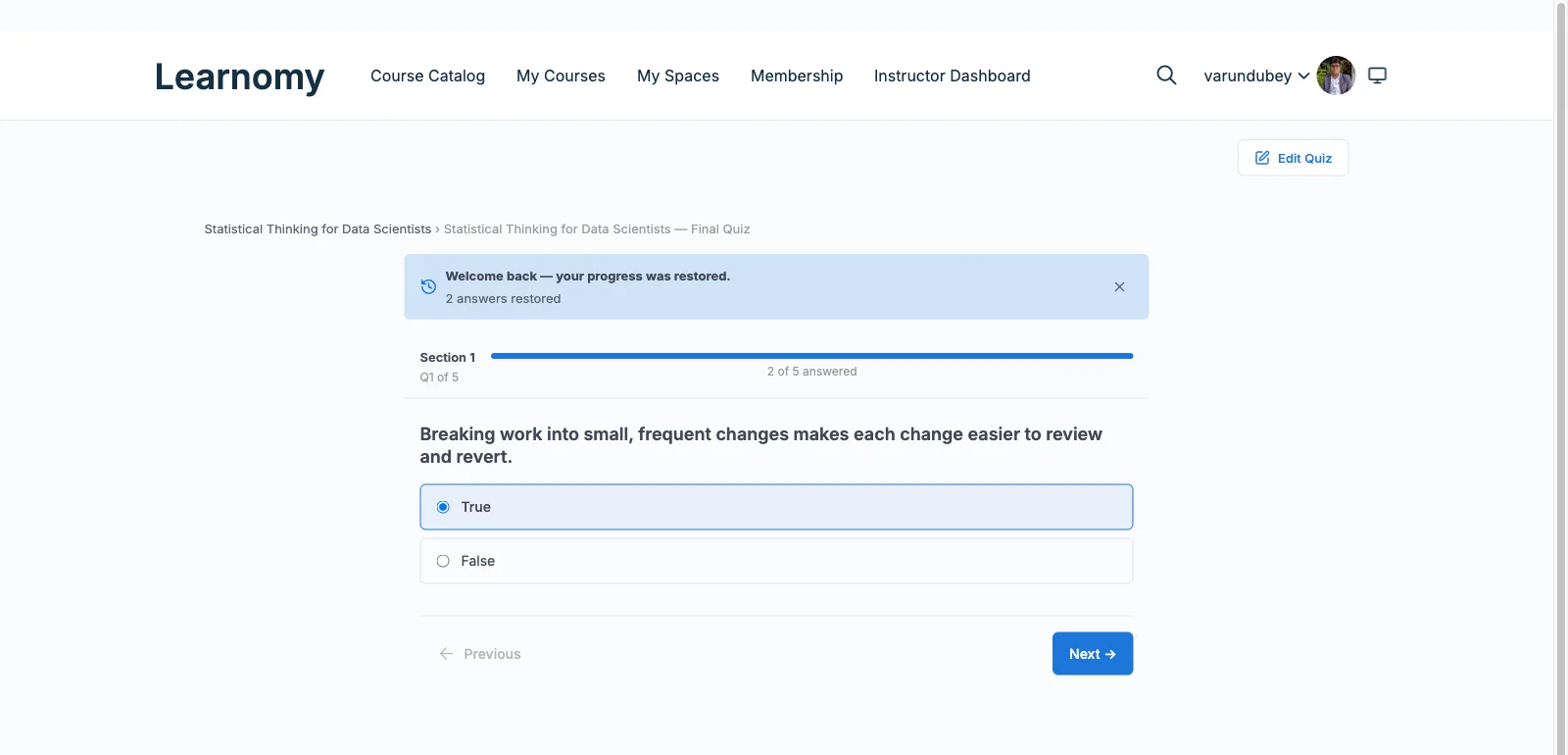
A teacher’s actual workload isn’t building the course once, it’s grading, feedback, and answering the same three questions from twelve different students. Learnomy is built around that reality. Its assessment engine covers six quiz types with partial credit instead of blunt right-or-wrong scoring, question banks so a retake isn’t the same fifteen questions memorized by the second student who takes it, and an essay-grading inbox purpose-built for reading and responding to open-ended answers by hand, the actual work of teaching, not a workaround bolted onto a quiz widget. Anti-cheat tab-switch tracking flags when a student leaves the quiz window mid-attempt, which matters the moment an assessment counts for something real.
The rest of the platform removes the setup work a teacher shouldn’t have to do alone: a drag-and-drop course builder for video, audio, PDF, and reading lessons, native Stripe and PayPal checkout so accepting payment is a settings screen rather than a WooCommerce project, and certificates that are cryptographically signed and checkable through a public QR-verifiable page, useful the moment a student wants to show a certificate to an employer or another school. An available AI course and quiz generation upgrade can draft a structured curriculum and question bank from source material, turning lesson-planning from a blank page into an editing pass. And because it’s built by the team behind Reign and years of BuddyPress work, a class run through Learnomy sits naturally inside a discussion-and-community layer, students who can ask each other questions between lessons, not just email the teacher one at a time. Details at learnomy.app.
- Pros: Essay-grading inbox and partial-credit quizzes built for real teaching, not just multiple choice; native payments with no WooCommerce project; verifiable certificates; native fit with BuddyPress and Reign; AI-assisted lesson and quiz drafting available as an upgrade.
- Cons: Newer ecosystem than the decade-old names; self-hosted responsibilities (hosting, backups) fall to you or your host.
2. LearnDash, the assessment-heavy default
LearnDash is the reflex pick for a teacher whose material is assessment-heavy: certification prep, test-prep tutoring, anything where question banks, randomization, prerequisites, and controlled retakes carry real weight. Its course-lesson-topic hierarchy mirrors how a curriculum-minded teacher already thinks, and its BuddyPress group sync lets a class of students function as an actual cohort rather than a list of enrollments.
The tradeoff is assembly: flexible selling generally means WooCommerce, deeper reporting means a companion tool, and there is no free-to-start tier for a teacher who just wants to try one class before committing. For teachers weighing the alternatives directly, our LearnDash alternatives guide goes deeper. Pros: deepest quiz engine, mature ecosystem, strong BuddyPress sync. Cons: assembly-heavy launch, wp-admin authoring, no free tier to test on.
3. Tutor LMS, the frontend teaching studio
For a teacher who wants to build and revise lessons without ever opening wp-admin, Tutor LMS offers the most pleasant room to work in: a frontend studio where you assemble and preview a course exactly as students will see it. Its quiz builder is capable, and the base plugin is generous enough to run a real class before deciding whether to upgrade, useful for a teacher testing the waters before committing time to a full curriculum.
Certificates, drip scheduling, and serious monetization sit in the paid tiers, and payment flexibility leans on WooCommerce or add-ons, a trade we detail in the Tutor LMS alternatives guide. The dedicated Reign Tutor LMS addon handles the community styling if you pair it with BuddyPress. Pros: best authoring UX, generous free tier to test on. Cons: tier gates on launch essentials, payment stack lean.
4. LifterLMS, engagement that mimics a good teacher
LifterLMS automates something a good teacher does instinctively: notice when a student goes quiet and reach out. Its achievement badges, milestone certificates, and behavior-triggered engagement emails fire off real student activity, stall for a week and the system nudges them, which does part of the job of a teacher checking in on twenty students at once. Access plans handle bundles and payment plans with unusual grace for teachers running multiple related classes.
The friction is packaging: gateways and several essentials are separate add-on bundles, so a working build takes research to specify, analysis we run in the LifterLMS alternatives guide and the Reign-specific comparison in choosing the best LMS for a Reign site. Pros: best engagement automation, strong for multi-class teachers. Cons: essentials spread across bundles, checkout needs add-ons.
5. Sensei LMS, for the teacher already on WooCommerce
If a teacher already sells other material, worksheets, ebooks, tutoring slots, through a WooCommerce store, Sensei LMS adds courses with the least new surface area: lessons are blocks, the checkout is the one already running, and Automattic’s stewardship keeps it current. For block-editor natives it’s the gentlest learning curve here.
Without WooCommerce it cannot sell, its assessment depth is modest for a teacher who needs real grading tools, and community is deliberately out of scope. Pros: zero new UI, cleanest store integration. Cons: WooCommerce required, light assessment depth, no social layer.
6. LearnPress, the low-stakes starting point
For a teacher testing whether an online class has any audience at all before investing real time, LearnPress offers the lowest-commitment entry: a free core covering courses, lessons, and quizzes, with certificates, drip, and payment gateways added only when the class proves itself. The biggest install base on WordPress.org means answers to common questions are easy to find.
The trajectory is the caveat: each addition is another component to maintain, and grading tools beyond basic quizzes require additional add-ons, an arc we trace in the LearnPress alternatives guide. Pros: genuinely free to test, gentle start. Cons: real grading and payment tools scattered across add-ons.
7. WP Courseware, the scheduled-class workhorse
For a teacher running a class with a real schedule, weekly sessions, a defined start and end, WP Courseware is quietly ideal: outline-first building, drip scheduling in core, native Stripe and PayPal, and a straightforward gradebook that shows exactly where each student stands. It has shipped steadily since 2012 and behaves like a tool built by people who understood how a term actually runs.
It offers no flash, no gamification, and no community fabric on its own; pair it with BuddyPress and Reign if a class discussion matters to you. Pros: drip done right, native payments, dependable gradebook. Cons: dated presentation, minimal engagement tooling.
What actually matters for a teacher
Strip away the feature grids and three questions decide this choice. Does grading feel like teaching or like data entry? A platform that reduces every answer to right or wrong wastes the judgment a real teacher brings to a student’s work. How much of the business side gets out of your way? Every hour spent configuring a payment gateway or hunting down why a certificate broke is an hour not spent on a lesson plan. Do students feel like a class or a list of logins? A cohort that discusses lessons together finishes at higher rates than a spreadsheet of solo enrollments ever will. Weigh every platform above against those three, in that order.
How we evaluated
We evaluated as the teacher, not the IT department: real lesson material, a real class size, and the actual weekly rhythm of teaching, planning, delivering, grading, following up. Criteria, in order: grading and feedback depth (does assessment support real teaching judgment, not just multiple choice), completeness (how much of the launch checklist, selling, certifying, tracking, ships in the product), authoring experience, community fit (how naturally the platform joins BuddyPress and Reign), and student support infrastructure (certificates, progress visibility, re-engagement). Standing disclosure: Learnomy is a Wbcom product and this is a Wbcom site, it ranks first because on these criteria it earns it, and every runner-up is our honest answer for the teacher whose priorities differ.
The grading and feedback workflow, compared
Grading is where most WordPress LMS plugins quietly reveal whether they were built for a teacher or a marketer. Multiple-choice quizzes are table stakes everywhere on this list; what separates a genuine teaching tool is what happens with an open-ended answer, a short essay, a worked problem, an explanation in a student’s own words. Learnomy’s essay-grading inbox exists specifically for that: a dedicated queue of submissions to read and respond to, rather than a generic comment field bolted onto a quiz result. LearnDash’s quiz engine is the deepest for objective assessment, question banks and randomization, but essay-style grading remains a manual process outside its core reporting. LifterLMS and WP Courseware both offer competent gradebooks for tracking where a student stands across a course, useful for a teacher managing several classes at once. The plugins built around a WooCommerce checkout, Sensei especially, treat grading as the shallowest part of the product, reasonable if your course is closer to a reference library than a taught class, a real constraint if feedback is the actual value you provide.
Three teachers, three right answers
The classroom teacher building a side income, evenings and weekends, uncertain demand, should prioritize the platform that adds the least new complexity to an already full schedule: Learnomy, install, connect Stripe, publish one class, or LearnPress if testing for free comes first. The full-time tutor or subject expert with an established following and real assessment needs should weigh LearnDash’s quiz depth seriously, especially paired with the mature Reign community integration. The teacher running a scheduled, cohort-based class, a real term with a start and end date, should look hardest at WP Courseware’s drip scheduling or LifterLMS’s behavior-triggered engagement, both built for a class that moves together rather than a self-paced library. Whichever profile fits, the institutional variant of this decision lives in our higher education LMS guide, and the business side of teaching for a living is covered in the best WordPress LMS for course creators.
FAQ
What is the best WordPress LMS for a teacher moving online for the first time? Learnomy, because it carries the operational side, payments, certificates, drip scheduling, in one plugin and gives grading real depth (essay inbox, partial credit, anti-cheat tracking) instead of reducing every answer to right or wrong, with an optional AI upgrade for lesson and quiz drafting.
Do I need WooCommerce to sell a class I built myself? Only on platforms without native checkout. Learnomy and WP Courseware sell without it; LearnDash, Tutor LMS, LifterLMS, and Sensei generally lean on WooCommerce for flexible selling.
Can I grade essays and open-ended answers, not just multiple choice? Yes, but depth varies sharply. Learnomy ships a dedicated essay-grading inbox built for this specifically; LearnDash and LifterLMS support manual grading through their reporting tools; Sensei and LearnPress are shallower here without add-ons.
Is a WordPress LMS or a hosted platform like Teachable better for a teacher? If teaching is or will become an income source, self-hosting keeps your students, your grading records, and your revenue in your own hands, with no platform fees and no vendor able to change the terms later, the case in selling online courses from your own website.
How do I keep students engaged in a self-paced class? A community layer changes this more than any single feature: a BuddyPress group per class gives students a place to ask each other questions, and progress showing up in an activity feed pulls stalled students back in ways a reminder email alone rarely does.
What if I already have students enrolled somewhere else? If you’re moving from LearnDash, Tutor LMS, or LifterLMS, Learnomy’s migration wizard imports courses and students directly rather than requiring a rebuild from scratch.
Verdict
The best LMS for a teacher is the one that treats grading and feedback as the actual product, not an afterthought bolted onto a checkout flow. Learnomy does that directly: real assessment depth, native payments, verifiable certificates, and an optional AI-assisted lesson-drafting upgrade, in one plugin you own, built by the team behind the community stack that turns a class into students who show up for each other. LearnDash is the right call when objective assessment rigor defines your course, WP Courseware when a scheduled, cohort-based class is the exact shape of what you teach. Start at learnomy.app, build one real class, and get back to the part only a teacher can do.