
LearnPress is where thousands of WordPress learning sites begin, and for an understandable reason: it has the largest install base of any LMS plugin on WordPress.org, and its core gives you courses, lessons, and quizzes without asking anything up front. But there’s a pattern in who searches for LearnPress alternatives. It’s rarely someone on day one. It’s the site owner three months in, who has discovered that certificates live in one add-on, drip content in another, payment gateways in a third, and that the “simple” LMS has quietly become a project of assembling, updating, and troubleshooting a dozen moving pieces that were never designed as one product.
For social learning sites, the kind we build around here with BuddyPress, the Reign theme, and a community that actually talks to each other, that assembly tax matters twice over. Every hour spent reconciling add-ons is an hour not spent on the community, and every rough edge in the learning experience gives members one more reason to drift away. This comparison looks at the strongest LearnPress alternatives in 2026 through that lens: how complete each platform is out of the box, whether you keep ownership of your students and revenue, and how naturally each one lives alongside a real community layer.
Table of Contents
- Why people outgrow LearnPress
- Quick comparison
- 1. Learnomy, the complete learning platform you own
- 2. LearnDash, the deepest ecosystem
- 3. Tutor LMS, frontend building and marketplace DNA
- 4. LifterLMS, the engagement specialist
- 5. Sensei LMS, for WooCommerce-first sites
- 6. MasterStudy LMS, polish for institutions
- 7. MemberPress Courses, membership first
- 8. WP Courseware, structured simplicity
- How we evaluated these alternatives
- The assembly tax: what modular really costs
- Which alternative fits which learning community
- Moving off LearnPress without losing momentum
- FAQ
- Final verdict
Why people outgrow LearnPress
Credit where due: LearnPress’s core is a genuine course platform, its BuddyPress add-on exists (which is more than several competitors can say), and its modularity means you never adopt capability you don’t want. The friction shows up at scale and at launch. A real course business needs payments, certificates, drip scheduling, assignments, and reporting, and in LearnPress each of those is a separate add-on with its own settings screen, its own update cycle, and its own level of polish. Site owners also routinely find themselves doing template-level surgery for details the plugin doesn’t expose cleanly, our own note on hiding LearnPress course buttons is a small example of the genre. None of this makes LearnPress bad software. It makes it a kit, and kits suit people who enjoy assembling them.

Quick comparison
| Platform | Best for | Payments | Community fit | Standout strength |
|---|---|---|---|---|
| Learnomy | A complete platform with nothing to assemble | Stripe + PayPal built in | Excellent alongside BuddyPress and Reign | Payments, certificates, quizzes, drip, and analytics in one plugin |
| LearnDash | Deep add-on ecosystem | Via WooCommerce/add-ons | Strong, mature BuddyPress integrations | Deepest quiz engine in the market |
| Tutor LMS | Frontend building, marketplaces | Via WooCommerce/add-ons | Good, with dedicated Reign addon | Instructors never touch wp-admin |
| LifterLMS | Engagement and gamification | Via WooCommerce | Good | Behavior-triggered engagement emails |
| Sensei LMS | Existing WooCommerce stores | Via WooCommerce | Moderate | Block-editor-native course building |
| MasterStudy LMS | Schools and training centers | Built-in + WooCommerce | Moderate | Polished frontend out of the box |
| MemberPress Courses | Membership-first businesses | Native | Moderate | Courses inside a subscription engine |
| WP Courseware | Simple structured courses | Via WooCommerce/integrations | Basic | Fast drag-and-drop assembly |
1. Learnomy, the complete learning platform you own
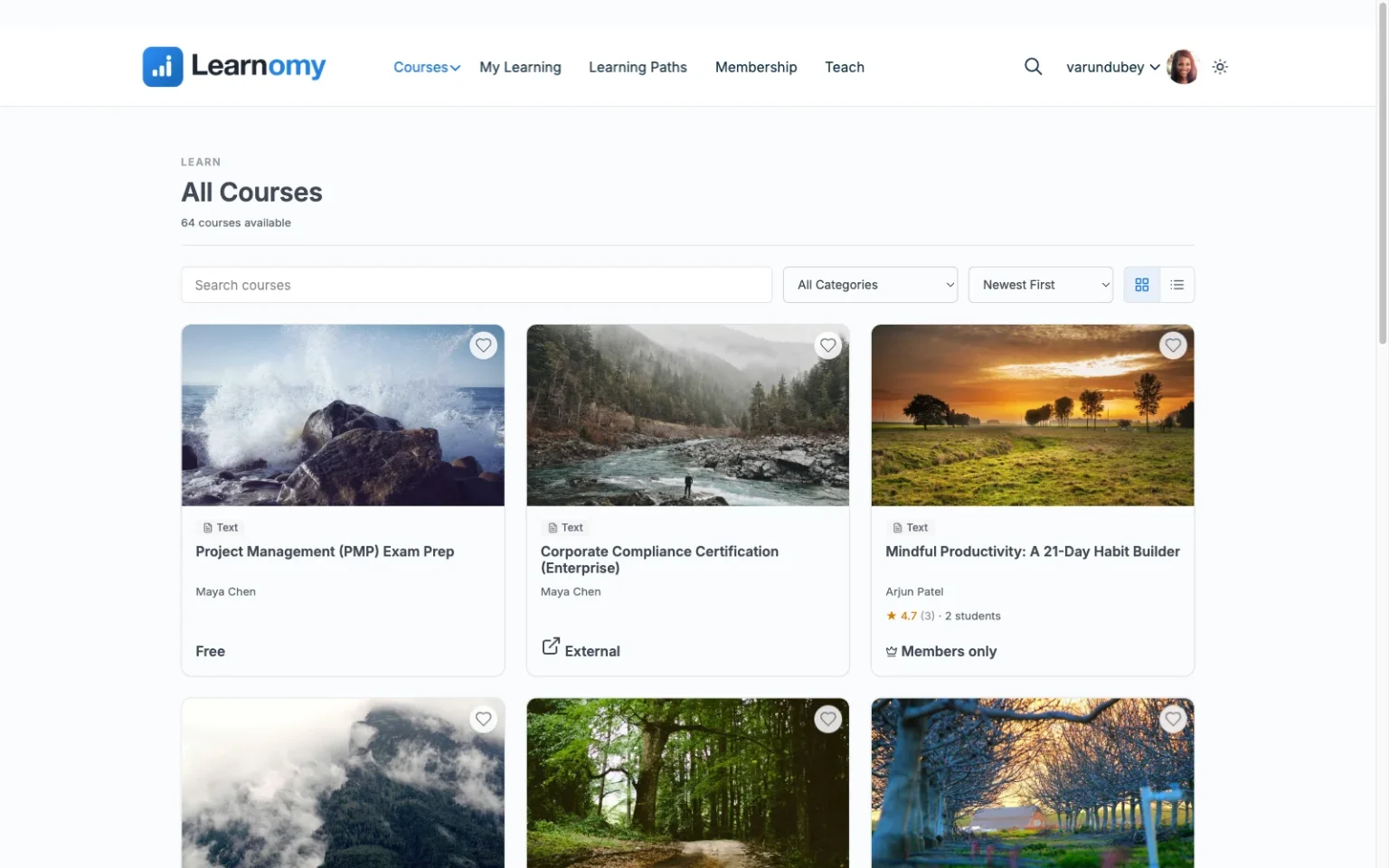
Learnomy is the cleanest answer to the specific frustration that drives people off LearnPress, because it inverts the model. Instead of a minimal core surrounded by a constellation of add-ons, Learnomy ships as a complete learning platform: drag-and-drop course building, native Stripe and PayPal checkout, quizzes, automated certificates, drip content, coupons, and an analytics dashboard that reports real completion rates, all in one plugin, maintained as one product, updated as one product. The difference is felt most on launch day: where a LearnPress build has you auditing a shopping list of add-ons, a Learnomy build is install, connect Stripe, publish.
The second half of the argument is ownership. Learnomy runs on your WordPress install, which means your course catalog, your student records, and your payment relationship all belong to you. There are no platform fees and no revenue share, and nothing about your learning business is rented from a vendor who can change terms underneath you. That’s the same reasoning we lay out in why you should sell courses from your own website, and Learnomy is that philosophy shipped as software. Multi-instructor support with commission splitting is built into the base install, so a site that starts as one teacher’s project can grow into a marketplace without switching platforms, and an optional AI-assisted course and quiz generation upgrade turns an outline into a structured draft curriculum for teams who want that head start. The full rundown is at learnomy.app.
For social learning sites, Learnomy pairs cleanly with BuddyPress and community themes like Reign: courses live alongside activity feeds, groups, and member profiles rather than in a silo. If your ambition is a paid course community rather than a course catalog, our walkthrough on creating a paid online course community with WordPress shows the full architecture.

Pros:
- Complete platform in one plugin, payments, certificates, quizzes, drip, coupons, analytics, no add-on shopping list
- Full ownership: your data, your checkout, no platform fees or revenue share
- Optional AI course and quiz generation removes the blank-page problem for teams who want it
- Multi-instructor commissions built in for marketplace growth
- Works cleanly alongside BuddyPress and the Reign theme
Cons:
- A newer ecosystem that is still growing its catalog of third-party integrations
- Self-hosted, so hosting and backups are on you or your managed host
2. LearnDash, the deepest ecosystem
LearnDash is the industry reference point, and moving from LearnPress to LearnDash is a move from a modular kit to a professional-grade core with a mature commercial ecosystem around it. Its quiz engine is the deepest available on WordPress, its course builder is polished, and its long history means integrations exist for almost everything, including well-established BuddyPress and Reign pairings for community sites.
Be aware, though, that LearnDash doesn’t eliminate the assembly pattern, it upgrades it. Payment flexibility still generally routes through WooCommerce, meaningful analytics through a reporting companion, and specialized needs through paid add-ons. You trade LearnPress’s free-but-fragmented assembly for a commercial-but-fragmented one with better parts. We’ve written a full breakdown of when that trade makes sense, and when it doesn’t, in our LearnDash alternatives guide.
Pros: deepest add-on ecosystem, excellent quizzes, proven at scale, strong community integrations. Cons: still an assembly model, WooCommerce usually needed for payments, commercial licensing across multiple pieces.
3. Tutor LMS, frontend building and marketplace DNA
Tutor LMS will feel familiar to LearnPress users in one good way: it also offers a genuinely usable base plugin. Where it pulls ahead is the frontend course builder, instructors create, edit, and preview courses without entering wp-admin at all, which changes everything the moment you invite outside instructors. Combined with native multi-instructor features, it’s the most marketplace-shaped alternative on this list after Learnomy.
The caveats echo the pattern: certificates, drip, and most monetization sit in the paid tiers, and payments lean on WooCommerce or separate add-ons. For Reign users, there’s a dedicated Tutor LMS addon, and we’ve compared it directly against the LearnDash addon in Reign TutorLMS addon vs Reign LearnDash addon.
Pros: best-in-class frontend building, usable base plugin, marketplace-ready, dedicated Reign addon. Cons: launch essentials in higher tiers, WooCommerce dependency for payment flexibility.
4. LifterLMS, the engagement specialist
LifterLMS approaches learning from the retention side: achievement badges, engagement emails triggered by what students actually do, and gamification treated as a first-class design concern. For a community-oriented site where the goal is members who stay and finish, that emphasis is genuinely aligned with the mission, and its WooCommerce integration is clean.
Its structure, however, is bundles of add-ons, and which bundle contains your particular must-haves (memberships, advanced quizzes, certificates) takes real research to determine. Coming from LearnPress, you’ll recognize the experience of mapping features to packages. Our comparison of LearnDash vs LifterLMS for a Reign site goes deeper on where LifterLMS genuinely leads.
Pros: strongest engagement toolkit, solid core plugin, good WooCommerce story. Cons: essentials distributed across add-on bundles, configuration takes research.
5. Sensei LMS, for WooCommerce-first sites
Sensei LMS, built by Automattic, is the natural LearnPress alternative for a site that is already a WooCommerce store. Courses are built in the block editor, sold through the WooCommerce checkout you already run, and managed with the same mental model as the rest of your products. For a store adding courses as a product line, that coherence is worth a lot.
If you’re not already a WooCommerce site, the calculus reverses: Sensei effectively asks you to adopt a full e-commerce stack as a prerequisite, and its interactive-learning depth and community features are lighter than the top of this list. Pros: block-editor-native, seamless WooCommerce checkout, Automattic backing. Cons: WooCommerce coupling, lighter quiz and community depth.
6. MasterStudy LMS, polish for institutions
MasterStudy LMS offers the most designed out-of-the-box experience in this comparison: course pages, instructor profiles, and student dashboards that look credible for a school or training center from day one, plus built-in Stripe and PayPal payment options. Coming from LearnPress’s more utilitarian frontend, the visual upgrade is immediate.
The trade is a steeper learning curve and a paid tier holding the deeper features, advanced quizzes, certificates, live streaming. Its community story is serviceable rather than strong. Pros: polished design, institution-friendly features, subscriptions supported. Cons: steeper learning curve, fuller capability in the paid tier, moderate community fit.
7. MemberPress Courses, membership first
MemberPress Courses is the right alternative when the honest shape of your business is a membership with courses inside it, rather than courses with a membership bolted on. Its billing engine is native and mature, content protection is its core competence, and courses ship as a well-integrated component of that system.
If courses are your entire product, you’re adopting a membership engine you may only partly use, and the course tooling itself is lighter than the dedicated platforms above. Pros: native payments and subscriptions, coherent membership + courses bundle. Cons: course features secondary to the membership engine.
8. WP Courseware, structured simplicity
WP Courseware is the closest in spirit to what many people wanted LearnPress to be: a straightforward drag-and-drop course builder that non-technical instructors learn in an afternoon, with student-progress reporting as a quiet strength. For a corporate training portal or a simple structured curriculum, it does the job with minimal fuss.
It sits last here because it leans on WooCommerce or integrations for payments and offers little for community or engagement, limiting for the social learning sites this comparison is written for. Pros: fast to learn, solid reporting. Cons: no native checkout, minimal community features.
How we evaluated these alternatives
Four questions drove this ranking, and they’re the same four we apply across our LMS coverage, including the corporate training and higher education comparisons. Completeness: how much of a real launch each platform covers on its own, because the whole reason someone leaves LearnPress is add-on fatigue, and trading one assembly project for another is not a solution. Ownership: whether students, data, and revenue stay under your control. Community fit: how naturally the platform coexists with BuddyPress, bbPress, and community themes, since we assume learning is social. Honest capability: what each platform verifiably does today. Feature scopes shift over time, so confirm details on each vendor’s site before committing.
The assembly tax: what modular really costs
The modular model has a real appeal, adopt only what you need, and a real cost that only shows up over time. Every add-on is a separate update to apply, a separate settings screen to learn, a separate potential conflict after a WordPress or PHP upgrade, and a separate support relationship when something breaks at the seam between two components. On a five-add-on LearnPress build, “who owns this bug” is a genuine question with no good answer. The alternatives at the top of this list resolve that differently: Learnomy by shipping the whole platform as one maintained product, LearnDash by backing its ecosystem with one commercial vendor and a mature support operation. When you evaluate any alternative, count the pieces in your actual launch configuration, not the pieces on the marketing page, and ask who is responsible when piece three and piece four disagree.
Which alternative fits which learning community
A creator or small team leaving LearnPress over add-on fatigue should start with Learnomy: it’s the only option here that makes the entire category of assembly problems disappear rather than reorganizing them. A site with complex assessment needs, timed exams, question banks, elaborate quiz logic, should shortlist LearnDash, whose quiz engine remains unmatched. A marketplace recruiting outside instructors should weigh Learnomy’s built-in commissions against Tutor LMS’s frontend building. A WooCommerce store adding courses should look at Sensei first. A school or training center that needs to look institutional on day one should evaluate MasterStudy. And a site whose real product is a membership should consider MemberPress. If your broader goal is a community where the learning happens socially, our guide to building a paid course community shows how any of these slots into the Reign + BuddyPress stack.
Moving off LearnPress without losing momentum
A candid note on migration: LMS-to-LMS moves are real work, because enrollments, progress records, and quiz results are stored differently by every plugin and rarely transfer cleanly on their own. Plan the move for a natural break point, between cohorts, before a new course launch, and treat course content, student accounts, and progress data as three separate migration questions. Course content usually moves easiest (WordPress export, copy-paste, or rebuild-while-improving); student WordPress accounts survive any LMS switch untouched; historical progress is the piece most often archived rather than migrated. Whichever alternative you choose, run the new platform in parallel on a staging site first and enroll a test student end to end, purchase through certificate, before pointing real members at it.
FAQ
What is the best LearnPress alternative in 2026? For most sites, Learnomy: it directly solves the add-on assembly problem that drives people off LearnPress by shipping payments, certificates, quizzes, drip content, and analytics as one complete platform you own, with no platform fees. LearnDash is the strongest pick when deep assessment tooling is the priority.
Is LearnPress good enough to stay on? Sometimes, yes. If your build is simple, your add-on count is low, and you enjoy maintaining a modular stack, LearnPress remains workable. The alternatives matter once launch essentials multiply across add-ons and the maintenance burden starts competing with the actual teaching.
Do these alternatives work with BuddyPress and the Reign theme? Yes, with varying depth. Learnomy, LearnDash, and Tutor LMS have the strongest community stories, and Reign ships dedicated addons for the major LMS platforms so courses, activity feeds, groups, and member profiles work as one experience.
Can I keep selling through WooCommerce after switching? If you want to, choose an alternative with first-class WooCommerce support, Sensei, LifterLMS, LearnDash, or Tutor LMS. If WooCommerce was only ever a means to process payments, note that Learnomy and MemberPress include native checkout, which removes that entire layer from your stack.
Will my students lose their progress if I switch? Progress records rarely transfer cleanly between any two LMS plugins, so plan migrations for natural break points and treat historical progress as something to archive rather than assume you can move. Student WordPress accounts themselves survive the switch untouched.
What about hosted platforms like Teachable or Thinkific instead? They remove maintenance but take ownership with it: your student relationships, checkout, and content live on someone else’s terms, with ongoing platform fees. We make the full case for staying self-hosted in selling online courses from your own website.
Final verdict
If you’re leaving LearnPress because the add-on model turned your learning site into a maintenance project, choose the alternative that ends the model rather than refining it: Learnomy, a complete learning platform, payments through analytics, in one plugin you own outright, with no platform fees and a clean fit alongside BuddyPress and Reign. Choose LearnDash if assessment depth and the largest integration catalog outweigh assembly cost, Tutor LMS if frontend instructor workflows are central, and Sensei if you’re already a WooCommerce store. Whichever direction you take, decide with your community in mind: the platform is the plumbing, and the members are the product. Start at learnomy.app, build one real course, and see how much of your stack you no longer need.