

Looking for the best WooCommerce WooCommerce plugins in 2026? Here’s the short answer: the right plugin depends on your store size, the action you want to incentivize, and how deeply you need it to integrate with your existing customer journey. After testing the leading options hands-on against real WooCommerce 9.x stores, this guide shortlists the plugins that genuinely move the needle, plus newer 2026 entrants worth knowing about.
What we recommend: if you also need community, membership, or engagement layers around your WooCommerce store, pair your stack with BuddyX Pro, community-first WordPress theme built for membership stores, vendor communities, and customer-loyalty hubs. We’ve seen this combination outperform standalone woocommerce plugins because retention compounds when product, content, and community live under the same roof.

Table of contents
- Abandoned Cart Recovery for WooCommerce
- YITH WooCommerce Recover Abandoned Cart
- Abandoned Cart Pro (Tyche Softwares)
- Abandoned Cart Lite for WooCommerce
- CartFlows, Cart Abandonment (Free)
- AutomateWoo
- Retainful
- ELEX WooCommerce Abandoned Cart Recovery
- Mailchimp for WooCommerce
- Addify, Abandoned Cart Recovery for WooCommerce
Related reading: 8 Best WooCommerce Auctions Plugins in 2026 I Personally Tested, 8 Best WooCommerce Multistore Plugins for Beginners I Tested, The 7 Best WooCommerce Gift Card Plugins I Actually Tried - A Practical Guide.
What is cart abandonment recovery for WooCommerce?
Cart abandonment recovery refers to the automated process of capturing carts that shoppers leave without purchasing and following up, usually by email, SMS, or push notification, to encourage completion. For WooCommerce stores, specialized plugins track anonymous and logged-in carts, store the cart state, and trigger recovery workflows.
Good WooCommerce Plugins Recover Abandoned Cart go beyond a single reminder: they provide multiple touchpoints, dynamic coupons, analytics, segmentation, and GDPR-compliant consent handling so recovery campaigns are effective and respectful of privacy.
Also Read: Best WooCommerce Plugins Order and Shipment Tracking
How to use an abandoned cart plugin
1) Install and activate the chosen plugin from WordPress.org or the vendor.
2) Connect any required email/SMS providers (SMTP, SendGrid, Mailgun, Mailchimp, Twilio, etc.) so notifications deliver reliably.
3) Create recovery templates, subject, body, and optional dynamic coupon codes.
4) Set timing rules (for example: send first reminder 1 hour after abandonment, second after 24 hours).
5) Enable tracking and test with a sample abandoned cart to verify linking, coupon application, and analytics.
Top 10 WooCommerce Plugins to Recover Abandoned Cart
The plugins below were selected for a mix of reliability, feature depth, and pricing flexibility, from free tools to premium marketing suites. Each entry includes a short overview, key features, and concise pricing.
Use the TOC above to jump to any plugin. Every description also includes practical details, like coupon generation, analytics, integrations, and typical use-cases, to help match a plugin to store needs.
1. Abandoned Cart Recovery for WooCommerce
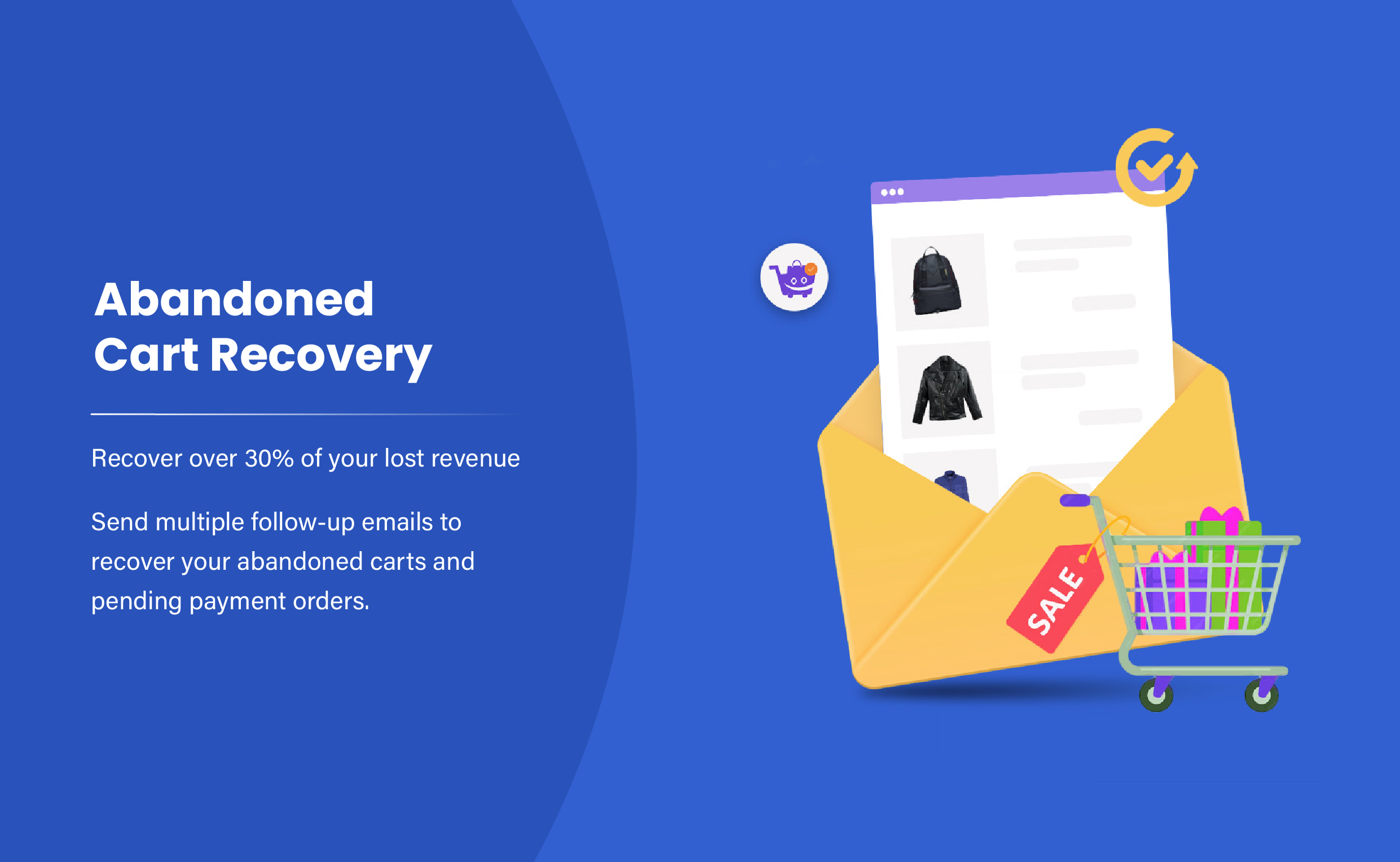
Abandoned Cart Recovery for WooCommerce provides a straightforward, store-hosted solution that records cart contents for guests and logged-in users, then sends scheduled recovery emails. It is designed to integrate tightly with core WooCommerce data while offering simple reporting and coupon support.
This plugin suits stores that want control, all cart data stays with the site (unless external email services are enabled). Setup is typically quick: enable tracking, authorize an SMTP provider for reliable mail delivery, and choose or create email templates with optional coupons.
Key features
- Records guest and registered user carts
- Configurable email templates and intervals
- Unique or static coupon generation
- Manually send and admin reports of recovered carts
Pricing: Free & Premium, free core + paid pro versions (licenses usually yearly).
2. YITH WooCommerce Recover Abandoned Cart
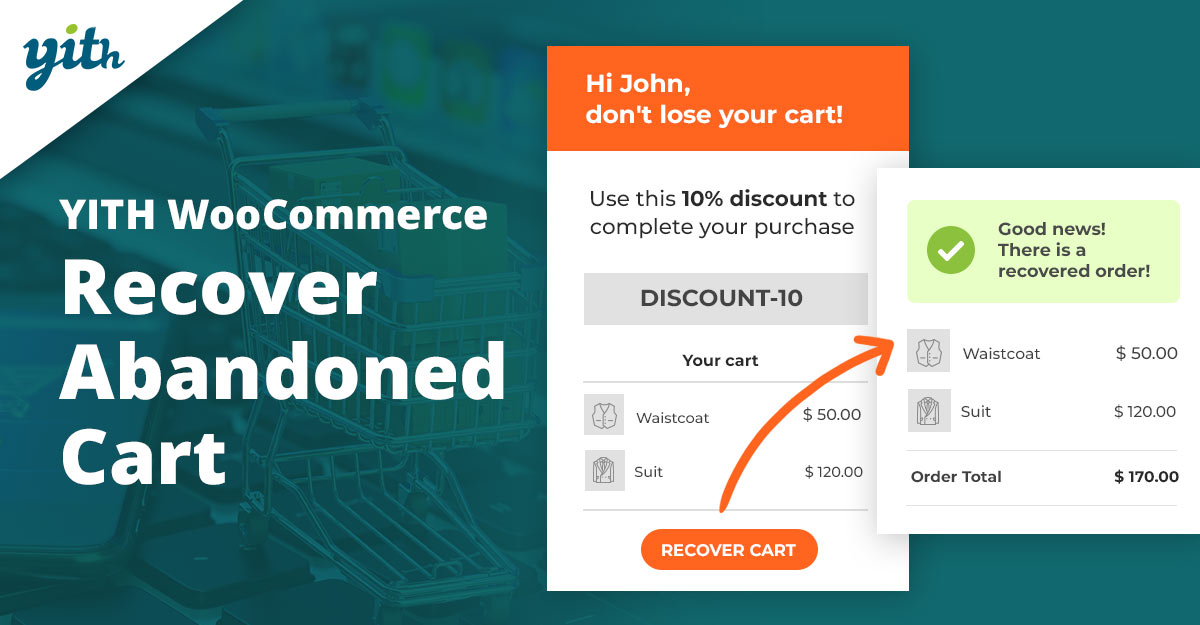
YITH’s Recover Abandoned Cart plugin focuses on a clean dashboard and straightforward automation: record abandoned carts, compose sequences of recovery emails, and measure recovered revenue. The UI is polished and integrates well with other YITH plugins and themes.
Recommended for stores that value a strong admin UX and want a plugin supported by a wider ecosystem (YITH). It includes coupon workflows, reporting for recovered orders, and basic segmentation options.
Key features
- Dashboard with recovered carts and revenue
- Multiple email reminders with templates
- Generate coupons automatically
- Integration with the YITH ecosystem and WooCommerce
Pricing: Premium yearly license, check the YITH product page for current pricing and licenses.
3. Abandoned Cart Pro (Tyche Softwares)
Tyche Softwares’ Abandoned Cart Pro (often called WooCommerce Abandoned Cart Pro) is a mature solution with strong analytics, GDPR-friendly opt-in controls, and detailed recovery reporting. It tracks carts, creates dynamic coupons, and supports integrations for email delivery.
The plugin emphasizes recovery metrics, open rates, coupon redemption, and recovered revenue, which helps fine-tune email sequences and timing strategies. A trial or lite version is typically available to test basic flows before upgrading.
Key features
- Detailed recovery analytics and reports
- Multiple follow-up emails with coupons
- GDPR opt-in checkbox support
- Manual and automated recovery actions
Pricing: Premium (annual), often includes a low-cost trial; check vendor for current plans.
4. Abandoned Cart Lite for WooCommerce
The Lite edition (by Tyche or similar vendors) is a free entry-level plugin that covers the essentials: capture abandoned carts, send a basic sequence of recovery emails, and view simple reports. It’s ideal for stores that want a no-cost starting point before committing to premium automation.
Expect fewer advanced options than premium counterparts, but the Lite plugin is often robust enough for many small stores and can be upgraded when higher deliverability or deeper segmentation is required.
Key features
- Free basic abandoned-cart capture
- Simple email reminders
- Coupon send support (limited)
- Basic reports and logs
Pricing: Free (with paid upgrade options available).
Also Read: How to Personalize WooCommerce Checkout Fields to Match Your Store
5. CartFlows, Cart Abandonment
CartFlows offers a dedicated free cart abandonment module that focuses on funnel-aware recovery, it pairs well with checkout flows and upsells. The free tool is surprisingly capable for stores that already use CartFlows funnels and want a low-friction recovery option.
The strength is simplicity and integration with CartFlows funnels: if checkout funnels are driving conversion strategies, tying abandonment recovery to those funnels keeps messaging consistent and context-aware.
Key features
- Free cart abandonment module
- Integration with existing CartFlows funnels
- Simple email reminder capability
- Good choice for stores using CartFlows already
Pricing: Free core; paid CartFlows tiers add funnels and CRO features.
6. AutomateWoo
AutomateWoo is a premium automation suite built specifically for WooCommerce. Its abandoned cart workflows are powerful, supporting complex conditions, coupons, SMS (via add-ons), and deep personalization. Because AutomateWoo is focused on automation, it fits stores that want more than just cart emails.
The platform is ideal for stores ready to invest in more advanced marketing automation: segmentation, workflows for win-back and follow-ups, and integration with many WooCommerce-centric plugins. It also promises unlimited email sending without volume-based limits in many tiers.
Key features
- Advanced automation workflows and conditions
- Personalized coupons and unlimited sending
- Deep WooCommerce integrations and add-ons
- Excellent for complex, rule-based recovery campaigns
Pricing: Paid (single-site annual license; check AutomateWoo for current price, typically around low-to-mid hundreds USD/year).
Also Read: Best WooCommerce Customer Reviews Plugins
7. Retainful
Retainful is an email-marketing + cart-recovery platform with a WooCommerce plugin. It offers pre-built automation workflows, dynamic coupon generation, and next-order coupons to incentivize both recovery and repeat purchases. Retainful is strong for stores that want a combined email & coupon automation tool.
The plugin scales from free tiers (basic features) to paid plans that add more automations and priority support. It is a convenient choice for merchants who prefer a managed SaaS-style workflow layered on WooCommerce.
Key features
- Pre-built recovery workflows and templates
- Dynamic and unique coupon codes
- Next-order coupons and retention-focused flows
- Free tier + paid plans for scale
Pricing: Free starter plan; paid from roughly $19/month and up, depending on features and volume (verify vendor for latest tiers).
8. ELEX WooCommerce Abandoned Cart Recovery
ELEX provides an Abandoned Cart Recovery plugin that emphasizes dynamic coupons, flexible email scheduling, and clear cart recovery rules. It’s a pragmatic solution for stores that want strong coupon controls and easy-to-customize email templates.
The ELEX plugin is often chosen for its granular control over triggers and the ability to map behavior to recovery workflows, such as excluding high-ticket carts or customizing messages per product category.
Key features
- Smart discount & dynamic coupon generation
- Multiple email triggers and scheduling
- Customize rules to include/exclude carts
- Detailed cart and email logs
Pricing: Premium license, check the ELEX site for current single-site annual pricing.
9. Mailchimp for WooCommerce
Mailchimp’s WooCommerce integration supports abandoned cart reminders as part of a broader email marketing system. It’s ideal when cart recovery is one part of a larger audience and campaign strategy, as Mailchimp provides segmentation, behavioral targeting, and cross-channel campaigns.
This approach requires a Mailchimp account and may be preferable for merchants who already use Mailchimp for newsletters, automation, and audience management and want to consolidate marketing tasks into a single platform.
Key features
- Abandoned cart reminder workflows in Mailchimp
- Customer segmentation and behavioral targeting
- Integrates with Mailchimp marketing features
- Good for stores with existing Mailchimp usage
Pricing: Free tier available (limits); Mailchimp paid plans vary by contacts and features, check Mailchimp pricing for current tiers.
10. Addify, Abandoned Cart Recovery for WooCommerce
Addify’s Abandoned Cart Recovery for WooCommerce provides a clean recording of abandoned carts, scheduled emails, and analytics. This plugin is geared to stores that need straightforward admin screens and clear pricing tiers for additional features.
The vendor emphasizes easy setup and actionable reports; it can be a good fit for merchants seeking an affordable, no-nonsense recovery tool with proven basic functionality.
Key features
- Automated follow-up emails and coupon integration
- Abandoned cart tracking and reporting
- Simple UI with manual email send option
- Paid tiers with expanded automation
Pricing: Paid plugin, consult Addify for current prices and license options.
Also Read: Best WooCommerce Plugins Dynamic Pricing and Discounts
Pricing snapshot
| Plugin | Key features (short) | Pricing (short) |
|---|---|---|
| Abandoned Cart Recovery for WooCommerce | Core cart capture, coupons, and scheduled emails | Free + Pro (yearly license) |
| YITH Recover Abandoned Cart | Dashboard, multiple reminders, and coupon generation | Premium yearly license |
| Abandoned Cart Pro (Tyche) | Detailed analytics, GDPR opt-in, coupons | Paid (annual) |
| Abandoned Cart Lite | Free basics, simple templates, logs | Free |
| CartFlows (Free module) | Funnel-aware recovery, free module | Free (paid tiers for funnels) |
| AutomateWoo | Advanced workflows, coupons, and add-ons | Premium (annual; mid-hundreds USD typical) |
| Retainful | Pre-built flows, next-order coupons, SaaS | Free starter; paid from ~$19/mo |
| ELEX Abandoned Cart | Smart discounts, flexible triggers | Paid license (annual) |
| Mailchimp for WooCommerce | Abandoned cart in Mailchimp, segmentation | Free tier; Mailchimp paid plans vary |
| Addify Abandoned Cart | Scheduled emails, analytics, coupons | Paid plugin, check vendor |

Pair Your Stack: Other Tools From Wbcom Designs
Beyond the WooCommerce plugins above, these in-house tools from Wbcom Designs solve adjacent problems most stores eventually run into, particularly when your loyalty, community, or service layer needs to plug into WooCommerce without a heavy custom build:
- BuddyX Pro, community-first WordPress theme for membership stores, vendor communities, and customer-loyalty hubs.
- WB Gamification, drop-in points, badges, ranks, and leaderboards for any WooCommerce loyalty or referral funnel.
- WP Sell Services Pro, turn WooCommerce into a service-selling platform (consulting, freelance, agency hours).
- WB Ad Manager, native ad placements to monetize content around your store (blog, category pages, sidebar).
- WordPress Polls, lightweight polls for product feedback, NPS-style surveys, and zero-party data.
- Jetonomy, monetization toolkit for digital communities (token economy, paid groups, creator payouts).
Final Thoughts: How to Pick the Right WooCommerce Plugin in 2026
Choosing the right WooCommerce WooCommerce plugin in 2026 comes down to four practical questions:
- What’s your store size and traffic? Smaller stores get the best return on free or one-time-pay options; high-volume stores justify the SaaS monthlies because of the reporting, segmentation, and automation depth.
- How technical is your team? Code-light, pre-configured plugins ship in a day. Advanced tooling needs developer attention but unlocks edge cases (custom workflows, third-party integrations, multi-site).
- Do you need community or engagement features alongside? If yes, pair with BuddyX Pro and WB Gamification so engagement, rewards, and shopping live in one stack instead of three.
- How will you measure ROI? Start with one campaign type, instrument it properly (UTM tags, attribution windows), track 30-day retention or AOV lift, then scale what works.
Most WooCommerce stores see meaningful results within 60-90 days of launching a woocommerce program, provided it’s promoted properly via email, on-site banners, post-purchase flows, and (where relevant) inside your community channels. The plugin you choose matters less than the program design and follow-through.
Interesting Reads:
Best WooCommerce Plugins Request a Quote
Best WooCommerce Social Login & Connect Plugins
How to Customize WooCommerce Checkout Fields to Boost Conversions