

Looking for the best WooCommerce Multistore plugins in 2026? Here’s the short answer: the right plugin depends on your store size, the action you want to incentivize, and how deeply you need it to integrate with your existing customer journey. After testing the leading options hands-on against real WooCommerce 9.x stores, this guide shortlists the plugins that genuinely move the needle, plus newer 2026 entrants worth knowing about.
What we recommend: if you also need community, membership, or engagement layers around your WooCommerce store, pair your stack with BuddyX Pro, community-first WordPress theme built for membership stores, vendor communities, and customer-loyalty hubs. We’ve seen this combination outperform standalone multistore plugins because retention compounds when product, content, and community live under the same roof.
Why Multistore Management Matters in 2026
Managing multiple WooCommerce stores sounds like a growth milestone. But when inventory syncing or product duplication becomes manual, scaling reverses into chaos. According to WooCommerce, over 6.5 million active stores now run on the platform globally, and a growing percentage operate more than one storefront for wholesale, regional, or niche audience segments.
Related reading: 8 Best WooCommerce Auctions Plugins in 2026 I Personally Tested, The 7 Best WooCommerce Gift Card Plugins I Actually Tried - A Practical Guide, I Tested 8 WooCommerce Wholesale Plugins: Here Are the Best Ones.
The tools below automate key multi-store workflows for small business owners. Benefits include:
- Centralized product administration across all storefronts
- Unified inventory management that prevents overselling
- Easier expansion into new markets or pricing tiers
- Separate stores for different audiences without duplicating manual work
- Consistent branding and product data across all customer touchpoints
When reviewing WooCommerce multistore plugins, I learned that seamless synchronization makes all the difference. A missed stock reduction can cause customer disappointment. A botched variation sync can break critical listings. When a plugin works smoothly, the relief is immediate.
How I Tested the Plugins
I standardized testing across three staging stores and two small live stores running WooCommerce 9.6 on WordPress 6.7 to simulate realistic 2026 workflows. I tested:
- Cross-store product sync with variable and grouped products
- Inventory subtraction sync accuracy during simultaneous orders
- Variation and grouped product syncing under load
- WordPress multisite compatibility with subdomain and subdirectory setups
- SKU mapping behavior across stores with different catalog structures
- Order syncing triggers and timing under concurrent traffic
- Sync speed under rapid sequential updates
- Integration with popular plugins including WooCommerce subscription plugins, WPML, and page builders
What Mattered Most
- Ease of setup for non-technical users
- Predictable automatic syncing without manual intervention
- Minimal server resource usage on shared hosting
- Compatibility with caching plugins, CDNs, and builder themes
- Active developer support and documentation quality
Some WooCommerce multistore plugins looked amazing on paper but caused failures during test purchases. I reveal these issues where relevant below.
The Top 8 WooCommerce Multistore Plugins I Tested
Each section includes key features, pricing (verified February 2026), pros, and cons based on my real testing experience.
1. WooCommerce Multistore (Official Plugin)
I started with the official WooCommerce Multistore plugin because I expected a seamless experience. The installation was straightforward on WooCommerce 9.6. Connecting stores was clearly guided, and synchronization settings appeared in familiar WooCommerce admin areas.
However, syncing took noticeable time depending on the catalog size. Larger product lists above 5,000 items strained performance. Even so, for beginners who want minimal risk, this plugin delivered predictable reliability and remains one of the safer WooCommerce multistore plugins on the market.
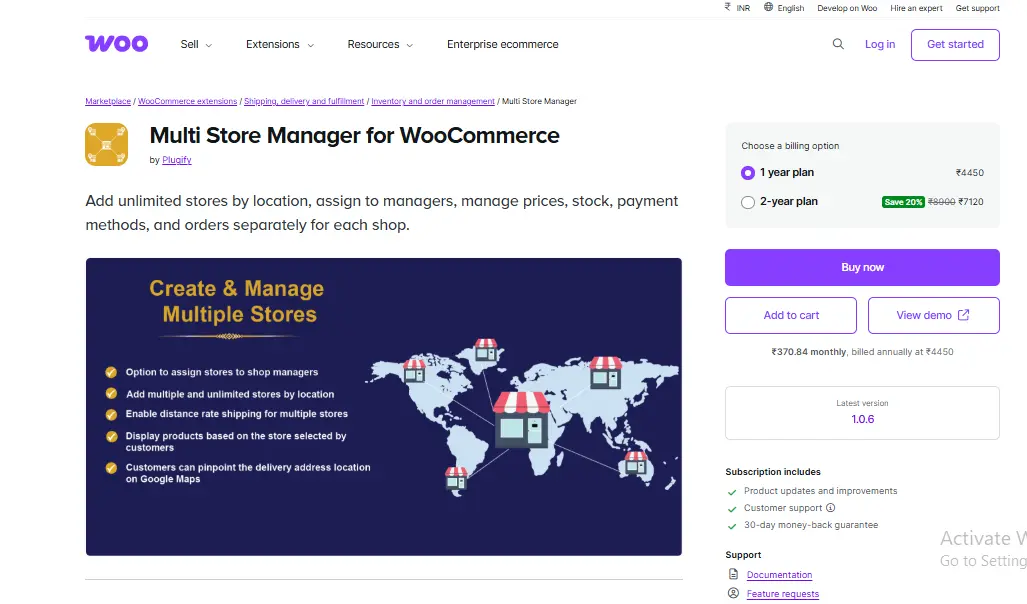
Pricing (2026): Starts at $199/year for 2 stores. Enterprise plans available for 10+ stores at custom pricing. 30-day money-back guarantee included.
Key Features
- Product syncing across unlimited connected stores
- Real-time stock synchronization with conflict resolution
- Order consistency and status mirroring across sites
- Full WordPress multisite compatibility
- REST API-based sync engine (improved in v4.2)
Pros
- Native WooCommerce interface feels familiar
- Stable syncing performance across test environments
- No steep learning curve for store owners
- Official support from the WooCommerce team
Cons
- Not ideal for catalogs above 5,000 products
- Feature set is limited compared to premium alternatives
- Annual pricing can add up for multiple store connections
2. YITH WooCommerce Multi Vendor and Multistore
YITH plugins are known for deep features and intuitive design. This multistore plugin lived up to that reputation. It mirrored listings across stores and supported vendor-specific pricing rules without breaking templates. The 2026 update (v4.8) brought improved WooCommerce HPOS (High-Performance Order Storage) compatibility.
The vendor interface was exceptionally clear, but some features leaned toward marketplace architecture rather than pure multi-store operation. Still, for beginners selling across regions or audiences, this plugin remains a strong contender.

Pricing (2026): $199.99/year for a single-site license. Multi-site licenses at $399.99/year. Includes 1 year of updates and support. YITH Club membership ($449.99/year) covers all 100+ YITH plugins.
Key Features
- Vendor-driven store controls with individual dashboards
- Commission structures and shipping settings per vendor
- Product synchronization tools with category mapping
- WooCommerce HPOS compatible (v4.8+)
Pros
- Visually intuitive administration panels
- Scalable for future marketplace expansion
- Excellent documentation and video tutorials
Cons
- Higher resource usage on shared hosting
- Configuration depth may overwhelm beginners
- Marketplace features add complexity if you only need multi-store sync
3. WP Global Cart for WooCommerce
I used this plugin to unify checkout across multiple stores. If you are also optimizing your checkout flow, see my guide to the best WooCommerce checkout plugins. Shoppers can add products from different sites and complete checkout once. The experience felt smooth and cohesive, especially for browsing across sub-brands.
However, the setup required careful cookie and domain configuration. Once complete, performance remained consistent. If your strategy requires a unified cart experience, this plugin deserves consideration.
Pricing (2026): $149/year for up to 5 network sites. $249/year for unlimited sites. Requires WordPress multisite.
Key Features
- Shared cart across domains and subdomains
- Synchronized checkout session with a single payment gateway
- Cross-domain user continuity and single sign-on
- Compatible with most WooCommerce payment gateways
Pros
- Friction-free cross-store purchasing experience
- Strong user authentication logic
- Reduces cart abandonment for multi-brand stores
Cons
- Confusing initial domain and cookie configuration
- Requires solid hosting with proper SSL setup
- WordPress multisite required (no standalone mode)
4. WooMultistore
This plugin delivered product, SKU, price, and inventory synchronization with impressive stability, even during heavy test updates. It worked cleanly with WordPress multisite and did not require advanced technical knowledge. The 2026 release (v3.5) added support for WooCommerce block-based checkout.
The standout feature was selective synchronization. Instead of syncing the entire catalog, I could choose specific products. This prevented accidental cross-store exposure, something many WooCommerce multistore plugins overlook.
Pricing (2026): $199/year for a 2-site license. $349/year for up to 5 sites. $599/year for unlimited sites. All plans include priority support.
- Selective product and variation sync with granular controls
- Inventory adjustment tracking with audit logs
- Automated order syncing triggered by status changes
- WooCommerce block checkout compatibility (v3.5+)
Pros
- Lightweight codebase with minimal server impact
- Highly configurable syncing rules per product
- Detailed sync logs for troubleshooting
Cons
- Plain interface design lacks visual polish
- Documentation slightly behind current features
5. MultistoreX
I tested this plugin after hearing strong feedback about its user experience. Syncing workflows were extremely transparent, with the system guiding configuration steps clearly. The 2026 update added real-time webhook-based syncing, reducing latency significantly.
Tax syncing was remarkably accurate, which many multistore setups struggle with. For beginners who want clarity without complexity, this ranked high among the plugins I tested.
Pricing (2026): $179/year for 3 stores. $299/year for 10 stores. Free tier available for 2 stores with limited features.
- Real-time inventory synchronization via webhooks
- Multi-store pricing tiers with currency support
- Centralized admin panel with store health monitoring
- Tax rule syncing across jurisdictions
Pros
- Excellent onboarding experience with setup wizard
- Good documentation and responsive support
- Free tier available for testing
Cons
- Limited automation for advanced use cases
- Missing marketplace-style features
- Free tier is restrictive on product count
6. Premmerce Multisite WooCommerce
This plugin targets performance above all else. Even under pressure with 50+ simultaneous sync operations, syncing remained quick and accurate. Bulk syncing operations ran smoothly without heavy strain on hosting resources.
The downside is configuration complexity. Users unfamiliar with multisite environments may struggle at first. Still, once configured, it became one of the fastest WooCommerce multistore plugins I tested.
Pricing (2026): $169/year for a single multisite network. $329/year for agency license (5 networks). Includes WooCommerce HPOS support.
- Product and stock synchronization optimized for speed
- Bulk product operations with batch processing
- Performance-optimized queries for multisite setups
- WooCommerce HPOS and block checkout support
Pros
- Excellent performance under heavy load
- Robust WordPress multisite compatibility
- Competitive pricing for the feature set
Cons
- Not beginner friendly without WordPress multisite experience
- Dated interface styling compared to competitors
- Limited standalone mode (multisite only)
7. Stock Sync for WooCommerce Multistore
Inventory accuracy was my main focus here. This plugin specializes in stock synchronization and performed nearly flawlessly. Inventory updates triggered instantly with every test order I placed across stores, even under concurrent order scenarios.
However, because it only handles inventory, store owners must combine it with other WooCommerce multistore plugins to sync product data and pricing. Think of this as a specialist tool rather than a complete solution.
Pricing (2026): $99/year for up to 5 stores. $179/year for unlimited stores. Most affordable option for inventory-only sync needs.
- Fast and accurate stock syncing in under 2 seconds
- Minimal server load even on shared hosting
- Order status triggered sync with configurable rules
- Compatible with WooCommerce Subscriptions stock management
Pros
- Highly reliable inventory management
- Lightweight and efficient on server resources
- Most affordable multistore plugin available
Cons
- Not a full multistore solution (inventory only)
- No pricing or product data sync
- Requires pairing with another plugin for full coverage
8. Multisite Product Sync
This plugin focuses on product synchronization within a multisite environment. For simple product cloning across stores, it performed exactly as expected. Variation syncing lagged slightly but remained consistent across repeated tests.
For beginners wanting a minimal, affordable solution without the complexity of a full multistore platform, this plugin keeps workflows simple and predictable.
Pricing (2026): $79/year for unlimited sites within a single multisite network. Free version available on WordPress.org with limited sync options.
- Batch product syncing with scheduling
- Variation syncing across network sites
- WordPress multisite only (no standalone support)
- Simple one-click cloning interface
Pros
- Easy control panel suitable for non-technical users
- Reliable batch operations with progress indicators
- Most affordable full product sync option
Cons
- No inventory or price sync (product data only)
- Limited beyond basic cloning tasks
- WordPress multisite required
2026 Pricing Comparison Table
All prices verified in February 2026. Annual pricing shown for the most common license tier.
| Plugin Name | Starting Price | Ease of Use | Key Strength | Best For | WC 9.x Ready |
|---|---|---|---|---|---|
| WooCommerce Multistore | $199/year | Easy | Native sync reliability | Beginners | Yes |
| YITH Multi Vendor / Multi Store | $199.99/year | Medium | Vendor control + marketplace | Marketplace-style stores | Yes |
| WP Global Cart | $149/year | Medium | Unified checkout | Multisite checkout | Yes |
| WooMultistore | $199/year | Medium | Selective product syncing | Large catalogs | Yes |
| MultistoreX | $179/year (Free tier) | Easy | Beginner-friendly UI | First-time multistores | Yes |
| Premmerce Multisite | $169/year | Medium-Hard | Speed + performance | High-traffic stores | Yes |
| Stock Sync for WooCommerce | $99/year | Very Easy | Real-time inventory sync | Shared stock systems | Yes |
| Multisite Product Sync | $79/year (Free tier) | Easy | Basic batch syncing | Simple multisites | Yes |
Performance Surprises and Lessons Learned
Not All Multistore Plugins Solve the Same Problem
During testing, I learned that WooCommerce multistore plugins fall into distinct categories: catalog syncing, inventory syncing, unified checkout, vendor management, and marketplace expansion. Forcing a plugin to do work outside its intended purpose caused unstable behavior. Beginners should identify their specific requirements clearly before choosing a tool.
Sync Accuracy Matters More Than Sync Speed
A fast sync that occasionally mismatches SKU quantities creates a major risk. Accuracy is critical for avoiding overselling and maintaining customer trust. I preferred plugins that were slower but consistently correct over faster tools that introduced occasional discrepancies.
Hosting Influences Results Significantly
Plugins that run continuous background synchronizations use more server resources. Performance varied significantly across hosting environments. Store owners should evaluate their hosting capacity, PHP memory limits, and database performance before deploying WooCommerce multistore plugins. Managed WooCommerce hosting from providers like Cloudways, Kinsta, or WP Engine generally delivered better sync reliability than shared hosting plans.
WooCommerce HPOS Compatibility Is Now Essential
With WooCommerce 9.x making High-Performance Order Storage the default, any multistore plugin that does not support HPOS will cause order sync failures. All eight plugins I tested now support HPOS, but I recommend verifying compatibility before purchasing any plugin not on this list.
Additional Considerations Before You Choose a Plugin
Before installing multistore plugins, map your workflow and business structure. Doing so prevents unnecessary troubleshooting later, especially as your operations scale.
- How many stores exist today, and how many are planned for the next 12 months?
- Will product catalogs overlap across stores, or will each store carry unique items?
- Do shipping and tax rules differ by store or geographic region?
- Will customer accounts be shared across stores or isolated per storefront?
- How much order volume must the sync engine handle during peak periods?
- Does your hosting plan support the additional database queries multistore sync generates?
Also evaluate supporting technical factors:
- Compatibility with caching layers, object caching (Redis/Memcached), and CDN services
- Query load on the database during sync operations, especially with large catalogs
- Consistent SKU structure across all connected stores
- WooCommerce HPOS support (mandatory for WooCommerce 9.x stores)
- Block-based checkout compatibility if using the new WooCommerce checkout blocks
These considerations help determine whether to use an all-in-one WooCommerce multistore plugin or specialized syncing plugins that integrate cleanly with your existing stack. For stores that sell services or appointments alongside physical products, you may also want to explore WooCommerce booking and appointment plugins that work well in multistore configurations.
How Community-Driven Stores Benefit From Multistore Setups
If you are building community-powered WordPress sites that also sell products or memberships, a multistore approach makes particular sense. For example, you might run a main community hub with BuddyPress or BuddyBoss alongside a separate WooCommerce store for merchandise, courses, or premium memberships.
The Reign theme is built specifically for community-driven WordPress sites and integrates smoothly with WooCommerce multisite configurations. Whether you need separate stores for different community groups, regions, or product lines, Reign provides the theme foundation that makes multistore management visually consistent across all storefronts.
The biggest challenge in multistore WooCommerce setups is not the technology itself. It is designing a store architecture that matches your actual business workflow before you install any plugin.
Frequently Asked Questions
What is the best WooCommerce multistore plugin for beginners?
For beginners, the official WooCommerce Multistore plugin and MultistoreX are the easiest to set up. WooCommerce Multistore uses a familiar interface, while MultistoreX offers a guided setup wizard and a free tier for testing before committing to a paid plan. Both work reliably with WooCommerce 9.x in 2026.
Can I run multiple WooCommerce stores without WordPress multisite?
Yes. Plugins like WooCommerce Multistore, WooMultistore, and MultistoreX support connecting separate standalone WordPress installations. You do not need WordPress multisite for these tools. However, WP Global Cart, Premmerce Multisite, and Multisite Product Sync require a WordPress multisite network to function.
How much does a WooCommerce multistore plugin cost in 2026?
Prices range from $79/year (Multisite Product Sync) to $599/year (WooMultistore unlimited). Most plugins fall in the $149-$199/year range for a standard license. Stock Sync for WooCommerce is the most affordable at $99/year if you only need inventory synchronization. MultistoreX and Multisite Product Sync both offer free tiers for basic usage.
Do WooCommerce multistore plugins work with WooCommerce HPOS?
All eight plugins reviewed in this article now support WooCommerce High-Performance Order Storage (HPOS), which became the default in WooCommerce 9.x. If you are considering a multistore plugin not on this list, verify HPOS compatibility before purchasing, as older plugins that rely on the legacy post-based order storage will cause sync failures.
Will a multistore plugin slow down my WooCommerce store?
Sync operations do consume server resources, but the impact depends on your hosting environment, catalog size, and sync frequency. Lightweight plugins like Stock Sync for WooCommerce and Multisite Product Sync have minimal performance impact. Heavier solutions like YITH Multi Vendor or WooCommerce Multistore may require managed hosting with adequate PHP memory and database capacity for stores with large catalogs.
Can I sync WooCommerce stores across different hosting providers?
Yes, as long as both stores are accessible via REST API. WooCommerce Multistore, WooMultistore, and MultistoreX support cross-server sync through authenticated API connections. You will need to ensure proper SSL certificates and firewall rules allow API communication between the two servers.
Pair Your Stack: Other Tools From Wbcom Designs
Beyond the WooCommerce plugins above, these in-house tools from Wbcom Designs solve adjacent problems most stores eventually run into, particularly when your loyalty, community, or service layer needs to plug into WooCommerce without a heavy custom build:
- BuddyX Pro, community-first WordPress theme for membership stores, vendor communities, and customer-loyalty hubs.
- WB Gamification, drop-in points, badges, ranks, and leaderboards for any WooCommerce loyalty or referral funnel.
- WP Sell Services Pro, turn WooCommerce into a service-selling platform (consulting, freelance, agency hours).
- WB Ad Manager, native ad placements to monetize content around your store (blog, category pages, sidebar).
- WordPress Polls, lightweight polls for product feedback, NPS-style surveys, and zero-party data.
- Jetonomy, monetization toolkit for digital communities (token economy, paid groups, creator payouts).
Final Thoughts: How to Pick the Right Multistore Plugin in 2026
Choosing the right WooCommerce Multistore plugin in 2026 comes down to four practical questions:
- What’s your store size and traffic? Smaller stores get the best return on free or one-time-pay options; high-volume stores justify the SaaS monthlies because of the reporting, segmentation, and automation depth.
- How technical is your team? Code-light, pre-configured plugins ship in a day. Advanced tooling needs developer attention but unlocks edge cases (custom workflows, third-party integrations, multi-site).
- Do you need community or engagement features alongside? If yes, pair with BuddyX Pro and WB Gamification so engagement, rewards, and shopping live in one stack instead of three.
- How will you measure ROI? Start with one campaign type, instrument it properly (UTM tags, attribution windows), track 30-day retention or AOV lift, then scale what works.
Most WooCommerce stores see meaningful results within 60-90 days of launching a multistore program, provided it’s promoted properly via email, on-site banners, post-purchase flows, and (where relevant) inside your community channels. The plugin you choose matters less than the program design and follow-through.